
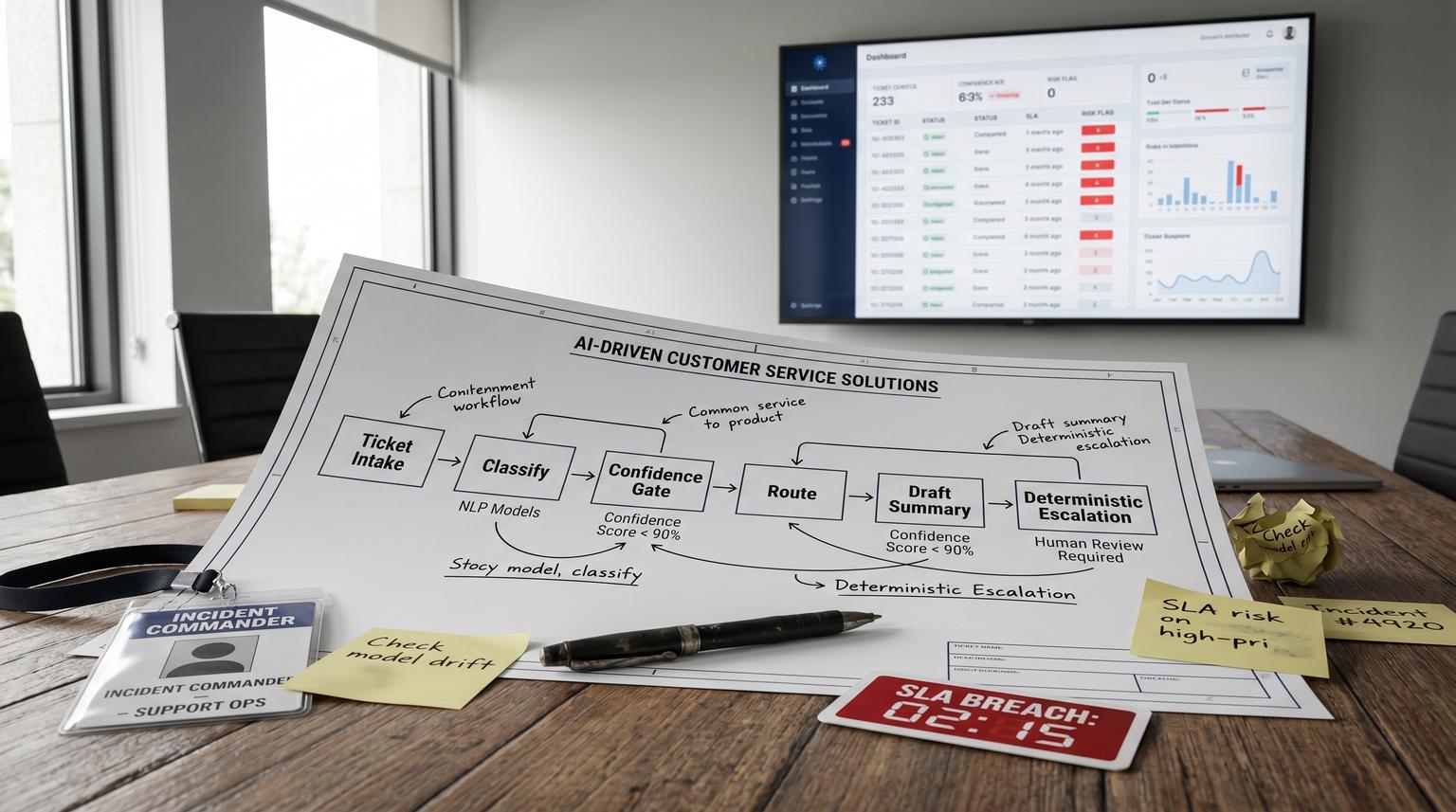
Ticket intake is where support teams silently lose time: inconsistent tags, slow routing and missed risk signals before anyone even replies. This is exactly where AI-driven customer service solutions create the most reliable leverage, not by auto-sending messages but by standardizing what happens between a new request arriving and the first human response.
This article is for ops leaders and support managers who want an implementation-ready triage workflow that auto-tags, routes and summarizes tickets while keeping escalations deterministic and SLA-safe. You will get confidence thresholds, human approval gates, escalation rules and the KPIs to monitor so the automation stays dependable as volume and policies change.
Quick summary:
- Use a gated funnel: classify and extract entities, then tag and route, then generate an agent-ready summary, then apply deterministic SLA risk escalations.
- Set confidence thresholds so only high certainty classifications auto-route while medium confidence goes to a triage review queue.
- Prevent unsafe auto-sends by creating draft replies and internal tasks only, with human approval before anything is sent.
- Monitor FRT, misroute rate, containment and CSAT plus leading indicators like fallback rate and confidence drift.
Quick start
- Define your taxonomy: 8 to 20 intents (billing, bug, renewal, access, outage, security) and the required extracted fields (account, plan, invoice id, environment, severity).
- Implement a routing controller workflow (n8n, a small API service or serverless function) that receives each new ticket event and runs AI classification plus entity extraction. If you want a more end-to-end build that also handles CRM sync and follow-ups, see AI-driven customer service automation with n8n.
- Apply confidence gating: auto-route only above threshold, send medium confidence to a human triage queue and send low confidence to a general queue with an uncertainty note.
- Generate an agent-ready summary and a suggested reply as a draft only then create internal tasks and run assignment rules.
- Enable SLA-safe escalations using deterministic triggers tied to risk signals (VIP, security, outage language, refund disputes, aging) and add no-repeat tags to avoid loops.
- Go live in phases and track FRT, misroute rate, containment and CSAT with weekly QA sampling and a remediation backlog.
The safest way to automate triage is to treat AI as a classifier and summarizer behind a routing controller that enforces thresholds, fallback paths and deterministic escalation rules. High-confidence tickets can be tagged and routed instantly, medium-confidence tickets require human approval and low-confidence tickets fall back to a general queue. Escalations should never depend on free-form generation. They should be triggered by rules that protect SLAs while producing internal notes, drafts and tasks for agents.
Why intake-boundary triage is the highest ROI support automation
Most teams measure first-response time from when a ticket is created. But the hidden delay is what happens before anyone sees it: wrong queue, missing context and inconsistent priority. If billing requests land in bug queues and urgent outages look like general questions, you burn minutes or hours before the first meaningful action.
Intake-boundary automation fixes this by standardizing the first three decisions every ticket needs:
- What is this about? (intent and tags)
- Who should own it? (routing and assignment)
- How risky is it? (priority and escalation guardrails)
A practical architecture pattern is a single routing controller that receives each new request, calls a classifier and then writes back tags and assignment. AWS describes this controller approach for intelligent routing where an ingestion step triggers a central decision function that classifies and routes in near real time in their routing reference. The same idea maps cleanly to email, chat and webform intake.
The gated funnel workflow for tagging, routing, summarizing and escalating
Build triage as a funnel with explicit gates. Every gate should have a fallback path so you never rely on a single model call to decide ownership or urgency.

Gate 1: Normalize the incoming payload
- Collect raw text (subject, body, chat transcript) and metadata (channel, customer id, account tier, language, attachments).
- Strip signatures and quoted history when possible to reduce noise.
- Generate a stable ticket fingerprint to prevent duplicate triage runs (ticket_id plus last_message_id).
Gate 2: Classify intent and extract entities
Run two AI tasks:
- Intent classification into a fixed set of categories that map to queues and SLAs.
- Entity extraction for fields your agents repeatedly ask for: invoice number, domain, environment, product module, error code, renewal date, user email and severity.
Keep the output structured (JSON) and store it as an internal note or custom fields for auditability.
Gate 3: Apply tags and route using confidence thresholds
Confidence gating is the difference between safe automation and silent misroutes. ServiceNow documents intent confidence thresholds and fallback decisioning where only matches above threshold are auto-selected and lower confidence results require a different path in their topic discovery logic.
| Model outcome | Decision rule | Action | What gets written to the ticket |
|---|---|---|---|
| High confidence | Top intent score >= 0.85 and margin vs #2 >= 0.15 | Auto-tag and auto-route to the owning queue | intent tag, extracted entities, priority recommendation |
| Medium confidence | 0.60 to 0.84 or margin < 0.15 (tie risk) | Route to a triage review queue for human selection | tag needs_triage_review and top 3 intents with scores |
| Low confidence | < 0.60 or no match | Route to general support queue with uncertainty note | tag needs_clarification and suggested questions for agent |
Decision rule: if you cannot explain why a ticket was routed to a queue in one sentence, it should not auto-route. In practice, margin checks catch overlapping taxonomy problems (for example, bug vs outage) before they become SLA misses.
Gate 4: Generate an agent-ready summary and suggested reply as a draft
Summarization is where teams are tempted to auto-send. Do not. Use AI to produce:
- Agent summary: 5 to 8 bullets with the customer goal, relevant history, extracted entities and likely root cause.
- Suggested reply: a draft response that is not sent automatically.
- Internal tasks: what to do next (check invoice, pull logs, verify entitlement, reproduce steps).
Write the summary as an internal note and store the draft reply in a private field or as a macro suggestion. The human approval gate is simple: an agent must open the ticket and click send. For more patterns on agent-assist (drafting, PII redaction, and human approval gates), see Reduce Support Handle Time With AI-Powered Customer Service Solutions That Assist Agents Not Chatbots.
Gate 5: Escalate using deterministic SLA and risk rules
Escalation should be rules-driven, not generative. Use a combination of AI signals (intent, sentiment, risk flags) and hard ticket state (age, status, reply count, customer tier). Zendesk shows a pattern where escalation identification uses triage outputs plus ticket conditions and then takes actions like adding tags and internal notes in their escalation trigger example.
Meet ALL of the following conditions:
- Intent | Is | Software error
- Agent replies | Is | 5
- Status | Is | Open
- Ticket tags | Contains none of the following | agent_esc_notified
Actions:
- Add tags | agent_esc_notified
- Internal note | Add a message to encourage escalation / share resources
Adapt this into SLA-safe rules like:
- Immediate escalation: security keywords, payment disputes, outage intent for premium tiers, data loss language. Action: tag, raise priority and route to on-call queue.
- SLA risk escalation: time to breach < 25% of remaining SLA window. Action: tag sla_risk, notify a lead and bump priority to ensure the correct SLA policy applies.
- Stuck loop escalation: open status with N agent replies or N days without customer progress. Action: add internal note with next diagnostic steps and prompt escalation.
Always add a no-repeat tag (like agent_esc_notified) to prevent alert spam and automation loops.
Implementation blueprint in n8n or an integration layer
Think of the build as three layers: event capture, routing controller and helpdesk actions. If you want a full implementation-oriented playbook that connects intake, triage, routing, SLAs, escalation, knowledge workflows, QA and human handoff, use this pillar guide: Support ticket automation playbook (triage, routing, SLAs, knowledge, QA).

1) Event capture at the helpdesk boundary
- Trigger on new ticket created (email, webform) and new conversation (chat).
- For email pipelines, capture both initial body and attachments metadata.
- Make it event-driven where possible. Scheduled ingestion can add latency that matters for strict SLAs.
2) Routing controller workflow
This is a single workflow (often easiest in n8n) that enforces gates and writes back results. A typical controller run does:
- Deduplicate by checking whether this message id has already been triaged.
- Call the classifier and extraction step.
- Compute confidence tier and apply routing logic.
- Generate summary and draft reply.
- Evaluate escalation rules and apply deterministic actions.
- Log a triage record for monitoring (ticket_id, predicted intent, confidence tier, final route, escalation flags).
3) Helpdesk actions and assignment
When your helpdesk supports it, you can apply tags and then ask the platform to run its own assignment rules. Intercom, for example, exposes an endpoint to run assignment rules on an unassigned conversation which is useful when classification is asynchronous and you want routing to stay deterministic via their assignment rules API.
POST https://api.intercom.io/conversations/{convo_id}/run_assignment_rules
Headers:
- Authorization: Bearer <Access Token>
- Accept: application/json
- Content-Type: application/json
This pattern is also a clean recovery mechanism: if a ticket is corrected by a human or reclassified later, re-run assignment rules after updating the tags and fields.
Concrete SLA-safe escalation rules you can copy and adapt
Start with a small set of rules and expand only after you have monitoring. Here is a practical baseline that avoids brittle complexity.
- Rule A: VIP outage fast lane: if intent = outage or degraded service and account_tier in (enterprise, premium) then priority = urgent and route = incident queue and notify on-call channel.
- Rule B: Payment dispute: if intent = billing and keywords include refund, chargeback, disputed then route = billing escalation and add internal checklist tasks (invoice lookup, payment processor check, refund policy link).
- Rule C: Security risk: if entity extraction finds security keywords (breach, leaked, vulnerability, compromised) then route = security and add tag security_review_required. Do not include AI-generated advice to the customer in the ticket, only an internal note.
- Rule D: SLA risk timer: if first_response_due_at exists and now is within 25% of remaining window and ticket is not assigned then route to priority triage and tag sla_risk.
- Rule E: Stuck after multiple replies: if status = open and agent_replies >= 5 and no tag agent_esc_notified then add internal note to escalate and add tag agent_esc_notified.
Tradeoff to decide early: do you bump priority automatically or only route to a faster queue? Auto priority changes can improve SLA compliance but they can also distort reporting if the model over-flags urgency. Many teams start with routing-only escalations for 2 to 4 weeks then enable priority bumps for only the highest confidence risk categories (security, outage, VIP).
Rollout, QA sampling and rollback so this stays safe in production
A common failure pattern is going from prototype to full auto-routing without a controlled review period. The result is a quiet misroute problem that looks like agent underperformance when it is actually intake classification drift.
Recommended rollout stages
- Shadow mode: run classification and summarization but do not change assignment. Compare predicted queue vs actual agent queue decision.
- Assisted mode: apply tags and internal notes, route only high confidence and send medium confidence to triage review.
- Expanded mode: add deterministic escalations and allow a small set of auto priority bumps.
QA sampling loop
Each week, sample tickets across intents, channels and tiers:
- 10 to 20 high-confidence auto-routes to validate misroute rate.
- 10 medium-confidence triage-review tickets to validate whether the right fallback was used and whether taxonomy overlaps exist.
- All escalations triggered by Rule A to D to confirm no false positives.
Microsoft highlights an evaluation-driven triage and remediation approach where threshold-based governance triggers a repeatable cycle of diagnose, fix and re-evaluate rather than ad hoc changes in their remediation overview. Apply the same idea here: when a KPI crosses a threshold, open a remediation backlog item and fix the root cause (taxonomy, training labels, prompt or rule logic) then re-test on a regression set.
Rollback plan
- Keep a feature flag to disable auto-routing while continuing to generate summaries.
- Keep deterministic escalation rules separately toggled so you can disable noisy ones without turning off the whole workflow.
- Log every triage decision with model version, thresholds used and the final route for audits.
KPIs and monitoring that catch problems before SLAs break
Track the required KPIs plus a few leading indicators that tell you when the model or taxonomy is drifting.
- FRT (First Response Time): median and P90 by channel and tier. Also track ingest-to-triage time to ensure your pipeline is not adding delay.
- Misroute rate: percent of tickets reassigned within X minutes or moved to a different group. Break down by intent and confidence tier.
- Containment: percent of tickets resolved without escalation to another team or tier (define containment clearly for your org).
- CSAT: by intent and by route path (auto-route vs triage-review vs general fallback).
- Fallback rate: percent of tickets that hit medium or low confidence. Rising fallback is often taxonomy overlap or new product language.
- Confidence distribution shift: monitor average top-score and margin. Sudden drops can indicate new issue types or prompt regressions.
Real-world operations insight: misroute rate is often dominated by two or three overlapping intents (billing vs subscription change, bug vs outage, access vs SSO). Fixing those overlaps usually delivers a bigger lift than adding more categories.
When this approach is not the best fit
If your support volume is very low (for example, fewer than 10 tickets per day) or your categories change weekly due to constant product pivots, the overhead of building and maintaining thresholds, taxonomy and QA loops can outweigh the benefit. In that case, start with lighter automation: standardized intake forms, required fields and macro-driven summaries. Once you have stable labels and enough history, revisit automated routing.
Primary CTA: If you want this implemented with n8n workflows, helpdesk and CRM integrations and safe approval gates, book a working session with ThinkBot Agency here: book a consultation.
FAQ
Common implementation questions we get when teams move from manual triage to automated intake.
What confidence thresholds should we start with for auto-routing?
A practical starting point is auto-route at 0.85+ with a margin of 0.15+ over the second intent. Send 0.60 to 0.84 to a triage review queue and send below 0.60 to a general queue with an uncertainty note. Then tune based on misroute rate and fallback rate.
How do we prevent unsafe auto-sends to customers?
Keep all AI-generated replies as drafts only and require an agent click to send. The automation can still add internal notes, tags, routing and tasks. If you later allow auto-sends for a narrow use case, restrict it to high confidence scenarios with pre-approved templates.
How do we measure misroute rate in a way that is hard to game?
Track reassignment events within a fixed time window (for example 30 to 60 minutes) and measure how often tickets move to a different group than the initial route. Segment by confidence tier so you can see whether your thresholds are doing their job.
What KPIs should we monitor first after going live?
Start with FRT, misroute rate, containment and CSAT. Add leading indicators like fallback rate, tie frequency (small margin cases) and confidence distribution shift so you catch taxonomy drift before it shows up as SLA misses.
Can we use this workflow across email, chat and webforms?
Yes. The key is normalizing each channel into a single payload for the routing controller, then applying the same gates and rules. Channel-specific differences usually live in pre-processing (cleaning email threads) and in the helpdesk actions (assignment rules and tags).
