
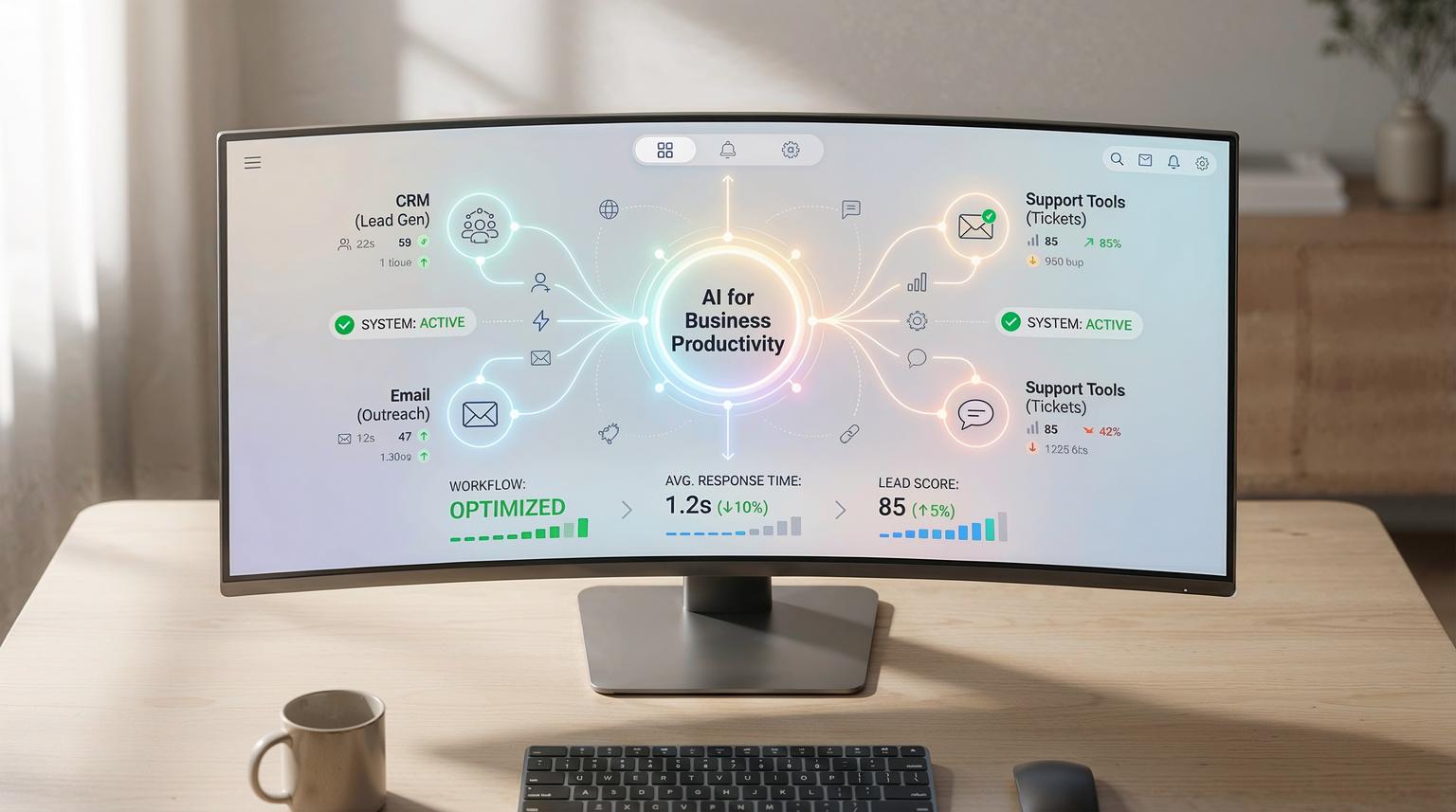
Most teams do not need more apps to move faster, they need fewer manual steps between the apps they already use. The most reliable way to get there is to connect your CRM, email platform and support tools with automation, then add AI where it improves decisions or reduces writing and sorting work.
This guide shows how AI for business productivity works in real operations, using n8n as the workflow engine and your CRM as the system of record. It is written for business owners, ops leaders and marketing or CRM teams who want practical workflows they can implement and maintain.
At a glance:
- Use n8n to orchestrate triggers, API calls, AI steps and CRM updates with logging and guardrails.
- Start with three high-ROI workflows: AI lead scoring, personalized outreach drafts and intelligent ticket routing.
- Design around data quality, human review gates and structured outputs, not just prompts.
- Scale safely by adding monitoring, retries, rate limits and a rollback plan.
Quick start
- Pick one workflow, lead intake, outreach drafting or ticket routing, and define one measurable KPI.
- List the systems involved, CRM, email, support desk and any enrichment APIs, then confirm API access and permissions.
- In n8n, build the trigger -> data normalization -> AI step -> validation -> CRM writeback sequence.
- Add guardrails: confidence thresholds, human approval for customer-facing messages and logging to a database or sheet.
- Run a 2-week pilot, review samples weekly and tighten prompts, mappings and routing rules before scaling.
Use n8n to connect your CRM, email and support tools, then add targeted AI steps to summarize, classify, score and draft content. The best results come from structured inputs, clear output schemas and guardrails like human review and confidence thresholds. Start with one workflow that removes repetitive work, then expand once monitoring and data quality are in place. For a broader view of how to optimize workflows with AI and n8n, see our guide to optimizing workflows with AI and n8n.
Where AI actually improves day-to-day operations
Automation is great at moving data, AI is great at interpreting messy text and making consistent suggestions. When you combine them you get workflows that reduce context switching and shorten time-to-action.
In practice we see the biggest gains in four areas:
- Intake and summarization: turn long emails, form submissions or chat transcripts into structured CRM notes and action items.
- Prioritization: score leads, deals or tickets using engagement signals and account context.
- Drafting and personalization: generate first drafts that reps edit, then log the final activity back to the CRM.
- Routing and triage: classify and assign tickets, then attach the right context for faster resolution.
We typically implement these using n8n nodes plus HTTP requests to the relevant APIs. n8n also supports AI and agent style nodes and patterns like summarization and caching. For example, the n8n pattern of email -> AI summary -> CRM record creation is documented in this guide and it maps cleanly to most CRMs.
Workflow architecture that scales: data, prompts and guardrails
Before building anything, decide what your CRM should store and what AI should generate. A scalable pattern is:
- CRM is the source of truth for contacts, companies, deals, ticket fields and ownership.
- AI produces structured suggestions like scores, tags, summaries, next steps and draft text.
- n8n orchestrates the sequence, handles retries and writes back to the CRM only after validation.
Data points to capture for better outputs
These fields make AI steps more accurate and more useful for downstream automation:
- Lead source, campaign and UTM values
- Email engagement and sequence step
- Company size, industry and region
- Deal stage, expected value and close date
- Ticket category, priority, SLA and customer tier
- Last touch and next scheduled activity
Output format matters more than model choice
Instead of asking for freeform text, ask for JSON with named fields. This makes CRM updates predictable and easy to validate.
Implementation checklist for CRM connected AI workflows
Use this checklist when you design a new workflow so it stays reliable after the pilot.
- Confirm API permissions for CRM, email and support tools, including write scopes.
- Define the trigger and deduping rule, for example message-id or lead email plus time window.
- Normalize inputs into a consistent schema before calling the model.
- Require structured outputs, validate required fields and reject invalid JSON.
- Add confidence thresholds and fallback routing for low confidence classifications.
- Store the raw input, AI output and final decision for audit and troubleshooting.
- Use rate limits and backoff retries for every external API call.
- Add human approval for customer-facing outreach and for high value accounts.
- Create an error queue, for example a CRM task, Slack alert or a database table.
- Document ownership, who changes prompts, who approves routing rules and who monitors failures.
Example 1: AI lead scoring and routing with n8n and your CRM
Lead scoring is a strong starting point because it is easy to measure and it reduces wasted follow-up. The goal is not to replace your sales team, it is to prioritize and route leads consistently.
What this workflow does
- Triggers on new lead, form submission or inbound sales email.
- Enriches the lead with firmographic data when available.
- Asks AI to score and explain the score using your criteria.
- Updates CRM fields and assigns an owner based on score and territory.
- Creates a follow-up task and notifies the assigned rep.
n8n node sequence (practical build)
- Trigger: Webhook Trigger, CRM Trigger or Gmail Trigger. If you use Gmail, scope it with labels and keep full text available, see the credential setup in these docs.
- Normalize: Set node to map fields into a single object: name, email, company, message, source, page, UTM.
- Enrich: HTTP Request to your enrichment provider, or a CRM lookup for existing account history.
- AI scoring: AI chat or HTTP call to your model provider. Ask for JSON output with score 0-100, confidence 0-1, recommended owner, recommended next step and rationale.
- Validate: IF node to check confidence and required fields. If confidence is low, route to a human review task.
- Write back: CRM node or HTTP Request to update lead fields, assign owner and create a task.
- Log: Store input and output to a database table or Google Sheet for QA and ROI tracking.

Example prompt and output schema
Keep your prompt short and grounded in your rules. Here is a compact template you can adapt:
{
"task": "Score this lead for sales follow-up",
"rules": {
"high_intent_signals": ["pricing", "timeline", "integration", "budget"],
"target_industries": ["SaaS", "ecommerce", "professional services"],
"disqualifiers": ["student", "job seeker", "vendor solicitation"]
},
"lead": {
"name": "{{name}}",
"email": "{{email}}",
"company": "{{company}}",
"message": "{{message}}",
"source": "{{source}}",
"utm": {"campaign":"{{utm_campaign}}","medium":"{{utm_medium}}"}
},
"output_format": {
"score": "0-100 integer",
"confidence": "0-1 number",
"segment": "SMB|MidMarket|Enterprise|Unknown",
"recommended_route": "SDR|AE|Support|Ignore",
"reason": "short text",
"next_step": "short text"
}
}
This schema makes it easy to map to fields like Lead Score, Segment, Owner and Next Step. It also creates a clean audit trail for continuous improvement.
Example 2: Auto-personalized outreach drafts that stay on brand
Outreach is where teams often over-automate and damage quality. The safer approach is to generate drafts and require a human to approve before sending. You still save time because the hardest part, personalization, is done for you.
What this workflow does
- Triggers when a lead hits a stage, for example MQL -> SQL or Demo Requested.
- Pulls CRM context, recent activity and website pages viewed.
- Generates an email draft and subject line in your tone.
- Saves the draft to the CRM as a note or task and optionally to your email platform as a draft.
- Creates an approval step for a rep or manager.
Implementation details that make it work
- Ground the draft in facts: include only fields you trust, like product interest, use case, last action and timeline.
- Use a style guide snippet: 3-5 rules like sentence length, no jargon, and a clear call to action.
- Prevent hallucinated claims: instruct the model to avoid promises, pricing and legal language unless provided in inputs.
- Log edits: store the final sent version and compare it to the AI draft. This helps refine prompts later.
When to use n8n vs native CRM AI features
If your CRM has built-in drafting, it can be fine for basic use. But n8n becomes the better option when you need cross-tool context, custom approval flows or API level control. It also helps when you want to connect multiple systems, for example CRM + email + data warehouse. If you are comparing platforms, our automation platform comparison for CRM and AI workflows can help you choose the right stack.
Example 3: Intelligent ticket routing and faster first response
Support teams gain a lot from AI classification because it reduces manual triage. A practical workflow is: classify -> enrich -> route -> summarize -> escalate when needed. Google Cloud highlights that well designed agent workflows can improve routing and information handling in customer service, see this analysis.
What this workflow does
- Triggers on new ticket from email, chat or a help desk webhook.
- Summarizes the issue and extracts key fields like product area, urgency and requested outcome.
- Checks CRM for customer tier, SLA and recent incidents.
- Assigns the ticket to the right queue and sets priority.
- Creates an internal note with the summary and suggested next action.
Failure modes and mitigations
Use these guardrails when routing and prioritization affect customers.
- Failure: Misclassified category sends the ticket to the wrong team. Mitigation: Require confidence threshold and add a fallback queue for manual triage.
- Failure: AI sets priority too high or too low. Mitigation: Cap priority changes based on customer tier and keyword rules, log every change.
- Failure: Sensitive data is sent to a model provider. Mitigation: Redact fields like passwords and tokens, minimize payload and use allowlists.
- Failure: Duplicate tickets create duplicate work. Mitigation: Deduplicate by customer plus subject hash plus time window, merge tickets where possible.
- Failure: Workflow outages delay routing. Mitigation: Add retries, an error queue and a manual bypass process in the help desk.
- Failure: Model output format breaks parsing. Mitigation: Enforce JSON output and validate with strict checks before writeback.
Optional upgrade: a CRM aware support assistant
Once routing is stable, you can add a chat assistant for internal teams that answers questions using CRM and ticket context. n8n supports chat trigger and agent patterns and it can cache summarized context to reduce cost and latency, as shown in this walkthrough. For larger knowledge sets, vector search and persistent memory patterns can be implemented with databases like MongoDB Atlas, see this example. To see how this fits into broader business automation, explore our overview of AI integration in business automation.
Implementation playbook: from pilot to production in 30 days
Most teams fail by trying to automate everything at once. A structured rollout keeps risk low and results measurable.
Week 1: scope and data readiness
- Owner: Ops lead with a sales or support stakeholder.
- Pick one workflow and define success metrics, for example time-to-first-touch or % tickets routed correctly.
- Audit CRM fields and decide what to add, for example lead source normalization or ticket taxonomy.
- Confirm API access, rate limits and data handling requirements.
Week 2: build the workflow in n8n
- Owner: Automation engineer.
- Implement the trigger -> normalize -> AI -> validate -> writeback flow.
- Add logging, retries and error handling. Store raw inputs and outputs for QA.
- Create a human review step for customer-facing messages and low confidence decisions.
Week 3: pilot and monitoring
- Owner: Ops lead and team managers.
- Run with a limited segment, for example one region or one support queue.
- Review samples twice per week, tune prompts and mapping rules.
- Track KPIs and failure rates, then decide what to tighten before scaling.
Week 4: production hardening and rollout
- Owner: Engineering and ops.
- Add alerting, dashboards and a documented on-call path for failures.
- Implement rollback: a feature flag or switch to disable AI steps and revert to rule-based routing.
- Expand scope gradually and keep a feedback loop for continuous improvement.

If you want help implementing these workflows on your stack, ThinkBot Agency builds production-grade n8n automations with CRM and email integrations, API connections and AI layers that are measurable and maintainable. Book a consultation and we will map one workflow to your systems and define a pilot plan.
Want to see the types of builds we deliver across CRMs and support stacks? You can also review our portfolio.
FAQ
Common questions we hear when teams start adding AI to CRM automation.
What is the best first workflow to build for AI driven productivity?
Start with a workflow that removes repetitive sorting work and has a clear KPI. Lead intake summarization and scoring is usually the fastest win because it reduces manual data entry and improves follow-up speed without sending customer-facing content automatically.
Do we need to switch CRMs to use AI effectively?
No. In many cases you can add an AI layer via n8n using your CRM API. This approach keeps your current CRM and lets you customize scoring, routing and drafting logic around your real process.
How do you keep AI outputs from polluting CRM data?
Use structured outputs, validation and confidence thresholds. Add human approval for sensitive updates and customer-facing messages. Log both the raw input and the AI output so you can audit and refine prompts over time.
Can ThinkBot Agency integrate n8n with our CRM and email platform?
Yes. We connect CRMs, email platforms, support desks and internal databases using n8n and direct API integrations. We also implement AI steps like summarization, classification and drafting with monitoring and rollback so the workflow is production-ready.
What does a typical pilot look like and how long does it take?
A typical pilot is 2 to 4 weeks. We pick one workflow, implement it with guardrails, run it on a limited segment and measure results. If the KPIs improve and error rates are low we scale to more teams or add the next workflow.
