
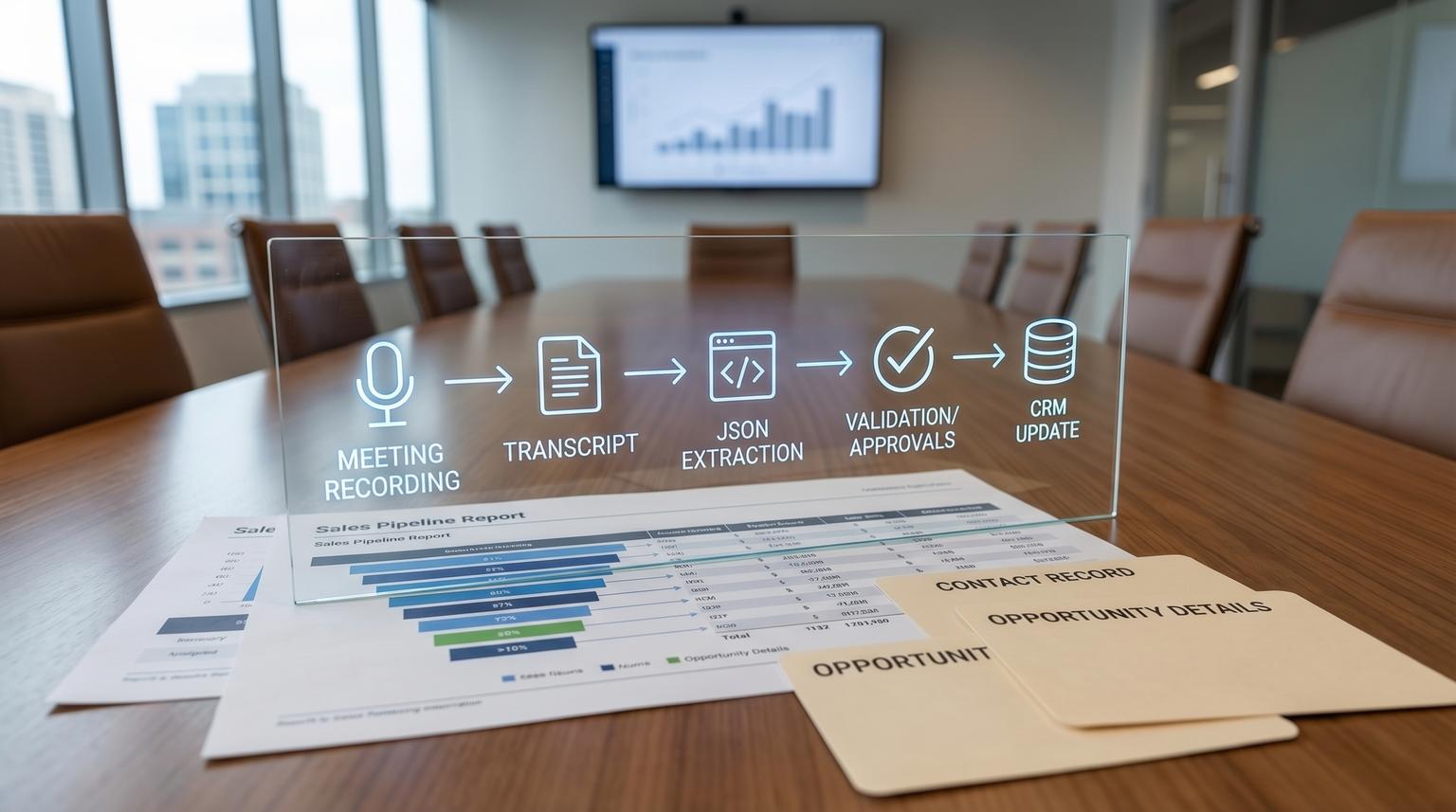
Sales calls are where deals are won or lost but most teams still rely on manual notes and memory to update the CRM. The result is late follow-ups, inconsistent fields and pipeline reports that no one fully trusts. This post shows how to design an AI integration for business that turns Zoom or Google Meet recordings into a governed CRM update flow: structured summary, consistent key fields and next-step tasks that attach to the right contact and deal without duplicates or destructive overwrites.
This is written for sales leaders, RevOps, ops managers and technical founders who want automation that behaves like a production data pipeline not a one-off AI experiment.
At a glance:
- Convert transcripts into structured call outputs then write only the CRM fields that are safe for automation.
- Prevent duplicates with canonical meeting keys, idempotent upserts and run-level locking.
- Use confidence gating and human approval tasks for high-impact fields like budget, close date and stage.
- Keep an audit log of what changed, why it changed and which automation run did it.
Quick start
- Pick your canonical meeting key (Zoom meeting UUID or Meet conference ID plus start time UTC) and store it on the CRM activity record.
- Build an artifact readiness loop that retries transcript fetch until it is truly available.
- Run AI extraction into a strict JSON schema (summary, pain points, timeline, budget, next steps).
- Match CRM records deterministically then create tasks and a call note first.
- Write only low-risk fields automatically and queue approvals for high-risk fields and any low-confidence extraction.
To automate Zoom or Meet calls into HubSpot or Salesforce without data drift treat the boundary as a governed pipeline: wait for transcript readiness, derive a stable meeting key, attach transcript and summary to a specific CRM engagement, extract a small set of high-signal fields with confidence scores and only update CRM fields you explicitly designate as AI-owned. Everything else becomes a human approval task with audit logs and safe re-runs that do not create duplicates.
Why call-to-CRM automations drift over time
Most drift is not caused by the AI summary quality. It comes from identity and ownership problems at the integration boundary:
- Asynchronous artifacts: transcripts and recordings are not ready when the meeting ends. If your workflow assumes they are ready you get missing notes, partial ingestion and repeated retries that create duplicates. Zoom cloud transcripts can take roughly twice the meeting length to process and sometimes much longer which is why you need explicit states and retries. See this Zoom transcript walkthrough for the practical constraints and pitfalls.
- Wrong record association: a summary written to the wrong contact or deal is worse than no summary. The team then “fixes” it manually and you get overwrite wars and inconsistent fields.
- No field ownership: AI overwrites pipeline-critical fields that sales and RevOps also edit. You end up with stage regressions, incorrect close dates and budget values that look precise but are not verified.
- No idempotency: workflows re-run after a transient error and create duplicated notes, tasks and activity logs.
A production approach assumes retries and partial failures are normal. Your design must be safe to run multiple times and safe to run late.
Architecture that keeps summaries useful and CRM data clean
A reliable call-to-CRM build has seven components. You can implement this in n8n, Make, Zapier plus custom code or a serverless function but the architecture is what prevents drift. For a broader pattern library on building AI steps as reliable workflow components, see our AI workflow automation playbook.
- Trigger: meeting ended event from Zoom or calendar or call platform webhook.
- Artifact fetcher: retrieves recording and transcript when ready with a retry schedule and a not-ready state.
- Canonical meeting key service: creates a stable unique key for this meeting instance.
- CRM matcher: resolves the correct contact, company and deal using deterministic rules.
- AI extractor: converts transcript into a strict structured JSON output with confidence per field.
- Guardrails layer: validates formats, checks allowed values, blocks risky writes and routes approvals. This maps well to the checker and corrector style guardrails described in AI guardrails.
- Writer plus audit log: creates engagement artifacts, tasks and field updates with idempotency and immutable logs.
Operational insight from real deployments: the biggest quality leap usually comes from reducing the number of fields AI is allowed to write. When teams start by letting AI update stage, amount, close date and next step automatically they spend weeks undoing the damage. When teams start by attaching a transcript, a structured note and tasks then gate the high-impact fields they get adoption quickly and expand safely.

Call artifact readiness checklist for Zoom and Meet
Use this checklist before you promise internal SLAs. It prevents the common failure pattern where the workflow fires but there is nothing to fetch yet so it either writes empty notes or retries endlessly.
- Zoom recording mode: confirm the meeting is recorded to cloud not local. Many transcript automations fail because local recording does not produce the same cloud artifacts.
- Transcription settings: confirm account and group settings allow audio transcript generation for cloud recordings.
- OAuth identity: ensure the integration authenticates as an identity that has access to the artifacts (host context vs org-level context can matter).
- Expected delay model: set expectation that transcript availability is not immediate. Design for 5 to 60 minutes and sometimes longer.
- Retry schedule: poll or re-check with backoff such as 2 min, 5 min, 10 min, 20 min, 40 min then stop at 24 hours and route to review.
- Consent and retention: define how long transcripts are stored and who can access them.
A simple state model keeps your automation sane: meeting_ended, artifact_processing, transcript_ready, transcript_ingested, crm_written, needs_review and failed.
Field mapping template plus rules for AI writes vs human approval
The goal is not to map every possible data point. It is to map a small set of high-signal fields that improve follow-up and onboarding while keeping pipeline integrity intact.
Recommended extraction schema (what AI produces)
Force the AI to return JSON that matches your schema. If it cannot fill a field it must return null and a reason. Keep a confidence score per field from 0.0 to 1.0. If you want more schema-first prompting examples and approval gates, compare this with our guide to structured workflows and approvals in n8n.
{
"meeting_key": "zoom:7b3f...:2026-04-14T15:00:00Z",
"participants": [{"name":"","email":"","role":"customer|internal"}],
"summary": "",
"pain_points": [""],
"current_solution": "",
"timeline": {"target_date": "YYYY-MM-DD", "confidence": 0.0},
"budget": {"amount": 0, "currency": "USD", "confidence": 0.0, "source_quote": ""},
"decision_process": "",
"risks": [""],
"next_steps": [{"task":"", "owner":"internal|customer", "due_date":"YYYY-MM-DD", "confidence":0.0}],
"crm_suggestions": {"stage": "", "close_date": "", "amount": 0}
}
CRM field mapping table (template you can copy)
| CRM object | Field | Source | Validation | Write mode | Notes |
|---|---|---|---|---|---|
| Call engagement or activity | Transcript attachment | Transcript utterances | Non-empty, timestamps monotonic | Auto write | One transcript per engagement unless approved replace |
| Call engagement or note | Structured summary | AI summary | Max length and required sections | Auto write | Store as HTML or markdown-safe text |
| Task | Follow-up tasks | AI next_steps | Allowed task types, due date parseable | Auto write if association confirmed | If no confirmed contact or deal then create a review task |
| Deal or opportunity | Pain points property | AI pain_points | Allowed length, no PII leak | Auto write with threshold | Only if your org uses a dedicated field that sales does not free-edit |
| Deal or opportunity | Budget amount | AI budget | Numeric, currency known, quote present | Human approval | High risk and often ambiguous in calls |
| Deal or opportunity | Close date or timeline | AI timeline | Date format, not in past, aligns with stage | Human approval | Use as suggestion in approval task body |
| Deal or opportunity | Stage | AI suggestion | Allowed stage transitions only | Human approval | Never allow AI to regress stage automatically |

Decision rules for writing vs queueing approval
- Association certainty rule: if you cannot deterministically match the meeting to exactly one contact and optionally one deal then do not write to deal fields. Create a review task for RevOps or the meeting owner.
- Confidence thresholds: auto write only when confidence >= 0.85 for low-risk fields and >= 0.95 for medium-risk fields. High-risk fields always require approval regardless of confidence.
- Field ownership rule: AI can only write to fields explicitly labeled AI-owned or automation-owned. If the field is shared with humans, write to a parallel “AI suggested” field or to the activity note only.
- Change magnitude rule: if a proposed numeric change differs from the current CRM value by more than an agreed threshold (example 20 percent) queue approval.
- Non-destructive rule: do not clear fields. AI can add or append but must not set a value to blank.
The tradeoff: gating increases human workload slightly but it prevents pipeline corruption. For most teams the sweet spot is fully automated transcript and tasks plus gated updates for a small set of deal fields.
Implementation flow in n8n without duplicate writes
ThinkBot Agency is active in the n8n community and this pattern maps cleanly to n8n nodes and subworkflows. The same concepts apply in other automation platforms. For a related blueprint on dedupe, upserts and routing in CRM automations, see machine learning for business productivity with n8n CRM integrations.
1) Create a canonical meeting key and run lock
Compute a meeting_key that is stable across re-runs:
- Zoom: platform + meeting UUID + start_time_utc
- Meet: platform + conferenceId + start_time_utc
Store meeting_key in your automation database and in the CRM engagement note or a custom field. Then implement a run lock: if meeting_key is already in state crm_written then exit. If it is in artifact_processing or transcript_ingested then continue where you left off.
In Salesforce the cleanest pattern is an upsert on an External ID field so the integration is idempotent. The upsert behavior and the “multiple matches should error” rule is outlined in Salesforce upsert guidance. Even if you are not using Workato the data design principle holds.
2) Fetch call artifacts with retries
Do not assume transcript availability at meeting end. Implement polling with backoff and a maximum retry window. Persist the latest attempt time and a last_error message for auditability.
3) Create the CRM engagement first then attach transcript
Anchor everything to a single CRM engagement or activity record. In HubSpot this can be a call engagement. Then attach the transcript to that engagement. HubSpot provides a transcript attachment endpoint that requires an engagementId and utterances. See HubSpot third-party transcripts for the structure.
POST /crm/extensions/calling/2026-03/transcripts
{
"engagementId": 21,
"transcriptCreateUtterances": [
{
"speaker": { "id": "11", "name": "Speaker_NAME1" },
"text": "Hello. How are you?",
"languageCode": "en-US",
"startTimeMillis": 1980,
"endTimeMillis": 2090
}
]
}
Idempotency rule: one transcript per engagement. Store transcriptId returned by the API. On re-run, if transcriptId exists, do not create a second transcript. Only replace via an approved operation.
4) Extract tasks and write them with strict association rules
Create follow-up tasks only when you have a confirmed CRM target record ID. HubSpot tasks can be created via the CRM tasks endpoint and associated to the right records. See HubSpot tasks API guide for the properties and association structure.
POST /crm/v3/objects/tasks
{
"properties": {
"hs_timestamp": "2026-04-15T16:00:00.000Z",
"hs_task_body": "Send proposal. Confirm security review requirements.",
"hubspot_owner_id": "64492917",
"hs_task_subject": "Follow-up after discovery call",
"hs_task_priority": "HIGH",
"hs_task_type": "CALL"
},
"associations": [
{
"to": { "id": 101 },
"types": [
{ "associationCategory": "HUBSPOT_DEFINED", "associationTypeId": 204 }
]
}
]
}
Common mistake: letting AI decide the owner. Route owner deterministically using CRM ownership rules, meeting host mapping or deal owner. If you cannot route deterministically create a review task assigned to a shared RevOps queue.
Guardrails that make AI output trustworthy in production
Guardrails are not one thing. In a call-to-CRM system they are several checks that happen before you write and several logs that happen after you write.
- Hallucination control: require a supporting quote for budget, timeline and competitor mentions. If the quote is missing queue approval.
- Validation control: enforce formats (ISO dates, currency codes, allowed picklist values) and enforce ranges (budget cannot be negative, close date cannot be in the past unless stage is closed lost).
- Alignment control: constrain the AI to the schema. Reject any extra fields or narrative that tries to make business decisions.
- Compliance control: redact or block storage of sensitive data based on your policy (payment data, health data and personal identifiers). If detected, store only a redacted summary and route a compliance review.
Build a correction loop: if validation fails, attempt a deterministic fix (date parsing, currency normalization) and then re-check. If it still fails, route to human review.
Audit log fields you should store
- meeting_key
- automation_run_id and workflow version
- source artifact IDs (recording_id, transcript_id)
- matched CRM record IDs (contact_id, deal_id, engagement_id)
- fields proposed, fields written and fields blocked
- confidence per field and the reason for any approval gate
- diff snapshot for changed CRM fields (before and after)
This audit trail is what lets RevOps trust the system and it also lets you roll back safely when something goes wrong.
Failure modes and mitigations at the integration boundary
These are the issues we see most often when teams automate sales calls into a CRM.
- Duplicate notes and tasks after retries: caused by missing meeting_key idempotency. Mitigation: store meeting_key on the engagement and store task external keys so re-runs update or skip instead of re-create.
- Transcript never arrives: caused by cloud recording not enabled or the meeting not recorded. Mitigation: after the retry window create a CRM task that says “Transcript unavailable, add manual notes” and stop.
- Wrong deal updated: caused by fuzzy matching on company name. Mitigation: prefer email-based matching and require exactly one match. If multiple matches, quarantine with a review task and block deal writes.
- Overwrite wars: caused by AI writing to human-owned fields. Mitigation: explicit field ownership and non-destructive writes only.
- Stage regression: caused by naive stage suggestion. Mitigation: allow only forward transitions and require approval for any stage change.
When this approach is not the best fit: if your sales process is highly unstructured, deals are rarely created until late in the cycle or most calls include multiple accounts or subsidiaries then forcing automated deal field updates can create more work than it saves. In that scenario start with transcript attachment and task creation only then add field writes after you standardize deal creation and ownership.
Rollout, monitoring and rollback
Roll this out like an operational system, not a feature.
- Pilot scope: start with one team and one call type (discovery calls) before expanding to demos and customer calls.
- Success criteria: faster follow-up time, fewer missed next steps and stable pipeline fields over a 2 to 4 week period.
- Monitoring: track transcript_ready latency, match rate (0, 1, many), approval rate and rollback events.
- Rollback strategy: for HubSpot transcripts use the delete endpoint if ingestion was wrong and re-create only after approval. For CRM field updates use your audit diff to revert fields when needed.
- Change control: version your extraction schema. A schema change should be treated like a deployment with a short test window.
If you want help implementing this end-to-end in n8n or via custom API connections including record matching, confidence gating, audit logs and safe upserts you can book a consultation with ThinkBot Agency.
To see the types of automation systems we ship across CRMs, email platforms and internal tooling you can review our portfolio.
FAQ
Common follow-ups we hear when teams move from AI summaries to governed CRM updates.
How do you prevent duplicate CRM tasks and notes when a workflow re-runs?
Use a canonical meeting_key and store it on the engagement plus in your automation state. Create tasks and notes with an external key derived from meeting_key plus task type then skip or update if that key already exists.
What fields should AI be allowed to write to a CRM automatically?
Auto write low-risk fields that are additive and easy to validate such as transcript attachments, structured call notes and clearly formatted follow-up tasks. Queue human approval for high-impact fields like budget, close date, stage and amount or any field with low confidence or unclear record association.
What confidence threshold is reasonable for call-to-CRM extraction?
Many teams start with 0.85 for low-risk fields and 0.95 for medium-risk fields while keeping high-risk fields approval-only. The right threshold depends on how costly a bad write is and how standardized your sales conversations are.
How should we match a Zoom or Meet call to the correct contact and deal?
Prefer deterministic matching using participant emails and existing CRM associations. If you get zero matches or more than one plausible match then block deal updates and create a review task. Never guess based on company name alone when multiple records exist.
Can this work with Salesforce as well as HubSpot?
Yes. The key is idempotent writes using an External ID for the meeting_key and strict association rules. In Salesforce you typically upsert a custom meeting or activity record keyed by meeting_key then relate tasks and notes to the right contact and opportunity.
