
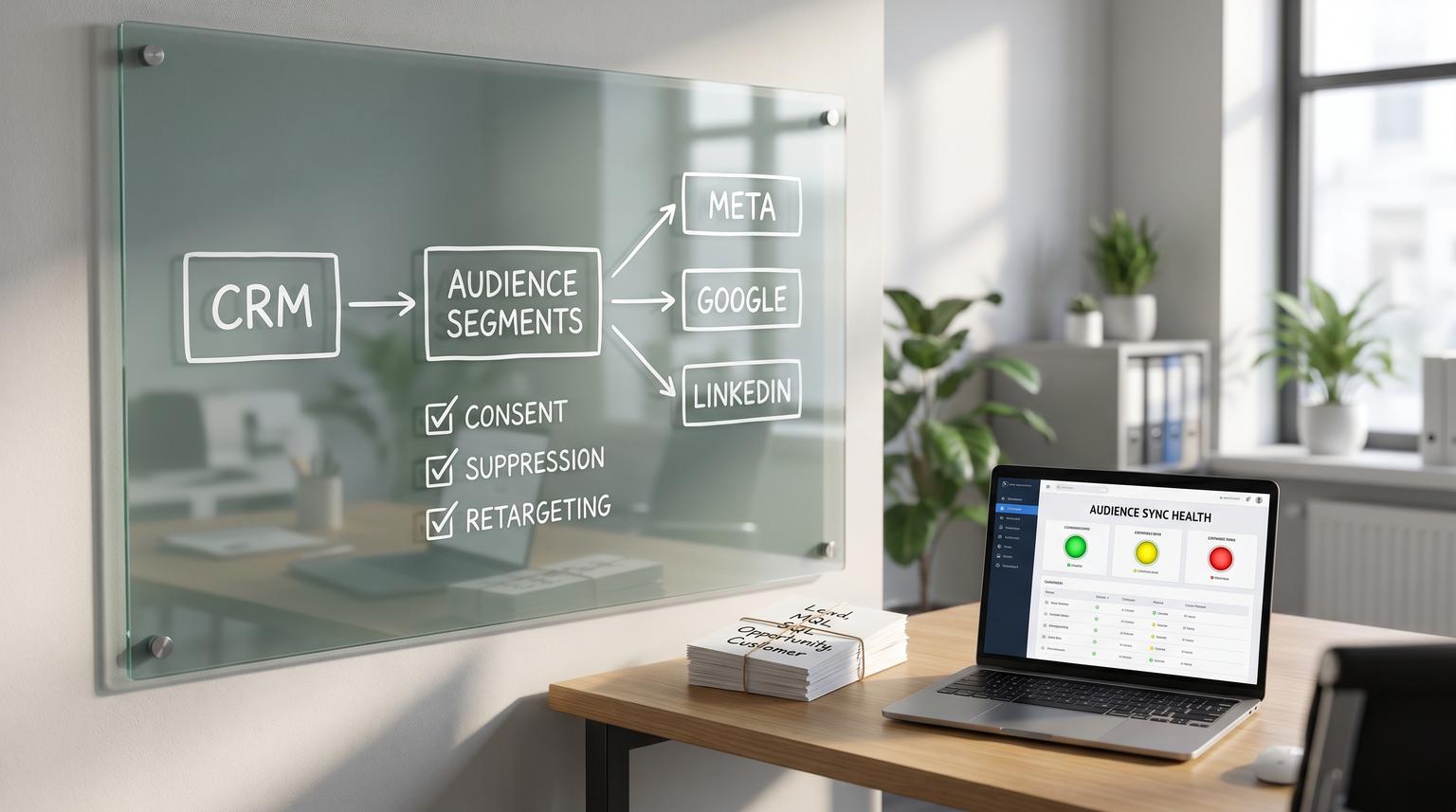
Wasted spend in paid media usually is not a bidding problem. It is an audience hygiene problem. When your CRM is not the source of truth, customers keep getting acquisition ads, closed-lost leads keep getting sales-heavy retargeting, and marketing teams end up doing manual exports that go stale within days. This is where automation in marketing and advertising pays off fast: use CRM lifecycle changes to automatically add and remove people from Meta, Google and LinkedIn audiences so suppression and retargeting stay accurate without constant list work.
This article is for operators who own revenue systems (marketing ops, CRM admins, growth leads and founders) and want a concrete operating model: lifecycle-stage rules, removal strategy, consent gates and monitoring that catches sync failures and data drift before campaigns burn budget.
Quick summary:
- Make the CRM lifecycle stage (plus a small set of status flags) the source of truth for paid audience membership.
- Start with suppression: keep customers and closed-lost out of acquisition campaigns automatically using add and remove behavior.
- Use explicit lifecycle-to-audience rules so every stage change creates an audience update within defined latency.
- Prevent drift with governance for duplicates, stage definitions and consent plus monitoring for sync failures and audience anomalies.
Quick start
- Define your lifecycle stages and the one system allowed to set them (CRM only).
- Create a suppression-first set of CRM segments: Customers, Closed-lost and Do-not-advertise (consent or legal).
- Map lifecycle stages to audiences with include and exclude rules (use the table below).
- Choose a removal strategy per platform: incremental add/remove for speed plus a periodic full rebuild to correct drift.
- Set monitoring: sync status failures, audience size anomaly alerts and match-rate drops.
Use your CRM to drive near real-time add and remove updates to ad audiences so customers and closed-lost leads are automatically excluded from acquisition campaigns and active opportunities get the right retargeting. Implement stage-to-audience rules, enforce consent checks and monitor sync status and audience size changes. The result is cleaner targeting, less manual exporting and fewer attribution and reporting surprises.
Why CRM-driven audience automation is the highest leverage boundary
Teams try to fix wasted spend by tweaking budgets, creatives and placements. But the largest avoidable waste often is showing acquisition ads to people who already converted or people sales has disqualified. That happens when audience membership is managed in spreadsheets, one-off exports or ad platform UI rules that do not reflect what the CRM knows today.
When you treat the CRM as the source of truth, you get three compounding benefits:
- Suppression is automatic. New customers are suppressed from acquisition within your defined sync window.
- Retargeting is precise. Messaging aligns with MQL, SQL or opportunity stages instead of a generic site visitor bucket.
- Reporting stabilizes. Fewer edge cases where converted users keep clicking ads and polluting CAC, ROAS and attribution.
A real-world operations insight: once suppression is automated, you will discover that your biggest leakage is not only customers. It is also duplicates and multi-email records. One person can exist as two contacts, one suppressed and one not, which makes suppression look like it is failing when it is actually identity resolution failing.
Define lifecycle and status fields so stages do not drift
Lifecycle stage sounds simple until different tools fight over it. CRMs also may constrain how lifecycle can change. For example HubSpot lifecycle stages commonly move forward automatically and moving them backward requires clearing the value first which makes churn and winback logic tricky if you try to force it into a single field. See HubSpot lifecycle stage constraints for the forward-only behavior and update paths.
To keep paid audiences reliable, we recommend a split:
- Lifecycle stage: Lead, MQL, SQL, Opportunity, Customer (forward progression).
- Account status (separate field): Active customer, Churned, Paused, Trial or other subscription states.
- Advertising eligibility flags: Consent status, Do-not-market, Region gating (DMA, GDPR) and internal suppressions.
Decision rule: if you need to move someone “backward” for a winback motion, do not fight lifecycle stage rules. Use a dedicated status field (like Customer status = Churned) and drive winback audiences from that while keeping lifecycle stage stable for funnel reporting. If you need a deeper operating model for lifecycle, routing, and data hygiene, use our pillar guide: CRM automation framework for routing, lifecycle, hygiene, and reporting.
Lifecycle-stage to audience rules you can implement today
Below is a concrete mapping you can use as a starting point. The key is that every person should have exactly one “primary lifecycle” audience at a time and multiple suppression audiences can apply on top.

| CRM state | Audience to add (include) | Audiences to remove (exclude) | Primary campaign use |
|---|---|---|---|
| Lead (new contact, not qualified) | Prospecting warm (optional) | MQL retargeting, SQL retargeting, Opp retargeting, Customers suppress, Closed-lost suppress | Light nurture, educational retargeting |
| MQL | MQL retargeting | SQL retargeting, Opp retargeting, Customers suppress, Closed-lost suppress | Problem-aware offers, webinar, lead magnet |
| SQL | SQL retargeting | MQL retargeting, Opp retargeting, Customers suppress, Closed-lost suppress | Proof, case studies, booking calls |
| Opportunity (open deal) | Opp retargeting | MQL retargeting, SQL retargeting, Customers suppress, Closed-lost suppress | Decision support, ROI calculator, competitive pages |
| Customer (active) | Customers suppress | Prospecting warm, MQL retargeting, SQL retargeting, Opp retargeting | Exclude from acquisition campaigns |
| Closed-lost (or Disqualified) | Closed-lost suppress | MQL retargeting, SQL retargeting, Opp retargeting | Exclude from aggressive sales retargeting |
| Churned (via status field) | Winback (optional) | Customers suppress (remove only if you want winback ads) | Winback messaging, reactivation offers |
| Consent missing or revoked | Do-not-advertise suppress | All marketing audiences | Compliance and risk control |
Common mistake: teams build stage audiences but forget to implement removals. That creates “audience creep” where people accumulate in multiple stages and you end up targeting customers as if they are still SQL. Your mapping must specify both add and remove behavior for every transition.
Removal strategy matters more than most teams expect
There are two primary ways to keep audiences accurate:
- Incremental updates: when lifecycle changes, send an add to the new audience and a remove from the old audience.
- Periodic rebuild: on a schedule, replace audience membership from scratch to correct any missed events.
Incremental updates are faster and cheaper to run. Rebuilds are slower but are your safety net when webhooks drop, integrations pause or data is backfilled.
For Google Customer Match, the API supports a deterministic replacement pattern using an OfflineUserDataJob where the first operation removes all members then you add the current truth set. The ordering requirement is strict and failure to put remove_all first can throw INVALID_OPERATION_ORDER. Reference: Google Ads Customer Match list management.
Tradeoff to decide: if your CRM has high lifecycle churn (lots of stage flips) use incremental updates plus a weekly rebuild for your most critical suppression list. If stage changes are low and data quality is strong, a daily rebuild can be simpler operationally.
Mini spec for audience naming and ownership
Use names that survive tool migrations and make incident response easier:
- TB - Suppress - Customers (CRM)
- TB - Suppress - Closed Lost (CRM)
- TB - Stage - MQL (CRM)
- TB - Stage - SQL (CRM)
- TB - Stage - Opportunity (CRM)
And document one owner for each layer:
- CRM data owner: RevOps or CRM admin (stage definitions and allowed updaters).
- Sync owner: Marketing Ops (platform connections, permissions and monitoring).
- Campaign owner: Paid media manager (ensures exclusions are applied in campaigns).
Implementation options using CRM lists and automation tooling
You can implement this without custom code if your CRM supports dynamic lists synced to ad platforms. For HubSpot-style setups, use active lists as the driver and sync them to ad accounts so membership stays current as contacts enter and leave list criteria. A practical walk-through of this CRM-native pattern is outlined in this step-by-step article.
When you need more control (multiple CRMs, custom consent logic, multiple identifiers, warehouse enrichment) use an automation layer. At ThinkBot Agency we often implement this with n8n because it lets you orchestrate:
- Event triggers (CRM webhooks for lifecycle changes)
- Identity normalization (email lowercasing, phone E.164 formatting)
- Consent gating logic
- Destination-specific API calls (Meta, Google, LinkedIn)
- Retries, dead-letter queues and alerting
If you want a concrete blueprint for building these orchestrations, see Automating CRM workflows with n8n for webhook triggers, normalization, retries, and two-way sync patterns.
What “near real time” really means
Even with instant webhooks, ad platforms process audience updates asynchronously. Some systems sync hourly for many networks and Google often has longer intervals in managed connectors. Initial population also can take up to about a day depending on the platform and list size. You must design expectations and monitoring around this latency rather than assuming a stage change instantly stops ads.
Also note a consent nuance that surprises teams: if consent is not confirmed for Google syncing, some systems will stop sending new people and also will not remove people from existing audiences while consent is unconfirmed. That can create suppression gaps where customers remain targetable longer than expected. See the consent and status behaviors described in Customer.io Audience Sync docs.
Governance to prevent bad data from polluting audiences
Automation only scales if the input stays clean. Here is a practical governance checklist we use before turning on always-on suppression.

Data quality and compliance checklist
- Deduplication policy: define your unique key (email, CRM ID) and your merge rules. If the CRM allows multiple contacts with the same email, decide how you reconcile and how you prevent resync storms.
- Allowed lifecycle updaters: list exactly which sources can set lifecycle (forms, workflows, sales tools, imports, integrations). Everything else should write to a staging field.
- Stage definitions: write a one-paragraph definition per stage and what event promotes it (example: SQL only when sales accepted and a meeting is set).
- Consent gate: store User Data consent and Ad Personalization consent (or your equivalent flags) and make them required for any audience that involves personalized advertising.
- Identifier standards: emails lowercased and trimmed, phones normalized to E.164, country codes present when possible.
- Suppression always wins: if someone is both Customer and MQL due to drift, suppression takes precedence until resolved.
Not the best fit: if your company sells exclusively through anonymous ecommerce with no reliable customer identifiers captured (email or phone) or you cannot collect consent for audience matching, CRM-driven audience automation will have limited match rates and you may get better results focusing on on-platform conversion and page-based exclusions.
Monitoring for sync failures and data-quality drift
If you do not monitor, you will not notice when audiences stop updating until spend spikes or sales complains. Monitoring needs to cover both sync health and data drift.
What to monitor (minimum viable reliability)
- Sync status: alert on Failed, Paused or Queued too long. Some platforms expose statuses like Synced, Actively syncing, Queued to sync and Failed sync. Treat Failed as an incident.
- Audience size anomalies: alert if any key audience changes by more than a threshold (example: Customers suppress drops 30% day over day) because that often indicates a broken query, mapping change or accidental list deletion.
- Match rate proxy: compare CRM segment count vs platform audience size trend. A sudden drop often means identifier formatting broke or consent flags changed.
- Removal effectiveness: sample-check a handful of newly created customers and confirm they appear in suppression audiences within your defined window.
- Platform errors: log and alert on API errors. For Meta, a common hard failure is a 400 error for missing schema attributes in payloads as noted in Meta Custom Audiences destination docs.
To reduce the chance your automation breaks because the CRM data itself is unreliable, pair monitoring with a periodic CRM audit; our guide When your CRM lies: fix attribution and scoring covers UTMs, dedupe, lifecycle stages, and scoring checks that prevent misrouting and audience drift.
Incident response and rollback routine
Define a simple on-call routine even if it is just one person:
- Contain: if suppression is failing, temporarily add a conservative campaign-level exclusion (the last known good suppression audience) and pause the highest spend acquisition campaigns if needed.
- Diagnose: check auth expiration, consent confirmation status, schema changes and whether the audience was deleted in the ad network UI (deleting often breaks sync and requires recreation).
- Correct: reauthorize, fix payload mapping, restore deleted destination audiences then rerun an incremental sync.
- Rebuild truth: run a full replacement rebuild for the suppression audience to eliminate drift.
- Post-incident: add a monitor for the failure mode you just saw (auth, schema, list deletion or stage drift).
How to roll this out without breaking live campaigns
A staged rollout keeps risk low:
- Phase 1 (suppression only): sync Customers suppress and Closed-lost suppress. Apply them as exclusions to all acquisition campaigns. Wait one full sync cycle plus platform processing time before judging results.
- Phase 2 (stage retargeting): add MQL, SQL and Opportunity audiences for message alignment. Keep budgets modest until sizes stabilize.
- Phase 3 (winback and expansion): if you have clean subscription status and consent, add churned winback audiences and customer expansion audiences. Keep them separate from suppression.
One practical ops rule: do not let your paid team manually edit audience membership in the ad platform UI. Manual changes create invisible drift and make incident diagnosis much harder. If the CRM is the source of truth, every membership change must come from the CRM or the sync layer.
Primary CTA: If you want ThinkBot Agency to implement CRM-driven suppression and lifecycle audience syncing with monitoring in n8n or your current stack, book a consultation.
Secondary CTA (optional): You can also review similar automation builds in our portfolio to see how we structure reliable integrations.
FAQ
Common implementation questions we hear when teams move from manual exports to CRM-driven audience syncing.
How fast will customers be suppressed after they buy?
It depends on your sync method and the ad platform processing delay. Webhook-driven incremental updates can trigger immediately but platforms may take hours to reflect membership. Plan for a defined suppression window (for example 4 to 24 hours) and monitor newly created customers to confirm the end-to-end timing.
Should we use incremental add and remove updates or full list replacement?
Use incremental updates for day-to-day lifecycle changes and run periodic replacement rebuilds for critical audiences like customer suppression. Rebuilds correct drift when events were missed or data was backfilled. Google Customer Match supports a strict remove_all then add sequence for replacement.
Why does the ad platform audience size not match our CRM segment size?
Audience size in ad platforms reflects match rate and eligibility. Some contacts cannot be matched due to missing or poorly formatted identifiers (email, phone) or consent restrictions. Track the trend rather than expecting identical counts and alert on sudden drops which usually indicate a data-quality change.
What is the most common reason audience syncs silently stop working?
The most common operational causes are expired authorizations, a destination audience being deleted in the ad platform UI, consent confirmation issues and schema or field mapping errors. This is why you should alert on sync status, API errors and audience size anomalies.
Do we need a separate field for churned customers?
Often yes. Many CRMs treat lifecycle stage as forward-moving which makes it unreliable for representing churn. Keep lifecycle for funnel progression and use a separate customer status field (Active, Churned, Paused) to drive winback or exclusion logic without fighting lifecycle constraints.
