
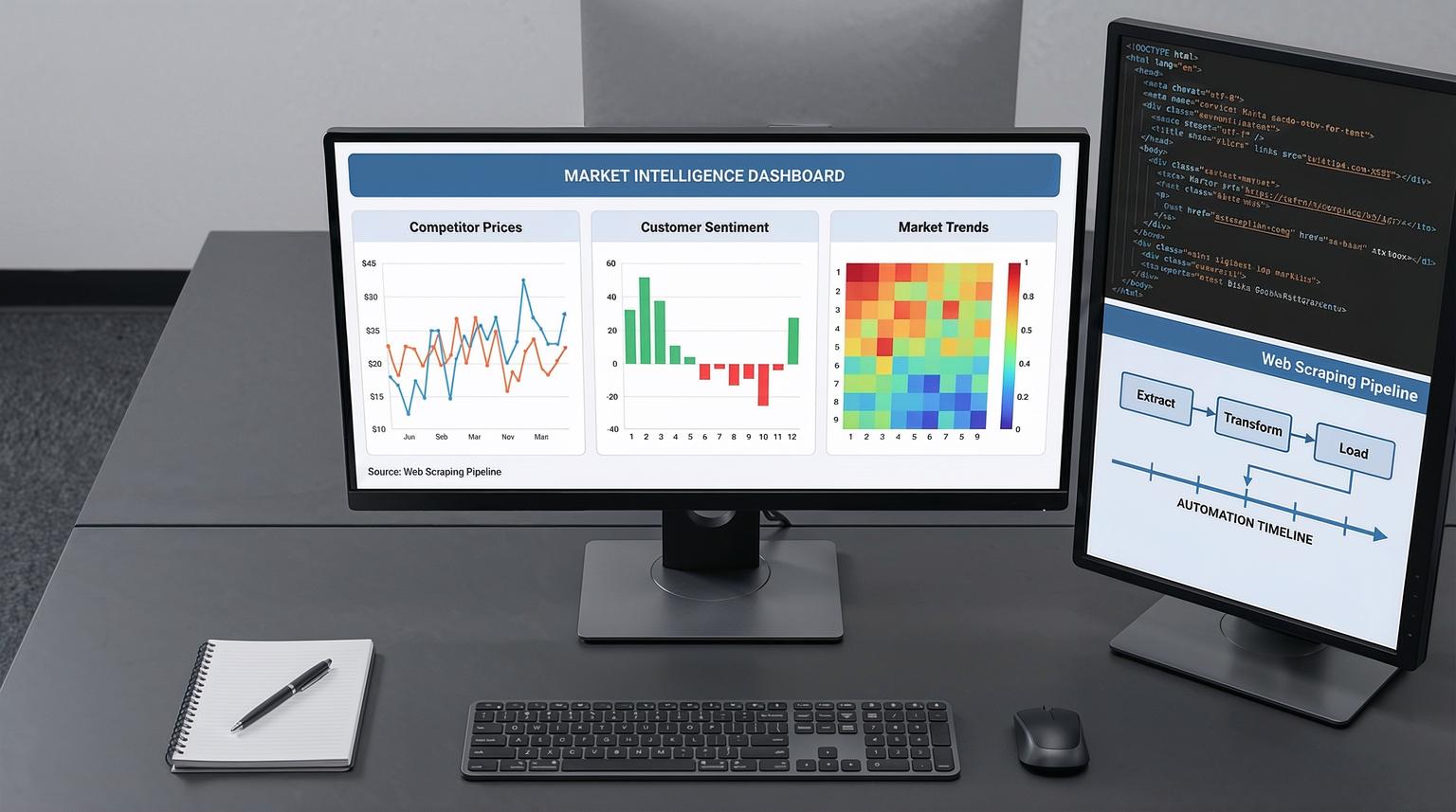
Most teams still treat market research as a quarterly project. Meanwhile, your competitors are changing prices, launching products, and shifting messaging every single day. The benefits of web scraping for market research are clear: it turns scattered public web data into a continuous, automated feed of market intelligence that your sales, marketing, and product teams can actually use.
This article is for B2B and e-commerce leaders, operations managers, and marketing or CRM teams who want to move from manual monitoring to automated, AI-enriched insights using n8n and related automation tools.
What are the benefits of web scraping for market research in plain language?
Web scraping for market research means automatically collecting public data from websites, such as prices, product listings, reviews, and news, then turning it into structured information you can analyze. Combined with n8n automations and AI models, it lets you monitor competitors in near real time, detect trends early, and route insights directly into your CRM, dashboards, and email reports without manual copy-paste work.
From static reports to live market intelligence
Traditional market research is slow and expensive. You run a survey, buy a report, or manually check competitor sites, then present findings that are already aging the moment they are shared. In 2025, that is the business equivalent of using a flip phone.
Modern teams need always-on visibility: what competitors launched this week, which prices changed overnight, what customers are complaining about today, and which keywords or product categories are gaining momentum.
Web scraping fills this gap by turning public web pages into machine-readable data. As the Decodo market research overview notes, scraping automates data collection, cleaning, and analysis across e-commerce sites, review platforms, social media, and news, so you can react faster and with more confidence.
Why automation and AI matter now
According to a recent industry market report, roughly 65% of organizations already use web scraping to build datasets for AI and machine learning. That is because competitive advantage now depends less on having data and more on how quickly you can turn raw data into decisions.
Automation platforms like n8n sit at the center of that shift. They orchestrate scraping jobs, clean and standardize results, enrich them with AI, and push insights into CRMs, BI tools, and communication channels with minimal manual effort.
Core benefits of web scraping for market research
When you design a proper scraping and automation strategy, you unlock several concrete benefits.
1. Continuous competitor monitoring
Instead of monthly manual checks, you can monitor competitor websites several times a day. Typical data points include:
- Product catalog changes (new SKUs, discontinued items)
- Price and discount movements
- Stock status and availability
- Messaging changes on landing pages and category pages
With n8n, a scheduled workflow can scrape key competitor URLs, extract product titles and prices using the HTTP Request and HTML Extract nodes described in the official n8n scraping guide, then compute price deltas and send alerts to Slack or email whenever something important changes.
2. Faster, richer customer insight
Scraping review sites, forums, and social platforms gives you an unfiltered view of customer sentiment that surveys often miss. You can capture:
- Recurring complaints and feature requests
- Language customers use to describe your category
- Signals of churn or brand switching
AI models integrated into n8n can classify reviews by topic, score sentiment, and summarize key pain points. This is similar in spirit to how Amazon Quick Research aggregates multiple sources and uses AI to synthesize structured findings, as described in the Amazon Quick Suite documentation, but implemented with your own data stack and workflows.
3. Real-time price and promotion intelligence
For e-commerce and SaaS, price is a live signal, not a static field in a spreadsheet. Web scraping lets you:
- Track price changes and discounts across competitors
- Identify aggressive promotional campaigns in specific regions or channels
- Feed repricing engines or sales playbooks with fresh data
The n8n blog shows how a simple workflow can scrape a demo site, sort products by price, and export results to CSV, Google Sheets, or Excel. That same pattern can be adapted to track your real competitors, with n8n handling scheduling, extraction, and delivery of structured price data.
4. Lead generation and account intelligence
Scraping company directories, job boards, and event sites gives your sales team a steady stream of targeted accounts and signals of buying intent. Examples include:
- New job postings that indicate a company is investing in a specific tool or capability
- Partner or reseller lists for competitors
- Attendee lists for relevant conferences or webinars
Once scraped, n8n can enrich these leads with additional firmographic data, then push them into HubSpot, Pipedrive, or Salesforce and trigger outreach sequences automatically.
5. Data for AI and predictive models
Public web data is increasingly used to train or fine-tune AI models for forecasting, recommendation, and classification. The ScrapeOps market report highlights that a large share of enterprise data budgets now goes to public web data, precisely because it feeds AI initiatives.
With a robust scraping and orchestration layer, you can build reusable datasets for demand forecasting, price elasticity analysis, or churn risk scoring, then keep them fresh with scheduled updates.
Where n8n fits in your market intelligence stack
Scraping itself is only one part of the picture. The real leverage comes from what happens after the HTML is fetched. n8n acts as the glue between scraping tools, AI models, CRMs, and analytics platforms.
Low-code orchestration instead of custom glue code
There are two classic approaches to scraping:
- Custom code using libraries or headless browsers, such as Puppeteer or Playwright
- Low-code workflows in tools like n8n, Make, or Zapier
The n8n article on scraping compares a JavaScript + Puppeteer script with a low-code n8n workflow. Custom code gives maximum control over complex, JavaScript-heavy pages but requires more engineering effort and maintenance. Low-code workflows reduce boilerplate and make it easier to chain scraping with downstream integrations like Sheets, Excel, email, and AI. For a broader perspective on choosing between these approaches, see our guide on no-code vs low-code automation and custom integrations.
In practice, many ThinkBot clients use a hybrid pattern: headless browser scrapers handle complex sites, then n8n orchestrates the rest of the pipeline, from parsing and enrichment to storage and reporting.
Key n8n building blocks for market intelligence
Typical n8n nodes and patterns we use in market research automations include:
- Cron or Webhook triggers to start scraping jobs on a schedule or event
- HTTP Request nodes to call scraper APIs or fetch HTML directly
- HTML Extract nodes to parse HTML into structured fields using CSS selectors
- Split Out and Item Lists for iterating over arrays of products, reviews, or articles
- Function or Code nodes for business logic, such as calculating price changes or deduplicating records
- Google Sheets, Excel, and database nodes to store structured data
- Email, Slack, and CRM nodes to route insights to the right teams
For multi-page or multi-site scraping, we often adapt n8n's multi-page workflow template to follow pagination links and aggregate results across pages.
AI inside the workflow, not bolted on
n8n's AI integrations, including the Summarization Chain node for OpenAI models, let you enrich scraped data directly inside the workflow. The n8n team demonstrates how to scrape pages, extract content, send it to an LLM for summarization, and merge the result back into a structured dataset.
For market research, this enables patterns like:
- Summarizing long product pages into short competitive intelligence notes
- Classifying news articles by topic and potential impact
- Extracting entities such as brands, features, and price points
- Generating executive-ready weekly briefs from dozens of scraped sources
Designing a no-code/low-code market intelligence pipeline
To turn the benefits of web scraping for market research into a reliable system, it helps to follow a clear design framework. At ThinkBot, we often use a simple sequence: Discover -> Design -> Build -> Deploy -> Optimize.
1. Discover: clarify the business questions
Start from decisions, not data. Examples:
- Which competitors change prices most aggressively in our top 50 SKUs?
- What new product features are customers asking for in reviews?
- Which accounts are showing buying intent based on job postings?
From there, list the websites and specific fields that answer those questions: product titles, prices, review text, ratings, stock status, job titles, company names, and so on.
2. Design: map sources, cadence, and destinations
Next, decide:
- Scraping frequency: hourly, daily, weekly, or event-driven
- Data destinations: CRM, data warehouse, Google Sheets, dashboards, email reports
- Enrichment steps: AI summaries, sentiment analysis, categorization, currency conversion
This is also where you plan compliance: check Terms of Service, review robots.txt as a courtesy signal, and confirm whether any personal data might be collected. The n8n scraping article emphasizes that ToS overrides robots.txt and that rate limiting and polite scraping are essential to stay on the right side of both ethics and operations.
3. Build: implement the n8n workflow
A simple competitor price monitoring workflow in n8n might look like this:
- Cron node triggers daily at 06:00.
- HTTP Request node fetches HTML from a competitor category page.
- HTML Extract node uses CSS selectors to pull product names, URLs, and prices.
- Split Out node iterates through each product.
- Function node compares current prices with the previous run stored in a database or Google Sheet.
- Filter or IF node keeps only products where the price changed beyond a threshold.
- Google Sheets or database node writes updated records.
- Email or Slack node sends a concise summary of changes to the pricing team.
You can extend this with AI nodes that summarize the impact of changes or suggest recommended actions for sales and marketing.

4. Deploy: route insights where people work
Scraped data is only useful when it shows up in the tools your teams already use. Common patterns include:
- Writing structured product and pricing data into HubSpot or Salesforce for account managers
- Sending weekly executive summaries by email with attached CSVs or links to dashboards
- Updating BI tools and dashboards so leadership sees market movements in near real time
Platforms like Make and Zapier can also play a role here. For example, the Make guide on scalable web data workflows shows how to combine a scraping API with Google Sheets and AI Agents. The same principles apply when we build n8n-first architectures: scrape, normalize, analyze, then distribute insights. If you want to see how similar principles apply beyond market research, explore our article on web scraping in marketing automation.
5. Optimize: monitor, test, and refine
Websites change, anti-bot measures evolve, and your own questions shift over time. Ongoing optimization is essential.
Borrowing from the ScrapeOps market report and the n8n blog, a robust operational approach includes:
- Monitoring DOM or layout changes that break selectors
- Implementing retry and backoff logic for transient errors
- Validating data types and ranges (for example, ensuring prices are numeric and within expected bounds)
- Tracking success rates, run times, and cost per run
- Maintaining audit logs with source URL, timestamp, and scraper version
How AI turns scraped data into decision-ready insights
Scraping gives you raw material. AI turns it into something your leadership team can act on in minutes instead of hours.
Summaries and briefings for decision-makers
Using n8n's Summarization Chain node or similar AI integrations, you can feed scraped pages or aggregated records into an LLM and receive concise summaries. Example outputs:
- Weekly competitor launch brief summarizing new SKUs, pricing tiers, and positioning
- Top 10 emerging complaints in customer reviews over the last month
- Market trend snapshots combining news, blog posts, and social mentions
This approach mirrors the way Amazon Quick Research produces structured research reports from multiple sources, but tailored to your own data sources and internal metrics.
Classification, tagging, and routing
AI models can classify scraped items into categories, tag them with entities, and route them to the right people or systems. For example:
- Classify each review as product issue, pricing concern, or support experience, then send relevant ones to product or support leaders.
- Detect mentions of specific competitors or technologies in news articles and push them into your competitive intelligence workspace.
- Assign scraped leads to territories or segments based on firmographic signals.
In n8n, this often looks like: scrape -> parse -> AI classification node -> IF nodes -> CRM or task management nodes.
Trend detection and anomaly alerts
With enough historical scraped data, you can use AI and statistical methods to detect trends and anomalies:
- Sudden price drops or stock-outs for key competitor products
- Spikes in negative sentiment around a brand or category
- Emerging keywords in job postings that point to new strategic directions
These signals can flow into dashboards or trigger alert workflows so you can react before competitors or customers make the next move.

Practical examples of automated market intelligence workflows
Here are three patterns we frequently implement for clients using n8n and AI.
1. Real-time competitor price monitoring
Goal: Keep your pricing and sales teams informed of every meaningful competitor price change in your top SKUs.
Workflow outline:
- Cron trigger runs hourly or daily.
- HTTP Request node fetches competitor product pages or a search results page.
- HTML Extract node pulls product name, price, and URL.
- Function node compares against previous prices and flags changes above a threshold.
- AI node generates a short human-readable summary, such as "Competitor A reduced prices by 10% on 15 items in Category X."
- Slack and email nodes send the summary and a CSV attachment to the pricing team.
2. Review and sentiment pipeline into product and CX tools
Goal: Turn scattered reviews from marketplaces, G2, or Trustpilot into structured feedback that informs roadmap and support priorities.
Workflow outline:
- Scheduled n8n workflow scrapes new reviews from chosen platforms.
- AI nodes score sentiment and classify each review by topic.
- Aggregate node groups reviews by product and topic.
- Database node stores structured feedback for BI analysis.
- Jira, Asana, or Trello nodes create or update tasks for recurring issues.
3. Account-based intelligence from job postings
Goal: Feed your sales team with accounts that are actively hiring for tools or skills related to your solution.
Workflow outline:
- HTTP Request node scrapes relevant job boards or company careers pages.
- HTML Extract or JSON parsing node pulls job titles, descriptions, company names, and locations.
- AI node identifies intent signals, such as "implementing CRM" or "migrating to cloud data warehouse."
- CRM node creates or updates account and contact records with tags like "High intent: CRM rollout."
- Email node sends a weekly digest of top opportunities to the sales team.
Compliance, ethics, and operational safeguards
Powerful scraping and AI workflows come with responsibilities. The resources cited above stress several non-negotiables for responsible web data collection.
Respect Terms of Service and robots.txt
Always review the target site's Terms of Service. If the ToS disallows scraping, do not proceed without explicit permission. Robots.txt, such as the example shown for IMDb in the n8n article, is a helpful guideline for which paths are allowed to be crawled, but it does not override contractual terms.
Be polite with rate limiting and retries
Implement rate limits and spacing between requests so you do not overload servers. Use retry and backoff logic for transient errors instead of hammering endpoints. Many modern scraping APIs and proxy solutions handle some of this for you, but when you build your own flows you should model the same behavior in n8n or Make.
Protect privacy and sensitive data
Focus on public, non-personal data for market research. If there is any chance of collecting personal data, involve legal and security teams. Apply data minimization, retention limits, and redaction where necessary, as recommended in the ScrapeOps compliance checklist.
Maintain provenance and auditability
Store source URLs, timestamps, and scraper versions alongside your data. This mirrors the emphasis on citations and source tracing in Amazon Quick Research and is increasingly important for audits, regulatory compliance, and internal trust in AI-generated insights.
How ThinkBot Agency helps you operationalize all this
Designing, implementing, and maintaining these pipelines is not trivial. It touches scraping strategy, automation architecture, AI integration, and compliance. ThinkBot Agency specializes in exactly this intersection.
We work with tools like n8n, Make, Zapier, and leading CRMs to build end-to-end market intelligence systems that:
- Continuously collect structured public web data from the right sources
- Clean, normalize, and enrich that data with AI
- Push actionable insights into your CRM, dashboards, and inboxes
- Include monitoring, alerting, and compliance controls from day one
If you want to explore what an automated market intelligence pipeline could look like for your business, you can book a consultation with ThinkBot to discuss your use cases and constraints. You can also dive deeper into adjacent use cases like web scraping for business intelligence with n8n and AI to see how similar architectures support broader analytics.
FAQ
How can n8n and AI improve the benefits of web scraping for market research?
n8n connects scraping tools, AI models, and business apps in one visual workflow. It schedules scrapes, parses HTML into structured data, calls AI for classification or summarization, and routes insights into CRMs, dashboards, and email. This turns raw web pages into decision-ready intelligence with minimal manual work. For a strategic overview of how this fits into your broader automation roadmap, see our article on web scraping for market research.
What types of market research data are best suited for web scraping?
Web scraping works well for public, structured or semi-structured data such as product listings, prices, stock status, reviews, ratings, job postings, news articles, and company directories. These sources support competitor analysis, price monitoring, trend detection, and lead generation when combined with automation and AI.
Is web scraping legal for competitive market research?
Legality depends on the site, jurisdiction, and how the data is used. You should always review Terms of Service, respect robots.txt as a courtesy, avoid scraping personal or sensitive data without proper grounds, and consult legal counsel for gray areas. ThinkBot designs workflows with compliance-by-design practices such as rate limiting, provenance tracking, and data minimization.
How do I get scraped data into my CRM or BI dashboards?
Automation tools like n8n, Make, or Zapier can map scraped fields into CRM objects or database tables. A typical flow is scrape -> parse -> transform -> write to CRM or warehouse. From there, BI tools read the data for dashboards, and CRM workflows use it for alerts, segmentation, or outreach.
When should I use custom code instead of low-code tools for scraping?
Custom code with tools like Puppeteer or Playwright is useful for highly dynamic, anti-bot protected sites that require complex interactions. Low-code tools like n8n are usually better for orchestrating the overall pipeline, integrating AI, and pushing data into CRMs and reports. Many teams combine both: custom scrapers feed clean data into n8n for processing and distribution.
