
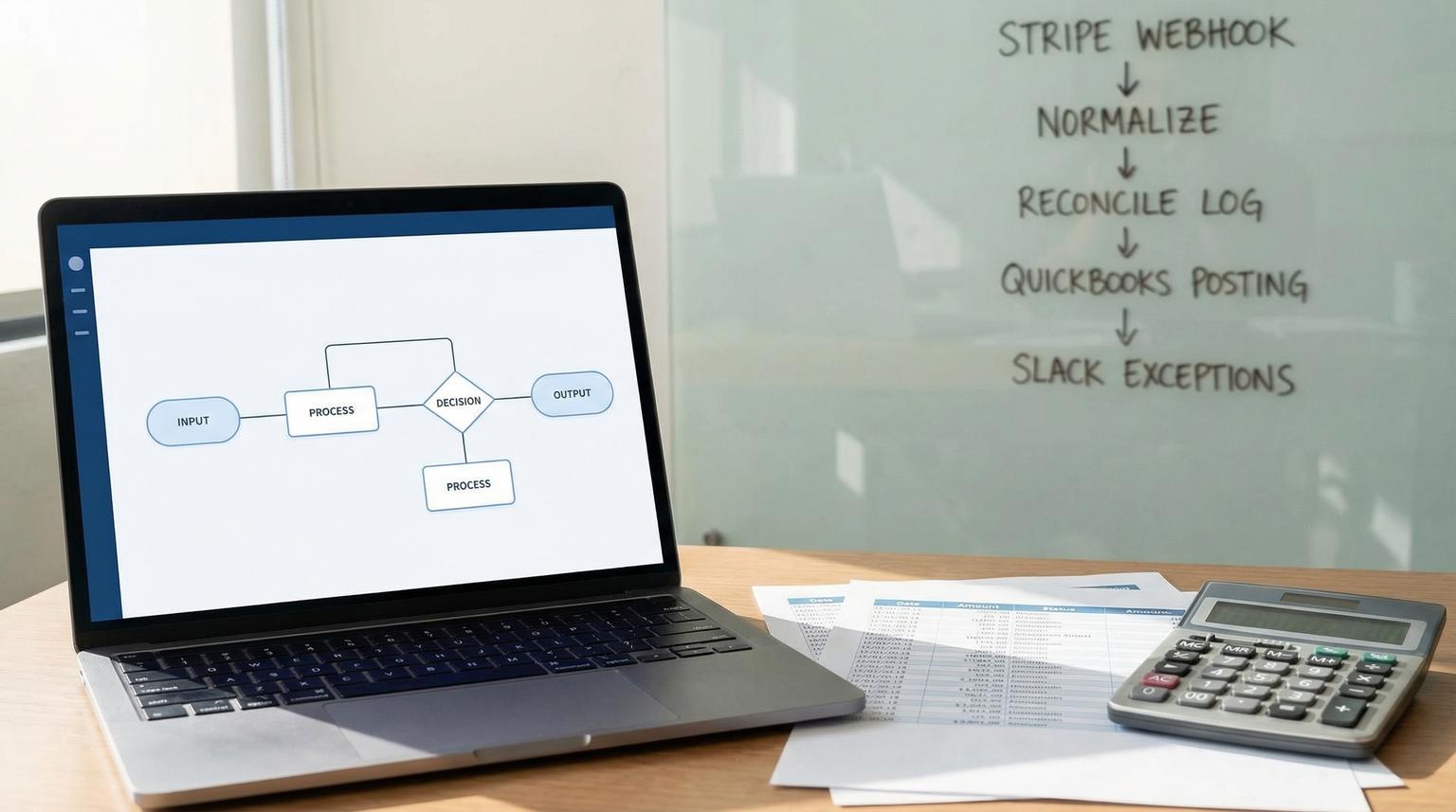
Stripe to QuickBooks reconciliation looks simple until you hit real life: duplicate webhooks, partial payments, refunds, disputes and invoices that get edited after the fact. This is where business process optimization with Make.com becomes tangible because the goal is not just automation, it is reliable month end close with an audit trail you can trust. This article is for operators and finance minded founders who want a governed scenario that posts the right payments and routes the wrong ones to humans fast.
Quick summary:
- Normalize Stripe charges, refunds and disputes into one transaction model before matching to QuickBooks invoices.
- Use idempotent keys and a reconciliation log so duplicate or replayed events never create duplicate payments.
- Apply deterministic matching rules then post QBO Payments and Credits with LinkedTxn for a clean audit trail.
- Route exceptions to Slack with complete context and keep a retryable queue using incomplete executions.
Quick start
- Create a Stripe webhook trigger in Make and enable sequential processing.
- Normalize each event into a single internal schema with a unique idempotency key.
- Write a reconciliation log record to a Make Data Store before any QuickBooks write.
- Match to a QuickBooks Invoice then create a Payment or Credit Memo with LinkedTxn.
- If matching fails or data is risky, write an exception record and send a Slack alert then leave the run retryable.
You can optimize Stripe to QuickBooks reconciliation in Make by treating it as an operating model: ingest webhooks safely, normalize transaction data, dedupe using stable unique keys, match invoices with deterministic rules and write payments or credits with explicit links. Anything that cannot be matched confidently should go into an exception queue with a Slack alert and a reconciliation log entry so your team can resolve issues quickly without spreadsheets.
Why reconciliation breaks in the real world
Most teams start with a happy path assumption: one Stripe payment equals one QuickBooks invoice. In production, that breaks for a few predictable reasons:
- Duplicates and retries: Stripe can deliver the same webhook event multiple times and manual resends can happen later, even after a fix. Your workflow must assume duplicates are normal. See Stripe webhook reliability notes.
- Out of order events: Stripe does not guarantee delivery order. A refund or dispute can arrive before your system has processed the original charge event.
- Non 1:1 mappings: One invoice can be paid in parts, a single payment can cover multiple invoices or a charge can be captured then partially refunded.
- Accounting edits after posting: An invoice can be voided or modified which can clear linked transactions in QuickBooks. That means your automation should re-check invoice state before applying funds. See LinkedTxn behavior in QuickBooks.
A practical reconciliation design accepts these conditions and builds guardrails rather than trying to eliminate variability.
Target architecture for a governed Make scenario
The safest implementation pattern in Make is a two lane flow: a deterministic posting lane for matches and an exception lane for anything uncertain or temporarily failing.
Core components
- Trigger: Stripe webhook events (or Stripe modules polling if webhooks are not possible).
- Normalizer: Transform each Stripe event into one internal transaction record with consistent fields.
- Reconciliation log: Make Data Store table that stores unique keys, matching inputs, outputs and status.
- Matcher: Find the correct QuickBooks invoice using a rule stack.
- Poster: Create QBO Payment for successful charges, create Credit Memo or Refund Receipt logic for refunds, and route disputes to exceptions unless you have a clear accounting policy.
- Exception queue: A logged exception record plus Slack alert and retryable execution.

Production settings checklist for Make
- Turn on sequential processing to avoid race conditions when duplicates arrive close together. Make covers this in scenario settings.
- Enable store incomplete executions so failures become a durable retry queue for finance critical runs. Also in scenario settings.
- Use Make error handling routes to capture failures, write exception records and notify Slack. See Make error handling.
- Do not rely on rollback for third party side effects. Instead rely on idempotency keys and the reconciliation log as your safety net.
Real world ops insight: for Stripe webhooks, acknowledge quickly and do heavier work after you have recorded the idempotency key and a log row. Slow runs can trigger retries which increases duplicate pressure and makes your finance data look wrong even when the code is correct.
Normalize Stripe events into one transaction model
Before you try to match anything, normalize Stripe data. The goal is to have one internal schema that can represent a charge, refund and dispute consistently. This makes your rules easier to reason about and makes logging and alerting more useful.
Suggested normalized fields
- stripe_event_id
- stripe_object_type (charge, payment_intent, refund, dispute)
- stripe_object_id (ch_..., pi_..., re_..., dp_...)
- amount_gross, amount_net, currency
- status (succeeded, failed, pending, needs_response, lost)
- customer_email, stripe_customer_id
- invoice_ref (your internal invoice number or QBO DocNumber reference if you embed it in Stripe metadata)
- occurred_at (event created timestamp)
- raw_payload_hash (optional, for audit and troubleshooting)
Matching rule stack (deterministic first)
Use a strict priority order. Stop at the first strong match.
- Exact invoice reference in Stripe metadata (best): store QBO Invoice Id or DocNumber when you create the Stripe PaymentIntent. This is the lowest ambiguity approach.
- Map by customer plus open invoice amount: match Stripe customer id or email to QBO customer then find a single open invoice for the exact amount.
- Fallback by email plus time window: if customer ids are missing, match by email then narrow by invoices created near the Stripe charge date.
- No confident match: route to exception.
Tradeoff rule: strict matching reduces misapplied payments but increases exceptions. Looser matching reduces exceptions but increases accounting risk. For financial workflows we prefer strict matching and faster exception resolution because it preserves trust in the books.
Idempotent matching and deduping strategy you can trust
If you only implement one safety feature, make it idempotency. Stripe may retry and events may be resent manually so your Make scenario must be safe to run multiple times for the same Stripe event without creating duplicate QBO transactions. For broader guidance on designing reliable scenarios, see our pillar: Make.com automation playbook for reliable scenarios operating at scale.
Define your unique keys
Use a two tier key approach: event level idempotency plus business level reconciliation keys.
- Idempotency key: use Stripe event.id for snapshot events or event.snapshot_event when present with fallback to event.id. Stripe calls out this pattern for thin events migration and replay safety in their idempotency guidance.
- Reconciliation key: combine the Stripe object and the intended accounting action, for example
ch_123|payment,re_123|refund,dp_123|dispute. This helps when multiple events refer to the same object.
Early exit flow in Make
Implement deduping as a first class step that runs before any QuickBooks write.
# Derive idempotencyKey
idempotencyKey = event.snapshot_event || event.id
# Attempt to create reconciliation log row with idempotencyKey
# If it already exists, stop processing and return success
if (alreadyProcessed(idempotencyKey)) {
exit gracefully
}
Common failure pattern: teams dedupe on Stripe charge id only. That breaks when a later event for the same charge (like an update) arrives and you need to process a different accounting action. Use event id for idempotency and a separate reconciliation key for action level tracking.
Reconciliation log table schema (Make Data Store)
Create a Data Store such as reconciliation_log. Store one row per idempotency key and update it as the run progresses.
| Field | Example | Purpose |
|---|---|---|
| idempotency_key | evt_1P... or evt_... snapshot | Deduping and safe replays |
| recon_key | ch_3N...|payment | Action level reporting and joins |
| stripe_event_type | charge.succeeded | Audit and routing |
| stripe_object_id | ch_3N... | Traceability |
| qbo_invoice_id | 12345 | Traceability |
| qbo_payment_id | 98765 | Traceability and dedupe for QBO writes |
| status | received, matched, posted, exception, retried | Operational state |
| amount | 149.00 | Validation and exception context |
| currency | USD | Validation |
| error_code | MISSING_INVOICE_REF | Fast triage |
| error_detail | No matching open invoice for customer email | Human readable triage |
| timestamps | received_at, posted_at | SLA and audit |

Write the log record as early as possible with status received. Update it after matching and after posting. This gives you a reliable audit trail even when a later step fails.
Posting into QuickBooks with LinkedTxn for a clean audit trail
Once you have a match, your job is to create accounting entries that QuickBooks understands and that auditors can follow. QuickBooks payments should be applied to invoices using LinkedTxn so the invoice shows as paid and the linkage is visible. Intuit documents this in their linked transaction workflow.
Happy path charge.succeeded
- Fetch the invoice to confirm it is not voided and check remaining balance.
- Create a Payment for the matched customer.
- Add a line that applies the amount to the invoice via LinkedTxn.
- Update reconciliation log with qbo_payment_id and status posted.
Refunds and partial refunds
Refunds are where mapping gets policy driven. Common approaches include a Credit Memo applied to the invoice or a Refund Receipt depending on how you track deposit accounts and fees.
- If refund clearly references an original charge that you already reconciled, look up the original row by stripe_object_id and pull the qbo_invoice_id.
- If it is a partial refund, apply a credit for the refunded amount and leave the invoice paid status logic consistent with your accounting rules.
- If you cannot find the original charge linkage, route to exceptions. Do not guess.
Disputes and chargebacks
Disputes rarely map cleanly without a defined accounting process. Some teams want to mark an invoice as disputed, some want to create a journal entry and some want a negative payment. Unless your controller has a clear rule set, treat disputes as exceptions and use Slack to prompt a decision with full context.
Exception routing to Slack plus a retryable queue
The exception lane is what makes this scenario safe. The goal is fast resolution, not silent failure. You want operators to see exactly what happened and what needs attention without digging through raw webhook payloads.
Classify exceptions
- Data mismatch: missing invoice reference, multiple candidate invoices, missing customer, partial payment that does not map to remaining balance.
- State conflict: invoice voided, invoice already paid but Stripe says succeeded, LinkedTxn cleared.
- Temporary technical: QuickBooks rate limits, token expired, transient network errors.
How to implement the exception lane in Make
Attach an error handling route to the QuickBooks modules and also explicitly route logical mismatches through a router branch that writes an exception record. If you want more patterns for Slack alerts, routers, filters, and durable handling of missing fields and duplicates, see Make.com automation solutions with deduplication and alerting guardrails.
- Write or update the reconciliation log row with status exception and a stable error_code.
- Create an exception record in a second Data Store such as reconciliation_exceptions if you want a clean queue view independent of the log.
- Send a Slack message that includes the invoice candidates, Stripe amounts, customer identifiers and direct IDs for lookup.
- For temporary technical errors, prefer leaving the execution as incomplete so it can be retried after the connection recovers. Make supports this pattern through error handler routes and incomplete executions.
Slack message template (copy and adapt)
Stripe to QBO reconciliation exception
Type: {{stripe_event_type}} ({{stripe_object_type}})
Event: {{stripe_event_id}}
Object: {{stripe_object_id}}
Amount: {{amount}} {{currency}}
Customer: {{stripe_customer_id}} {{customer_email}}
Invoice ref: {{invoice_ref}}
Match result: {{match_status}}
Candidates: {{candidate_invoice_docnumbers}}
Next step: Verify customer and invoice then re-run the incomplete execution or update metadata and replay safely.
This is also where governance shows up: you can add an SLA rule like alert if an exception has been open for more than 24 hours or if the exception count spikes above normal daily volume.
Rollout, monitoring and when not to use this approach
Reconciliation automation is a finance system change so roll it out like one.
Rollout plan that avoids surprises
- Shadow mode for 24 to 48 hours: ingest events, write reconciliation logs and post only to Slack without writing to QuickBooks. This validates your matching rate and highlights missing metadata patterns. Stripe describes the concept of safe migration and replay behavior in their event model guidance.
- Limited live scope: start with one product line or one Stripe account and only charge.succeeded events.
- Add refunds next: once you have clean linkage from charges to invoices in your log.
- Add disputes last: only after you agree on the accounting policy.
Monitoring signals that matter
- Exception rate by error_code
- Duplicate event skips (should exist but not grow without reason)
- Time from received to posted (latency)
- Open exceptions older than your close cadence
When this is not the best fit: if your business has complex revenue recognition, multi entity accounting, or you need to allocate one payment across many invoices with custom rules, you may be better served by a dedicated accounting middleware layer or a more customized integration that includes a rules engine and a finance approval step. Make can still orchestrate it but the posting logic should be purpose built.
If you want a proven build with strong guardrails, ThinkBot Agency can implement this scenario end to end in Make with logging, exception workflows and a clean audit trail. Book a consultation and we will map your current Stripe metadata, QuickBooks structure and close process into a safe rollout plan.
For examples of how Make scenarios are structured for complex workflows beyond finance ops, compare approaches in our Zapier vs Make.com comparison for complex workflows.
For examples of similar automation work across finance ops and CRM ops, you can also review our portfolio.
FAQ
Common follow ups we see when teams move Stripe reconciliation into Make with auditability and exception handling.
What is the safest idempotency key for Stripe webhooks in Make?
Use the Stripe event.id as the primary idempotency key and store it before any QuickBooks write. If you are receiving thin events, prefer event.snapshot_event when present with fallback to event.id. This ensures replayed or retried deliveries do not create duplicate payments.
How do I prevent duplicate QuickBooks payments if two webhook deliveries arrive at the same time?
Enable sequential processing in your Make scenario and implement an early insert into a reconciliation log keyed by the idempotency key. If the log record already exists, exit without posting. Sequential processing reduces race conditions and the log provides the final safety net.
What should I do with partial payments and overpayments?
Treat them as exceptions unless you have a clear policy. Your Slack alert should include remaining invoice balance and the Stripe amount so a human can decide whether to apply as partial payment, create an unapplied payment, or correct invoice terms. Once the rule is consistent, you can automate it.
How do refunds map to QuickBooks invoices in this setup?
If the refund can be traced to a charge that already matched an invoice, use your reconciliation log to retrieve the QuickBooks invoice id and create the appropriate credit action based on your accounting policy. If the linkage is missing or the invoice was changed, route to exceptions to avoid misapplied credits.
