
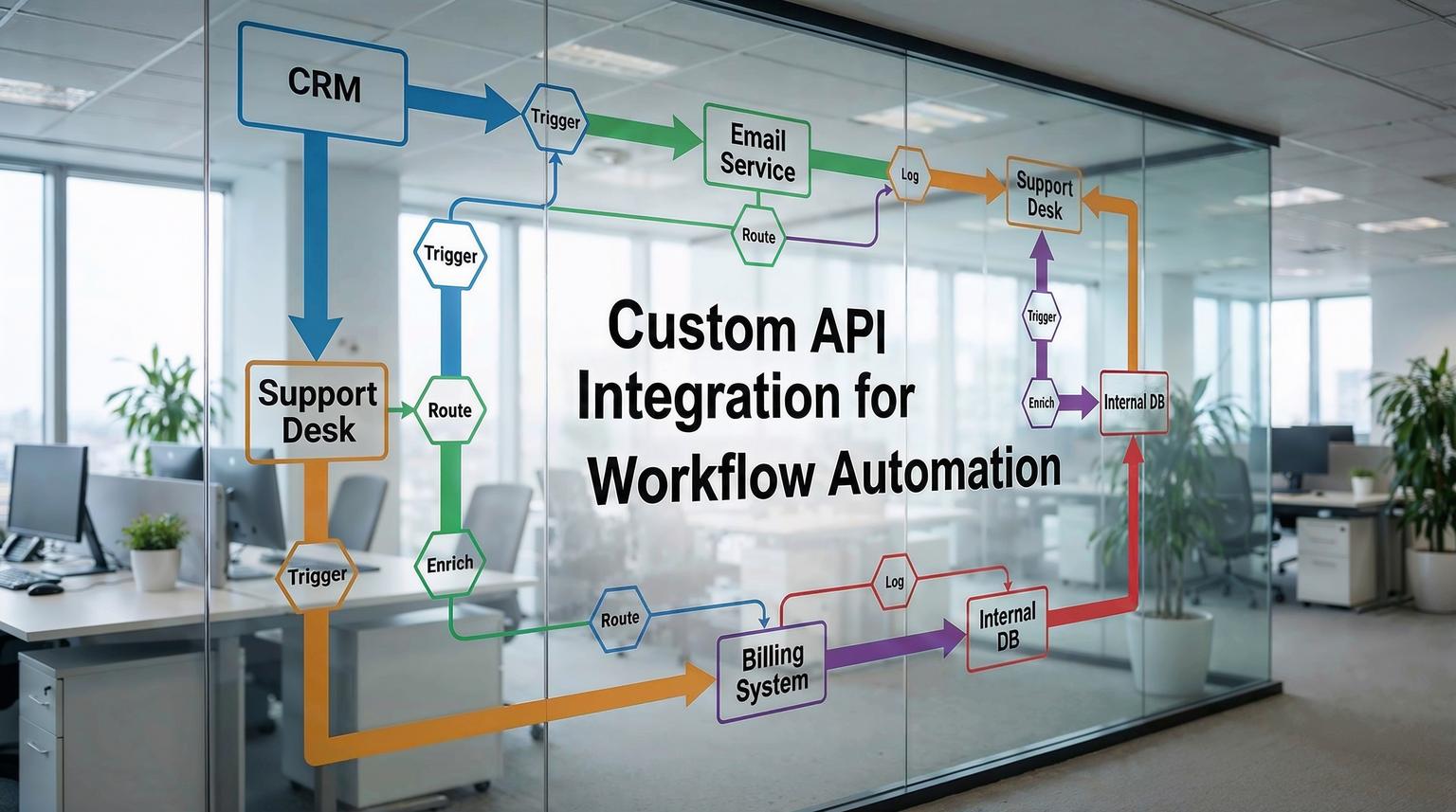
Most teams do not have a single "system" problem, they have a "systems talking" problem. Your CRM, email platform, support desk, billing, and internal database each work fine on their own, but the handoffs between them create delays, duplicate records, and reporting gaps. This is where custom API integration for workflow automation becomes the difference between a stack of tools and an operations engine.
This post is for business owners, ops leaders, and CRM or marketing teams who want fewer manual steps and more reliable execution. We will show how ThinkBot Agency connects CRMs, email platforms, and internal systems using n8n-based workflows, and when to go beyond built-in connectors with custom API calls. For a broader view of how API integration underpins scalable automation across your stack, you can also read our guide on API integration for business workflows.
Quick summary:
- API-first workflows reduce manual entry by turning events (lead created, deal moved, invoice paid) into automated actions across tools.
- n8n is ideal when you need custom logic, multi-step branching, and direct HTTP calls to any REST API.
- Reliable integrations require more than "send data", you need idempotency, retries, rate limit handling, and monitoring.
- The best results come from mapping business rules first, then implementing clean data contracts between systems.
Quick start
- Pick one high-friction handoff, for example "deal moved to Demo Scheduled -> start email sequence and create support handoff task".
- List the source of truth fields for each system (CRM owner, pipeline stage, contact email, account ID), and define required vs optional fields.
- In n8n, start with a trigger (webhook or CRM event), then add validation, data mapping, and a single downstream action.
- Add reliability basics: dedupe key, retry policy, and a dead-letter path (log to a table or create an internal alert ticket).
- Expand the workflow: add branching for edge cases, then add reporting events back into the CRM for visibility.
Custom API integrations transform your CRM, email, and operations stack by making your tools respond automatically to real business events. Instead of copying fields between systems, an orchestrated workflow listens for triggers, enriches data, and updates each platform through its API. The result is faster lead response, fewer errors, consistent lifecycle tracking, and cleaner reporting across teams.
Why API integration changes the way your stack operates
Native integrations and off-the-shelf automations are useful, but they often break down when your process needs real business logic. Examples we hear often:
- "Only enroll leads in sequence A if the deal is in pipeline X and the contact has opted in."
- "If the support ticket is created from a churn risk, route it to a specific queue and notify the CSM in Slack."
- "If finance marks an invoice overdue, pause outbound campaigns and open a task for the account owner."
APIs let you implement those rules precisely. With an API-driven approach, the CRM becomes the operational heartbeat, and every downstream tool can act on CRM events and feed outcomes back into the CRM for a closed loop.
Many modern CRMs are built for this. For example, HubSpot, Pipedrive, and ActiveCampaign have strong REST APIs and broad integration ecosystems, which makes them practical foundations for automation-heavy teams. If you are evaluating CRMs specifically for integration readiness, the criteria in this comparison is a helpful starting point. To compare how n8n stacks up against other automation platforms like Zapier and Make for API-heavy workflows, see our automation platform comparison for CRM, email, and AI workflows.
What to automate first: the highest ROI workflows
In 2026, the fastest wins usually come from automating handoffs that affect revenue and customer experience. Here are three categories we recommend starting with:
1) Speed-to-lead and lead routing
When a form is submitted, the workflow should immediately create or update a CRM record, enrich missing fields, assign an owner, and trigger the right outreach. The goal is consistent, fast response without relying on someone to notice a notification.
2) Deal stage changes that drive downstream actions
Pipeline stage changes are clean triggers. Moving a deal to "Demo Scheduled" can enroll a contact in a pre-demo email sequence, create internal tasks, and ensure the right data is collected before the call.
3) Support and success handoffs
When a deal closes, the system should create onboarding tickets, provision accounts, and post a structured handoff summary. When a ticket indicates churn risk, it should notify the account owner and update CRM health fields.
Integration mapping checklist (use this before you build)
Use this checklist when scoping an API-based workflow so you do not discover missing requirements mid-build.
- Define the source of truth per field (CRM vs email platform vs internal DB).
- List the trigger event and confirm it exists (webhook, polling endpoint, or platform event).
- Decide the unique identifier strategy (email, external_id, or composite key).
- Specify idempotency rules (what counts as "already processed").
- Document required fields and validation rules for each downstream API call.
- Define error handling: retries, backoff, and where failures are logged.
- Confirm rate limits and expected volume (peak hour, batch jobs, backfills).
- Plan for backfill and historical sync (pagination strategy if needed).
- Define auditability: what gets written back to the CRM as a timeline note or property update.
- Specify security controls: secret storage, least privilege tokens, and data minimization.
n8n patterns ThinkBot uses for CRM and email automation
ThinkBot is active in the n8n automation community because it is one of the best tools for building API-first workflows with production-grade logic. Below are common patterns we implement when native connectors are not enough, or when you need consistent behavior across multiple tools.

Pattern A: Deal stage -> email sequence enrollment -> CRM confirmation
Example flow:
- Trigger: CRM deal updated (webhook or scheduled check for stage changes).
- Validate: confirm stage transitioned to the target stage, confirm contact has consent.
- Action: call email platform API to enroll contact in a specific automation.
- Confirm: write back to CRM (property like email_sequence_status = enrolled, plus timestamp).
- Notify: if enrollment fails, create a task for the deal owner.
This avoids the common problem where marketing thinks a contact is being nurtured, but sales has no visibility or the contact never actually entered the sequence.
Pattern B: Support ticket creation from CRM events
Example triggers include "deal closed won", "customer flagged as at risk", or "NPS response below threshold". The workflow can create a ticket with standardized fields (priority, category, account ID), then post the ticket link back into the CRM record.
Pattern C: Internal database enrichment and deduplication
Many teams maintain a lightweight internal database for product usage, billing status, or account scoring. n8n can query that data, enrich the CRM record, and then use that enriched context to decide which emails to send or which tasks to create. For more end-to-end examples of turning these patterns into a revenue engine, see our article on custom workflow automation solutions for revenue operations.
Example API payload mapping (practical template)
When you go beyond prebuilt nodes, you often need a clear field contract between systems. Here is a simplified example of a payload ThinkBot might send from n8n to a support tool API when a deal closes and onboarding should begin. Treat it as a starting template, then adapt field names to your tools.
{
"event": "deal.closed_won",
"crm": {
"deal_id": "12345",
"account_id": "A-9981",
"owner_email": "[email protected]",
"stage": "Closed Won"
},
"contact": {
"email": "[email protected]",
"first_name": "Sam",
"last_name": "Lee"
},
"handoff": {
"priority": "high",
"category": "onboarding",
"summary": "Closed Won. Start onboarding and schedule kickoff.",
"source": "n8n"
},
"idempotency_key": "deal-12345-onboarding-v1"
}
Two details matter here: the idempotency_key prevents duplicate tickets on retries, and the source field makes audits and troubleshooting easier.
Reliability and governance: what makes integrations production-ready
Most automation failures are not caused by the main logic. They happen at the edges: rate limits, partial failures, duplicates, and silent schema changes. ThinkBot designs workflows that assume these issues will happen and handle them gracefully.
Failure modes and mitigations
Use this section as a guardrail list when you move from prototype to production.
- Duplicate creates -> Use external IDs, idempotency keys, and upsert endpoints where available.
- Rate limiting (429 responses) -> Add exponential backoff, jitter, and queue writes in batches when possible.
- Partial updates across systems -> Use a two-phase approach: write to the system of record, then update secondary systems, and log a reconciliation task if step two fails.
- Pagination gaps during backfills -> Persist cursor or page state, only advance the pointer after successful load, and dedupe by record ID.
- Schema drift -> Version your mappings, validate required fields, and alert when an API response changes unexpectedly.
- Token expiration or permission changes -> Centralize credential management, monitor auth failures, and use least-privilege scopes.
For teams that build and maintain internal APIs or API gateways, CI/CD discipline also matters. Treating API changes as versioned artifacts with automated tests reduces surprises when workflows call those endpoints. The approach described in this guide aligns with how we harden integration layers for scaling teams.
Implementation playbook: how ThinkBot delivers custom integrations
When clients ask us to connect CRM, email, support, and internal systems, we follow an implementation playbook that reduces risk and accelerates time to value.
Phase 1: Discovery and data contracts (Owner: Ops lead + ThinkBot)
- Confirm the system of record for contacts, companies, and deals.
- Define event triggers and required outputs per workflow.
- Document field mappings and validation rules.
- Identify volume, peak load, and rate limit constraints.
Phase 2: Build and test in n8n (Owner: ThinkBot)
- Implement the workflow with clear steps, naming, and logging.
- Add dedupe, retries, and failure routing.
- Test with sandbox accounts and realistic sample records.
- Run a small backfill if needed, using pagination-safe patterns.
Phase 3: Deploy, monitor, and iterate (Owner: ThinkBot + Client admin)
- Deploy with environment-specific credentials and config.
- Set alert thresholds, for example repeated 429s, repeated auth failures, or queue growth.
- Define rollback steps: disable trigger, revert mapping version, replay from last checkpoint.
- Review outcomes after 1 to 2 weeks, then expand to the next workflow.

If you want help scoping and implementing an API-first automation plan in n8n, you can book a consultation with ThinkBot. We will map one or two workflows end to end, identify the data contract, and outline the build with reliability requirements. You can also explore how we apply similar patterns more broadly in our overview of business process automation with n8n.
Prefer to review our delivery history first? You can also view ThinkBot as a top performer on Upwork.
FAQ
Common questions we get when teams are evaluating API-driven automation across CRM, email, and operations tools.
What is custom API integration for workflow automation?
It is the practice of connecting business systems using their APIs so events in one tool automatically trigger actions in others, with custom logic, validation, and error handling that matches your process.
When should we use n8n instead of native integrations?
Use n8n when you need multi-step workflows, branching logic, custom HTTP requests, data transformations, or reliable handling for retries, deduplication, and backfills.
How do you prevent duplicate contacts or tickets in API-based workflows?
We use external IDs, idempotency keys, and upsert patterns. We also store workflow run markers so retries do not create duplicates when a downstream system is slow or rate-limited.
Can you sync historical data, not just new events?
Yes. We design backfills using pagination-safe patterns, persist cursor or page state, and only advance checkpoints after successful writes, so the sync can resume cleanly after failures.
What does ThinkBot need from us to start an integration project?
We typically need admin access to sandboxes or test accounts, a clear description of the business rules, sample records, and agreement on the system of record for key objects like contacts and companies.
