
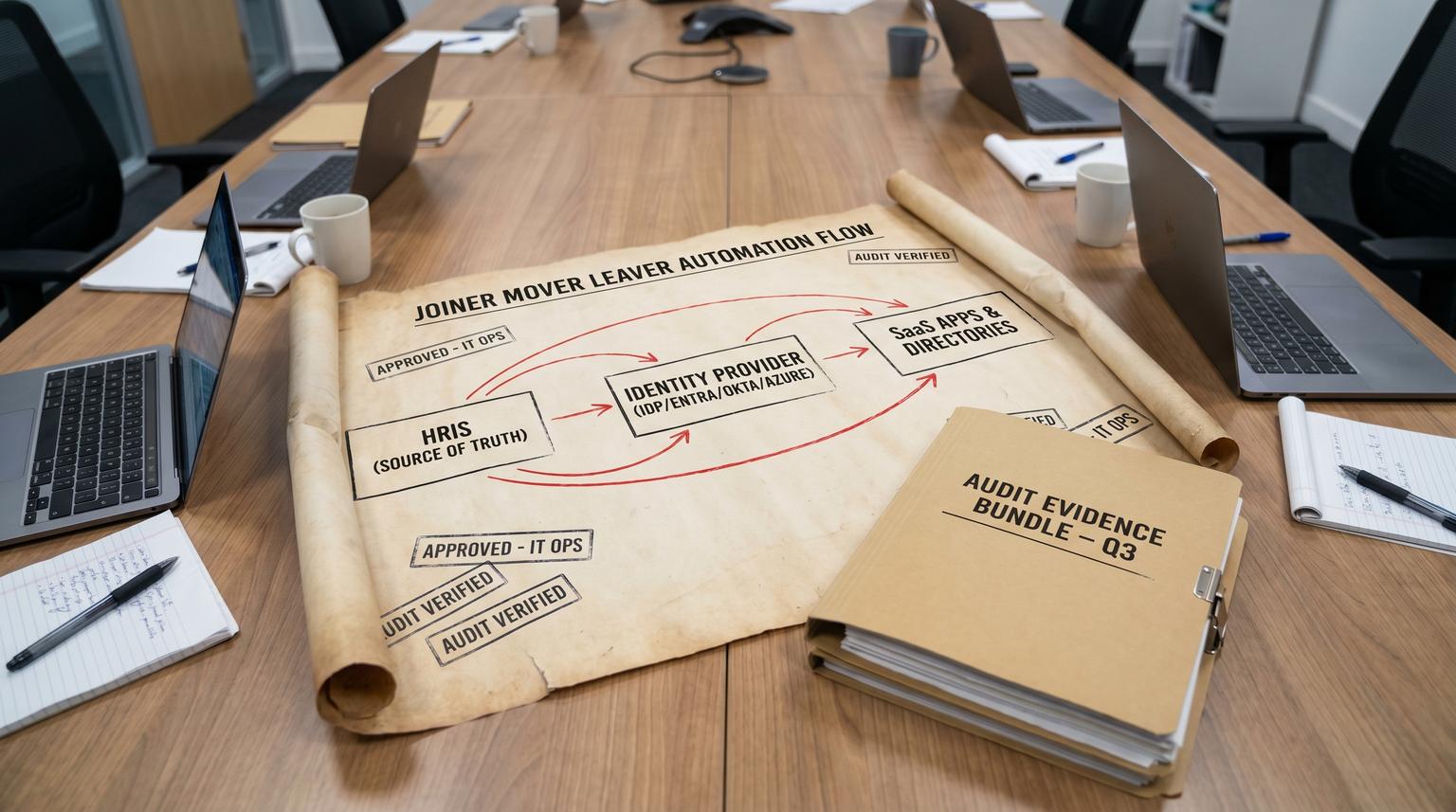
Joiner Mover Leaver (JML) is where automation either becomes a security win or a compliance nightmare. The hard part is not creating users. The hard part is making sure every hire role change and termination reliably translates into least-privilege access across your HRIS your identity provider (Okta or Azure AD / Microsoft Entra) and every core SaaS app with approvals evidence and reconciliation. This is where enterprise automation solutions have to behave like an auditable state machine not a pile of scripts.
This article is for ops leaders IT managers and tech-savvy founders who want a repeatable operating model: HR events become controlled workflows with approvals time-bound access exception handling and audit trails that stand up in real reviews. If you want a broader framework for mapping and standardizing workflows before you automate, use our business process automation playbook.
At a glance:
- Turn HRIS events into a single workflow state machine that drives Okta or Entra and downstream SaaS actions.
- Design approvals and least-privilege templates so access is correct on day one and reduced automatically after moves.
- Build reliability controls: idempotent actions reconciliation checks and safe rollback paths.
- Produce an evidence bundle per JML run so audits are a byproduct not a fire drill.
Quick start
- Pick one source of truth for worker status and attributes (usually HRIS) and define your canonical person record.
- Define three workflows (Joiner Mover Leaver) as phases: ingest event, approve, execute, reconcile, close with evidence.
- Create role-based access templates (groups licenses app entitlements) and map them to HR attributes like department location and job code.
- Implement idempotency keys and a workflow state store so retries do not create duplicate accounts or conflicting group changes.
- Add a reconciliation job that compares desired vs actual access and opens exceptions when drift or orphaned accounts are found.
Build JML automation by treating HRIS changes as the source of truth then running an auditable workflow that gates access with approvals and enforces least privilege through templates. Each run should log what it planned what it changed and what it verified across your IdP email collaboration and ticketing systems. Use idempotent actions plus reconciliation checks and exception-safe rollback so terminations do not leave active accounts and hires do not stall on manual tickets.
Why JML is the highest-stakes automation in the enterprise
Most teams start JML automation to reduce IT tickets. They keep it because of offboarding risk. The common failure pattern we see is simple: an HR termination occurs but one downstream SaaS account stays active because a connector failed a rate limit hit or a user has multiple identities that were not enumerated. The result is an orphaned account and an incident waiting to happen.
A reliable JML system needs three properties:
- Correctness: access matches role and status not whoever remembered to submit a ticket.
- Timeliness: disablement and license removal happen within your SLA.
- Evidence: you can prove what happened when and why including approvals and exceptions.
CIS-style control thinking is useful here: you cannot prove revocation completeness if you cannot enumerate all accounts per person. That is why reconciliation and inventory coverage are not optional.
The workflow model that scales HRIS event to approval to execution to evidence
The most reliable pattern is to implement JML as a state machine with explicit phases. Avoid designing this as one long chain of steps inside a single tool with hidden state. Instead use an orchestrator (often n8n in our projects) plus a small state store (table or database) to track run status idempotency and evidence links. If you are evaluating tools for orchestrating enterprise automation, see our low-code solutions for enterprise automation guide.
Core entities to define
- Person key: stable ID from HRIS (employeeId) mapped to IdP userId plus immutable correlation IDs for key SaaS apps.
- Event type: joiner mover leaver (and optionally leave of absence rehire).
- Desired state: computed access template output (groups licenses app entitlements mailbox state).
- Workflow run record: runId eventHash status timestamps approvals and step results.
Concrete JML state machine

| Phase | What happens | What you log for audit |
|---|---|---|
| 1) Ingest | Receive HRIS event or poll changes. Normalize to canonical person record and compute desired access template. | Raw event payload hash mapping version person identifiers and computed desired state snapshot. |
| 2) Approve | Route approvals based on risk. Example: manager approval for baseline access and app owner approval for finance or admin roles. | Approver identities timestamps decision rationale and expiration window. |
| 3) Execute | Provision or deprovision in IdP first then downstream SaaS. Use idempotent upserts and retries with backoff. | Per-step request IDs API responses and change summaries (group added removed license assigned disabled). |
| 4) Reconcile | Query IdP and key SaaS to confirm actual state matches desired. Detect drift orphaned accounts and partial failure. | Reconciliation report diff list and any exception tickets created. |
| 5) Close with evidence | Bundle links to logs approvals and reconciliation. Mark run complete or exception-open. | Evidence bundle pointer plus completion time and SLA metrics. |
For Entra based environments Microsoft emphasizes sequencing tasks and using custom task extensions to call external systems. See Lifecycle Workflow deployment planning for a practical task chain mindset that maps cleanly to this model.
Data mapping and idempotency that prevents duplicate accounts and missed removals
JML breaks when identifiers shift. Email changes. Display names change. Contractors have multiple identities. Your mapping rules must assume that inputs arrive out of order and can be duplicated.
Decision rule for join keys
Use HRIS employeeId as the primary person key then map it to IdP userId. Use email only as a secondary attribute. This tradeoff makes moves and name changes safer because the identity remains stable even when email changes.
Idempotency keys
Every step should be safe to retry. Build an idempotency key as:
- idempotencyKey = hash(employeeId + eventType + effectiveDate + mappingVersion)
- Store it in your workflow run table and on the IdP user as a custom attribute when feasible.
If the same event arrives twice your orchestrator should detect an existing run with the same key and either no-op or continue from the last successful step.
Webhook hardening example for Okta event triggers
If Okta is your trigger plane you must implement verification and keep the receiver fast. Okta sends a one-time verification challenge header and expects it back. The example below mirrors Okta guidance and lets you validate the endpoint before you process events:
app.get("/okta/event-hook", (req, res) => {
const challenge = req.headers["x-okta-verification-challenge"];
res.json({ "verification": challenge });
});
Then acknowledge event deliveries quickly and enqueue work asynchronously. If you need to troubleshoot delivery or confirm event types you can query the Okta System Log API with an eventType filter as shown in Okta event hook implementation.
A practical Joiner Mover Leaver runbook with approvals audit logs and rollback paths
Below is a concrete model we use in enterprise implementations. Adjust systems to match your stack but keep the phases and evidence discipline the same. For a complementary view focused on day-one access and onboarding gates, see zero-delay employee onboarding using business process automation best practices.
Joiner workflow
- Ingest: HRIS hire event with startDate managerId department location jobCode.
- Plan: compute baseline template (IdP groups licenses email mailbox collaboration) plus conditional apps (CRM finance support tools).
- Approve: manager approves baseline access. App owners approve any privileged bundles. Approvals expire if not actioned.
- Execute in IdP: create or enable user assign baseline groups assign licenses. If using Entra consider time-bound onboarding credentials such as Temporary Access Pass with a short lifetime (Microsoft commonly recommends 24 hours to avoid timezone confusion).
- Execute downstream: provision SaaS accounts via APIs or connectors (Slack CRM helpdesk). Create ITSM ticket only when exception occurs not as the default.
- Audit logging: store per-step results and link to IdP logs and connector logs.
- Reconcile: confirm groups licenses and app assignments match desired. If missing re-run only the missing steps.
- Rollback and exceptions: if an app provisioning fails after IdP is ready keep the user enabled but remove the specific app entitlement and open an exception for the app owner. Do not leave partial elevated access.
Mover workflow
- Ingest: HRIS change event (department manager location jobCode) with effectiveDate.
- Plan: compute desired state diff: entitlements to add and entitlements to remove.
- Approve: require approval when change increases privilege or grants access to regulated data. Low-risk removals can be auto-approved.
- Execute: apply removals first then additions. This reduces over-privilege windows.
- Reconcile: verify the user is no longer in previous role groups and no longer has old app entitlements.
- Rollback: if removal breaks business critical access unexpectedly re-apply a time-bound exception group and notify app owner for review.
Leaver workflow
- Ingest: HRIS termination event with terminationDate and lastDayWorked when available.
- Approve: most orgs do not require approval to disable at the IdP layer. They require approvals for mailbox delegation data retention and device handling.
- Execute immediate disablement: disable IdP account and revoke sessions. Prefer disable over delete to preserve evidence.
- Execute deprovision: remove from groups remove from Teams or collaboration remove licenses and deactivate or suspend SaaS accounts.
- Reconcile: enumerate all known accounts tied to the person and confirm disabled state. Flag any unowned accounts found.
- Delayed actions: delete or hard-remove after retention windows. If your tooling has wait limits (some platforms limit pauses to 30 days) model long delays using scheduled jobs rather than a single paused flow.
- Rollback: for erroneous termination use a formal rehire flow that re-enables from templates and re-validates access rather than blindly restoring everything.
Reliability controls that keep automation safe at scale
JML does not fail because someone forgot a step. It fails because the system behaved unpredictably at scale: duplicates conflicts rate limits and stale state. Build these controls from day one.

One owner per provisioning action per target
A frequent mistake is running two provisioning paths against the same app, for example using built-in IdP provisioning and a custom workflow for Slack at the same time. This creates conflicting actions and race conditions. Pick one owner of record for each target app and document it. Okta Workflows guidance calls out this conflict risk directly in its provisioning and deprovisioning use case documentation: avoid conflicting provisioning paths.
Rate limits and retries
Assume downstream SaaS APIs will rate limit you. Implement:
- Retry with exponential backoff and jitter
- Dead-letter queue for repeated failures
- Per-app concurrency limits
- Step-level idempotency so retries do not double-add group memberships
Asynchronous execution and fast acknowledgements
Webhooks should not do heavy work inline. A real-world operations insight: the fastest way to create a backlog is to process provisioning synchronously inside the webhook handler then trigger retries and duplicates when the sender times out. Acknowledge receipt quickly then run the workflow in the background. For a deeper reliability checklist that applies to trigger-driven workflows, read keeping CRM handoffs reliable with no-code automation tools for businesses.
Reconciliation loops instead of trusting stored state
Do not store long-lived state inside a flow that might go stale. Store a token timestamp or lastProcessedVersion externally then re-query IdP and SaaS during reconciliation. This is the difference between automation that looks successful and automation that is provably correct.
Monitoring metrics and the evidence bundle auditors actually accept
Governance is what keeps the automation reliable after the first rollout. Your goal is to produce evidence automatically as part of each run and to monitor outcomes not just executions.
Evidence bundle per JML run
Create a single evidence record (a folder link or a database row with attachments) that includes:
- HRIS event reference (who changed what and when)
- Approval decisions with timestamps
- Workflow execution log with step results
- IdP evidence: Entra audit logs or Okta System Log entries that confirm disablement group changes and license changes
- Reconciliation report showing desired vs actual state and any exceptions
For Entra environments separate evidence sources matter. Configuration changes and workflow execution history are captured in Entra audit logs while some provisioning actions have their own logs. Microsoft lists relevant audit activity categories and how to retrieve them in Entra audit log categories and activities.
KPIs that reveal risk and coverage gaps
- Time to disable: time from termination effective time to IdP disabled and sessions revoked.
- Revocation completeness: ratio of known accounts disabled within SLA vs accounts enumerated for terminated users.
- Exception rate: percent of runs that ended with open exceptions and top failing apps.
- Drift rate: entitlements found in reconciliation that were not in desired state.
Rollout ownership and change control so it stays reliable
Automation that touches identity is production infrastructure. Treat updates like change managed releases.
Roles and ownership model
- HRIS owner: owns field definitions and effective-date rules.
- Identity owner: owns group taxonomy templates and IdP policies.
- App owners: approve privileged bundles and validate least privilege.
- Automation owner: owns workflow logic state store monitoring and incident response.
Rollout sequence
- Pilot with a limited population and a small app set (email collaboration one SaaS).
- Run in parallel with manual tickets for a short period and compare results using reconciliation reports.
- Expand app coverage and tighten SLAs once evidence and monitoring are stable.
- Freeze group template changes to a regular cadence and require review for any privileged bundle edits.
When this approach is not the best fit
If your company has fewer than a few dozen users and only uses one or two SaaS apps you may not need a full state machine with reconciliation and evidence bundling. A simpler manual checklist with a lightweight IdP rule set can be safer than over-engineering. The tipping point is when you have multiple critical apps frequent role changes or audit requirements that demand proof of completeness.
Implementation checklist you can copy into your build plan
- Define canonical person schema and stable identifiers (employeeId to IdP userId mapping).
- Document which system owns provisioning for each target app to avoid conflicts.
- Create baseline and privileged access templates tied to HR attributes.
- Implement approvals with expiry and escalation rules.
- Build state store with runId idempotencyKey status step results and evidence links.
- Ensure webhook endpoints are verified secured and acknowledge fast.
- Add retries backoff dead-letter handling and per-app concurrency limits.
- Implement reconciliation jobs and orphan account detection.
- Define rollback behaviors for partial failures and erroneous terminations.
- Produce an evidence bundle and track SLAs plus completeness metrics.
If you want help designing and implementing this end to end across HRIS Okta or Entra and your core SaaS stack, ThinkBot Agency can build the workflow state machine approvals reconciliation and audit evidence so your team stops living in access tickets. Book a consultation.
You can also review similar automation work in our portfolio.
FAQ
Common follow-ups we hear when teams move from manual access tickets to automated JML.
What should be the source of truth for JML events?
In most organizations the HRIS should be the source of truth for worker status start dates termination dates and manager relationships. Your IdP should enforce access based on that truth and your automation should treat other systems as targets not authorities.
Do we need approvals for offboarding?
You usually should not require approval to disable the identity account and revoke sessions after a termination event. Approvals are more appropriate for data handling steps like mailbox delegation file ownership transfer and retention exceptions.
How do we prevent duplicate accounts when events are retried?
Use a stable person key like employeeId and implement idempotency keys per workflow run. Each provisioning step should be an upsert or no-op if the user already exists in the expected state and retries should resume from the last successful step.
What reconciliation checks matter most?
At minimum reconcile IdP status group membership license assignment and the enabled or disabled state in your highest-risk SaaS apps. Add orphan detection by enumerating accounts that have no mapped employeeId and raise exceptions for investigation.
How do we keep audit trails intact while still removing access quickly?
Prefer disabling over deleting accounts for terminations so logs remain available. Store an evidence bundle per JML run with the HR event approval record workflow logs and IdP audit or system log entries that confirm the changes.
