
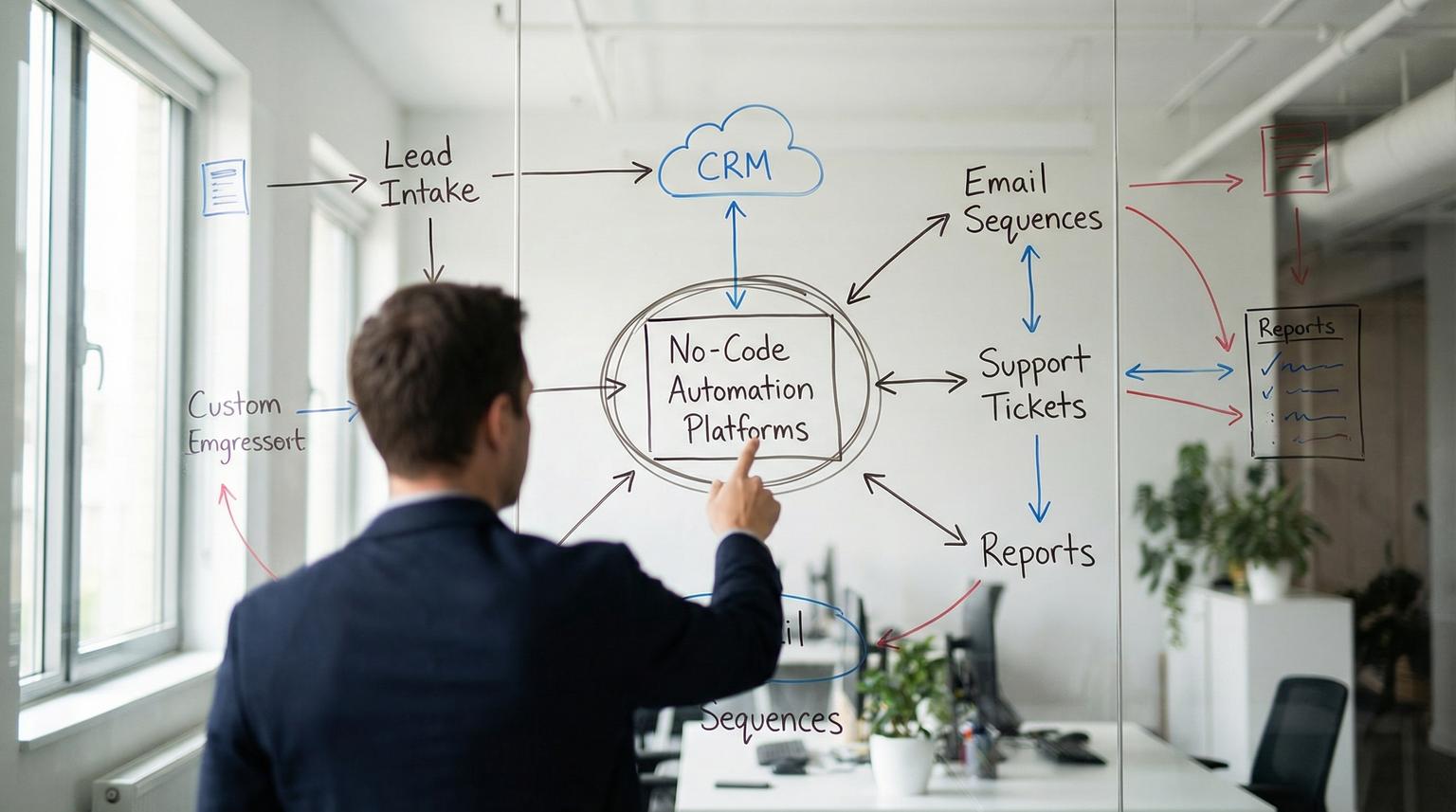
Most growing teams do not have an operations problem, they have a coordination problem. Customer data lives in the CRM, marketing runs in an email platform, support happens in chat and tickets, and reporting lives somewhere else. The result is duplicate work, inconsistent records and slow response times.
This guide is for business owners, ops managers and CRM or support teams who want to reduce manual work using no-code automation platforms like n8n, Make and Zapier. We will walk through practical workflows, a step-by-step approach to finding automation wins and how to add AI-powered customer service without creating new chaos.
At a glance:
- Automate repeatable handoffs between CRM, email, support and reporting to cut manual updates and missed follow-ups.
- Start with 3 workflows: lead intake -> CRM sync, lifecycle emails and support triage with AI drafting.
- Design for reliability: idempotency, logging, error handling and clear ownership.
- Use AI where it helps most, summarization, classification and suggested replies, with human review for sensitive actions.
Quick start
- List your top 10 recurring tasks that move data between tools (CRM updates, follow-ups, ticket creation, reporting).
- Pick one workflow with clear inputs and outputs, then define the trigger, the destination and success criteria.
- Map fields between systems, decide the source of truth and add dedupe rules before you build.
- Build the first version using native connectors, then add HTTP or webhooks for any missing endpoints.
- Add monitoring: run logs, alerts on failures and a rollback plan, then expand to the next workflow.
No-code automation works best when you standardize how data moves between your CRM, email platform and support channels. Use event triggers (forms, webhooks, pipeline stage changes) to sync records, launch email sequences and create tickets. Then layer AI for triage and drafting so your team responds faster while keeping approvals and audit logs for control. For a deeper framework on end-to-end business process automation with n8n and AI, see our overview on business process automation with n8n.
Where operations usually break, and what to automate first
When we audit a business stack at ThinkBot Agency, the same friction points show up across industries:
- CRM drift: leads and customers exist in multiple tools with different fields and owners.
- Slow follow-up: email sequences do not match pipeline stages, so prospects go cold or get the wrong message.
- Support context gaps: agents cannot see subscription status, order history or previous conversations.
- Manual reporting: someone exports CSVs, cleans them and pastes into spreadsheets every week.
The fastest wins usually come from automating the handoffs between teams and systems. Focus on workflows that are frequent, rules-based and measurable. If it happens 20+ times per week and the steps are predictable, it is a strong candidate.
Three high-impact starter workflows
- Lead intake -> CRM sync: web form or ad lead triggers contact creation, enrichment and assignment.
- Pipeline stage -> email sequence: stage changes trigger the right nurture, reminders and internal tasks.
- Support message -> ticket with AI summary: chat or email becomes a structured ticket with priority and next steps.
Workflow design checklist for reliable automations
Use this checklist when you plan or review an automation. It prevents the common issues we see when teams move fast and skip operational details.
- Trigger defined: What event starts the workflow (webhook, schedule, CRM change, new email)?
- Source of truth chosen: Which system owns each field (email, phone, lifecycle stage, owner)?
- Field mapping documented: Exact mapping for required fields and any transformations (date formats, enums).
- Idempotency rule: How you prevent duplicates (external ID, message ID, email + company, custom key).
- Error handling: Retries, dead-letter path or alert when a step fails.
- Logging and audit trail: Store run IDs, payload snapshots or a minimal audit record for debugging.
- Security and access: Least privilege credentials, secret storage and PII handling rules.
- Human approval points: Required for refunds, cancellations, contract changes or sensitive outbound messages.
- Monitoring: Alerts on failures, latency spikes or unusual volume.
- Rollback plan: How to disable the workflow and revert changes if needed.
This is also how we keep client automations maintainable. A workflow that runs 1,000 times per day needs different guardrails than a weekly report sync.
Practical CRM and email integrations that remove busywork
CRM and email automation is where operational efficiency becomes visible. The goal is not just to move data, it is to make sure the right action happens at the right time with consistent customer context. If you want more patterns focused on CRM workflows and AI, explore our guide to CRM automation with AI and end-to-end workflows.
Example 1: Lead capture -> CRM -> routing -> email
Trigger: New form submission or ad lead webhook.
Steps:
- Create or update contact in CRM (match by email, then by phone if needed).
- Normalize fields (country, timezone, lead source, consent flags).
- Assign owner based on territory, product line or round robin.
- Create a deal and set initial stage.
- Send an internal notification to sales with key details and next action.
- Start the correct email sequence, or send a personalized first-touch email.
Why it works: it eliminates the gap between marketing capture and sales action. It also reduces the classic issue where the CRM has incomplete data because someone forgot to fill a field.

Example 2: Lifecycle stage sync between CRM and email platform
Trigger: Deal stage changes to Qualified, Proposal, Won, or Lost.
Steps:
- Update segments and tags in your email platform.
- Stop sequences that no longer apply and start the next best sequence.
- Create follow-up tasks in CRM with due dates based on stage.
- When Won, push customer data to onboarding systems and finance tools.
Key implementation detail: choose one system to own lifecycle stage. If both systems can write to the same field you will eventually create loops. We typically enforce a single writer and allow the other system to mirror.
Example 3: CRM -> reporting warehouse for visibility
If leadership asks, "How many leads did we get, how fast did we respond and what is conversion by source?" and the answer requires manual exports, you have a reporting automation opportunity.
- Pull incremental changes from CRM via API on a schedule or webhook.
- Write to a database or spreadsheet table designed for reporting.
- Track historical changes (stage changes, owner changes) for true funnel analysis.
Even a lightweight data pipeline improves forecasting and exposes bottlenecks. To go deeper on connecting CRMs, email tools and APIs, see our article on custom API integration for workflow automation.
Choosing the right platform for your stack and team
At ThinkBot we work across n8n, Make and Zapier depending on requirements. The best choice is the one that fits your constraints: data volume, security needs, connector coverage and how complex your logic is.
Comparison table: what to evaluate before you commit
| What you need | What to look for | Why it matters | Common fit |
|---|---|---|---|
| Complex routing and multi-step logic | Conditional branches, parallel paths, reusable sub-workflows | Prevents fragile, hard-to-debug automations | n8n and Make |
| Fast deployment for simple cross-app tasks | Strong template library, quick connectors, simple UI | Gets first wins live quickly | Zapier |
| Custom or niche app integrations | HTTP requests, webhooks, robust API support | Lets you integrate anything with an API, even without a native connector | n8n and Make |
| Security and governance | Credential management, audit logs, role-based access, self-host options | Required when handling PII and regulated workflows | n8n self-host and enterprise tools |
| AI-driven steps in workflows | LLM nodes, structured outputs, human-in-the-loop approvals | Makes AI usable in production without random failures | n8n, Make and Power Automate patterns |
We also look at operational realities like rate limits, run frequency and who will maintain the workflows after launch. A platform that is perfect for a prototype can be the wrong choice for a mission-critical process, so it helps to compare options across CRM, email and AI workflows using our automation platform comparison.
AI-powered customer service automations that stay safe
AI is most valuable in support when it reduces reading and writing time, not when it replaces your policies. The practical pattern is: AI summarizes and classifies, automation routes and records, humans approve where risk is high.
Pattern: support channel -> structured ticket with AI summary
The n8n community has a solid approach for turning Slack messages into structured tickets using AI for title, summary and priority. One example uses a reaction as an explicit human signal to create a ticket, then dedupes by storing the Slack message ID in the ticket to avoid duplicates. You can see the general pattern in this guide.
We adapt the same architecture for CRMs and helpdesks:
- Trigger: new email, chat message, web form, or tagged Slack message.
- AI step: produce structured output: category, urgency, short summary, suggested reply, required internal action.
- Automation step: create or update ticket, link contact in CRM, route to the right queue and notify an owner.
- Guardrail: if confidence is low or the request involves billing or access changes, route to human approval.
When to use RAG for better answers
If your AI replies are only as good as generic internet knowledge, you will get vague answers and policy mistakes. Retrieval Augmented Generation (RAG) grounds responses in your real documents, like SOPs, product docs and internal policies. n8n outlines a practical RAG build that indexes documents into a vector store and retrieves the top relevant chunks before generating an answer, described here.
In customer service, RAG is ideal for:
- Order status and policy questions that must match your current rules.
- Troubleshooting guides where accuracy matters.
- Internal agent assist, where the AI suggests steps and links to source docs.
Example structured output schema for safe AI handoffs
Structured outputs reduce surprises. Here is a simple schema we often use for support triage so downstream steps can be deterministic.
{
"title": "string",
"summary": "string",
"category": "billing|bug|how_to|account|other",
"priority": "low|medium|high|urgent",
"suggested_reply": "string",
"needs_human_review": true
}
This makes it easy to route tickets, set SLAs and decide whether an agent must approve the outbound message.

Failure modes and mitigations for production-grade automation
Automation breaks in predictable ways. Planning for these issues upfront is usually the difference between a workflow that quietly runs for months and one that becomes a fire drill.
- Failure mode: Duplicate contacts or tickets.
Mitigation: Use idempotency keys (email, external ID, message ID) and upsert operations. - Failure mode: Infinite update loops between CRM and email platform.
Mitigation: Enforce a single writer per field and add loop prevention flags. - Failure mode: API rate limits cause partial runs.
Mitigation: Batch requests, add backoff retries and queue high volume events. - Failure mode: Silent failures lead to missed follow-ups.
Mitigation: Alerting on error paths, daily run summaries and a dead-letter queue for reprocessing. - Failure mode: AI outputs are inconsistent or unsafe.
Mitigation: Structured output parsing, confidence thresholds and human-in-the-loop approval for sensitive actions. - Failure mode: Sensitive data leaks into logs or prompts.
Mitigation: PII minimization, masking and strict retention policies for run data.
Implementation playbook: from idea to a scalable workflow
If you want results quickly without creating brittle automations, use a simple delivery loop.
1) Define the workflow contract
- Owner: Ops lead or system owner (CRM manager, support lead).
- Inputs: trigger event and required fields.
- Outputs: records created or updated, messages sent and tasks created.
- Success criteria: time saved, reduced errors, faster response time, improved data completeness.
2) Build v1 with observability
- Builder: Automation specialist.
- Include from day one: run logs, error path notifications and dedupe logic.
- Test cases: at least 10 real examples including edge cases.
3) Launch with monitoring and rollback
- Monitoring: daily check for the first week, then weekly.
- Rollback: a single switch to disable the workflow plus a plan to revert any bulk updates.
- Change control: document field mappings and update rules so future edits do not break sync.
4) Iterate and scale
- Add enrichment, segmentation and additional destinations after v1 is stable.
- Standardize reusable components like dedupe checks and error handlers.
- Move from scheduled polling to event-driven webhooks when possible to reduce latency and API usage.
If you want a second set of eyes on your current stack and a practical plan for the next 30 days, book a working session with ThinkBot Agency here: book a consultation.
For examples of the kinds of custom workflows we ship across CRM, email and support systems, you can also browse our portfolio.
FAQ
Common questions we hear when teams evaluate automation tools and AI support workflows.
What are no-code automation platforms used for in a business?
They connect your apps and automate repeatable processes like syncing CRM records, sending lifecycle emails, creating tickets from messages, updating spreadsheets and generating internal alerts, all without writing traditional code.
How do I decide which workflows to automate first?
Start with high-frequency tasks that have clear rules and measurable outcomes. Prioritize workflows that reduce handoff delays between teams, like lead intake to CRM routing, stage-based email sequences and support triage.
Can we integrate a CRM with email and support tools without custom development?
Yes in most cases. Many stacks can be integrated using native connectors, webhooks and HTTP API calls. The key is to define a source of truth for each field and add dedupe logic so records stay consistent.
How can AI improve customer service without risking wrong answers?
Use AI for summarization, classification and suggested replies, then require structured outputs and confidence thresholds. For sensitive actions like billing or access changes, keep a human approval step and store an audit trail.
What does ThinkBot Agency typically deliver for automation projects?
We design and implement custom workflows across tools like n8n, Make and Zapier, including CRM and email integrations, API connections, monitoring and error handling, plus AI-driven support automations such as triage and RAG-based agent assist.
