
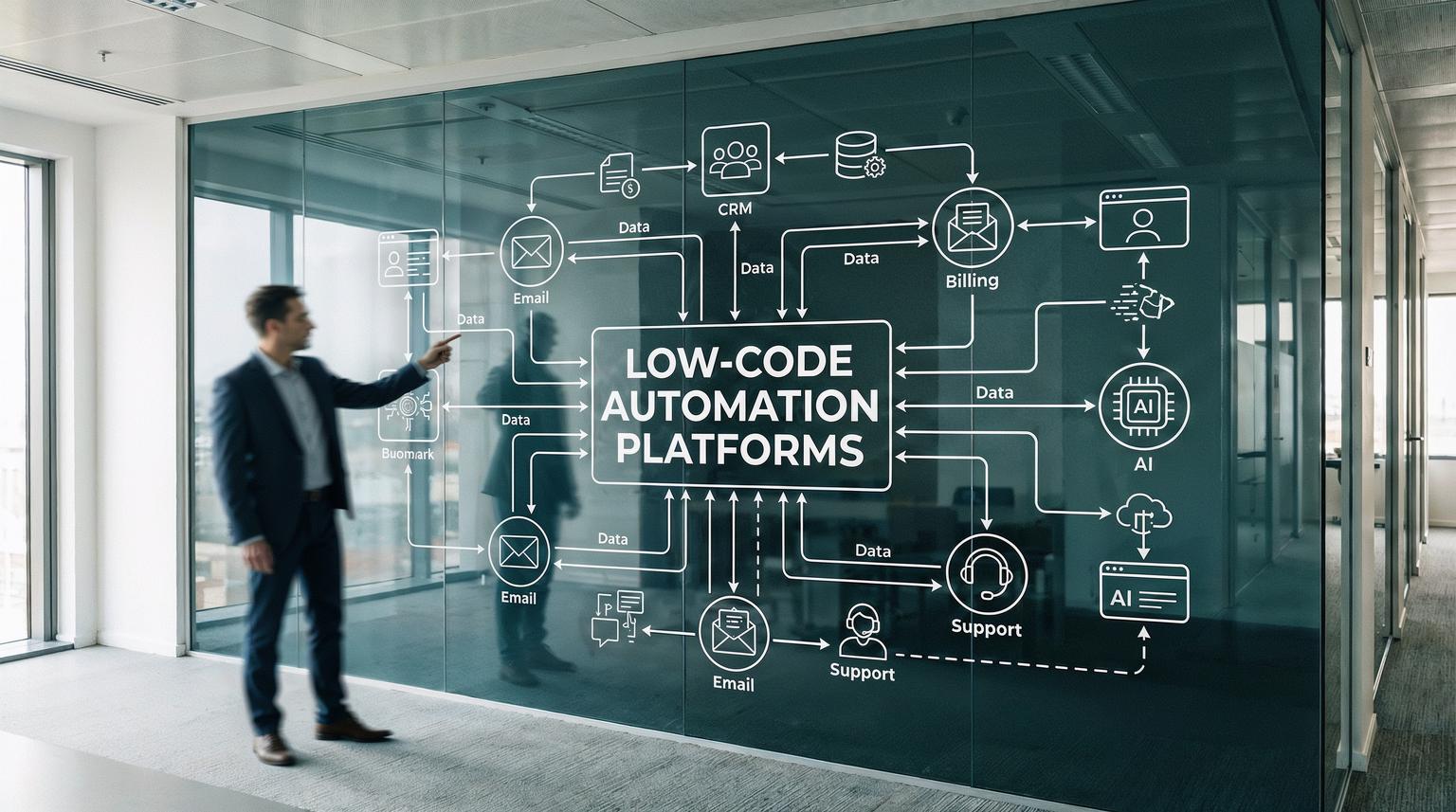
Scaling a business usually fails in the same place, operations. Leads come in faster than your team can respond, customer requests stack up, data lives in too many tools and manual handoffs create delays and mistakes. This is where low-code automation platforms shine. They let operations, marketing and sales teams ship real workflows quickly, then let technical teams extend them with APIs and custom logic when needed.
This guide is for business owners, ops managers and CRM or marketing teams who want faster time-to-value without creating a backlog for engineering. We will walk through practical workflows we build at ThinkBot Agency using tools like n8n, plus integration patterns and AI-driven use cases that help companies scale without adding headcount at the same rate.
At a glance:
- Automate the highest friction handoffs first, lead routing, CRM updates, support triage and reporting.
- Use API-first integration patterns to unify data across CRM, email, billing and support tools.
- Add AI where it reduces decision time, classification, summarization, enrichment and next-best action.
- Design for reliability from day one with idempotency, retries, alerts and audit logs.
Quick start
- Pick one workflow tied to revenue or customer experience, for example MQL -> routed to the right rep within 5 minutes.
- Map the data you already have, required fields, system of record and where duplicates happen.
- Build the first version in n8n with a webhook trigger, CRM actions and one alert channel for failures.
- Add guardrails, dedupe, rate limit handling, retries and an audit log table.
- Layer in AI only after the deterministic flow is stable, then measure outcomes and iterate.
Businesses scale faster with low-code workflow tools by turning repetitive work into reliable automations that connect existing systems, enforce consistent processes and surface real-time insights. Instead of waiting on custom software projects, teams can deploy lead routing, CRM enrichment, support triage and multi-channel follow-up in days, then extend the same workflows with APIs and AI for smarter decisions and better customer experiences. For a deeper comparison of tools like Zapier, Make and n8n in this context, see our automation platform comparison for CRM, email and AI workflows.
Why low-code automation accelerates scaling
When teams try to grow, they often add tools before they add integration. That creates a hidden tax, people become the glue between systems. Low-code workflow builders remove that tax by making orchestration a first-class capability.
In practice, scaling speed comes from four advantages:
- Shorter delivery cycles: build and deploy workflows without full application development.
- Shared visibility: visual flows make it easier for ops, marketing and engineering to align on what happens and when.
- API reach: when a native connector is missing you can still call REST APIs directly, which keeps you from changing tools just to integrate.
- Governed reuse: standard templates, shared credentials policies and reusable sub-workflows reduce repeated work across teams.
We also see a major adoption pattern, businesses want automation but access is often limited. The Bain brief on scaling automation highlights this gap between willingness and enablement and why governance plus democratization matters for scale. When you pair a simple platform with clear guardrails you unlock more automation ideas without increasing risk. You can read that perspective here. If you need a broader strategy view on how low-code fits into enterprise transformation, our article on low-code solutions for enterprise automation goes into governance and scale patterns.
Practical workflows you can deploy in weeks
Below are common, high ROI automations we implement for clients. They are intentionally practical, each one reduces cycle time, improves data quality or increases response speed.
1) Lead capture -> enrichment -> routing -> SLA tracking
Trigger on a form submission, ad lead, inbound email or chat. Then enrich the record, route it and measure follow-up.
- Trigger: webhook from your form, landing page or chat tool
- Normalize: clean phone, company name and country
- Enrich: firmographics, LinkedIn URL, industry, location
- Dedupe: match on email plus company domain
- Route: assign owner by territory, segment or round robin
- Notify: Slack or email to the owner with context
- Create tasks: first touch due in 15 minutes, second touch due in 24 hours
- Track: write timestamps to a reporting table for SLA metrics
This pattern is similar to the update-or-create approach used in lead management recipes and it is one of the fastest ways to reduce lost leads due to manual handoffs.
2) CRM hygiene and enrichment on every lifecycle change
Most CRMs fail because fields drift over time. A workflow can enforce standards whenever a record moves stages.
- Trigger: deal stage change, lead status change or new contact created
- Validate required fields: industry, source, region, ICP fit
- Enrich missing fields with a data provider or internal database
- Backfill: write normalized values into the CRM and your data warehouse
- Alert: if required data is missing, open an internal task for cleanup
3) Multi-channel follow-up sequences that stay in sync
Marketing and sales often run separate sequences. A workflow can unify suppression rules and keep messaging consistent.
- Trigger: MQL created, demo booked or proposal sent
- Check suppression: bounced, unsubscribed, existing customer, active opportunity
- Enroll: email sequence plus a rep task cadence
- Stop conditions: reply received, meeting booked, deal stage advanced
- Audit: log each enrollment and stop event for compliance and analysis
4) Quote, invoice and document automation
Operations teams lose hours generating the same documents. With automation you can generate, send and archive consistently.
- Trigger: deal marked as closed won
- Generate: contract or invoice from a template
- Send: email to billing contacts and internal finance
- Archive: store in Drive or your document system and link back to the CRM
If you run Make scenarios for document workflows there are useful how-to patterns like automated invoice sending that illustrate the end-to-end flow. One example is this guide. For more end-to-end patterns that connect CRM, email and support with similar low-code tools, see our overview of workflow automation solutions for customer onboarding.
Implementation checklist for scalable automations
Use this checklist when you are about to ship a workflow into production. It is written for the real world, where data is messy and tools have limits.
- Define the system of record for each entity (lead, contact, company, deal, ticket).
- Choose stable identifiers and dedupe rules (email, domain, external ID mapping).
- Make actions idempotent (safe to retry without creating duplicates).
- Handle rate limits and batching for high volume sources.
- Add structured logging (workflow run ID, record ID, status, error message).
- Set up failure alerts to one channel with enough context to debug quickly.
- Store an audit trail of field changes for compliance and troubleshooting.
- Document field mappings and keep them versioned.
- Include manual override paths for edge cases (human in the loop).
- Define success metrics before launch (time-to-contact, error rate, SLA adherence).
Integration patterns that unify data across your stack
Automation works best when it is built like integration, not like a one-off script. At ThinkBot we typically design around a few repeatable patterns that work across CRMs, email platforms, billing tools and support desks.
Webhook-first ingestion
Prefer real-time triggers where possible. Webhooks reduce polling costs and improve responsiveness. In n8n this often starts with a Webhook node that receives a payload from your form, app or internal service.
Canonical data model and field mapping
Even if you do not have a full data warehouse, define a canonical schema for core objects. That makes it easier to swap tools later and prevents every workflow from reinventing mappings.

API fallback for long-tail tools
Not every tool has a perfect connector. The practical answer is to use HTTP requests to call REST endpoints. This is also where platform ecosystems matter. n8n Cloud now supports verified community nodes which expands integration coverage without custom engineering for every niche app. The n8n update on verified community nodes explains how teams can install vetted nodes directly in the editor here.
Event-driven sync with conflict rules
When two systems can update the same fields, decide who wins. For example, CRM wins for owner and lifecycle stage, marketing platform wins for email engagement and scoring. Encode those rules in one place so you do not create silent data fights.
AI-driven use cases that actually reduce workload
AI is most useful when it reduces decision time or transforms unstructured data into structured actions. We recommend starting with bounded tasks and clear evaluation criteria, then expanding. If you want more examples of how AI layers into these low-code automation platforms, our guide on AI integration in business automation covers additional patterns and safeguards.
Support triage and routing
Use an LLM to classify incoming tickets by intent, urgency and product area, then route to the right queue. Keep a confidence threshold and route low confidence cases to a human for review.
Conversation summarization into CRM
After a sales call or a long email thread, summarize key points, objections and next steps. Then write those back to the CRM and create tasks. This reduces admin time and improves forecast quality.
Next-best action for leads
AI can suggest follow-ups based on interaction history, for example no contact in 14 days, last touch topic and persona. The key is to treat AI as a recommender, not an autopilot. You can auto-enroll only when rules match and confidence is high, otherwise create a suggested task for a rep.
Data enrichment and normalization at scale
AI can standardize messy inputs, turn free text into structured fields and detect missing context. This is especially helpful for inbound requests that arrive via email or chat.
Failure modes and mitigations for production workflows
Automation that scales must be resilient. Here are common failure modes we see and the guardrails we implement to keep workflows safe.
- Failure: Duplicate records created due to retries or race conditions. Mitigation: idempotency keys, update-or-create logic and a canonical external ID.
- Failure: Silent data drift when fields change in the CRM or marketing platform. Mitigation: schema checks, mapping tests and change alerts on key fields.
- Failure: Rate limits cause partial syncs and missing updates. Mitigation: backoff, batching, queue-based processing and replay capability.
- Failure: AI outputs incorrect classification or hallucinated details. Mitigation: constrained prompts, allowed label sets, confidence thresholds and human review paths.
- Failure: Credential or permission changes break workflows unexpectedly. Mitigation: credential ownership policies, rotation schedules and proactive monitoring.
- Failure: Alert fatigue leads to ignored incidents. Mitigation: alert on actionable failures only, include context and group repeated errors.

How ThinkBot delivers automation that scales with your business
ThinkBot Agency designs and implements automation systems that match how your business actually runs. We build in n8n and we also support other workflow tools when they fit, then extend them with API integrations, custom logic and AI components for customer service and data insights. To see how these principles translate into full revenue engines, you can also explore our guide to custom workflow automation solutions for revenue operations.
Our typical engagement looks like this:
- Discovery: map processes, data sources and bottlenecks, then pick 1 to 3 workflows tied to revenue or customer experience.
- Build: deliver a production-ready workflow with logging, alerts and documentation, not just a prototype.
- Harden: add guardrails, retries, dedupe and audit trails so it can run at volume.
- Enable: train your team to operate and improve the workflows with clear ownership.
If you want a fast, practical plan for your stack, book a consultation and we will map the first automation roadmap with you: Book a consultation.
Prefer to vet implementation depth first? You can also review our past automation work in our portfolio.
FAQ
Common questions we get when teams evaluate workflow automation and AI integration.
What are low-code automation platforms used for in a growing business?
They are used to orchestrate repeatable processes across tools, like lead routing, CRM updates, multi-step follow-up, ticket triage and reporting. The goal is to reduce manual work, improve data consistency and speed up response times without requiring a full custom software build.
How does n8n compare to other workflow tools for integrations?
n8n is strong for teams that want visual workflows plus the ability to extend with code and HTTP requests. It also supports a growing ecosystem of nodes, including verified community nodes on n8n Cloud, which can help cover long-tail integrations while keeping governance manageable.
Can we connect our internal systems if there is no native connector?
Yes. Most businesses can integrate internal tools using REST APIs, webhooks and database connections. In practice we use HTTP requests, authentication best practices and canonical IDs so workflows remain stable and do not create duplicates.
Where does AI fit in automation without creating risk?
AI works best for classification, summarization and enrichment where you can constrain outputs and validate results. We recommend confidence thresholds, human review for edge cases and audit logs so you can trace decisions and continuously improve prompts and rules.
What does ThinkBot Agency typically deliver in the first 2 to 4 weeks?
We usually deliver one production-ready workflow tied to a measurable outcome, plus monitoring, alerts and documentation. Common first projects include lead routing with enrichment and dedupe, CRM hygiene automation or support triage with AI-assisted categorization.
