
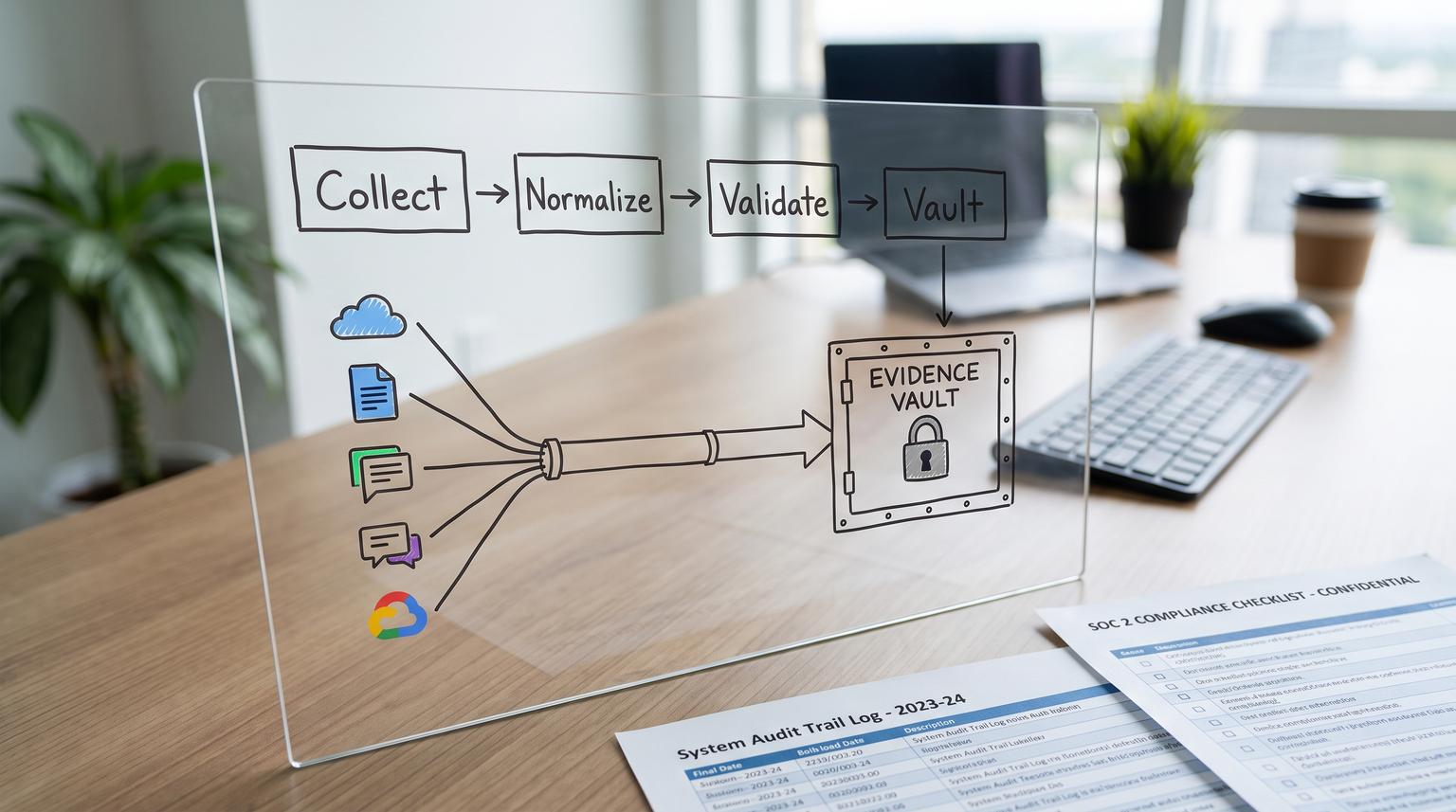
SOC 2 prep often fails for a simple reason: evidence lives in too many SaaS tools and the collection process depends on someone remembering exports, screenshots and timestamps at exactly the right time. This post shows how to implement low-code automation solutions that collect recurring SOC 2 evidence on a schedule, normalize filenames and metadata and archive artifacts into a controlled evidence vault with traceability, exceptions and monitoring.
At a glance:
- Turn recurring SOC 2 evidence into a scheduled pipeline that is easy to run, review and prove.
- Standardize naming, metadata and folder layout so auditors can follow chain of custody months later.
- Add exception handling, dead-letter behavior and alerts so evidence collection cannot fail silently.
- Archive into an immutable or append-only evidence vault with retention aligned to your audit window.
Quick start
- List 15 to 30 evidence items in an evidence register with source system, cadence and owner.
- Pick 3 high-risk streams first (access reviews, change approvals and ticket trails) and automate those end to end.
- Implement a standard artifact schema: filename, metadata JSON and a stable folder structure per control area.
- Write to staging, validate then promote to an evidence vault with versioning and retention controls.
- Add centralized error handling that creates an exception ticket and alerts the owner on failures.
A practical way to automate SOC 2 evidence is to treat every evidence item as a scheduled collector job that exports system-generated proof from each SaaS tool, normalizes it into a consistent artifact format, then stores it in a controlled archive with immutable retention. The real win is operational: clear ownership, approvals where needed, exception handling, retries and monitoring so you can demonstrate the control operated and you can prove what happened when.
Why SOC 2 evidence collection breaks in real companies
Most teams do not struggle because they lack policies. They struggle because recurring proof is scattered, inconsistently named and overwritten or it is never captured for a portion of the audit window. A few patterns show up repeatedly:
- Silent failures: an integration token expires, a permission changes or an API rate limit hits. The scheduled export stops and nobody notices until the audit request list arrives.
- Evidence without context: a screenshot or CSV exists but it is unclear what control it maps to, what time range it covers and who approved it.
- Inconsistent artifacts: filenames differ by person and month so auditors cannot easily verify completeness.
- Over-reliance on screenshots: screenshots are sometimes necessary but exports are usually stronger proof because they are machine generated and easier to reproduce.
The solution is not another spreadsheet reminder. It is a governed evidence pipeline that produces repeatable artifacts, retains them correctly and makes exceptions visible.
Design the evidence pipeline like a production system
Think of the pipeline as four layers. This is the architecture we implement most often at ThinkBot Agency using tools like n8n plus API connections and secure storage. If you need the broader foundation for mapping and standardizing workflows before automation, use our business process automation playbook as a companion guide:

1) Evidence register (requirements)
Your evidence register is the contract between compliance, ops and engineering. It defines what will be collected and how often. If you do nothing else, do this first because it drives scheduling, retention and ownership.
2) Collectors (scheduled jobs)
Each collector pulls or generates a specific evidence item from a source system: user list exports, admin audit logs, ticket exports, vendor lists, change logs, CI/CD deployment records and security configuration exports. Prefer system exports over screenshots when possible because they are easier to validate later. For an evidence requirements catalog and examples across control areas you can reference this evidence collection overview.
3) Normalization (standard artifacts)
Collectors should not write raw files into random folders. Normalize every run into:
- A file artifact (CSV, JSON, PDF or PNG) with consistent naming
- A metadata sidecar file (JSON) that makes the artifact auditor-readable
- An execution record (log event) that ties the run to an immutable audit trail
4) Archiving (controlled evidence vault)
Archive evidence into a system with strong access controls, versioning and retention. Many teams use SharePoint or Google Drive for day-to-day work then a locked vault for final retention. If you use S3 style storage, features like object lock and WORM retention exist specifically to prevent deletions or overwrites during a retention period as described in S3 Object Lock. The key is the operating pattern: stage then validate then promote to the vault so you never lock the wrong thing.
Sample SOC 2 evidence register you can copy
Below is a starter register that matches common audit requests. Adapt it to your controls and your SaaS stack. Add a column for the control ID used in your SOC 2 description and a column for whether the evidence is an export, a screenshot or a signed review.
| Evidence item | Source system | Frequency | Owner | Artifact type | Notes |
|---|---|---|---|---|---|
| MFA enforcement configuration export | IdP (Okta, Entra or Google Workspace) | Monthly | IT Ops | Config export or timestamped screenshot | Capture policy settings and admin changes |
| User list with last login and role | IdP | Monthly | IT Ops | CSV export | Used to support access review sampling |
| Quarterly access review with approvals | Access review workflow (ticketing or GRC) plus IdP export | Quarterly | Security | Signed PDF plus supporting CSV | Do not rely on the signed doc alone, include the reviewed population |
| Joiner mover leaver termination evidence | HRIS plus IdP plus ticketing | Monthly | People Ops and IT Ops | Ticket export plus deprovision log | Include timestamps showing timely removal |
| Change requests and approvals | Jira or ServiceNow | Weekly | Engineering Ops | CSV export | Filter for production impacting changes |
| Pull request reviews and merges | GitHub or GitLab | Weekly | Engineering | JSON or CSV export | Include reviewer and timestamps |
| CI/CD deployment logs | GitHub Actions, CircleCI or similar | Weekly | Engineering | JSON export | Capture deploy id, environment and commit sha |
| Security findings triage and remediation tickets | Ticketing (Jira, Linear, Zendesk) | Monthly | Security | CSV export | Proves SLAs and closure or risk acceptance |
| Vendor list and risk reviews | Procurement system or spreadsheet plus contracts folder | Quarterly | Finance or Security | CSV plus signed review record | High miss rate, monitor as P0 evidence |
| Admin audit log export | IdP and key SaaS apps | Monthly | IT Ops | CSV or JSON export | Preserve full time range and timezone |
Decision rule: mark each register row as P0, P1 or P2 based on audit pain and failure impact. P0 items get strict alerting, retries and weekly human review. Many first-time teams should put access reviews, change approvals and vendor reviews in P0 because those gaps are common and expensive to fix later. For a quick summary of what auditors usually ask for across these categories see this SOC 2 evidence basics breakdown.
Implementation steps for scheduled collectors, normalization and archiving
This is the build sequence we recommend when implementing low-code workflows across multiple SaaS APIs. If you are deciding whether a low-code approach is appropriate for audit-heavy workflows, see low-code automation vs traditional development for approvals for a practical tradeoff matrix.
Step 1: Create a canonical folder layout
Mirror how auditors request evidence so humans can navigate quickly:
- /Evidence/Access-Management/
- /Evidence/Change-Management/
- /Evidence/Monitoring-and-Incident-Response/
- /Evidence/Vendor-Management/
Within each, create /staging/ and /vault/ (or equivalent) to support stage then promote.
Step 2: Standardize filenames (make them sortable)
Use ISO dates and include the evidence key from your register:
YYYY-MM-DD__CONTROLAREA__EVIDENCEKEY__SYSTEM__TIMERANGE__RUNID.ext
Example:
2026-06-01__ACCESS__IDP_USERS_LASTLOGIN__GOOGLEWS__2026-05-01_to_2026-05-31__run_9f31.csv
Common mistake: naming files by the person who exported them or using local time formats. That makes completeness checks painful and can create duplicate months.
Step 3: Attach metadata sidecars
For every artifact, write a small JSON file next to it with stable fields. This reduces back-and-forth during the audit because context is preserved with the file.
{
"evidence_key": "IDP_USERS_LASTLOGIN",
"control_area": "Access Management",
"source_system": "Google Workspace",
"collected_at_utc": "2026-06-01T03:12:44Z",
"time_range": {"start": "2026-05-01", "end": "2026-05-31"},
"collector_workflow": "n8n-idp-users-export",
"execution_id": "9f31",
"owner": "[email protected]",
"hash_sha256": "<computed after download>",
"notes": "Monthly export for access review sampling"
}
Real-world operations insight: computing a hash (like SHA-256) at collection time and storing it in metadata makes later disputes easy to resolve. If an auditor asks whether a file changed you can prove integrity without guesswork.
Step 4: Use staging then promote to the evidence vault
Do not write directly into your immutable store. Instead:
- Collector writes artifact and metadata to /staging/
- Validator checks naming, required metadata fields and file size thresholds
- Promoter copies to /vault/ and sets retention controls
This design also makes rollbacks straightforward if a collector pulls the wrong time range. You can delete staging safely then re-run without touching locked historical evidence.

Exception handling and monitoring that prevents silent gaps
Most evidence automation fails at authentication, permissions or rate limits. Your operating model should assume these failures will happen and make them visible.
Centralized error workflow
If you use n8n, route failures into a dedicated workflow using the Error Trigger node. The key implementation detail is to normalize error events because trigger failures and execution failures can produce different payload shapes. Normalize into a single schema and store it as an exception record:
{
"timestamp_utc": "2026-06-01T03:15:02Z",
"workflow_name": "idp-users-export",
"workflow_id": "123",
"execution_id": "9f31",
"failing_node": "Google Workspace",
"error_type": "auth_expired",
"http_status": 401,
"message": "Invalid Credentials",
"evidence_key": "IDP_USERS_LASTLOGIN",
"severity": "P0",
"raw": "<truncated raw response>"
}
Alerting and escalation rules
- P0 evidence: alert immediately to the owner and create an exception ticket. If not acknowledged within 4 business hours escalate to a backup owner.
- P1 evidence: alert daily digest plus ticket if it fails twice in a row.
- P2 evidence: log only unless three consecutive failures occur.
Decision rule: never use a handler behavior that substitutes missing compliance data with placeholder values. If a field is missing, route to exception handling and store the raw payload for review. In Make-style platforms, patterns like retry, commit and rollback matter. If you want a helpful mental model for handler choices see Make error handling patterns then implement the equivalent in your automation tool: retry transient failures, dead-letter persistent failures and hard-fail when you must preserve atomicity. To make these workflows measurable over time (so gaps and flaky collectors are obvious), implement telemetry like KPI events as described in making n8n automations measurable with KPI events.
Dead-letter queue behavior (incomplete runs)
Enable storing failed executions or capture failed payloads into a dedicated queue so nothing disappears. Your weekly routine should include a 15 minute triage:
- Re-run transient failures (rate limits, timeouts)
- Rotate credentials for auth failures
- Update scopes for permission failures
- Backfill missing periods and record the reason as an exception note
Tradeoff to choose upfront: sequential vs parallel processing. Sequential runs reduce overlap and help avoid double-collecting time windows but they can create longer runtimes. For monthly exports across many systems, sequential is usually safer. For daily lightweight pulls, controlled parallelism can be fine if each run uses explicit time ranges and idempotent writes.
Immutable retention and audit-log preservation
You want two things at the same time: easy access for the team and strong proof that artifacts were not altered after collection. A practical pattern looks like this:
Evidence vault controls
- Append-only behavior: the pipeline only adds new objects or versions. It never edits existing evidence in place.
- Versioning: keep prior versions even if a later run corrects an export.
- Retention period: align to your audit window (often 3 to 12 months) plus buffer so you can satisfy re-audits and customer requests without scrambling.
- Restricted delete rights: limit delete and retention override to a small admin group and keep that group out of day-to-day operations.
Immutable options (practical guidance)
If your storage supports WORM retention (write once read many) use it for the vault. For example S3-style object lock prevents deletion and overwrite of locked versions for a configured retention period. If you are using Drive or SharePoint and cannot guarantee true immutability, you can still strengthen chain of custody by combining version history, restricted permissions and a separate audit-log store that records hashes and file IDs at promotion time.
Audit log retention
Keep an immutable log of every promotion event with: evidence key, storage path, file ID, version ID, hash, retention settings, who promoted it and the workflow execution ID. Store this log in a system designed for logs (or at minimum as append-only JSON lines in the vault) and retain it for at least as long as the evidence itself.
Operating model: ownership, approvals, backfills and change control
Automation that runs without governance becomes a new source of audit risk. Put lightweight structure around it:
- Evidence owner: one person accountable for each register row. They receive alerts and they approve backfills.
- Backup owner: required for P0 evidence so vacations do not create gaps.
- Approval gates: for review artifacts (access reviews, vendor reviews) require an approval step before promotion to the vault. The pipeline can collect supporting exports automatically then wait for the signed document.
- Exception tickets: every failure generates a ticket with evidence key, failed time range and remediation notes. This becomes evidence that you monitor the control operation.
- Change management for the pipeline: treat workflow edits like production changes. Version your workflows and require review for changes that alter time range logic, filters or retention settings.
When this approach is not the best fit: if your environment has strict regulatory constraints that require a certified GRC platform with built-in control testing and auditor portals, a custom low-code pipeline may not meet procurement or assurance requirements. In that scenario, automation can still help upstream by generating exports and pushing them into the mandated system, but the vault and register may need to live elsewhere.
Primary CTA: If you want this implemented end to end across your SaaS stack using n8n plus secure storage and monitoring, book a consultation with ThinkBot Agency and we will map your evidence register, build the collectors and ship the alerting and retention model.
Secondary CTA: You can review examples of the automation quality and operational rigor we deliver in our portfolio.
FAQ
What SOC 2 evidence is most worth automating first?
Start with evidence that is recurring, failure-prone and high impact in an audit: quarterly access reviews (including the reviewed population export), change approvals and production change logs and ticket exports that prove triage and remediation. These are common evidence gaps and automation reduces both missed periods and inconsistent artifacts.
How do we prove chain of custody for exported files?
Use standardized filenames plus metadata sidecars that record timestamps, time ranges, source system and workflow execution IDs. Promote artifacts into a controlled evidence vault with versioning and retention then write an append-only promotion log that stores file IDs and hashes so you can demonstrate integrity later.
What should happen when an evidence workflow fails?
A failure should create an exception record and alert the evidence owner. For P0 evidence, escalate if unacknowledged. Store failed payload details and the requested time range so you can backfill accurately. Avoid substituting missing values because that creates misleading evidence.
How long should we retain SOC 2 evidence and automation logs?
Retain evidence for at least the full audit window plus buffer to handle auditor follow-ups and re-audits. Retain the automation audit logs and promotion logs for at least as long as the evidence so you can show when each artifact was collected, validated and archived.
Can we do this with Google Drive or SharePoint instead of S3?
Yes. Drive or SharePoint can work well for collaboration and controlled access. To approximate immutability, use restricted permissions, version history and a separate append-only promotion log with hashes and file IDs. If you need stronger WORM guarantees, archive final artifacts into a storage layer that supports object-level retention controls.
