
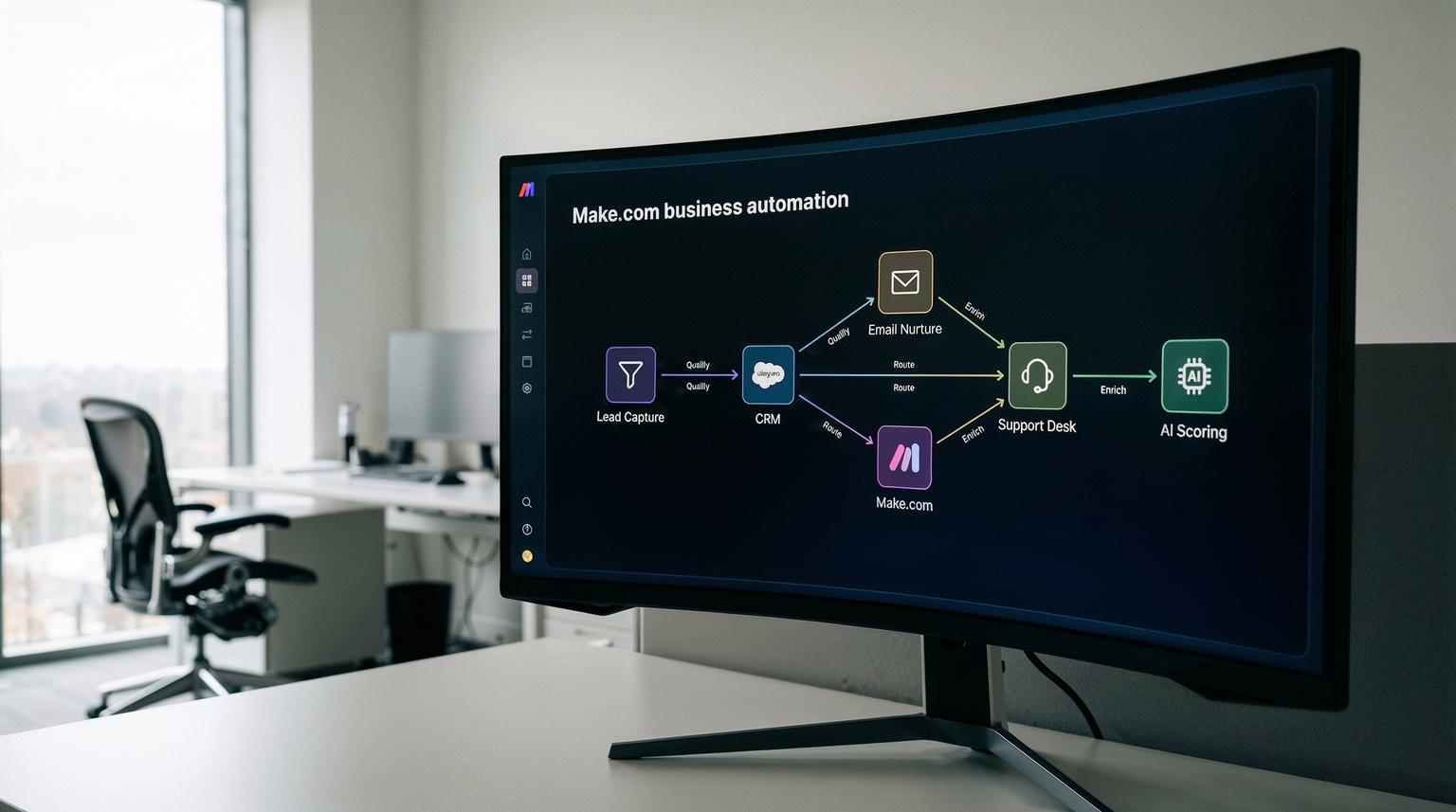
Growing companies eventually hit the same wall: your CRM, email platform, and support tools are all busy, but none of them are really talking to each other. Leads slip through the cracks, support tickets get answered twice, and your team spends more time copying data than talking to customers. This is exactly the type of problem Make.com business automation is built to solve.
In this guide, we will show how to connect CRM, email marketing, and customer support into unified workflows using Make. If you are a founder, operations leader, or marketing/support manager looking to scale without hiring an army of admins, this walkthrough is for you.
Make lets you design visual, no-code "scenarios" that watch for triggers in one system, run actions and conditions, then push clean data into the rest of your stack. Used well, it removes repetitive data entry, reduces human error, and gives you reliable, cross-tool processes that are easy to monitor and improve.
The core idea: one pipeline from lead to loyal customer
At a high level, effective automation means your web forms, ad platforms, CRM, email tool, and helpdesk are all part of one continuous flow: capture lead, qualify, nurture, sell, onboard, support, and expand. Make becomes the orchestration layer that moves data, applies rules, and calls AI where needed so your team can focus on conversations, not clicks.
In practical terms, Make.com business automation lets you capture leads from any channel, clean and qualify them, sync them into your CRM, trigger segmented email sequences, and route support requests to the right team while logging every interaction automatically. You get consistent processes, fewer mistakes, and faster responses without needing in-house developers.
Why unify CRM, email, and support with Make?
Most growing teams start with good tools but disconnected processes. CRM is used by sales, email by marketing, and helpdesk by support. Each team builds its own workflows, and the gaps show up as slow response times and inconsistent customer experience.
The Make team describes business process automation as a way to automate whole workflows instead of just single tasks, which saves time, reduces errors, and improves customer experience across the lifecycle. You can see this clearly in their guide to business process automation, where they show how end-to-end workflows like onboarding or invoicing remove bottlenecks.
For CRM and customer-facing teams, the benefits are direct:
- Less manual data entry and copy-paste between tools
- Faster lead response and support resolution
- Clean, consistent data for reporting and AI models
- Scalable processes that do not break when volume spikes
From ThinkBot Agency's work with n8n, Make, and Zapier, we see the same pattern: once a company has a few thousand contacts and a steady flow of inquiries, manual coordination simply does not scale. For a deeper comparison of platforms, you can also review our Zapier vs Make.com automation guide.
ThinkBot's 5-step framework for Make.com business automation
We adapt Make's own recommended approach to automation into a simple framework we use on client projects:
1. Discovery: identify high-friction workflows
Run a 1 to 2 week time audit. Ask CRM, marketing, and support teams to note repetitive tasks such as:
- Manually qualifying leads from forms or ad platforms
- Copying contact info into the CRM
- Adding tags or segments before starting email campaigns
- Forwarding support emails to the right person or team
These are your first automation candidates.
2. Mapping: draw the real workflow, not the ideal one
For each candidate, map the actual steps and decision points. For example, your lead intake might really be:
- Lead submits website form
- Marketing assistant checks for duplicates in the CRM
- If company size > X, forward to sales manager; else send to SDR queue
- Sales rep manually adds notes and tags before sending to email nurture
Document data fields, systems, and business rules. This gives Make scenarios a clear blueprint.
3. Build: design modular Make scenarios
Make uses a triggers, actions, and conditions model to define how tasks run and how data flows between systems. As their marketing automation guide explains, most automations start with an event such as a form submission, run a series of actions, and apply conditions for branching. You can see this model in action in their marketing automation overview.
We design modular scenarios instead of one giant flow. For example:
- Scenario A: Lead capture and enrichment
- Scenario B: CRM create or update and owner assignment
- Scenario C: Email platform tagging and nurture enrollment
- Scenario D: Support ticket sync and SLA monitoring
Using sub-scenarios and Make's visual mapping concepts keeps complex automations maintainable as you grow. If you want to see more concrete patterns, our article on Make.com automation examples for CRM and email walks through additional real-world setups.
4. QA: test, monitor, and handle edge cases
Before going live, we test with sandbox accounts and small sample sets. We add:
- Dedupe checks to avoid duplicate contacts
- Error handling for API rate limits or missing fields
- Logging and alerts for failed runs
This is where many DIY automations fall down. Without robust QA, a single connector change can silently break your lead flow or support routing.
5. Optimize: iterate based on metrics
Once live, we track KPIs like lead response time, conversion rates, ticket resolution time, and error rates. Make's own success stories show how this approach scales. For example, Pacific Drive-Ins used Make to manage hundreds of employees and prevent revenue loss by automating operations across tools, as described in their case study.
We use the same mindset for CRM and customer workflows: small changes to routing rules or nurture timing can unlock big improvements.
Practical workflow 1: lead capture, qualification, and CRM sync
This pattern is the foundation for predictable revenue. It connects your web forms or ad platforms, your CRM, and your email tool into one flow.
Step-by-step blueprint
- Trigger: Web form submission or ad lead webhook (Meta, LinkedIn, Google).
- Enrich and validate: Use APIs to validate email, look up company size, industry, and location.
- Score and segment: Apply rule-based or AI-driven scoring. For example, score higher for ICP industries or regions.
- CRM upsert: Create or update the contact and company in HubSpot, Pipedrive, Salesforce, or another CRM, attaching enrichment and score.
- Owner assignment: Use round-robin assignment or rules such as territory or product line.
- Sales alerts: For high-scoring leads, send Slack or email notifications to the assigned rep with key context.
- Log and retry: Write a log record to a sheet or database and set up retry logic for transient failures.
The Make marketing automation article describes a similar pattern where leads are captured, scored, and handed to CRM so sales focuses on high-potential opportunities. When you add closed-loop feedback from CRM back into ad platforms, as shown in the D&B Properties case, you also improve ad targeting and ROAS.
Where AI fits
ThinkBot often adds AI at two points:
- Lead scoring and qualification: Use a model that looks at firmographics and behavior to predict likelihood to buy.
- Lead notes summarization: Summarize free-text form fields into structured notes for the CRM.
This keeps scoring flexible without hard-coding dozens of rules.
Practical workflow 2: segmented email nurture from CRM events
Once leads are in your CRM, the next step is to keep them engaged without manual list building or copy-paste between tools.
Scenario design
- Trigger: CRM record enters a lifecycle stage such as MQL, SQL, or Customer.
- Segment selection: Based on fields like industry, persona, deal size, and product interest, choose the right nurture track.
- Email platform sync: Add or update the contact in your ESP such as Brevo, Mailchimp, or HubSpot Marketing, with tags for segment and lifecycle.
- Sequence enrollment: Enroll the contact into the relevant drip sequence or behavior-based campaign.
- Engagement tracking: Pull opens, clicks, and key events back into the CRM to update score and next steps.
The Make marketing automation guide shows how trigger-based nurture flows can be driven by behavior such as content downloads or product views. With Make in the middle, you can orchestrate that same behavior using data from both CRM and ESP rather than living entirely inside one tool.
Using AI for personalization at scale
We frequently add AI to generate or adapt content based on segment and behavior:
- Dynamic email intros that reference the lead's role and recent activity
- Subject line variants optimized for different segments
- Summaries of previous conversations injected into follow-up emails
The Make business process automation guide notes that combining AI with workflow automation can save several hours per content asset. In practice, this means your team can experiment with more variations without extra effort.
Practical workflow 3: CRM-assisted support routing and logging
Customer support is where fragmented tools hurt the most. A customer emails support, the agent has to dig through CRM history, and important context is often missing. Automation fixes this by making CRM the single source of truth and Make the router.
Support intake and triage pattern
- Trigger: New ticket in Zendesk, Freshdesk, Intercom, or a shared support inbox.
- Context enrichment: Look up the customer in the CRM, pull plan, region, and past tickets, and attach this to the ticket.
- AI classification: Run the message through an AI model to classify intent, topic, and sentiment.
- Routing: Route to the right queue or agent based on topic, product, or tier. Escalate VIP or negative sentiment cases.
- Auto-acknowledgement: Send a branded response with an ETA and helpful resources.
- CRM logging: Log ticket details and resolution outcome back to the CRM.
The Make team demonstrates similar patterns in their customer care success stories. For example, Stellantis&You UK used AI-powered automation to analyze tens of thousands of messages, auto-handle many of them, and flag subtle dissatisfaction for human follow-up, as described in their support automation case. The same ideas apply to any growing support team.
Advanced routing with CRM and collaboration tools
One Make blog article on CRM-assisted collaboration shows how to add an "Assistance" stage and field in your pipeline, then route deals to the right team via Slack when help is needed. The pattern is simple: watch for deals in that stage, branch on assistance type, and send messages with a direct link to the deal, as outlined in their CRM automation example. ThinkBot often extends this with:
- Automatic ticket creation in your helpdesk when assistance type is Support or Technical
- Timers that escalate if no one claims or updates the deal within a set SLA
- Dashboards tracking assistance volume and resolution time
This connects sales, support, and technical teams without constant manual handoffs.
Putting it all together: one cross-team customer journey
When you combine the workflows above, you get a single, automated journey:
- Lead captured from ad or form, enriched, scored, and logged in CRM
- Qualified leads added to segmented nurture sequences
- Sales conversations and proposals logged automatically in CRM
- New customers onboarded with automated emails and tasks
- Support requests triaged and routed with full CRM context
- All interactions feeding back into reporting and AI models
Real-world Make customers have used similar patterns to scale. Brevo, for example, automated more than one hundred workflows to sync leads from multiple sources, send assets instantly, and feed support alerts into Zendesk and Slack, saving many hours per month and improving conversions from paid campaigns, as described in their lead generation story. If you want a broader perspective on how Make connects CRM, email, and support, our overview of Make.com workflow automation for CRM and email is a useful companion read.

Common mistakes when building Make.com business automation
Over the years, we see the same pitfalls across DIY setups.
1. Automating a broken process
If your lead qualification rules are unclear or your support categories are inconsistent, automation will just move bad data faster. Always map and simplify the process before building scenarios.
2. Ignoring data standards
Different tools often use different field names and formats. Without a clear data schema, you end up with mismatched values and unreliable reports. We define a canonical schema first, then map each tool into it using Make's transformation steps.
3. No observability
Many teams build automations and then hope for the best. Instead, use logs, error alerts, and regular reviews. Make's visual overview of scenarios and sub-scenarios makes it easier to see how data flows, but you still need clear ownership and monitoring.
4. Over-relying on a single mega-scenario
One huge scenario that handles every edge case quickly becomes unmaintainable. Modularize with sub-scenarios and clear interfaces so you can change one part without breaking everything else.
How ThinkBot Agency helps you get this right
As a specialist automation and AI integration partner, ThinkBot Agency focuses on building reliable, scalable workflows on platforms like Make, n8n, and Zapier. For most clients, the value is not just in wiring tools together; it is in translating messy real-world processes into clean, testable scenarios that your team can trust. To explore broader strategy and platform choices beyond Make.com business automation, you can also read our overview of workflow automation platforms.
If you want expert help designing or fixing your Make automations, you can book a working session with our team using this consultation link. We typically start with one or two high-impact workflows and expand from there once you see results.
What does a first Make automation project look like?
For a typical growing company, a first engagement might focus on one of these:
- Lead capture -> CRM -> segmented nurture
- CRM-assisted support routing and ticket sync
- Unified reporting across ad platforms, CRM, and email
We usually deliver in three phases:
- Blueprint: workshop to map data, rules, and edge cases
- Build: implement Make scenarios, API connections, and AI components
- Stabilize: test, monitor, train your team, and hand over documentation
This keeps risk low while giving you a working automation you can build on. If you are particularly interested in how AI layers into these Make.com business automation projects, our guide on AI integration in business automation shares additional patterns and examples.

FAQ
How can Make.com business automation improve my CRM data quality?
Make can validate, enrich, and deduplicate contacts as they enter your CRM. By centralizing lead capture and updates through scenarios, you avoid conflicting records, missing fields, and manual copy-paste that often corrupts CRM data.
Do I need developers to build Make.com workflows for email and support?
No, Make is a visual, no-code platform. Non-developers can configure many scenarios, especially with guidance. For complex rules, custom APIs, or AI models, a specialist partner like ThinkBot can design robust workflows without you hiring a full engineering team.
Can Make.com connect my CRM, ESP, and helpdesk if they are all different vendors?
Yes. Make supports thousands of app connectors and generic HTTP modules, so it can integrate most CRMs, email service providers, and support tools. Where there is no native connector, ThinkBot typically uses APIs or webhooks to bridge the gap.
Where does AI add the most value in CRM and customer support automation?
AI is especially useful for lead scoring, intent and sentiment classification on support messages, summarizing conversations, and generating personalized email content. These tasks are hard to maintain with static rules but straightforward with well-designed AI prompts and models.
How do I avoid breaking my processes when I start automating with Make.com?
Start small with one or two high-impact workflows, add thorough testing and logging, and keep scenarios modular. Define clear data standards and ownership. Working with an experienced automation team helps you design for error handling, observability, and safe rollbacks from day one.
