
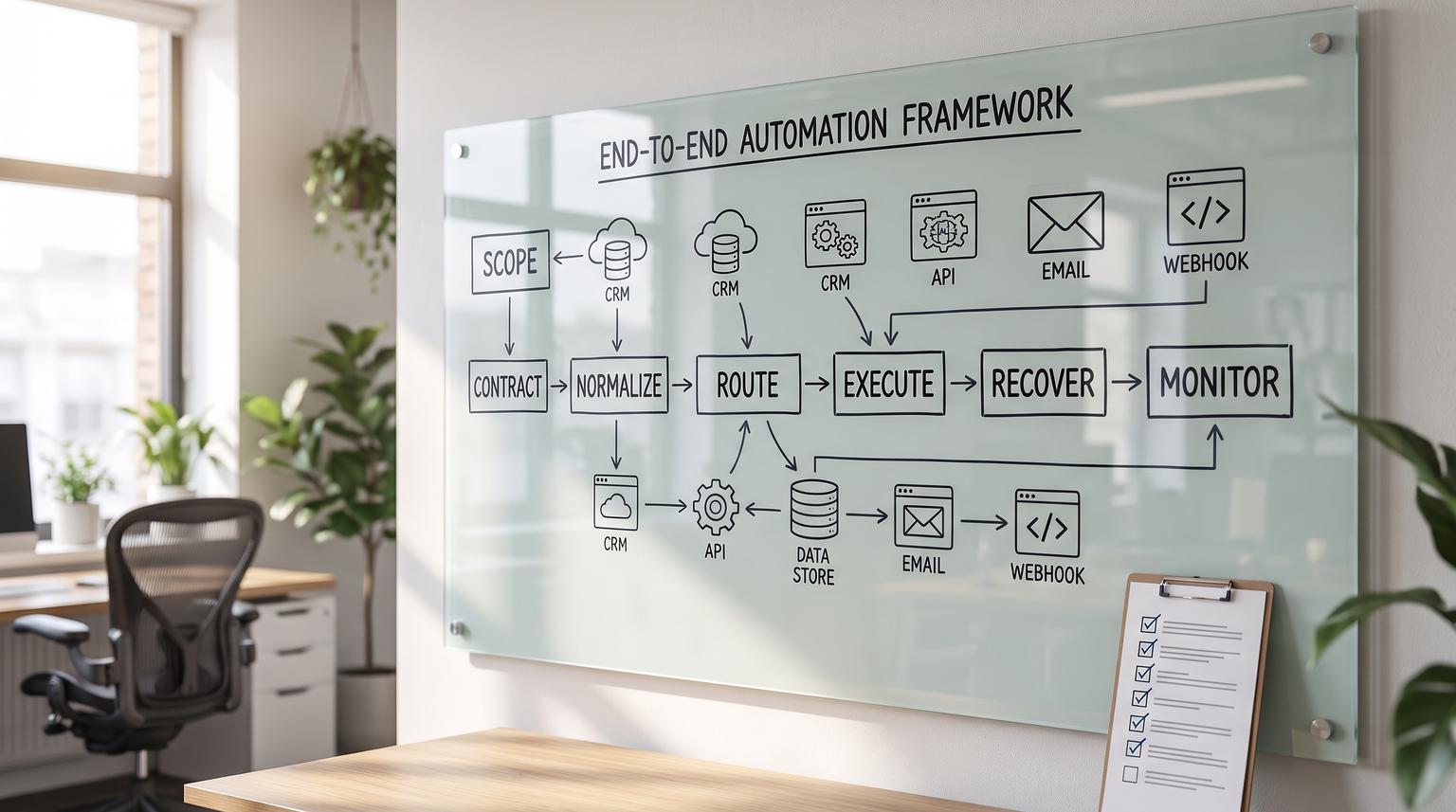
Make.com is powerful because it lets you model real business processes across tools, data sources and teams. It is also where many automations fail in production: unclear requirements become brittle routers, inconsistent mapping causes silent data drift and fixes in one place break three other scenarios. This playbook gives you a repeatable Make.com scenario framework to turn business requirements into scenarios you can operate at scale, with predictable behavior under retries, partial failures and changing upstream payloads.
It is written for operators, RevOps and marketing ops teams and technical founders who want automations that survive growth. The approach is vendor-stack neutral, but uses Make-specific production practices so your scenarios stay maintainable and governable as the count rises.
At a glance:
- Translate business outcomes into scenario contracts, data models and acceptance tests before you build.
- Use stable patterns for triggers, routing and normalization so scenarios behave consistently.
- Design for retries and partial failures with idempotency, error handlers and incomplete executions.
- Scale safely with run limits, scheduled webhooks, batching and modular subscenarios.
- Govern scenario sprawl with ownership, documentation, access control and monitoring tied to SLAs.
Quick start
- Write a one-page requirement: event source, success criteria, failure impact, and target SLA.
- Define a canonical data shape and an idempotency key before mapping fields.
- Choose the trigger mode (instant vs scheduled) based on volume and downstream limits.
- Build an intake stage: validate required fields, normalize types and stamp a correlation_id.
- Route with explicit filters and a fallback route that logs unexpected categories.
- Wrap risky external writes with retry or recovery handling and enable incomplete executions.
- Test with replayable real payloads, then deploy via clone-based staged rollout and monitor history.
A production-ready Make scenario playbook is a structured way to design scenarios as small, testable building blocks with stable inputs and outputs, deterministic routing rules, early data normalization and explicit recovery behavior for retries and partial failures. In Make.com, you operationalize this with routers and filters, iterators and aggregators for shaping data, subscenarios for modularity, error handlers plus incomplete executions for recoverability and scenario history for monitoring and change control. The goal is scale without fragile scenario sprawl.
Table of contents
- Why scenarios break in production (and how to prevent it)
- The Scenario Lifecycle Framework: scope -> design -> build -> run -> improve
- Define scenario contracts and canonical data models
- Trigger and scheduling design for stability and cost
- Routing that stays readable: routers, filters, and fallback handling
- Normalization, deduping, and idempotency patterns
- Fan-out and fan-in: iterators, aggregators, and batching
- Reliability toolkit: error handlers, retries, and recoverable queues
- Safe change management: cloning, replay, version recovery, and staged rollouts
- Operations and observability: history review, alerting, and runbooks
- Governance at scale: access control, secrets, and preventing scenario sprawl
- Reusable scenario patterns by function (RevOps, support, marketing, finance, reporting)
- FAQ
Why scenarios break in production (and how to prevent it)
Most Make.com failures are not caused by Make itself. They come from mismatched expectations between business logic and runtime reality:
- Ambiguous requirements lead to routers that encode tribal knowledge, not rules you can audit.
- Schema drift (new fields, missing fields, type changes) causes mapping warnings or wrong writes that nobody notices until downstream reporting is off. Make surfaces these as errors and warnings in the editor and history, which you should treat as signals to tighten normalization and validation (docs).
- Side effects without idempotency cause duplicates when a run is retried or resumed after an incomplete execution.
- Unbounded volume (bursty webhooks, high-frequency instant triggers) overwhelms APIs and increases 429s, timeouts and costs.
- Scenario sprawl happens when teams copy/paste scenarios to ship quickly, creating dozens of slightly different versions with unclear ownership.
If you already have 20+ automations, it is worth reviewing platform fit and governance expectations. Our comparison of platform tradeoffs explains when Make shines for complex branching and data shaping and what it takes to run it reliably.
The Scenario Lifecycle Framework: scope -> design -> build -> run -> improve
This playbook treats every scenario like a small product with a lifecycle. The same steps apply whether you are automating lead routing or generating a finance reconciliation report.
1) Scope the business outcome
Capture the smallest unit of value that is still end-to-end. Write down:
- Triggering event (what happened, where)
- Required inputs and their source of truth
- Expected side effects (records created, messages sent, files written)
- Failure impact (data loss acceptable or not)
- SLA (latency target, error tolerance, operating hours)
2) Design the data contract and flow shape
Before modules, decide: canonical schema, idempotency key and routing logic. This prevents the common anti-pattern of building a beautiful scenario that cannot be safely retried.
3) Build in layers
Use an architecture that keeps complexity local: intake -> validate/normalize -> route -> call focused subflows -> finalize and log. Make supports modular decomposition with subscenarios, which helps reduce duplication and makes troubleshooting simpler (guide).

4) Run with observability and recovery
Production readiness is not just error-free execution. It is recoverability: the ability to resume, replay, roll back and explain what happened.
5) Improve via feedback loops
Use scenario history and warning trends to prioritize hardening work. When a failure mode repeats twice, it should become an automated guardrail.
Define scenario contracts and canonical data models
Contracts reduce coupling. They are how you avoid a situation where a small mapping change breaks five downstream scenarios.
Use a scenario contract even if you are not using subscenarios
Think of every scenario as having an input contract (what must be present and valid) and an output contract (what it promises downstream, including status). This becomes even more important when you use subscenarios called by parent orchestration flows (docs).
Subscenario contract template (copy and adapt)
Use this template when you decompose a large scenario into reusable building blocks. Keep inputs and outputs stable, then evolve behind the contract.
Subscenario name: <verb-noun, ex: Normalize_Lead>
Owner: <team/role>
Purpose: <1-2 sentences>
Inputs (required):
- correlation_id: string (generated at intake)
- source_system: string
- entity_type: string
- entity_payload: object
Inputs (optional):
- dry_run: boolean
- requested_by: string
Outputs:
- status: success|needs_review|failed
- canonical_record_id: string
- normalized_payload: object
Idempotency key:
- <field(s) used, ex: source_system + external_id>
Error strategy:
- retryable errors: connection, rate_limit, 5xx
- non-retryable errors: auth, validation, schema mismatch
Observability:
- log fields: correlation_id, source_system, entity_type, external_id
Change notes:
- compatible changes: add optional fields, widen accepted types
- breaking changes: remove fields, rename keys, change meaning
If you want examples of how contracts translate into practical lead pipelines, see our post on lead workflows that focuses on normalization, deduplication and routing.
Trigger and scheduling design for stability and cost
Trigger choice is where performance and reliability begin. You typically choose between instant triggers (webhooks) and scheduled polling or queued processing.
Instant triggers: fast, but you must control burstiness
When using instant triggers, Make lets you throttle throughput using a schedule setting like "Maximum runs per minute". This is a first-class way to smooth spikes and avoid overwhelming downstream APIs (docs). Prefer this over fragile delay modules, because throttling queues and processes gradually without you building your own backpressure system.
Queued webhooks: trade latency for predictable load
Make webhooks can be processed instantly or on a schedule. In scheduled mode, Make accumulates webhook requests then processes them periodically. You can cap how many queued items are processed per run using "Maximum number of results", which creates a built-in batching lever (docs). The production risk is queue saturation: when the queue is full, new webhook events can be rejected. If the business cannot tolerate loss, you must monitor backlog and ensure throughput keeps up.
Choose a trigger based on SLA and downstream limits
- Customer-facing or revenue-critical (lead response, ticket triage): instant triggers with strict rate limits and strong recovery.
- Back office (reconciliation, reporting): scheduled batches, iterators/aggregators and explicit exception queues.
- High-volume events: split by endpoint or scenario to isolate spikes and reduce blast radius.
Routing that stays readable: routers, filters, and fallback handling
Routing is where scenarios become unmaintainable. Keep routing close to business rules, then push complexity into dedicated subflows.
Router behavior matters for performance and ordering
In Make, a router sends one input bundle down multiple possible routes. Routes are processed sequentially, not in parallel, and you can set route order for deterministic evaluation (docs). This affects latency and side-effect ordering. If you have routes that must always run, be careful with early routes that perform heavy or destructive actions.
Filters are guardrails, not decoration
Filters decide which bundles can proceed on a route. Treat them as explicit admission rules and label them so operators can audit logic quickly (course). A good convention is to label rules like RULE-01 Status=Paid or RULE-07 Country=US.
Router branching checklist (use during build reviews)
- Put mutually exclusive routes in priority order, most specific first.
- Add a fallback route that runs last and logs why the bundle was not matched.
- Label each route with the business rule it encodes.
- Keep route filters small and readable, push complex logic into subscenarios.
- Avoid side effects in early routes if later routes must always run.
- Add a known "no-op" route for ignorable bundles (test events, internal pings).
- Emit a correlation_id before the router so every route inherits it.
- For high volume, avoid heavy modules on routes that rarely match.
- Review fallback volume weekly to detect schema or status drift.
- Document expected route coverage with 3-5 sample payloads.
When you need deeper guidance on choosing platforms for complex branching and governance, our post on reliability at scale frames the tradeoffs and operational expectations.
Normalization, deduping, and idempotency patterns
Normalization is where you make the scenario predictable. If every route and module sees clean, typed data, you reduce both errors and silent wrong writes.
Use module types intentionally for data shaping
Make scenarios are built from different module types and understanding the taxonomy helps you pick the right building blocks for arrays, state and transformations. Iterator and Aggregator modules are core for reshaping payloads, and Data store modules can persist state for deduping and idempotency (overview).
Define a canonical record and map everything into it
Common patterns:
- Coerce types early (numbers, dates) and default missing fields.
- Normalize enums (ex: "paid", "Paid", "PAID" -> "paid").
- Split raw input from canonical data. Store raw payload if you may need forensic debugging later.
Idempotency: make retries safe
Idempotency means repeated processing of the same event does not create duplicate side effects. In practice, you need:
- An idempotency key (ex: source_system + external_id, or webhook event id).
- A check before writes (lookup by external id, or consult a datastore).
- An upsert write pattern (create-or-update, not blind create).
This is especially important if you plan to use retries and incomplete executions as part of recovery because resumed runs can re-attempt modules.

Fan-out and fan-in: iterators, aggregators, and batching
Most business automations eventually hit array-shaped data: line items, ticket comments, campaign members, invoice items, report rows. You need predictable fan-out and fan-in patterns.
Iterator -> per-item processing -> Aggregator
Aggregators accumulate multiple incoming bundles and output a single bundle, which is the canonical fan-in pattern in Make (docs). Configuration detail that matters in production: the aggregator uses a "Source module" to decide which bundles are grouped, so choose the correct upstream iterator or source. Also decide how you want to handle empty sets. If "Stop processing after an empty aggregation" is enabled and there are no items, downstream modules will not run, which can be desirable for avoiding empty reports, but dangerous if you still need to send a "no results" notification.
Batching for API efficiency
Batching reduces credits and rate limit failures. Tactics include:
- Use scheduled webhook processing with a max results cap to control batch size (docs).
- Aggregate per run, then write once (ex: one Slack digest instead of 50 messages).
- Group writes by entity to avoid repeated lookups.
Reliability toolkit: error handlers, retries, and recoverable queues
Production scenarios do not aim for zero errors. They aim for controlled failures, fast detection and safe recovery.
Use error handlers when you keep fixing the same issues manually
Make error handlers attach to a module and intercept its errors, letting the scenario continue along an error-handling route (overview). They are essential around high-risk modules such as database writes, CRM writes and payment actions.
Incomplete executions are your recoverable queue
When you enable "Store incomplete executions", Make can preserve failed runs so operators can fix the problem and resume, which functions like a built-in recovery queue (guide). This is the foundation for preventing data loss in critical flows.
Retry error handler: structured retry with storage
The Retry error handler pauses the failed bundle, stores it as an incomplete execution and retries automatically or manually depending on configuration (docs). Note that Make can automatically retry some transient errors like connection and rate limit failures when incomplete executions are enabled, but the Retry handler is valuable when you need explicit retry cadence and alerting tied to a specific module.
Recovery design rule: separate transient vs permanent failures
Make categorizes errors and surfaces warnings distinct from errors, and warnings can indicate handled errors or mapping problems that did not stop the whole run (docs). Treat warning volume as a health signal. Rising warnings often means you are accumulating recoverable work or drifting schemas.
Safe change management: cloning, replay, version recovery, and staged rollouts
Teams get into trouble when they edit production scenarios directly, then debug under live traffic. Make gives you a set of built-ins to do safer releases.
Clone for staged rollouts
Cloning creates a separate scenario you can edit and activate independently, which is useful for refactors and staged rollouts (docs). If the original uses webhooks, cloning requires you to select an existing webhook or create a new one. This matters to avoid accidentally routing production traffic into a test clone.
Replay real payloads for regression testing
Make supports replaying prior trigger data against the current version, which is a practical way to validate fixes against real edge cases (overview). Build a small set of golden executions you always replay before promoting changes.
Rollback with restore and recover
Make includes scenario recovery capabilities, undo/redo and version restore. Your change policy should explicitly define who can roll back, when and how you communicate it to stakeholders (docs).
Operations and observability: history review, alerting, and runbooks
If you cannot see it, you cannot run it. Make scenario history is the operational record of executions and changes, with metadata like status, duration, operations and data transferred. You can inspect per-module bundles and export history to CSV for auditing (docs).
What to monitor weekly
Establish a rhythm so small issues do not become outages. Use the same routine across scenarios, then scale it with ownership.
Weekly scenario history review SOP
- Filter scenario history to the last 7 days.
- Review all Warning and Error runs.
- For each, capture: scenario name, run time, failing module, error type, entity id and correlation_id.
- Check for duration or operations outliers (cost spikes and slowdowns).
- Confirm incomplete execution backlog is empty for critical scenarios.
- Update the runbook with any new recurring failure mode and the fix.
- If a pattern repeats twice, add a guardrail (validation/filter), error handler or throttling.
- Export CSV monthly for SLA reporting and trend analysis.
Make can email operators when errors are not handled, and it can notify you if a scenario is disabled due to repeated errors. Warnings do not disable scheduling, but they still warrant review for silent degradation (docs).
Governance at scale: access control, secrets, and preventing scenario sprawl
As soon as multiple people build scenarios, you need governance. Not bureaucracy, just enough structure so reliability improves with scale.
Define ownership and SLAs
Every production scenario should have:
- A business owner (who defines success and approves changes)
- A technical owner (who implements and supports)
- An SLA: latency expectation, operating hours and incident response expectation
Use credential requests instead of sharing secrets
Make supports credential requests so builders can request access and credential owners can authorize without exposing API keys or passwords (docs). This is a practical secrets management pattern for teams, and it makes offboarding and token rotation safer.
Use audit logs where available
On Enterprise plans, audit logs record user activity like connections, webhooks, keys and variable changes, answering what changed, who changed it and when. They are retained for 12 months and can support incident investigations and governance reviews (docs).
Scenario sprawl prevention rules
- Prefer subscenarios for shared logic, not copy/paste branches (guide).
- Naming convention: include domain, trigger and outcome (ex: REVOPS-Webhook-LeadUpsert-v1).
- Keep an inventory: scenario -> systems -> objects -> owners -> SLAs -> credentials used.
- Require scenario notes for any non-trivial change so operators can understand intent.
Reusable scenario patterns by function (RevOps, support, marketing, finance, reporting)
The following patterns are designed to be reusable across tool stacks. The module specifics change, but the architecture stays consistent: intake -> normalize -> route -> execute side effects with recovery -> log.
CRM and RevOps: lead intake, dedupe, enrichment, assignment
Common building blocks:
- Trigger: webhook from forms or product events.
- Normalization subscenario: canonicalize names, emails, company domain, phone formatting.
- Idempotent upsert: lookup by external_id/email, then create or update.
- Routing: router for qualification bands (enterprise vs SMB, geo, product line) with labeled filters and a fallback route for unknown segments.
- Assignment: deterministic rules (round-robin or territory), then notify.
For a concrete example with routers, field mapping and deduping guardrails, our guide on workflow templates can be a useful starting point when you want repeatable scenario structure across teams.
Customer support: ticket enrichment and triage with human-in-the-loop
Pattern:
- Trigger: new ticket or message event.
- Enrichment: fetch customer plan, open invoices, recent product events.
- Router: high-risk categories (billing, cancellations, legal) -> require approval, low-risk -> draft response.
- Reliability: use error handlers around ticket updates to avoid losing the event if the support platform API is transiently down.
If you use AI in support workflows, keep deterministic controls in the scenario. A Make pattern for controlled querying uses routers and filters to block destructive SQL statements rather than relying on prompts (example).
Marketing ops: campaign member sync, UTM governance, list hygiene
Pattern:
- Trigger: new form submit, webinar registration, or email platform event.
- Normalization: UTM parsing, campaign naming standardization and consent flags.
- Routing: segment by lifecycle stage, region, or product interest.
- Fan-in: aggregate daily anomalies into a digest rather than spamming alerts.
This is also where platform selection matters. If your marketing ops team is deciding between tools for complex data shaping and governance, see our deeper breakdown of scalable workflows.
Finance and back office: approvals, reconciliation, exception handling
Pattern:
- Trigger: payment event or procurement request.
- Validation: strict required fields and thresholds early, reject incomplete requests.
- Router: approval thresholds (manager vs finance) with fallback to manual review.
- Idempotency: use invoice id or payment intent id to avoid duplicates.
- Recoverability: retry handler around accounting writes and incomplete executions for non-negotiable posting workflows.
Examples in our library include reconciliation and approvals, which apply the same reliability and exception queue concepts.
Reporting and data insights: scheduled extracts, aggregation, and agent-assisted analysis
Pattern:
- Trigger: schedule (daily, weekly) to produce consistent reporting windows.
- Fan-out: iterate through entities (accounts, deals, tickets) and fetch details.
- Fan-in: use aggregators to build one digest payload for Slack/email/docs (docs).
- Guardrails: handle empty sets explicitly so the absence of data does not look like a failure.
If you are experimenting with AI-driven reporting, agentic loops can be useful, but they require strong stop conditions, routing and review of early runs. Make recommends running once, reviewing trace and auditing the first runs for correct tool order and stopping behavior (guide).
Choosing between patterns: a practical comparison table
Use this table during design reviews to pick a pattern that matches volume, SLA and operational complexity.
| Design choice | Best when | Main risk | Mitigation in Make |
|---|---|---|---|
| Instant webhook trigger | You need near-real-time response | Burst volume overwhelms downstream APIs | Max runs/min throttling, retries, split scenarios (docs) |
| Scheduled webhook processing | You can accept batch latency | Webhook queue fills, events rejected | Set max results per run, monitor backlog (docs) |
| Single large scenario with many branches | Low volume and limited complexity | Hard to test and troubleshoot, copy/paste logic | Decompose into subscenarios (guide) |
| Subscenario-based modular architecture | You have shared logic across teams | Hidden coupling via inconsistent inputs/outputs | Stable contracts, scenario inputs/outputs, notes (overview) |
If you want help translating your requirements into a production-grade implementation, ThinkBot Agency designs and supports cross-app Make systems, including custom APIs, CRMs and email platforms. You can book a consultation and we will map your highest-value workflows into a governed scenario portfolio.
If you prefer to evaluate delivery history first, you can also review our Upwork profile where we are recognized as a top performer for automation builds and support.
FAQ
What makes a Make.com scenario production-ready?
It has clear input and output contracts, deterministic routing with labeled filters and a fallback path, early normalization and validation, idempotent writes, explicit error handling and a recovery plan using incomplete executions. It also has monitoring routines using scenario history and documented owners and SLAs.
How do I prevent duplicate records when a scenario retries?
Define an idempotency key (event id, external id, or a composite) and check it before any side-effecting write. Use upsert patterns, datastore lookups, or record searches so retries and resumes do not create duplicates.
When should I use subscenarios in Make?
Use them when logic is repeated across scenarios, when branching becomes hard to read or when you want separation of concerns. Treat subscenarios like internal APIs with stable contracts, clear ownership and explicit outputs.
How do I scale webhook scenarios without dropping events?
Throttle instant triggers with maximum runs per minute, or switch to scheduled webhook processing with a controlled batch size. Monitor queue backlog because Make can reject new events if the webhook queue is full, and plan capacity increases or scenario splitting before you hit that ceiling.
Can Make.com automations include AI safely?
Yes, but constrain actions with deterministic routers and filters, require approvals for high-risk outputs and review early execution traces to validate stop conditions and tool usage. Do not give unconstrained write access to core systems.
