
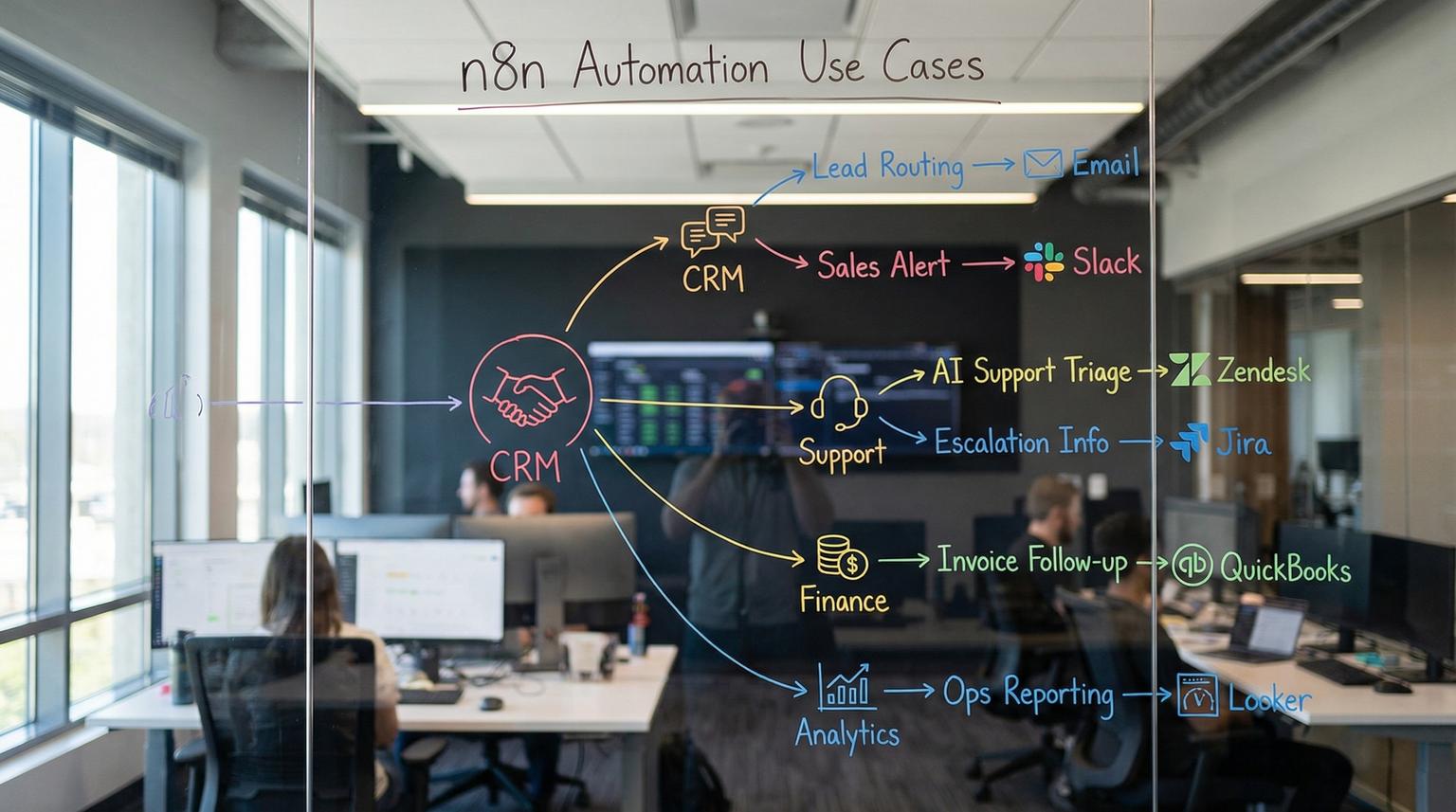
Most operational bottlenecks are not caused by a lack of effort, they come from disconnected systems, manual handoffs and inconsistent follow-through. This post breaks down 10 high-impact n8n automation use cases ThinkBot Agency implements to reduce response times, improve data quality and keep teams focused on work that actually moves the business forward. If you run sales, support, operations or RevOps and you are juggling CRM updates, inbox triage and internal requests, these workflows are designed for you.
At a glance:
- Replace manual lead routing and CRM updates with real-time, auditable workflows.
- Automate support triage with AI scoring so urgent tickets are escalated fast.
- Sync data across CRM, email and internal tools to eliminate duplicates and missed follow-ups.
- Build low-maintenance automations with guardrails, logging and rollback plans.
Quick start
- Pick one bottleneck with a measurable SLA, for example lead response time or support first reply time.
- List the systems involved, for example website form, CRM, email platform, Slack and a spreadsheet or database.
- Define the trigger and the desired end state, for example contact created, deal updated and owner notified.
- Implement a first version in n8n with logging and error alerts, then test with real sample data.
- Iterate on routing rules and AI prompts, then add monitoring and a rollback step before scaling.
n8n is a workflow automation platform that connects your apps through triggers, API calls and data transformations. The highest impact workflows usually start with a reliable trigger, normalize data, enrich or validate it, then route it to the right tool and person with clear logging. Partnering with an automation agency helps when you need durable integrations, secure credential handling, reusable components and ongoing maintenance as your processes evolve. For a deeper dive into designing these patterns, you can also read our guide on n8n automation workflows for SMB operations.
How ThinkBot designs scalable n8n workflows
At ThinkBot Agency we build automations that can survive real operations, not just a demo. That means we design for reliability, audit trails and change management from day one. Whether you self-host n8n or use n8n Cloud, the pattern stays consistent.
Our standard data flow pattern
- Trigger: webhook, schedule, CRM event, inbox poll or internal button.
- Normalize: map fields into a clean internal schema, handle nulls and formatting.
- Validate: dedupe, verify required fields, apply business rules.
- Enrich: add firmographics, ownership, tags or AI summaries when helpful.
- Route: update CRM, create tasks, notify Slack, send email and write to a log store.
- Observe: error workflow alerts, retries, dashboards and periodic audits.
Implementation checklist for production-ready automations
Use this checklist when you are turning a prototype into a workflow you can trust.
- Define a single source of truth for contacts, companies and deals.
- Add idempotency, for example do not create duplicates on retries.
- Log every run with a correlation ID and key payload fields.
- Handle rate limits with backoff and queueing where needed.
- Store credentials in n8n Credentials and environment variables, not in nodes.
- Add an error workflow to alert Slack or email on repeated failures.
- Include a manual override path for edge cases and VIP accounts.
- Document field mappings and ownership rules so teams can maintain them.
- Test with at least 20 real examples, including messy data and missing fields.

10 high-impact workflows you can implement with n8n
Below are 10 workflows we commonly build for clients. Each one includes triggers, data flows and tools involved so you can picture how it fits into your stack.
1) Lead capture -> enrichment -> scoring -> instant routing
Problem: leads arrive, then sit in a form inbox or get manually entered into a CRM hours later.
Trigger: website form or chat submission via webhook.
Data flow: normalize fields -> enrich company data -> calculate fit score -> create or update contact and deal -> notify sales -> log everything.
Tools: web forms, Clearbit enrichment, HubSpot, Slack, Google Sheets logging, Calendly availability.
This pattern is proven and can be adapted quickly from an existing n8n workflow template like this template. We typically customize scoring weights, routing rules and CRM field mappings to match your ICP and pipeline stages.
2) Auto-schedule demos for high-intent leads
Problem: high-intent prospects bounce because scheduling takes too long, especially after hours.
Trigger: new lead with score above a threshold.
Data flow: fetch real availability -> generate prefilled booking link -> post to Slack thread -> wait for rep response -> send fallback booking email if no response -> write outcomes to CRM.
Tools: Calendly API, Slack, SendGrid or your email provider, CRM.
We like this workflow because it enforces accountability without creating extra admin work. It also creates an audit trail you can use to improve response SLAs.
3) CRM and email platform sync that prevents duplicates
Problem: marketing and sales tools drift apart, duplicates appear and attribution breaks.
Trigger: contact created or updated in CRM, or subscriber updated in email platform.
Data flow: normalize -> dedupe by email plus secondary keys -> map fields -> update the other system -> tag the source of change -> log.
Tools: HubSpot or Salesforce, Mailchimp or Klaviyo or ActiveCampaign, optional Postgres for dedupe state.
In practice, the key is deciding which fields are authoritative where, then enforcing that with deterministic rules. n8n makes this manageable because you can add code nodes for edge cases without building a full app. If you are evaluating different tools for this kind of work, see our automation platform comparison for CRM and AI workflows.
4) Deal stage automation with task creation and SLA reminders
Problem: deals stall because next steps are not created consistently.
Trigger: deal stage changes in your CRM.
Data flow: evaluate stage -> create tasks in CRM or project tool -> notify owner -> set a wait timer -> escalate if no activity -> update deal notes.
Tools: CRM, Slack or Teams, Asana or ClickUp, email.
This is one of the fastest ways to improve pipeline hygiene. It also reduces the need for manual deal policing in weekly meetings.
5) Invoice and payment follow-up automation for finance ops
Problem: finance teams chase invoices manually and the status in systems is inconsistent.
Trigger: invoice created, invoice due date approaching or payment received webhook.
Data flow: pull invoice details -> check payment status -> send reminder sequence -> notify account owner for high-value invoices -> update accounting system and CRM.
Tools: Stripe, QuickBooks or Xero, Gmail or Outlook, CRM.
The business value is simple, fewer missed follow-ups and clearer cashflow visibility.
6) Internal request intake -> routing -> approvals
Problem: internal requests arrive in Slack DMs and get lost.
Trigger: Slack form, email alias or a Notion button webhook pattern.
Data flow: validate request -> categorize -> route to queue -> request approval if needed -> create task -> notify requester -> log completion.
Tools: Slack, Notion, Google Sheets or Airtable, Jira or ClickUp.
If your team already lives in Notion, you can also use a simple button to trigger an external webhook pattern similar to this guide and implement the workflow in n8n.
7) AI support triage from inbox to Slack escalation and analytics
Problem: support emails pile up and urgent issues are missed.
Trigger: new unread email in a support inbox.
Data flow: parse email -> AI classifies sentiment, urgency and category -> compute priority score -> route critical tickets to an escalation channel -> log to a database and analytics sheet -> optional suggested reply drafting.
Tools: Gmail, OpenAI compatible model, Slack, Airtable, Google Sheets.
This is a practical workflow you can adapt from this template. At ThinkBot, we often add VIP detection, language handling and a human approval step before sending any automated responses. For broader patterns on using AI safely in these flows, see our article on optimizing workflows with AI and n8n integrations.
8) Voice of customer routing across support, CRM and product tools
Problem: feedback is scattered across emails, tickets and CRM notes, then product teams only see it too late.
Trigger: scheduled digest daily or weekly, plus optional manual run.
Data flow: pull signals from multiple sources -> summarize -> cluster by topic -> map clusters to actions -> create tickets, tasks and alerts.
Tools: Gmail, Slack, Pipedrive, Zendesk, Notion, LLM.
We like the multi-agent pattern used in this workflow because it is modular. You can swap data sources or destinations without rewriting everything.
9) Data quality automation: enrichment, validation and cleanup
Problem: your CRM becomes untrustworthy, reports break and reps stop using it.
Trigger: new record created, nightly schedule or bulk import completion.
Data flow: validate required fields -> standardize formats -> enrich missing fields -> detect duplicates -> merge or flag -> write back changes -> produce a cleanup report.
Tools: CRM, enrichment API, Google Sheets report, Slack alerts.
In 2026, the differentiator is not just enrichment, it is governance. We implement rules so enrichment does not overwrite human-entered values unless you explicitly want that.
10) Ops reporting pipeline: operational metrics to dashboards
Problem: teams spend hours building weekly reports from multiple systems.
Trigger: schedule, for example hourly or daily.
Data flow: pull metrics from CRM, support and billing -> aggregate -> write to a data store -> update a dashboard sheet or BI tool -> send a summary to leadership.
Tools: HubSpot or Salesforce, Zendesk, Stripe, Google Sheets, Looker Studio or Power BI.
We implement this with careful pagination and rate limit handling, plus consistent metric definitions so numbers do not change depending on who ran the report.
Example mapping spec you can reuse (lead intake -> CRM -> Slack)
When teams struggle to get reliable automations live, the root cause is usually inconsistent data contracts between systems. Here is a compact schema you can reuse as a starting point for lead intake. Build your workflow to normalize every source into this shape before you branch or route.
{
"lead": {
"email": "[email protected]",
"first_name": "Alex",
"last_name": "Kim",
"company": "Example Co",
"phone": "+15551234567",
"message": "Looking for help integrating HubSpot and Slack",
"source": "website_form",
"utm": {
"source": "google",
"medium": "cpc",
"campaign": "brand"
},
"page_url": "https://yourdomain.com/contact"
},
"enrichment": {
"company_size": 120,
"industry": "SaaS",
"revenue_range": "1m-10m"
},
"routing": {
"fit_score": 72,
"owner": "sdr_queue",
"priority": "high"
}
}
Once you standardize inputs like this, adding new sources becomes easy. You just map into the same structure and the rest of the workflow stays stable.
Failure modes and mitigations for business-critical automations
Use these guardrails when you move from a proof of concept to a workflow that runs your revenue or support operations. This is where many teams get burned if they only focus on the happy path.
- Failure: duplicate records created on retries. Mitigation: implement idempotency keys, search before create and store external IDs back in the source system.
- Failure: API rate limits cause partial execution. Mitigation: add throttling, backoff retries and queueing for high-volume steps like sheet writes.
- Failure: AI classification is inconsistent for edge cases. Mitigation: add confidence thresholds, human-in-the-loop review and prompt versioning.
- Failure: sensitive data leaks to the wrong channel or tool. Mitigation: redact PII, restrict Slack channels, apply role-based access and log minimal necessary fields.
- Failure: a field mapping change silently breaks downstream steps. Mitigation: add schema validation, monitoring alerts and contract tests with sample payloads.
- Failure: workflow changes introduce regressions. Mitigation: version workflows, test in staging and keep a rollback workflow export ready.

When should you involve an agency for n8n implementations?
If you are automating a single internal reminder, you can often build it in-house. The value of an agency shows up when the workflow touches revenue, compliance or multiple teams. Typical signals you should get help:
- You need stable CRM integrations, custom API calls or complex field mapping.
- You want AI in the loop but need guardrails, auditing and prompt tuning.
- You are self-hosting and want secure credential handling, monitoring and backups.
- You have multiple workflows and want reusable components and standards.
If you want a second set of eyes on your process and a build plan you can trust, book a working session with ThinkBot Agency here: book a consultation. We will map the trigger, data contract and routing rules, then recommend the lowest-maintenance approach. You can also explore how we use n8n in broader business process automation in our overview of business process automation solutions.
Want to see the kinds of systems we integrate in the real world? Browse our portfolio for examples of CRM workflows, API connections and AI-assisted operations.
FAQ
Common questions we hear from teams evaluating workflow automation with n8n.
What are the best n8n automation use cases for a small team?
Start with lead intake routing, CRM and email sync and support triage. These reduce manual work immediately and improve response times without requiring major process change.
How do you keep n8n workflows reliable in production?
We add logging, retries, rate limit handling and error notifications. We also design idempotent steps to prevent duplicates and keep a rollback export so changes can be reverted safely.
Can n8n connect to custom internal systems?
Yes. n8n can call any REST API and can also run code for custom authentication, transformations and webhook handling. ThinkBot often builds API connectors when a native integration is not available.
Is it safe to use AI in customer support automations?
It can be safe when you use guardrails. We recommend using AI for classification and drafting, then adding confidence thresholds and human approval before sending messages. We also apply data minimization and redaction when needed.
What does ThinkBot Agency typically deliver for an n8n project?
We deliver the workflow, documented field mappings, credentials setup guidance, monitoring and an operations handoff. For larger systems we also deliver a staging setup, test payloads and a maintenance plan.
