
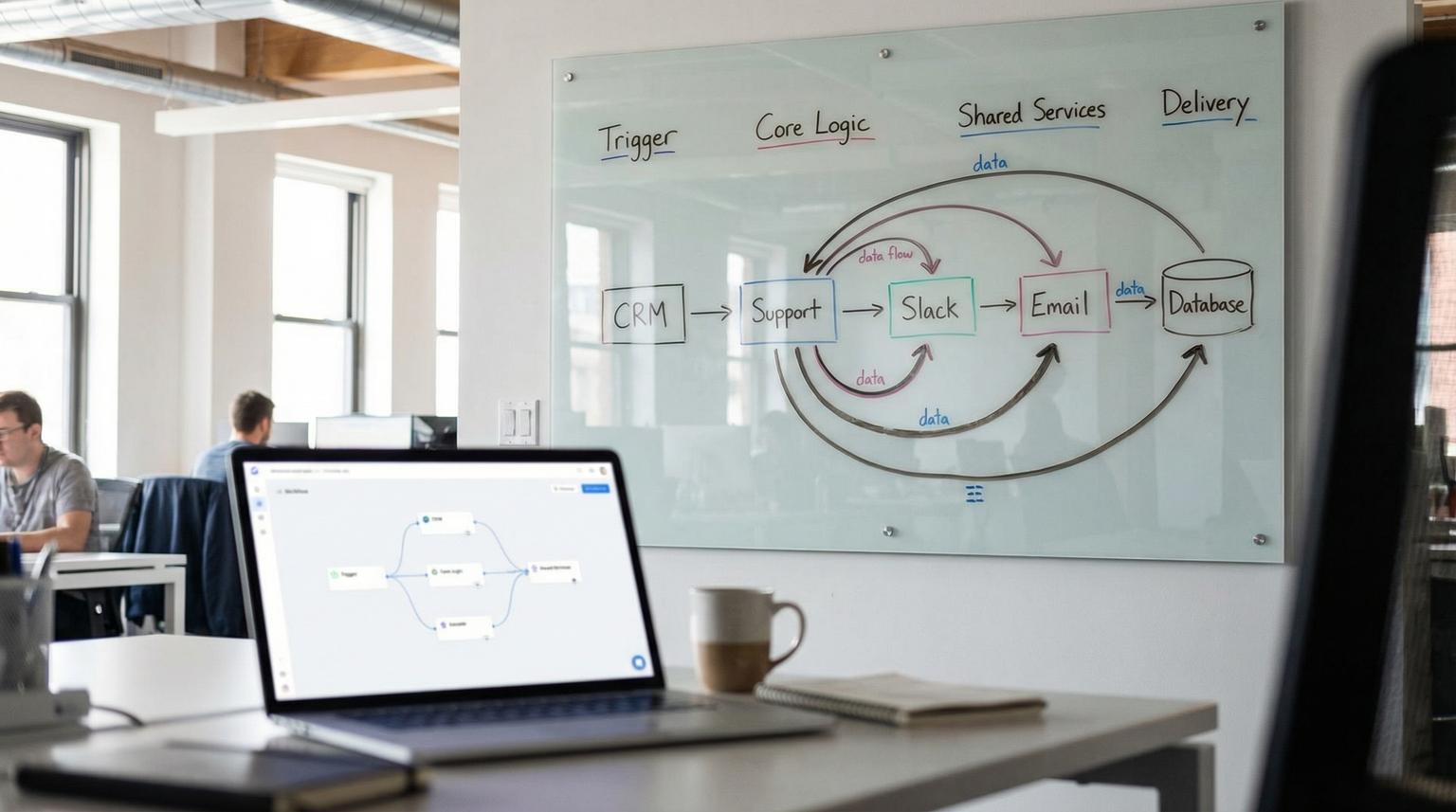
Production automations rarely fail because of one big mistake. They fail because dozens of small one-off workflows accumulate, each with slightly different payloads, retries, credentials and error behavior. This playbook shows a reusable n8n workflow architecture you can apply across CRM/RevOps, customer support, back-office operations and reporting so your workflows stay modular, observable and safe to change.
If you are an ops leader, RevOps manager or technical founder using n8n to connect CRMs, ticketing tools, Slack, email platforms and internal systems, this is the blueprint to stop rebuilding the same patterns repeatedly and start scaling automation like a product.
Quick summary
- Use a modular design: triggers -> core logic -> shared services -> delivery, with clear contracts between modules.
- Standardize patterns like validation, enrichment, routing and audit logging so every workflow behaves predictably.
- Make workflows production-safe with retries, error workflows, idempotency, dedupe and controlled concurrency.
- Separate dev/stage/prod using export/import pipelines and disciplined change management.
- Build observability into the system: correlation IDs, structured logs, runbooks and alerting.
Quick start
- Pick one business area (CRM, support, ops or reporting) and list your top 3 workflows with the most volume or risk.
- Define a shared event envelope: correlation_id, source, event_type, occurred_at and payload.
- Split one workflow into modules using Execute Workflow: intake, validate, enrich, decide and deliver.
- Create a shared error handler workflow using Error Trigger and set it as the Error workflow for production automations.
- Add idempotency and dedupe: store processed keys (event_id or correlation_id) before performing side effects.
- Set node-level reliability defaults: Retry On Fail for transient API calls and Stop Workflow for side-effect writes.
- Enable concurrency limits or queue mode depending on volume and SLA requirements.
- Export workflows to version control, promote to stage, then deploy to prod with a rollback plan.
A production-ready n8n system is easiest to scale when you design workflows as modular services with consistent inputs/outputs, shared reliability patterns (retries, idempotency, error workflows) and clear separation between dev, stage and prod. Use parent orchestrator workflows for business processes, call sub-workflows for reusable steps like validation, enrichment and routing, and standardize logging and alerting so failures are quickly triaged and safely replayed.
Table of contents
- Why most n8n setups become brittle in production
- The reusable workflow architecture: triggers, core logic, shared services, delivery
- Sub-workflows as shared services (and how to define contracts)
- Standard patterns: validate, enrich, route, deliver, audit
- Production reliability: retries, error workflows, idempotency, dedupe
- Scaling and performance: queue mode, concurrency and rate limits
- Environment separation and change management for dev/stage/prod
- Observability and maintainability: logging, runbooks and monitoring
- Use-case mapping: CRM and RevOps automations
- Use-case mapping: customer support workflows
- Use-case mapping: ops and back-office pipelines
- Use-case mapping: reporting and alerting pipelines
- When to bring in ThinkBot Agency
- FAQ
Why most n8n setups become brittle in production
n8n makes it easy to ship an automation quickly. The downside is that speed can hide architectural debt:
- Implicit contracts: each workflow expects slightly different fields and data types, so small upstream changes break downstream steps.
- Copy-pasted logic: validation, enrichment and routing logic is duplicated across workflows, then drifts.
- Uncontrolled side effects: retries and manual re-runs accidentally create duplicate CRM records, double-send emails or re-label tickets.
- No operational surface: failures are only visible when someone notices a missing update.
- Mixed environments: dev testing happens in prod credentials or prod data because there is no promotion process.
If you want a broader platform-level view before committing deeply to n8n, we break down tradeoffs and scaling considerations in our platform comparison.
The reusable workflow architecture: triggers, core logic, shared services, delivery
Think of each automation as a pipeline with four layers. This reduces complexity and creates reusable modules across departments:
- Trigger layer: Webhook, schedule, app trigger, or manual admin trigger. Its job is to capture the event and wrap it in a consistent envelope.
- Core logic layer: The business process orchestrator. It sequences steps like validation, enrichment, decisioning and delivery but delegates reusable steps to shared services.
- Shared services layer: Sub-workflows you call from many automations, such as normalize payload, look up customer, apply policy checks, score and route, throttle API calls and write audit logs.
- Delivery layer: System-of-record writes and notifications, such as CRM upserts, ticket updates, Slack messages, email sends, database writes and report publishing.
This modular approach is a common recommendation for maintainability and testability in n8n, especially when AI and external APIs are involved because transient failures and rate limits are expected; design for retries and fallback paths from the start using an orchestrator plus modules (source).
For readers designing multi-app systems, our guide on AI integration shows how we think about safe orchestration across CRM, email and support tools.

A practical event envelope you can reuse everywhere
Standardize what flows between layers. Your trigger should produce a consistent envelope even if the source systems differ:
{
"correlation_id": "uuid-or-stable-key",
"source": "typeform|hubspot|jira|slack|internal",
"event_type": "lead.created|ticket.opened|expense.submitted|report.weekly",
"occurred_at": "2026-02-20T12:00:00Z",
"payload": { "...": "raw event body" }
}
That envelope becomes the only thing your core logic expects, which dramatically reduces breakage when you swap tools.
Sub-workflows as shared services (and how to define contracts)
In n8n, the workhorse for modularity is the Execute Workflow node, which lets a parent workflow call a child workflow on the same host and receive its output (source). Used correctly, this is how you build a library of shared services instead of a pile of monolith workflows.
Key implementation decisions from the official behavior that matter in production:
- How the child is sourced: from the database (shared services), local file (portable components), parameter or URL (centrally managed templates) (source).
- Interface clarity: define workflow inputs so the parent maps fields explicitly, instead of passing a loose blob.
- Item handling mode: run once with all items (batch) vs once per item (microservice style). Batch reduces overhead, per-item simplifies idempotency and safe retries (source).
Sub-workflow contract template (copy and adapt)
Use this template when turning a repeated step (normalize, enrich, route, audit log) into a reusable service. It forces a stable input/output contract and makes downstream orchestration simpler.
Sub-workflow name: svc.normalize_lead_v1
Inputs:
- correlation_id (string, required)
- source (string, required) # e.g., "typeform", "hubspot"
- payload (json, required) # raw event body
Outputs:
- correlation_id (string)
- entity_type (string) # "lead", "ticket", "invoice"
- entity_id (string|null)
- normalized (json) # validated + shaped fields
- decision (json) # { route: "crm"|"support"|"ops", priority: "low"|"med"|"high" }
- errors (array) # [] when success
Notes:
- Use "Run once for each item" when correlation_id must be unique per event.
Design tip: make the last node output meaningful. The parent should get a status, normalized payload and routing directive rather than raw intermediate data (source).
Standard patterns: validate, enrich, route, deliver, audit
Most business automations are variations of the same pipeline: ingest -> transform -> decide -> deliver. The playbook is to standardize each stage into reusable patterns and shared services.
Validation and normalization
Put validation early and make it strict. If a payload is missing required fields, fail fast and do not attempt delivery. Normalize data types (strings, numbers, dates) and enforce your canonical field names. This is also where you verify webhook source when relevant, a pattern highlighted in webhook-driven ops sync flows (source).
Enrichment as a swappable module
Enrichment should be isolated so you can change providers without touching routing or delivery. Lead intake templates show this cleanly: form submission -> enrich -> score -> route -> write to CRM plus notifications, with enrichment treated as a distinct layer (source).
For AI-heavy enrichment, keep prompts and model settings inside the enrichment service so updates do not ripple across the rest of the system. We cover practical AI workflow optimization patterns in this guide.
Routing and decisioning
Centralize business rules. Whether you are routing leads to territories or expenses to approval tiers, the rule set should live in one place, ideally as a config-driven routing table that non-engineers can update safely. Multi-tier expense approvals are a strong example of routing based on thresholds with clear paths and audit logging (source).
Delivery with side-effect safety
Delivery nodes are where side effects happen: create or update CRM objects, update a ticket, post to Slack, send email, write to a database. These are the nodes that require idempotency, strict error behavior and clear rollback plans.
Audit logging and traceability
Always log a minimal audit record for business-critical workflows: correlation_id, event_type, who/what triggered it, target system IDs, timestamps and the final decision. Lightweight ledgers (Google Sheets) can work early, but plan for a database log once volume grows. Inventory sync patterns explicitly include logging for tracking and auditability (source).
Production reliability: retries, error workflows, idempotency, dedupe
Reliability is not one feature, it is a set of consistent behaviors. In production, you want transient failures to recover automatically and non-transient failures to be visible and replayable without creating duplicates.

Node-level retries and error behaviors
n8n provides node settings like Retry On Fail and On Error modes (Stop Workflow, Continue, Continue using error output) that form the base reliability toolkit (source). The key is to standardize your defaults:
- Use Retry On Fail for transient reads and HTTP calls that can safely retry (rate limits, network hiccups).
- Use Stop Workflow for side-effect writes unless you have idempotency or upsert semantics.
- Use Continue using error output when you have a compensating path, for example route to a human review queue if enrichment fails.
Be cautious with settings that always output data; misconfiguration can cause loops and confusing downstream behavior (source).
Centralized error workflows
Build one dedicated error handler workflow using the Error Trigger node and set it as the Error workflow for your production automations (source). This gives you consistent logging, routing and alerting across all workflows.
Important operational detail: the Error Trigger runs for automatic executions, not manual runs, and its payload includes execution and workflow context like execution.id, retryOf and lastNodeExecuted, which you can use to classify failures and decide whether to replay or escalate (source).
Idempotency and dedupe patterns that actually work
Idempotency means you can safely retry or re-run without duplicating side effects. Dedupe means you avoid reprocessing the same event. Practical patterns:
- Stable keys: use event IDs from the source system when available, otherwise derive a stable key (for example source + entity_id + occurred_at rounded, or a hash of a canonical payload).
- State store: write a processed record keyed by the idempotency key before performing side effects, then skip if seen.
- Upserts over creates: in CRMs, prefer update-or-create logic to avoid duplicates.
- Seen-before guards for polling: scheduled support ticket triage flows explicitly discard tickets seen before, which is essential for polling designs (source).
Scaling and performance: queue mode, concurrency and rate limits
Scaling in n8n is not only about speed, it is about protecting the instance and downstream systems. There are three primary levers: how you execute (queue mode), how many executions run at once (concurrency controls) and how you interact with third-party APIs (rate limiting).
Queue mode for production volume
Queue mode is the core scaling model for self-hosted n8n: a main instance receives triggers and enqueues executions then worker instances pull from Redis and execute jobs (source). It is designed to keep the UI/API responsive while handling higher volumes and long-running jobs.
- Queue mode requires Redis and a production database like Postgres. SQLite is not recommended for this setup (source).
- Workers must share the same N8N_ENCRYPTION_KEY so they can decrypt credentials stored in the database (source).
- Worker concurrency is configurable (for example n8n worker --concurrency=5). Tune carefully to avoid exhausting DB connection pools (source).
Concurrency control when you are not ready for Redis
If you are not using queue mode, self-hosted concurrency control limits how many production executions can run simultaneously, and extra runs queue FIFO until capacity frees (source). You enable it via N8N_CONCURRENCY_PRODUCTION_LIMIT.
Operational nuance that matters: the limit applies to production executions, not manual runs, sub-workflows or error workflow runs, so do not assume this one knob protects every execution path (source).
Rate limits: throttle by design, not by panic
Rate limits typically show up as HTTP 429 errors. n8n recommends handling this with Retry On Fail plus wait between tries, or batching with Loop Over Items + Wait. The HTTP Request node also supports batching and pagination patterns (source).
Production pattern: build a shared throttle wrapper sub-workflow per integration that applies the right batch size and backoff. That way, every CRM and support workflow uses the same limit-aware behavior instead of ad hoc waits.
Environment separation and change management for dev/stage/prod
Most teams get into trouble when the same instance and credentials are used for experiments and mission-critical workflows. Treat workflow changes like code changes with promotion steps.
Use export/import for versioning and promotion
n8n CLI commands support exporting workflows (and credentials) to JSON, which enables Git-based versioning and environment promotion (source). The --backup option combines settings to export all workflows in pretty, separate files, making diffs and reviews easier (source).
Two cautions to build into your process:
- Exporting decrypted credentials is risky. Treat those outputs like secrets and restrict access (source).
- Imports can overwrite entities due to ID collisions. Plan for IDs and database state during promotion (source).
Recommended promotion flow
- Dev: build and pin sample data for modules, test sub-workflow contracts in isolation.
- Stage: run against a staging CRM/helpdesk workspace or sandbox account, verify end-to-end behavior and alerts.
- Prod: deploy with guarded concurrency, live credentials and defined rollback.
For teams that want a bigger picture of selecting and operating automation stacks across departments, see our stack blueprint.
Observability and maintainability: logging, runbooks and monitoring
Automation is operations. If you cannot observe it, you cannot trust it.
Correlation IDs and structured logs
Every workflow should set and carry a correlation_id from trigger to delivery. Log it in audit stores and include it in Slack alerts or ticket comments. This lets you trace one business event through sub-workflows and retries.
Runbooks and on-call friendly behavior
Create a short runbook for each critical workflow family (CRM intake, support triage, approvals, reporting): what success looks like, how to replay safely, where to look for logs, and who owns the downstream system. Your error workflow should capture execution.url and lastNodeExecuted so the operator can jump directly to the failure point (source).
Workflow monitoring and alerting patterns
A proven pattern is to schedule an internal monitor that queries failed executions in a time window, groups by workflow and posts a single alert per workflow to reduce noise. n8n templates demonstrate hourly monitoring using the n8n API plus Slack notifications, including deep links back to workflows for faster investigation (source).
If you are actively building AI-driven support and need end-to-end observability for classification, handoff and CRM logging, our detailed blueprint is in this support workflow guide.
Use-case mapping: CRM and RevOps automations
CRM automations often start as lead routing, then expand into lifecycle stages, enrichment, follow-ups, SLA timers and reporting. The modular architecture helps you scale without duplicating logic.
Reference blueprint: lead qualification and routing
A common pattern is: form webhook -> enrichment -> scoring -> routing -> CRM write-back, with parallel notifications to Slack and tracking in Sheets (source). Treat each step as a module:
- svc.validate_lead_payload
- svc.enrich_person_company
- svc.score_lead
- svc.route_owner
- svc.crm_upsert
- svc.audit_log
If you want the broader business outcome view, see how we apply similar patterns in CRM automation.
Lead routing build checklist
Use this checklist when you productionize any lead intake workflow, regardless of your CRM or form tool.
- Define the lead event schema (required fields, optional fields).
- Validate and normalize email, domain and company name.
- Enrich with 1-2 providers (person + company) and record enrichment provenance.
- Compute lead score with documented point rules and thresholds.
- Route by territory, segment or capacity, record the routing rationale.
- Write to the CRM with idempotent upsert to avoid duplicates.
- Notify the owner/team with key fields and a next action.
- Log to an audit store with correlation_id and timestamps.
- Add a replay mechanism to re-run a single lead by correlation_id.
- Add an error workflow for failed writes (CRM, Slack, enrichment).
Cross-CRM sync: match -> enrich -> transform -> upsert
When syncing between CRMs (for example HubSpot -> Salesforce), separate the trigger event from the authoritative record fetch, then match before you enrich to avoid wasted calls. Templates show parallel enrichment fan-out and a merge step followed by a dedicated transform step that flattens and maps to downstream fields (source).
That transform step is where schema drift is handled. Keep it isolated so you can fix mapping once, not in every workflow.
Use-case mapping: customer support workflows
Support automation has different constraints than CRM: higher variability, more unstructured text, more human handoff and stricter SLAs. The same architecture still applies.
Ticket triage pipeline: schedule + dedupe + AI classify + update
Support triage templates commonly use scheduled pulls, discard seen-before tickets, then run AI to assign labels and priority, rewrite descriptions for human readability and attempt first-pass guidance (source). In your shared services layer, standardize:
- svc.dedupe_ticket (state store keyed by ticket id + updated timestamp)
- svc.classify_intent_priority (LLM or rules)
- svc.summarize_for_handoff
- svc.escalation_router (team, severity and SLA)
For end-to-end support automation designs including AI classification and CRM linkage, you can connect this pillar with our support automation guide.
Human-in-the-loop approvals and missing-info capture
Slack interactive actions are a powerful way to collect approvals or missing fields without forcing agents into another system. Workflow templates show Slack actions forwarded to n8n webhooks, with optional Basic Authentication, and emphasize standardized payload schemas including actor identity and timestamps for auditability (source).
Use-case mapping: ops and back-office pipelines
Ops workflows tend to be policy-heavy and audit-heavy: approvals, reimbursements, inventory, HR, provisioning and data sync. Here the architecture helps you enforce controls and reduce risk.
Approvals: policy engine + routing table + audit log
Multi-tier expense approvals provide a clear model: intake form -> policy validation -> route to approver by threshold -> log everything with timestamps (source). In your shared services layer, maintain:
- svc.policy_validate_expense (returns compliant boolean and rejection reasons)
- svc.approval_route (threshold table, approver mapping)
- svc.audit_log_expense
Data sync: validate source -> transform -> push -> log
Webhook-driven sync patterns, like inventory updates, highlight a production guardrail that should be mandatory: validate the source before taking action and always log changes for audit and debugging (source).
Use-case mapping: reporting and alerting pipelines
Reporting workflows are often the easiest to start and the easiest to ignore, until stakeholders depend on them. Make them predictable: defined time windows, consistent formatting and robust delivery.
Scheduled digests: windowed pulls + summarize + publish
Weekly summaries from Slack channels show a repeatable pattern: schedule trigger, pull messages for a defined window, summarize threads with AI and publish the report on a consistent cadence (source). Standardize shared services for date window calculation and summarization prompt templates.
If you also automate data collection from the web for competitive and market signals, connect this pillar with our market research automation post.
Error monitoring as a first-class reporting workflow
Do not wait for users to report broken automation. Build an internal alerting workflow that queries failed executions over a time window, groups by workflow and sends consolidated Slack alerts with links for quick triage (source).
Automation patterns compared: which design fits which job?
Use this table when deciding how to implement a workflow family. Most teams benefit from mixing these approaches depending on volume, SLA and side-effect risk.
| Pattern | Best for | Strengths | Watch outs |
|---|---|---|---|
| Webhook-driven event | Lead intake, inventory updates, approvals | Low latency, clear event boundary | Must validate source, must handle bursts |
| Scheduled polling | Ticket triage, periodic reconciliations | Simple when webhooks are not available | Needs dedupe/seen-before guard to prevent repeats |
| Orchestrator + sub-workflows | Cross-system processes (CRM + email + Slack) | Modular, reusable, testable | Requires contract discipline and versioning |
| Queue mode execution | High volume, long-running or bursty workflows | Scales with workers, keeps UI responsive | Requires Redis, production DB and key management |
When to bring in ThinkBot Agency
If you already have workflows running but production reliability and maintainability are the bottleneck, we typically help in three ways: (1) refactor into modular services and standard contracts, (2) implement a production substrate (queue mode or concurrency controls, secrets handling and environment separation), (3) add observability with error workflows, alerting, runbooks and safe replays.
If you want a second set of eyes on your current setup and a practical plan to get to a reusable architecture, book a consultation here: book a consultation.
Prefer to evaluate delivery track record first? You can also review our Upwork profile where we are recognized as a top performer.
FAQ
How should I structure a production n8n setup?
Use a layered design: a thin trigger layer that produces a consistent event envelope, an orchestrator for business logic, shared service sub-workflows for reusable steps (validate, enrich, route, throttle, audit) and a delivery layer for system writes and notifications. Add centralized error handling, idempotency and a promotion process for dev/stage/prod.
What is the best way to reuse logic across many workflows?
Use Execute Workflow to call sub-workflows that behave like shared services with explicit inputs and outputs. Keep contracts stable, version your services (v1, v2) and make the last node output a normalized result that the parent can route on.
How do I prevent duplicates when retries or replays happen?
Implement idempotency keys and a dedupe store. For every event, compute a stable key (source event id or derived hash), record it before performing side effects and make delivery actions use upsert semantics when possible. Avoid retrying side-effect creates unless you can prove idempotency.
When should I use queue mode vs concurrency limits?
Use concurrency limits when volume is moderate and you want a simpler safeguard against overload. Use queue mode when you need better throughput, long-running executions or burst handling and you can operate Redis plus a production database. Queue mode also makes scaling predictable by adding workers and tuning worker concurrency.
Can ThinkBot help refactor existing workflows without downtime?
Yes. We typically introduce shared service sub-workflows in parallel, move one workflow family at a time behind feature flags or routing rules then promote changes from stage to prod with rollback-ready exports. The goal is to improve reliability and observability while keeping business processes running.
