
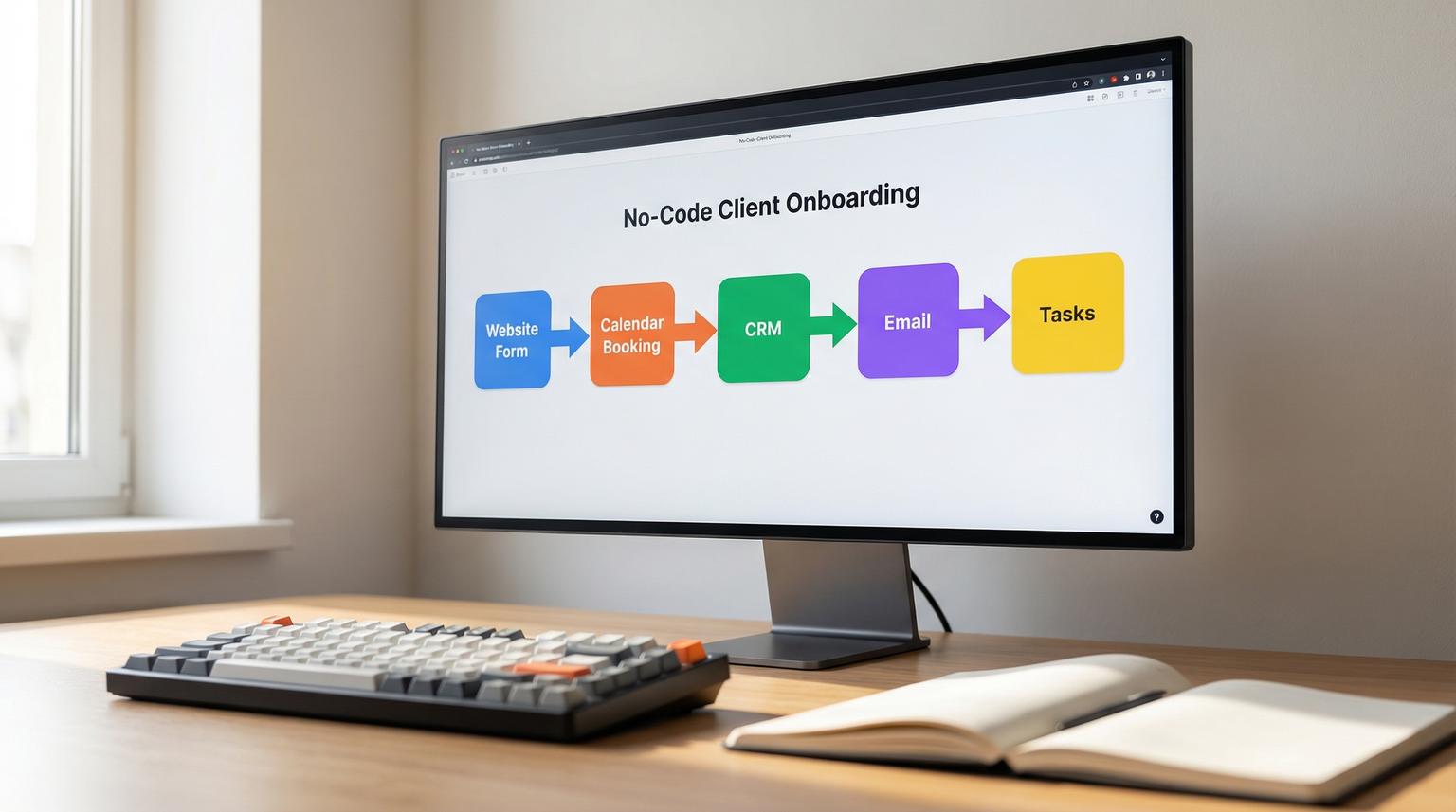
Client onboarding is where growth either compounds or stalls. When leads arrive from multiple channels, teams often rely on manual copy and paste, inconsistent follow-ups and CRM records that are missing key details. That is exactly where no-code automation solutions shine. They connect your website forms, calendar bookings, CRM and email platform so every step runs the same way every time, with fewer mistakes and faster response times.
This guide is for business owners, ops leaders and marketing or RevOps teams who want a practical view of what to automate first, how to structure workflows and how tools like n8n, Zapier and Make can remove onboarding bottlenecks without writing software.
At a glance:
- Standardize lead capture -> CRM creation -> enrichment -> routing so nothing slips through.
- Trigger welcome emails, internal tasks and kickoff scheduling the moment a lead becomes a client.
- Reduce duplicates and missing fields using validation, upserts and enrichment steps.
- Build workflows that are monitorable, secure and easy to evolve as your process changes.
Quick start
- List your lead sources (forms, ads, chat, calendar bookings) and pick one to automate first.
- Define a canonical CRM schema for Contact, Company and Deal, including required fields.
- Build an ingest workflow that validates data, deduplicates and then creates or updates CRM records.
- Add routing logic to assign owner, pipeline and stage, then notify the right team channel.
- Attach a welcome sequence that sends a personalized email, creates tasks and schedules the kickoff.
No-code platforms transform onboarding by moving data and decisions into automated workflows: leads are captured once, validated, enriched and routed into your CRM, then follow-ups and onboarding steps trigger automatically based on status changes. Instead of chasing updates across tools, your team works from a single source of truth with faster response times, cleaner data and consistent client experiences.
Why onboarding breaks as you grow
Most onboarding issues are not caused by a lack of effort. They happen because the process is distributed across tools and people, and the volume increases faster than your ability to keep everything consistent.
Common failure points we see in growing teams
- Lead data scattered across sources: web forms, LinkedIn lead gen, chat tools, spreadsheets and booking links all create separate records.
- Manual CRM entry: reps and coordinators retype details, which introduces errors and delays.
- Inconsistent handoff: sales, marketing and delivery teams do not share the same definitions for lifecycle stage.
- Slow speed-to-lead: a lead waits hours for a first response because alerts and tasks are manual.
- Duplicate and incomplete records: missing phone numbers, mismatched company names and multiple contacts for the same person reduce reporting accuracy.
Automation is the lever to fix these problems because it enforces the process, not just the intention. A well-designed workflow becomes a repeatable system that scales with volume.
The onboarding automation blueprint we implement at ThinkBot
At ThinkBot Agency we design onboarding and CRM workflows like a pipeline: ingest -> normalize -> enrich -> route -> follow up -> log and monitor. This pattern is consistent with practical CRM automation guidance from platforms like Zapier, but we tailor it to your exact CRM, your data model and your team handoffs. For a deeper dive into how we connect CRMs, email and internal tools with AI and APIs, see our guide on business process automation with n8n.
Stage 1: Ingest and validate
Triggers typically include website forms (Webflow, Typeform, Gravity Forms), calendar bookings (Calendly, Acuity), chat or support intake and ad lead forms. The first job is validation: check required fields and normalize formatting.
- Normalize email and phone formats
- Split full name into first and last name
- Map product interest into a controlled list
- Reject or quarantine submissions missing required consent fields
Stage 2: Deduplicate and upsert into the CRM
Instead of always creating new records, we use an upsert strategy: search by email, phone or an external ID then update if found, otherwise create. This is how you prevent CRM pollution at scale.
Stage 3: Enrich and score
Enrichment can pull company details, industry and size, or it can simply fill missing CRM fields from your existing tools. Scoring can be rules-based or AI-assisted, depending on your risk tolerance and data quality needs.
Stage 4: Route and notify
Routing logic assigns the owner and pipeline, creates follow-up tasks and posts a notification to Slack or email. It can also branch by region, product line, lead source or budget range.
Stage 5: Trigger onboarding actions
Once a deal hits a defined stage like "Closed won" or "Onboarding", the workflow creates a consistent client experience: welcome email, kickoff scheduling, internal task list and documentation requests.
Client onboarding workflow checklist (use this to design your first build)
Use this checklist when you are planning your first end-to-end onboarding automation. It helps you avoid the common gaps that create duplicates, delays and reporting issues.
- Confirm the source of truth for Contact and Company data (CRM vs spreadsheet vs database).
- Define required fields for a valid record (email, company, consent, service interest).
- Document your dedupe keys (email, phone, domain, external lead ID).
- Decide where enrichment happens and what fields it is allowed to overwrite.
- Set routing rules (owner assignment, territory, inbound vs outbound).
- Define lifecycle stages and which stage triggers onboarding steps.
- Create a welcome sequence map (email 1, email 2, internal tasks, kickoff scheduling).
- Add error handling: retries, alerts and a dead-letter path for bad payloads.
- Log workflow runs to a table or channel for auditability and troubleshooting.
- Review permissions and PII handling across every connected app.

Reusable workflows you can copy for lead-to-client onboarding
Below are concrete patterns we build in n8n, Zapier and Make. The exact connectors differ but the logic stays the same. If you want to move fast, start with one workflow, prove it and then expand. You can also compare broader CRM and AI use cases in our article on CRM automation with AI and end-to-end workflows.
Workflow 1: Website form -> CRM upsert -> owner assignment -> instant follow-up
- Trigger: website form submission
- Validate: required fields, consent, email format
- Search CRM: find contact by email
- Upsert: update existing or create new contact and deal
- Assign owner: based on territory or service line
- Notify: send Slack message or email to owner
- Follow-up: send a confirmation email to the lead and create a task due in 15 minutes
This pattern removes manual data entry and reduces response time. It also helps keep your CRM as the single source of truth.
Workflow 2: Calendar booking -> deal creation -> pre-call brief -> CRM enrichment
- Trigger: new booking
- Upsert contact and create or update deal
- Enrich: fill missing company fields and log booking metadata
- Create internal briefing: summarize form answers and booking notes into a CRM note
- Send reminders: email the prospect a prep checklist and notify the assigned rep
This is especially effective for consultative sales where missing context causes poor first calls.
Workflow 3: Closed won -> onboarding project tasks -> welcome email sequence
- Trigger: deal stage changes to "Closed won"
- Create onboarding tasks: project tool tasks for internal team and client requests
- Send welcome email: include next steps, portal links and kickoff scheduling
- Create kickoff meeting: generate a meeting link and send it to the client
- Update CRM: set onboarding status and timestamps for reporting
This is where onboarding becomes consistent. Every client receives the same baseline experience and your team gets the same internal checklist.
Example payload: normalized lead record (what we pass between steps)
If you standardize a simple payload like this, you can swap tools without rebuilding your entire process. It also makes debugging easier.
{
"source": "web_form",
"submitted_at": "2026-01-16T14:22:05Z",
"person": {
"first_name": "Jordan",
"last_name": "Lee",
"email": "[email protected]",
"phone": "+15551234567"
},
"company": {
"name": "Example Co",
"domain": "example.com",
"industry": "SaaS",
"size": "11-50"
},
"intent": {
"service_interest": "automation",
"budget_range": "5000-15000",
"notes": "Looking to automate onboarding and CRM updates"
},
"consent": {
"marketing_opt_in": true
}
}
Choosing between n8n, Zapier and Make for CRM automation
The best platform depends on your systems, security requirements and how complex your logic is. We often use n8n when teams need more control, self-hosting or advanced branching, and we use Zapier or Make when speed and broad app coverage are the priority.
| Decision factor | n8n | Zapier | Make |
|---|---|---|---|
| Complex logic and branching | Strong, great for multi-step workflows and custom logic | Good, easiest for straightforward flows | Strong, visual scenarios with flexible routing |
| Self-hosting and data control | Best fit for teams that want self-hosting options | Typically cloud-first | Typically cloud-first |
| Connector coverage and speed to build | Strong, plus HTTP nodes for anything with an API | Very strong app ecosystem and fast setup | Very strong modules for many CRMs and tools |
| Best use case in onboarding | Custom CRM enrichment, advanced dedupe, internal systems | Rapid lead capture, notifications and email triggers | End-to-end onboarding scenarios with rich data mapping |
CRM compatibility matters too. If you are evaluating CRMs for integration depth and automation readiness, this comparison highlights how module availability and API capabilities can change your build time. For broader stack planning around no-code automation solutions, review our automation platform comparison for CRM, email and AI workflows.

Failure modes and guardrails for reliable onboarding workflows
Automation should reduce chaos, not create new failure points. The guardrails below are what we implement so workflows keep running even when inputs change, APIs rate-limit or people edit fields.
- Failure mode: Duplicate contacts created due to mismatched name or alias emails. Mitigation: Use email as primary key, add secondary match on phone and domain, and implement upsert logic.
- Failure mode: Form field changes break mappings silently. Mitigation: Add schema validation and send an alert when required fields are missing or renamed.
- Failure mode: API rate limits cause partial updates. Mitigation: Add retry with backoff, batching and a queue or staging table for bursts.
- Failure mode: Welcome emails send before a record is fully enriched. Mitigation: Use a short delay or a readiness check, for example require key fields before sending.
- Failure mode: Sensitive data copied into tools that should not store PII. Mitigation: Minimize fields transferred, restrict credentials and document data handling rules per system.
- Failure mode: Automation updates the wrong lifecycle stage and triggers onboarding early. Mitigation: Gate onboarding triggers behind explicit conditions and add a manual approval step for high-value deals.
Implementation playbook: how ThinkBot rolls out onboarding automation safely
If you are building internally, this playbook helps you avoid the most common rollout mistakes. If you want us to implement it, this is also the structure we follow so stakeholders know what to expect. For more examples of how this playbook scales beyond onboarding into broader operations, see our article on workflow automation solutions for customer onboarding.
Owners and responsibilities
- Business owner or ops lead: defines stages, required fields and success criteria
- CRM owner: confirms data model, custom fields and permissions
- Marketing or RevOps: owns lead sources and email sequences
- ThinkBot automation builder: designs workflows, implements integrations and testing
Build and test steps
- Map the current process and identify the first automation slice, usually lead capture -> CRM upsert -> notification.
- Create a canonical field map and decide what system is authoritative for each field.
- Build in a staging environment or with test pipelines, then run realistic test payloads.
- Enable monitoring: failure alerts, run logs and a simple dashboard view of workflow health.
- Roll out in phases: one lead source, then expand to calendar, then onboarding tasks and emails.
Monitoring and rollback
- Monitor: error rate, duplicate rate, time to first response and onboarding cycle time.
- Rollback plan: keep a manual intake path, disable triggers first, then revert CRM stage automation if needed.
- Post-launch review: weekly data quality checks for the first month, then monthly.
If you want a tailored workflow map for your CRM and lead sources, book a consultation with ThinkBot here: book a consultation.
If you prefer to evaluate us via marketplace history first, you can also view our agency profile on Upwork.
FAQ
What are no-code automation solutions for client onboarding?
They are workflows built with visual automation tools that connect your lead sources, CRM and email or task systems so onboarding steps run automatically, including record creation, enrichment, routing and follow-ups.
Can you automate onboarding if your CRM has limited native integrations?
Yes. We commonly use webhook intake and HTTP API steps to connect tools without native connectors, then normalize and upsert data into the CRM reliably.
How do you prevent duplicates when automating CRM data entry?
We implement deduplication rules, usually email-first matching plus secondary keys, and use upsert logic so workflows update existing records instead of creating new ones.
Which tool is best for onboarding automation, n8n, Zapier or Make?
It depends on complexity and constraints. Zapier is fast for common connectors, Make is strong for visual scenarios and mapping, and n8n is ideal when you need advanced logic, custom APIs or self-hosting options.
What does ThinkBot deliver in an onboarding automation project?
We deliver a workflow map, field mapping, the built automations, monitoring and alerts, documentation and a rollout plan so your team can operate and extend the system confidently.
