
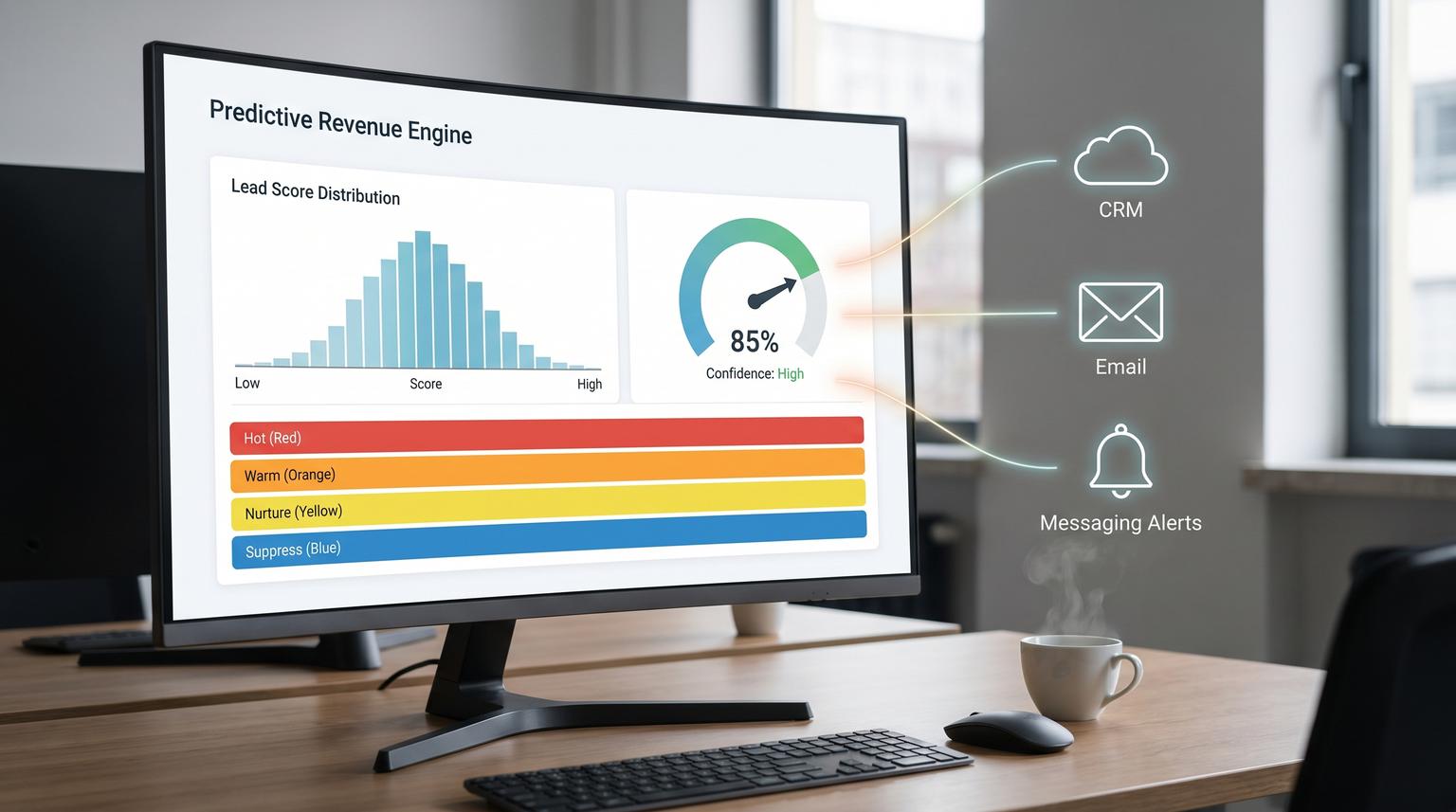
Inbound leads do not go cold because your team does not care. They go cold because humans cannot reliably review every form fill, product signal, email click and firmographic detail fast enough. This is where predictive analytics for business automation becomes practical: you convert messy intent signals into one trusted score in HubSpot then let routing, sequences and alerts execute the next best action automatically.
This article is for ops leaders, RevOps and marketing teams who want a measurable workflow that increases speed-to-lead and meeting conversion. You will walk away with a closed-loop design: score in real time or near real time, write the score to HubSpot, trigger follow-up only when the lead is truly worth interrupting someone for and retrain the logic from closed-won and closed-lost outcomes so it improves over time instead of drifting.
At a glance:
- Design a single score field contract in HubSpot so sales trusts it and workflows can depend on it.
- Collect signals across forms, product usage, email engagement and firmographics with time windows to prevent stale leads looking hot.
- Use confidence bands to route owners, enroll sequences and notify Slack or Teams only on threshold crossings.
- Close the loop by recalibrating monthly using opportunity outcomes, disqualify reasons and controlled rescore backfills.
Quick start
- Create HubSpot properties: predictive_score (number), predictive_score_band (enum), predictive_confidence (number), predictive_last_scored_at (datetime), predictive_model_version (single-line text).
- Pick your eligible cohort using a list (for example inbound sources you sell to) so scoring does not inflate on irrelevant contacts.
- Implement scoring ingestion: webhook for immediate scoring or hourly scheduled scoring for simpler operations then write results back to HubSpot.
- Build HubSpot workflows that trigger only on band change (edge trigger) for routing, sequence enrollment and alerting.
- Set up a monthly recalibration job that compares score bands to outcomes (opp created, meeting set, closed-won) then updates weights or model and backfills scores in batches.
A reliable closed-loop lead scoring automation has three parts: a consistent set of input signals, a scoring service that produces a single score and confidence and a CRM writeback that triggers deterministic actions. In HubSpot, you operationalize the prediction by storing it as properties, routing and enrolling sequences off score bands and recalibrating monthly using closed-won and closed-lost outcomes so the logic stays aligned to your ICP and current channels.
System architecture and the score field contract
If you want sales to use the score, treat it like a product. That starts with a field contract that does not change every week. HubSpot can store scores natively and make them usable in lists, views and workflows which is why we recommend defining the properties first before building any automations. HubSpot also supports fit, engagement and combined scoring patterns which is useful when you want separate dimensions for routing decisions. See HubSpot's overview of building lead scores for how score properties and thresholds are structured in the platform.

Recommended property spec
- predictive_score (0 to 100): one number your team uses for prioritization.
- predictive_score_band (enum): for deterministic workflow branching, for example Hot, Warm, Nurture, Suppress.
- predictive_confidence (0.00 to 1.00): how sure the model is given available signals.
- predictive_last_scored_at: so you can detect staleness and debug automation timing.
- predictive_model_version: so you can compare outcomes across releases and roll back safely.
Decision rule that prevents a lot of pain: route and alert based on bands and confidence, not raw score alone. A lead with a 78 score but 0.35 confidence should not page your sales team the same way a lead with a 72 score and 0.82 confidence does. Bands make behavior stable even when the model is updated.
Eligibility first, scoring second
A common failure pattern is scoring everyone, including students, competitors and countries you do not serve then wondering why the score distribution becomes meaningless. Build an eligibility list or workflow enrollment filter that defines who is even allowed to be scored. HubSpot's scoring tool logic makes it easy to mix criteria in a way that looks right but behaves differently than expected. HubSpot's explanation of rule evaluation and AND vs OR behavior is worth reviewing before you finalize filters: understand the lead scoring tool.
Signals to collect and how to make them predictive
Your score is only as good as the signals you feed it. For inbound lead-to-meeting workflows we aim for four buckets and we standardize each bucket into a few features with time windows so recency matters.
1) Form and acquisition signals
- Form type (demo, pricing, contact sales, newsletter). Treat demo and pricing as high intent but cap the contribution so one action cannot dominate.
- UTM source and campaign group. Segment by channel because paid search behavior often differs from partner referrals.
- Self-reported need or timeline (if you ask). Use structured dropdowns, not free text.
2) Product usage signals (for PLG or trials)
- Activation milestones in the last 1 to 7 days (project created, invited teammate, connected integration).
- Burst behavior (for example 3 or more key events in 24 hours) which often indicates active evaluation.
- Negative indicators (no activity after signup) to reduce false positives.
3) Email engagement signals
- Recent opens and clicks with a time window (last 7 days) to prevent stale engagement.
- Reply or meeting link click as higher weight than generic clicks.
- Unsubscribe and spam complaints as strong negative signals.
4) Firmographics and fit signals
- Industry and region match.
- Company size (employees or revenue) within your sweet spot.
- Role or seniority signals based on job title keywords.
- Technographics if relevant, for example using a compatible tool or a known competitor.
Real implementation insight we see repeatedly: normalize dirty firmographic fields before scoring. HubSpot properties like number of employees may be stored as strings or ranges. If you treat "51-200" as an integer you will silently break fit scoring. This is one of those issues that does not show up in a dashboard but it will show up as sales saying "the score makes no sense". For a broader lead-to-customer automation blueprint that includes enrichment, dedupe and intent scoring, see Machine Learning for Business Productivity: Automate Lead-to-Customer Workflows with n8n.
Scoring engine options and writeback to HubSpot
You have two viable ways to compute the score: HubSpot-native scoring rules or an external model that writes back to HubSpot. Many teams start with native rules to get to production quickly then graduate to a predictive model once they have enough outcomes to learn from. Either way the operational requirement is the same: write the result to the same CRM properties so workflows and reporting stay stable.
Near real time vs scheduled scoring
- Webhook or event-driven: best when speed-to-lead is your top KPI and you have engineering support. Triggers on form submit, product event or email interaction and updates the score within minutes.
- Scheduled batch (hourly): simpler to run and easier to observe. It is often enough for B2B where the SLA is measured in hours not seconds.
Tradeoff to be explicit about: webhooks reduce latency but increase complexity and duplicate event handling. Scheduled scoring increases latency but makes idempotency and rate limits easier to manage. If your team cannot confidently operate webhooks with retries and deduplication, choose scheduled scoring first and tighten the cadence as you mature.
Writeback payload example (single trusted score)
Below is a minimal example of what your scoring service should write back to HubSpot. Keep it boring and consistent so workflows can depend on it.
PATCH /crm/v3/objects/contacts/{contactId}
{
"properties": {
"predictive_score": "82",
"predictive_score_band": "Hot",
"predictive_confidence": "0.86",
"predictive_last_scored_at": "2026-04-24T14:12:00Z",
"predictive_model_version": "v1.3.0"
}
}
If you score at scale, do not update contacts one-by-one. HubSpot private apps have request limits and you can quickly hit them during backfills. Batch update endpoints and small delays reduce failures. The production notes in this recipe are a solid reference for rate limits, batching and rescore pitfalls: code-driven HubSpot lead scoring. For a deeper operating model on designing dependable AI steps with strict JSON contracts, evaluation, and drift monitoring, use our pillar playbook: Build AI workflow automation that behaves like a reliable workflow step.
Rescore and backfill gotcha
One common mistake: filtering for contacts that do not have the score property set, then later setting a score of 0. Now those records technically have the property so your "unscored" filter returns nothing. In practice, we recommend scoring eligibility based on last_scored_at older than X or model_version not equal to current so rescore jobs are deterministic.
Routing, sequences and alerts that only fire when it matters
Your model does not create revenue. The actions do. The cleanest pattern is: score update writes fields, HubSpot workflows do routing and sequence enrollment, Slack or Teams only gets pinged when a threshold is crossed.

Recommended bands and actions
- Hot (example 75-100 and confidence >= 0.70): assign owner immediately, create a task due today, enroll in the high intent sequence, send alert.
- Warm (example 50-74): assign to an SDR queue or round robin, enroll in a softer sequence, no real-time alert.
- Nurture (example 20-49): keep in marketing nurture, suppress sales tasks unless additional intent appears.
- Suppress (example 0-19 or disqualifying signals): do not route to sales, optionally create an internal note for visibility.
Use edge triggers to prevent alert fatigue
Build workflows that trigger on band changes, not on the score simply being above a threshold. Example: "predictive_score_band changed to Hot" and "predictive_confidence is known and >= 0.70". This prevents repeated notifications when a lead is rescored or when you backfill after a model update.
Teams alerting pattern
If your team lives in Microsoft Teams, incoming webhooks via Teams Workflows are a straightforward notification sink. You create a workflow that generates a URL then post only on threshold crossing with a compact message that includes contact name, company, score band and a link to the HubSpot record. Microsoft documents the setup steps here: create incoming webhooks with Workflows for Microsoft Teams.
Operational detail that matters: Teams workflows are tied to an owner account. If that user leaves, the webhook may break. Use a service account or document an ownership transfer step in your offboarding checklist.
Build the closed-loop retraining cycle to prevent drift
Model drift shows up as sales ignoring the score or meeting rates falling in your highest band. Drift happens because channels change, ICP shifts or your product introduces new behaviors. The fix is not guessing new weights weekly. The fix is a controlled feedback loop grounded in outcomes. If you also need the analytics layer to unify CRM and messaging data and keep KPI dashboards fresh without spreadsheets, see AI-driven business intelligence dashboards with n8n.
1) Capture outcomes and disqualify reasons as structured data
- Opportunity created (yes or no) within 14 days of lead creation.
- Meeting booked (yes or no) within 7 days.
- Closed-won and closed-lost with a required closed-lost reason.
- Sales disqualify reason when a lead is returned to marketing (dropdown plus optional note).
Vague feedback like "bad lead" does not help. A simple taxonomy like "Wrong region", "Too small", "Competitor", "No budget", "Student" makes the retraining loop actionable. Governance guidance that translates well into operations is summarized in this one pager: closed-loop lead scoring feedback.
2) Monthly recalibration cadence
Once per month, pull a dataset of scored leads with their outcomes then answer four questions by band:
- Is meeting set rate increasing with score band?
- Is opportunity created rate increasing with score band?
- Is win rate increasing with score band?
- Is speed-to-first-touch improving for Hot leads?
If the Hot band is not outperforming Warm by a meaningful margin, adjust. Sometimes you recalibrate thresholds without changing the model. Other times you retrain and keep thresholds stable. The key is that changes are versioned and written to the same HubSpot field contract.
3) Controlled rollout and backfill
- Train or adjust your scoring logic offline.
- Release as a new model_version.
- Score new leads immediately with the new version.
- Backfill older eligible leads in batches during off-peak hours.
- Monitor band volumes so you do not overload sales capacity.
Implementation checklist and failure modes to plan for
Below is a practical checklist we use to keep lead scoring automations stable during rollout.
Pre-launch checklist
- Score field contract created and documented (properties, allowed values, ranges).
- Eligibility list defined and tested with 20 real records.
- Score distribution preview reviewed to ensure sales capacity can handle Hot volume.
- Workflow triggers are edge-based (band changed) and include confidence gates.
- Idempotency is implemented in the scoring service (same event does not send multiple alerts).
- Batch writeback strategy confirmed for backfills.
- Dashboards exist for outcomes by band (meetings, opps, wins, time-to-touch).
Common failures and mitigations
| Failure | What it looks like | Mitigation |
|---|---|---|
| Logic is silently wrong | Score does not match expectations because rules add independently | Use AND criteria inside a single rule when you need compound conditions and push complex cohort logic into lists or workflows |
| Alert spam | Teams or Slack gets repeated pings after rescoring | Trigger on band change and store last_alerted_band or use an idempotency key |
| Rate limits during backfill | Writeback failures and partial updates | Use batch endpoints and throttle requests, backfill in windows |
| Score becomes untrusted over time | Hot leads stop converting, sales bypasses the queue | Monthly recalibration using closed-won and closed-lost outcomes plus structured disqualify reasons |
When this approach is not the best fit
If you only get a handful of inbound leads per week, manual review with a tight response SLA can outperform automation because the bottleneck is not prioritization. Also if your CRM data is incomplete or inconsistent, a predictive score will look authoritative while being wrong which can be worse than no score. In those cases, start by fixing data capture and building simple rules-based routing then introduce predictive scoring after you have clean outcomes and stable definitions.
What ThinkBot Agency can implement for you
At ThinkBot Agency we build production automations that connect the scoring output to the systems that do the work: HubSpot properties, routing workflows, sequence enrollment and selective Slack or Teams alerts. We typically implement the scoring writeback layer with n8n or custom code depending on latency, volume and governance needs then we set up the monthly recalibration loop so the system keeps improving.
If you want this running in your HubSpot portal with a score your team actually trusts, book a consultation here: https://calendar.google.com/calendar/u/0/appointments/schedules/AcZssZ1tUAzf35rX7wayejX0LBdPIa5EnrtO1QB6iwmVmbYSZ-PkX1F_zJrNd9VrKiZMnyt4FN9mMmWo
FAQ
Common questions we hear when teams move from basic lead scoring to an operational closed-loop system in HubSpot.
Should the predictive score live on the contact, company or deal record?
For inbound lead-to-meeting speed, put the primary score on the contact because routing and sequences usually operate at the person level. If your sales motion routes by account, add a company-level score as a separate field or derive a company rollup but keep one primary contact score for day-to-day actioning.
How do we stop alerts from firing every time a lead is rescored?
Trigger notifications on band changes, not on raw score conditions. For example, alert only when predictive_score_band changes to Hot and predictive_confidence is above your threshold. This edge-trigger approach prevents spam during backfills and routine rescoring.
How often should we retrain or recalibrate the scoring logic?
Most teams do best with a monthly review and recalibration because it is frequent enough to catch drift and slow enough to keep change controlled. If you are scaling a new channel or changing ICP, review biweekly until performance stabilizes then return to monthly.
What data do we need to build the closed-loop feedback system?
You need scored leads joined to downstream outcomes: meeting booked, opportunity created and closed-won or closed-lost with structured reasons. Add a disqualify reason property for sales so you can distinguish bad-fit, bad-timing and bad-data cases which improves retraining and threshold decisions.
