
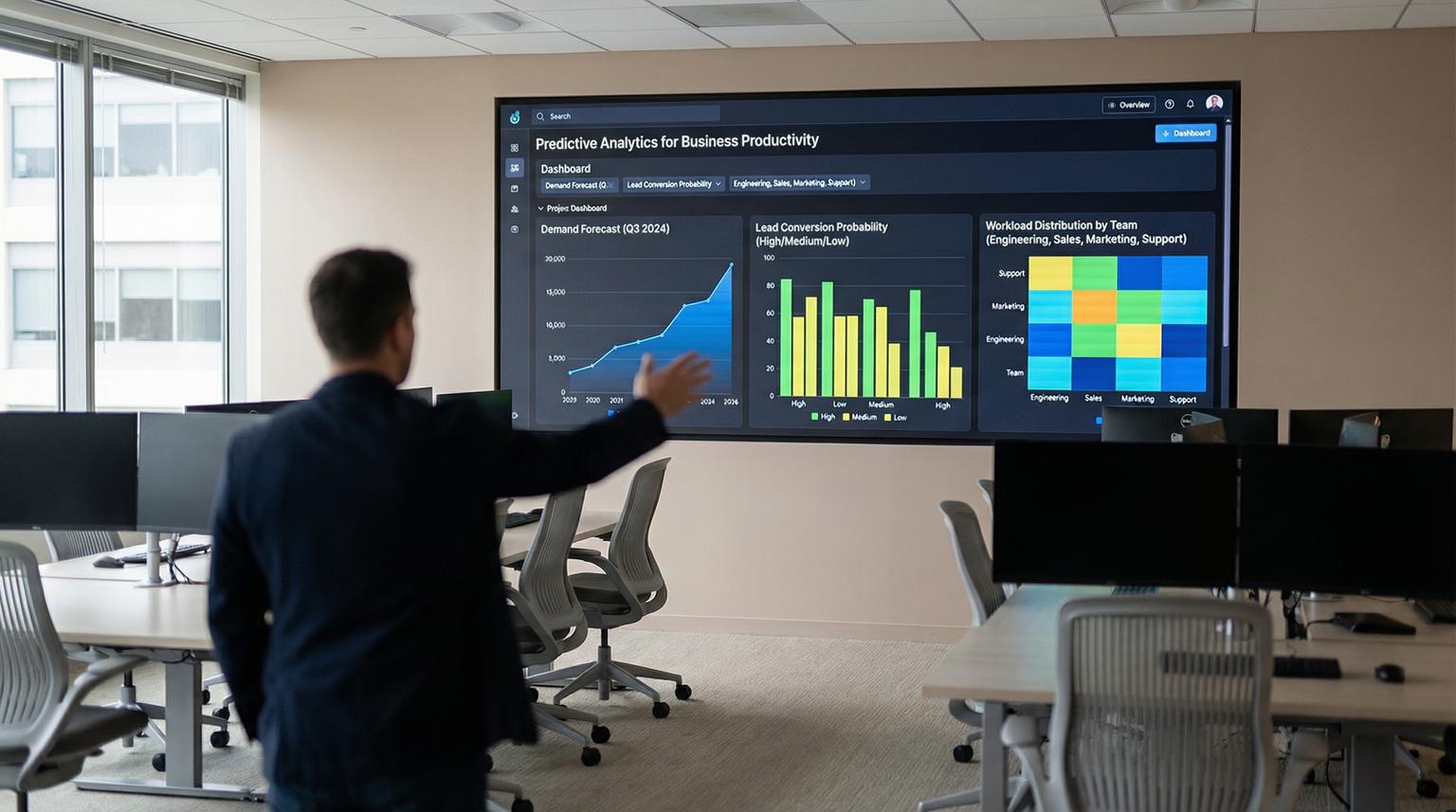
Most teams do not have a data problem, they have an action problem. Reports show what happened, but they do not reliably change what happens next. That is where predictive analytics for business productivity becomes practical, it turns historical patterns into next best actions that your automations can execute across sales, support and operations.
This article is for business owners, ops leaders and CRM teams who already run workflows in tools like n8n, Make or Zapier and want to make those workflows smarter. We will cover how to forecast workload, prioritize high impact tasks, reduce bottlenecks and route work automatically using predictive signals.
At a glance:
- Use forecasts to move from reactive queues to proactive staffing and outreach.
- Embed prediction outputs into n8n so workflows route leads, tickets and tasks automatically.
- Improve SLAs by anticipating support volume and scheduling the right work at the right time.
- Start small with one model output and one automated decision, then scale across teams.
Quick start
- Pick one measurable outcome: lead response time, backlog size, SLA breaches or forecasted support volume.
- Centralize the minimum data needed: timestamps, owner, stage, channel, outcome and workload units.
- Create a simple predictive signal: next 7 day volume forecast, lead conversion likelihood or ticket escalation risk.
- Expose predictions to automation: write to a table, webhook endpoint or CRM custom fields.
- Build an n8n workflow that uses the signal to route, schedule and personalize actions with guardrails.
- Monitor drift and impact weekly, then expand to the next workflow decision.
Predictive analytics improves productivity when it is wired into daily workflows, not when it lives in dashboards. By forecasting demand and scoring work items, you can automatically prioritize tasks, route leads and tickets to the right owners and trigger timely outreach. The result is fewer bottlenecks, better staffing decisions and more consistent SLAs because your systems act on what is likely to happen next.
What predictive analytics changes in day to day operations
Traditional reporting answers, "What happened?" Predictive signals answer, "What will likely happen, and what should we do now?" The productivity gain comes from reducing decision latency. Instead of waiting for a weekly meeting or a manager to notice a trend, the workflow reacts immediately.
In practice, predictive signals usually fall into three buckets:
- Volume forecasts: expected inbound tickets, chats, calls, orders or renewals by day and channel.
- Propensity scores: likelihood a lead converts, a customer churns or an invoice goes overdue.
- Risk and delay scores: likelihood a ticket breaches SLA, a project task slips or a handoff stalls.
Once you have one of these signals, you can automate decisions like:
- Which leads get immediate human follow up vs automated nurture.
- Which tickets are escalated, tagged or assigned to specialists.
- When to schedule outreach based on predicted reply windows or capacity.
- How to adjust staffing and calendars based on forecasted demand.
Common data sources that already exist in most companies
- CRM history: lead source, stage transitions, response times, outcomes and deal size.
- Email and marketing platforms: opens, clicks, sends, bounces and unsubscribe events.
- Support systems: ticket categories, first response time, resolution time and CSAT.
- Ops systems: order volume, fulfillment time, backlog counts and staffing schedules.
If you can export these as tables or access them via API, you can build prediction driven automations without rebuilding your stack. For broader patterns on connecting these tools into reliable workflows, see our overview of n8n automation use cases for lead routing, CRM sync and AI support triage.
Automation architecture: from historical data to proactive workflows
A reliable setup has four layers. Keeping these layers explicit prevents the common failure mode where a model exists but nobody trusts it or uses it.
1) Data capture and normalization
Unify identifiers and timestamps. For example, ensure every ticket and lead has consistent fields like created_at, first_response_at, owner_id, channel and outcome.
2) Prediction generation
This can be a time series forecast, a classification model or a rules plus ML hybrid. Some teams run predictions in their data warehouse. Others call a hosted model endpoint. For time series forecasting at scale some companies use in database forecasting capabilities such as AI.FORECAST to generate horizons directly from tables.
3) Decisioning and guardrails
Translate predictions into actions using thresholds, capacity checks and escalation rules. Guardrails matter more than model complexity.
4) Orchestration in n8n
n8n becomes the control plane. It pulls predictions on a schedule or trigger, enriches context from CRM and executes actions across email, Slack, ticketing and calendars.

Routing checklist for prediction driven workflows
Use this checklist when you turn any prediction into an automated routing rule, especially for leads and support tickets.
- Define the decision: assign owner, set priority, trigger outreach, schedule a task or escalate.
- Choose one primary signal: volume forecast, propensity score or risk score.
- Set a default path when the signal is missing or stale.
- Add capacity gates: do not assign more than N high priority items per owner per day.
- Use two thresholds: one for automation, one for human review.
- Log every decision with inputs and outputs for audit and debugging.
- Include a backoff rule to prevent repeated touches to the same contact.
- Define a rollback switch: disable actions while keeping data collection running.
- Sample outcomes weekly: compare predicted vs actual and adjust thresholds.
Practical n8n patterns for sales, support and operations
Below are implementation patterns we build for clients. Each pattern follows the same structure: generate or fetch a prediction, enrich with CRM context, then execute a workflow with guardrails. If you are still designing your broader automation stack, our guide on AI integration for business productivity with n8n and custom APIs walks through complementary patterns.
Pattern 1: Lead routing and outreach scheduling based on conversion likelihood
Goal: respond fast to the leads most likely to convert while keeping a consistent experience for everyone else.
- Trigger: new lead created in CRM or form submission webhook.
- Enrichment: fetch firmographics, source, campaign and prior touch history.
- Prediction: conversion score and best contact window.
- Actions:
- If score >= 0.75 and sales capacity available > assign to top rep, create task due in 15 minutes and send a personalized email.
- If score between 0.40 and 0.75 > assign to pooled queue and start a 3 step email sequence.
- If score < 0.40 > add to nurture list, request missing fields and delay sales task creation.
In n8n, this typically uses an IF node for thresholds, a rate limit node for capacity and CRM nodes to update owner and custom fields.
Pattern 2: Support volume forecasting -> staffing and SLA protection
Goal: prevent SLA breaches by anticipating spikes and adjusting schedules and triage rules before the queue explodes.
Contact centers and support teams already do workforce management, but the productivity win comes from connecting forecast changes to downstream actions. Some platforms now allow supervisors to adjust forecasts directly in the UI, reducing manual CSV cycles. For example, Amazon Connect added forecast editing and scheduling improvements that support faster capacity planning and recurring activities, see this overview.
- Trigger: daily scheduled run at 6am and an additional run when marketing launches a campaign.
- Prediction: next 7 day ticket volume by channel and category.
- Actions:
- If forecasted volume exceeds capacity > auto notify ops, create staffing tasks, open overtime slots and tighten triage thresholds.
- If forecasted volume drops > schedule training, documentation work or backlog cleanup as recurring activities.
- If specific category spikes > route those tickets to a specialist queue and pre load macros.
Pattern 3: Bottleneck prediction for operations handoffs
Goal: reduce stalled work by predicting which tasks will miss deadlines and intervening early.
- Trigger: task created or stage changed in project system or CRM pipeline.
- Prediction: delay risk based on historical cycle time by stage, assignee load and dependency count.
- Actions:
- If risk high > auto create a manager review task, request missing inputs and set a tighter internal due date.
- If risk medium > add to daily standup list and send a reminder with next steps.
- If risk low > proceed normally and avoid noisy alerts.

Example payload: passing predictions into CRM and n8n
A simple way to operationalize predictions is to store them as fields on the record that needs action. That makes them visible to humans and usable by automations. Here is an example payload ThinkBot commonly uses between a scoring service and n8n, then into a CRM update step.
{
"entity_type": "lead",
"entity_id": "crm_12345",
"scored_at": "2026-02-08T10:15:00Z",
"signals": {
"conversion_score": 0.82,
"predicted_days_to_close": 12,
"best_contact_window": "2026-02-08T14:00:00Z",
"data_quality_score": 0.91
},
"recommended_actions": [
{
"type": "assign_owner",
"value": "rep_007"
},
{
"type": "create_task",
"value": {
"title": "Call within 15 minutes",
"due_at": "2026-02-08T10:30:00Z"
}
},
{
"type": "send_email_template",
"value": "tmpl_fast_followup_a"
}
]
}
In n8n, you can validate scored_at freshness, enforce capacity rules and then execute recommended_actions only when your guardrails pass. If you need more background on designing these kinds of flows, our article on optimizing workflows with AI and n8n integrations covers patterns for monitoring and error handling.
Failure modes and mitigations for predictive workflow automation
Teams often hit a productivity dip when they introduce AI because the organization changes faster than the workflows and management practices around it. Research on AI adoption has described a short term decline followed by longer term gains when complementary investments like data infrastructure and workflow redesign are made, see this discussion. To flatten that dip, plan for these common failure modes.
- Failure mode: Predictions are stale or based on partial data. Mitigation: Add freshness checks, backfill jobs and a default routing path when signals are missing.
- Failure mode: Over automation creates customer spam or rep overload. Mitigation: Rate limits, contact frequency caps and per owner workload ceilings.
- Failure mode: Thresholds are arbitrary and never revisited. Mitigation: Weekly calibration using outcome sampling and simple threshold tuning before model changes.
- Failure mode: Model drift changes behavior silently. Mitigation: Monitor score distributions, alert on shifts and keep a rollback switch in n8n.
- Failure mode: No audit trail, teams stop trusting the system. Mitigation: Log inputs, score, decision and action results to a table or CRM notes.
- Failure mode: Sensitive data is sent to tools without governance. Mitigation: Minimize PII, use approved endpoints, restrict credentials and document data flows.
Implementation playbook: deploying predictive automations without disruption
If you want this to work in production, treat it like an ops rollout, not a data science experiment. Here is a lightweight playbook we use at ThinkBot.
Owners and roles
- Business owner: defines success metrics and approves guardrails.
- Ops lead: validates routing logic and exception handling.
- CRM admin: owns fields, pipelines, permissions and data hygiene.
- Automation engineer: builds n8n workflows, integrations and monitoring.
- Data or analytics owner: owns prediction jobs, evaluation and drift checks.
Rollout steps
- Define one decision: for example, "auto escalate tickets likely to breach SLA".
- Add observability first: log predictions and recommended actions without executing for 1 to 2 weeks.
- Enable limited execution: run on 10 to 20 percent of volume or one team.
- Review exceptions: identify false positives and missing data, then adjust thresholds and enrichment.
- Scale gradually: expand coverage and add secondary decisions after the first one is stable.
Monitoring and rollback
- Monitor: SLA breaches, response time, backlog size, conversion rate and opt out rates.
- Alerting: notify ops when score distributions shift or when action failures exceed a threshold.
- Rollback: a single config flag in n8n that disables outbound actions but keeps logging enabled.
If you want help designing and implementing these end to end workflows in n8n with CRM and email integrations, you can book a consultation with ThinkBot. We will map your data, pick the highest leverage decision points and ship automations that are observable and safe to scale. You can also explore how broader workflow automation fits into your stack in our guide to no-code automation platforms for CRM and AI customer service.
For teams that prefer vetted delivery through a marketplace, you can also review our track record on Upwork.
FAQ
Answers to common questions we hear when teams want to operationalize forecasting and prediction into automation.
What is predictive analytics for business productivity in practical terms?
It is the use of historical operational data to forecast demand or score work items so your systems can prioritize, route and schedule tasks automatically. The productivity gain comes from reducing manual triage and acting earlier on likely issues.
Do I need a full data warehouse to start?
No. Many teams start with CRM and support exports plus a small database table for predictions. The key is consistent identifiers and timestamps so n8n can join predictions to the right records and trigger actions.
How do you integrate predictions into n8n workflows?
We typically write predictions into CRM custom fields or a table, then n8n pulls them on a schedule or on record changes. The workflow applies guardrails like capacity checks and contact frequency caps, then updates owners, tasks, email sequences or ticket priority.
How can forecasting improve support SLAs?
Forecasts help you anticipate volume spikes by channel and category so you can adjust staffing, tighten triage rules and pre route tickets to specialists. This reduces first response delays and prevents SLA breaches during peak periods.
What should we automate first for the fastest ROI?
Start with one decision that has clear cost of delay, such as lead response prioritization or SLA breach prevention. Implement logging and a rollback switch, then expand to staffing schedules, renewals and operations bottlenecks once the first workflow is stable.
