
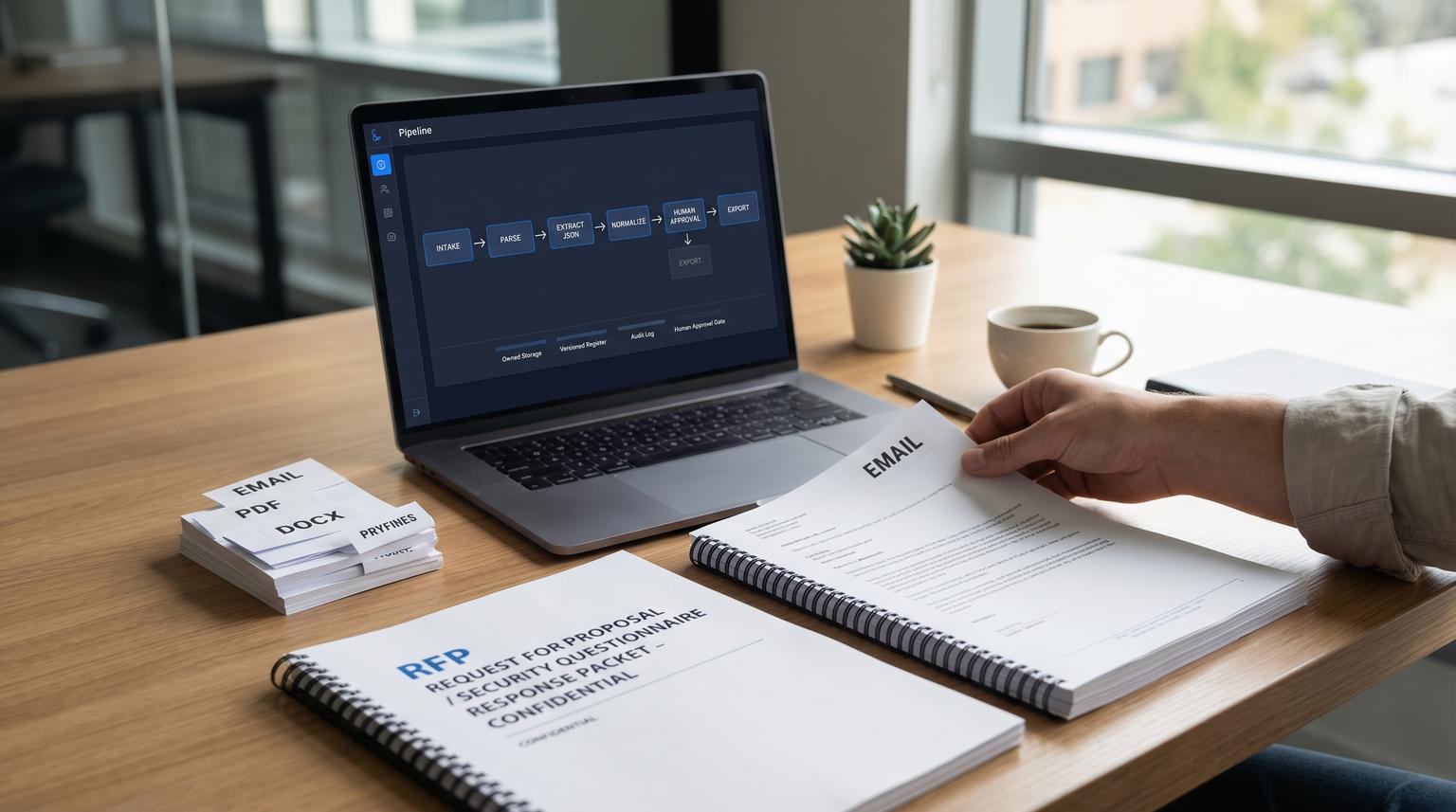
RFPs and security questionnaires rarely fail because your team lacks expertise. They fail because the workflow is not owned end to end: a messy inbound PDF or email thread becomes a half-tracked spreadsheet and someone misses a requirement. This implementation-focused article shows how to build data extraction and processing that reliably converts PDFs, DOCX and email threads into governed records with owners, due dates, citations and a mandatory human approval gate before anything is treated as a final response.
If you support sales, operations, security or delivery and you want faster turnaround without increasing risk this is for you.
Quick summary:
- Capture every inbound artifact into an owned, versioned store before parsing so nothing expires or gets lost.
- Extract questions and requirements into a requirements register with citations, confidence flags and required fields.
- Normalize, dedupe and categorize items then sync them to Airtable, Jira or Asana plus your CRM for pipeline visibility.
- Generate draft answers from an approved knowledge base but block sending until a human reviews and approves with an audit log.
Quick start
- Create a single intake path: monitored email inbox plus a web upload form that tags deal ID and due date.
- Persist email body and all attachments to owned storage immediately and record a document version.
- Run layout-aware parsing (tables and key value pairs) then extract strict JSON question records with citations.
- Normalize and dedupe into a requirements register then assign owner and SLA due date per item.
- Push clean items into your tracker (Airtable, Jira or Asana) and update your CRM stage with questionnaire status.
- Generate draft responses from an approved knowledge base then require human approval before exporting or sending.
To automate RFP and security questionnaire handling, treat each extracted question and each generated answer as a versioned record with source citations. Store the original files, parse them into structured items, normalize and assign ownership, then draft responses from an approved knowledge base. Nothing becomes final until a human reviewer approves it and your system writes an audit trail that captures the original extraction, the AI draft and the approved output.
Why this workflow is high stakes and where it breaks
Generic document automation advice usually stops at extraction. In RFPs and security questionnaires, the expensive failures happen after extraction:
- Missed questions hidden in tables, appendices or email replies.
- Broken traceability where nobody can point to the page and section that justified an answer.
- Unreviewed AI drafts that introduce legal, security or product claims you cannot support.
- Orphan tasks where work lives in Jira or Asana but the source register does not reflect reality.
The boundary that needs governance is: PDF or email thread to structured register to assigned tasks to draft answers to approved response artifacts. The playbook below is designed around that boundary. If you want a broader pattern library for building AI steps that behave like reliable workflow components, see our pillar guide on AI workflow automation playbooks with strict inputs/outputs and human-in-the-loop controls.
Intake design that prevents lost attachments and preserves evidence
Start with intake because it controls reliability and auditability later. A common real-world failure is relying on temporary attachment links from email triggers. Some workflow systems expose attachments behind signed URLs that expire. If your process includes delays, retries or human review queues you can end up with missing files when someone opens the review task hours later.
Recommended intake flow
- Trigger: inbound email to a dedicated address and optional web upload for large files.
- Immediate persistence: store raw email, attachments and extracted metadata to owned storage (S3, Azure Blob or Google Drive) within minutes.
- Versioning: create a DocumentVersion record for every inbound RFP, addendum and questionnaire revision.
- Idempotency: compute a stable key from message ID plus attachment hashes so replays do not create duplicates.

This pattern aligns with practical email trigger behavior described in email trigger docs where attachment URLs can be time-bound. The rule is simple: if you do not own the file reference you do not own the workflow.
Define the requirements register before you touch prompts
The fastest way to get consistent extraction and downstream routing is to define your system of record first. Think of it as a requirements register that your tasks and response artifacts point back to. This is the bridge between messy docs and a controlled process.
Minimum schema for RFP and questionnaire items
| Field | Type | Why it matters | Required |
|---|---|---|---|
| item_id | string | Stable identifier for dedupe and task sync | Yes |
| document_version_id | string | Ties item to a specific upload and addendum revision | Yes |
| item_type | enum | Question, requirement, evidence request, contractual clause | Yes |
| question_text | text | Single atomic unit that can be answered and reviewed | Yes |
| category | enum | Security, legal, pricing, architecture, support, privacy | Yes |
| control_domain | enum | Access control, logging, incident response, encryption and more | No |
| must_comply | boolean | Separates hard requirements from preferences | Yes |
| owner | user | Accountable reviewer and responder | Yes |
| due_date | date | Drives SLAs and reminders | Yes |
| source_citation | json | File name plus page plus section or table coordinates | Yes |
| extract_confidence | number | Routes low confidence and missing fields to human review | Yes |
| status | enum | New, in review, draft ready, approved, exported, blocked | Yes |
This register approach is consistent with the operational framing in requirements register workflows where ownership, due dates and change control are first-class.
Extraction pipeline from PDF, DOCX and email threads into strict JSON
You will usually need two layers: (1) layout-aware document parsing and (2) structured extraction into your canonical schema.
Step 1: Layout-aware parsing
- PDFs: prefer table-preserving parsing. Naive text extraction often destroys table structure where many questionnaires live.
- DOCX and XLSX: parse with a tool that preserves headings, tables and checkbox selection marks.
- Email threads: store the raw email and parse it into message segments so you can capture inline questions and clarifications.
If you build in n8n, a practical pattern is email trigger to attachment download to a structure-preserving parse step, similar to the approach described in n8n PDF extraction workflows. For document models, capabilities like key value pairs, tables and selection marks are covered in general document extraction notes. Whatever provider you choose, pin model and API versions so a silent upgrade does not change your output shape.
Step 2: Strict JSON extraction with citations
Convert the parsed output into records using a strict schema. Your extractor should output one record per atomic question or requirement, each with a citation and a confidence score. When an item is found without enough metadata, keep it as a record and flag it. Do not drop it.
Example JSON output shape
{
"item_id": "rfp-2026-0410-00087-q-013",
"document_version_id": "docv_9d3b1c",
"item_type": "question",
"question_text": "Do you support customer-managed encryption keys (CMEK) for data at rest?",
"category": "security",
"control_domain": "encryption",
"must_comply": true,
"evidence_needed": ["SOC 2 report", "architecture diagram", "KMS policy excerpt"],
"referenced_standards": ["SOC 2", "ISO 27001"],
"source_citation": {
"file": "Customer_Security_Questionnaire.pdf",
"page": 7,
"section": "Encryption",
"snippet": "Customer-managed keys..."
},
"extract_confidence": 0.86,
"flags": ["needs_owner", "needs_due_date"],
"status": "new"
}
Normalization, dedupe and task creation that does not explode your tracker
After extraction, you want clean and stable records that sync well with Jira, Asana or Airtable and your CRM. If you also need a proven pattern for validation, deduplication and reliable upserts into CRMs and trackers, the checklist in this n8n workflow blueprint for structured automation and dedupe maps closely to the same control points.

Normalization rules that reduce drift
- Canonical categories: map variants like "InfoSec" and "Security" to one controlled value.
- Owner mapping: route by category plus account tier. Example: privacy goes to legal unless the deal is enterprise then also notify security.
- Due dates: derive from overall submission deadline minus buffer based on category. Security items often need the largest buffer.
- Deduping: use a similarity check on question_text plus referenced standards and keep the most recent citation. Preserve both items when the wording differs materially.
A common mistake is creating one Jira ticket per low-risk clause. Your tracker becomes noisy and people stop using it. A better rule: keep the requirements register as the system of record and create execution tickets as work packages. Example: one Jira ticket for "Security questionnaire completion" linked to 40 register items, plus separate tickets only for items that require engineering work or new evidence.
Sync targets
- Requirements register: Airtable or a database table for stable records and audit logs.
- Execution layer: Jira or Asana for work that needs action beyond drafting text.
- CRM visibility: update deal fields such as "Questionnaire status", "Response due date" and "Risk blockers" so sales can forecast accurately.
Human-in-the-loop approval with an audit trail
This is the non-negotiable control. You need one review path for extraction quality and a separate approval path for generated responses. Both must write to an immutable audit log. For a similar audit-ready pattern applied to financial documents, see invoice data extraction with human approval gates.
When to require review
- Low confidence fields: below threshold for category critical fields like must_comply or due_date.
- Missing required fields: no citation, no owner, no due date or keys detected without values.
- Sampling: review a percentage of documents even when confidence is high to catch drift and regressions.
The practical pattern is to store the original extraction output, the human edits and the final approved values together. This aligns with the human review loop approach used for critical documents in human review workflow designs.
Audit log record you should store for every item
- document_version_id, item_id and timestamps
- original parsed text hash and source_citation
- extractor output JSON and confidence values
- reviewer identity, review notes and corrected fields
- response draft version ID, approver identity and approval decision
- export events: when it was pushed to a PDF response, portal upload or emailed submission
Decision rule: if you cannot reconstruct who approved what, based on which source snippet, you do not have a scalable process. You have a series of guesses.
AI-assisted draft responses that stay within policy
Drafting can save time but only when it is grounded in approved content. The safest approach is retrieval from an internal knowledge base of pre-approved answers, evidence links and product facts then generating a draft that includes citations back to that knowledge base.
Recommended response drafting flow
- Input: approved question record plus its category and risk level.
- Retrieve: matching approved answer blocks (security posture, data retention, encryption, incident response, access control).
- Generate: a draft answer that includes referenced internal sources and a short evidence checklist.
- Mandatory approval: human approver signs off item by item or in batches with captured identity and timestamp.
- Export: write back to the register and generate response artifacts (spreadsheet, portal-ready CSV or narrative doc) only after approval.
Tradeoff: stricter knowledge base constraints reduce creative drafting but significantly lower the risk of incorrect claims. In high-stakes deals, prefer consistency and defensibility over novelty.
Failure modes to expect and how to mitigate them
- Addenda and revisions overwrite prior work: mitigate by versioning documents, re-ingesting addenda and marking impacted items for re-validation rather than editing in place.
- Parser loses table structure: mitigate by using layout-aware parsing and validating that table row counts match expectations for known templates.
- Attachment links expire mid-run: mitigate by persisting attachments to owned storage at intake then reference stable URLs only.
- Duplicate items flood the tracker: mitigate by hashing normalized question_text and using an idempotent upsert into the register before creating tasks.
- Approvals happen in chat not in the system: mitigate by blocking exports until the approval field is set and logging approval events automatically.
Rollout plan for a team that needs results this quarter
A phased rollout prevents disruption while you build trust in the workflow.
Phase 1: Intake plus register (week 1 to 2)
- Owners: RevOps or Sales Ops owns intake tags. Security and legal define categories and required fields.
- Deliverable: stable document storage, versioning and a register table with required fields and validation.
- Success check: every new inbound document creates a DocumentVersion record within 5 minutes.
Phase 2: Extraction plus review queue (week 2 to 4)
- Owners: Automation owner builds parse and extraction. Security lead sets confidence thresholds and sampling rules.
- Deliverable: review UI or review task workflow that captures corrections and writes audit logs.
- Rollback: if extraction quality drops, route all items to manual review while you adjust parsing and normalization.
Phase 3: Draft responses plus approvals and exports (week 4 to 6)
- Owners: Content owner curates approved answer blocks. Approvers are named for security, legal and product.
- Deliverable: draft response generation that cannot be exported until approved.
- Success check: reduced turnaround time without an increase in redlines from customers.
This approach is not the best fit if you only handle a few small questionnaires per year and they are low risk. In that scenario, a simpler checklist and manual tracking may be more cost-effective than building an automated pipeline with review gates.
Want ThinkBot Agency to build this workflow inside your stack? We implement governed RFP and security questionnaire automation in tools like n8n with CRM and tracker sync and audit-ready human approval. Book a consultation to map your current process and design the first production version.
If you want to see the kinds of automation systems we ship, you can also review our portfolio.
FAQ
How do you keep an audit trail for both extraction and generated answers?
Store a versioned record for every item that includes the original file reference, page and section citation, the extractor output, any human corrections, the AI draft answer and the human approval event with identity and timestamp. Exports should write a final event so you can reconstruct what was submitted and when.
What should trigger human review in a questionnaire automation workflow?
Trigger review when required fields are missing, when confidence drops below thresholds for critical fields, when keys are detected without values and on a sampling basis for quality monitoring. You should also require approval before exporting any generated response.
Can this work for DOCX and Excel questionnaires not just PDFs?
Yes. The intake and register design stays the same. The extraction layer changes to a parser that preserves tables, checkboxes and key value pairs from Office files. You still normalize into the same canonical schema and enforce the same approval gate. For a closely related implementation pattern that extracts structured fields from complex PDFs and syncs governed records, see automating data processing with AI for contract PDFs into clean CRM records.
How do you prevent Jira or Asana from filling with hundreds of micro-tasks?
Keep the requirements register as the system of record and create tracker tasks as grouped work packages. Only create individual execution tickets for items that require engineering changes, new evidence or cross-team work. Link tasks back to the register items for traceability.
