
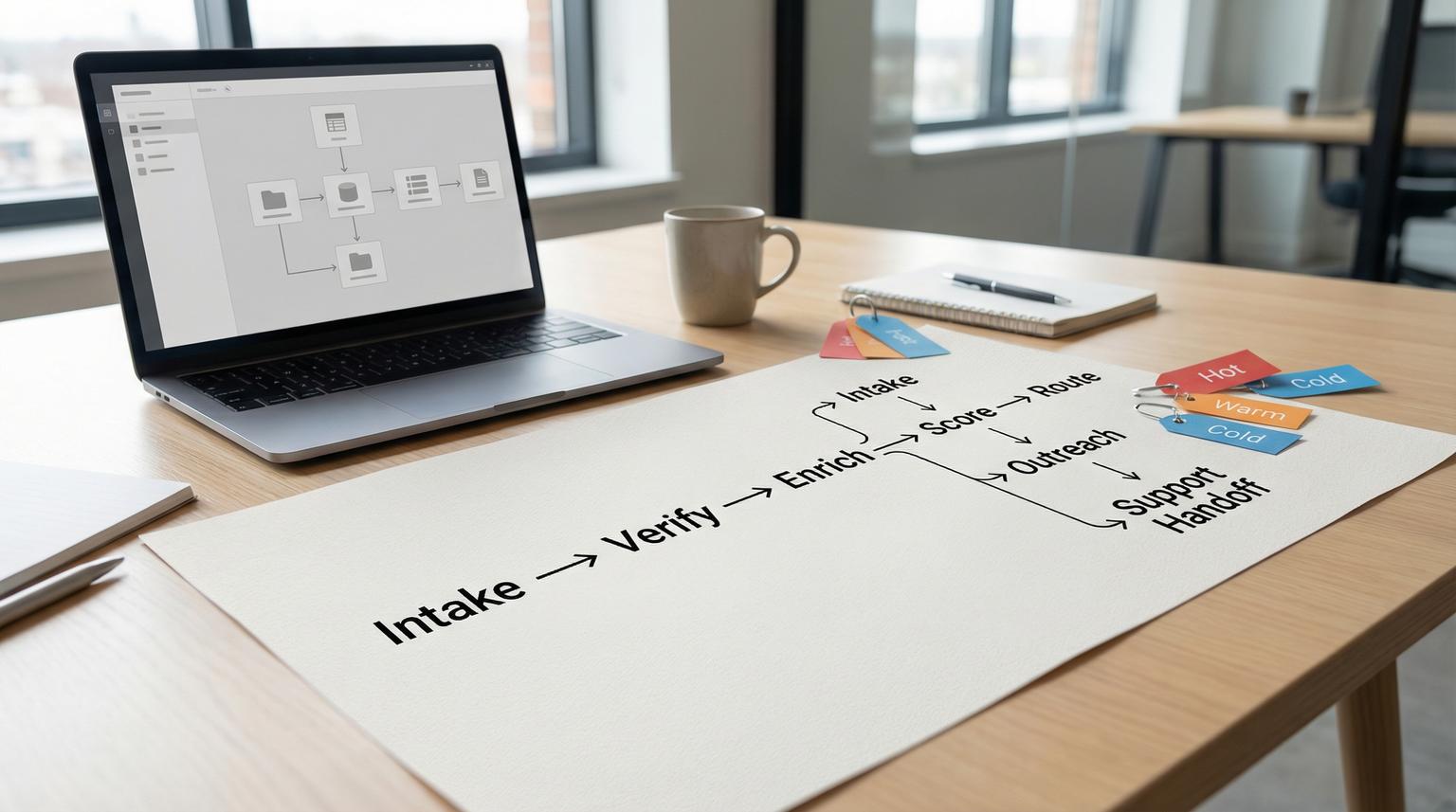
Leads rarely fail because your team cannot sell, they fail because the handoffs are slow and inconsistent. In 2026 most teams have a form, a chat widget, ad leads, a CRM, an email tool and a support inbox. The gap is the glue. This guide shows workflow automation using n8n to capture and qualify leads with AI, clean and dedupe records in your CRM, launch personalized outreach and trigger the right support handoffs without writing code.
This is written for ops managers, founders and marketing or CRM teams who want a reliable lead-to-customer system that logs every touchpoint and prevents missed follow-ups.
Quick summary:
- Capture leads from forms, chat and ads into one event-driven intake flow.
- Verify, enrich and score leads before routing to sales or nurture.
- Use a create-or-update CRM pattern to keep fields clean and avoid duplicates.
- Automate personalized email sequences, tasks and Slack or Teams alerts by score and stage.
- Sync key lifecycle updates and trigger support handoffs when replies show intent or issues.
Quick start
- Create one intake workflow with a Webhook trigger, normalize fields and enforce required data (email, source, consent).
- Add email verification first, then firmographic enrichment and AI scoring, then route using score tiers (Cold, Warm, Hot).
- Implement CRM deduplication by searching contacts by email and then create or update.
- Start outreach: send a tailored first email, enroll in a sequence and create a sales task with due dates and ownership.
- Add reply monitoring to detect intent or problems, then open a ticket or hand off to support with context.
An end-to-end n8n lead-to-customer pipeline works by treating every new lead and every reply as an event. n8n captures the event, cleans and enriches the data, calculates a score, then routes actions across your CRM, email and support tools. With a search-then-create/update CRM pattern, consistent field mapping and automated notifications, you reduce manual follow-ups and shorten the time from first contact to booked meetings.
Why lead-to-customer automation breaks in real teams
Most organizations already have the ingredients, but the process still leaks revenue. We usually see the same operational failure points:
- Fragmented intake: web forms go to email, chat goes to Slack, ads go to a spreadsheet, none share a consistent schema.
- Dirty fields: country, company name, job title and phone come in inconsistent formats.
- Duplicates: the same person submits twice, uses a different case in their email, or re-enters later via chat.
- Slow response: high intent leads wait behind low quality inquiries because no triage exists.
- Lost context: sales sees partial info and support never sees what was promised in the first emails.
n8n is a strong fit because it can orchestrate APIs, apply branching logic, call AI models and log outcomes, all while staying flexible enough to match your stack. If you are still deciding on tooling, see our Zapier vs. n8n comparison for business automation for scalability and data control tradeoffs.
Reference architecture: an event-driven pipeline in n8n
Think of your pipeline as a set of small stages that react to events rather than one giant workflow that tries to do everything. This style reduces coupling and makes retries and monitoring easier. The pattern maps well to event-driven architecture concepts where triggers represent state changes and downstream actions react asynchronously. If you want the deeper architecture framing you can skim event-driven guidance and apply it pragmatically inside n8n.
Core events to model
- New lead created: form submission, chat capture, inbound email, ad lead.
- Lead enriched: firmographic lookup completed, email verified.
- Lead scored: AI or rules-based score generated, tier assigned.
- Outreach sent: first email sent, sequence step executed, meeting link delivered.
- Reply received: classify intent, update CRM stage, notify or hand off.
- Support needed: create ticket, attach context, assign priority and owner.
Suggested workflow segmentation
- Workflow 1, Intake and qualification: capture, normalize, verify, enrich, score, route to CRM and notifications.
- Workflow 2, Outreach and follow-up: create tasks, enroll sequences, send personalized messages.
- Workflow 3, Reply and support handoff: watch inbox, classify reply, update CRM and create ticket when needed.
- Workflow 4, Sync and audit trail: keep lifecycle fields consistent between CRM, email platform and support tool.

Implementation playbook: roles, monitoring and rollback
Use this playbook when you want to move from a prototype to an operational pipeline that your team trusts. For a reusable, production-grade structure you can standardize across teams, use the framework in The n8n Workflow Operating System: A Reusable Framework for Production Automations Across Teams.
Owners and responsibilities
- Ops owner: defines field schema, lead stages, SLA and routing rules.
- Marketing owner: owns form and ad mappings, consent capture and nurture copy.
- Sales owner: owns scoring thresholds, task definitions and meeting routing.
- Support owner: defines what triggers a ticket, priority mapping and handoff notes.
- Automation builder (ThinkBot Agency or internal): builds n8n flows, credentials, retries, logging and tests.
Minimum monitoring to add on day one
- Alert when intake workflow errors exceed a threshold in a rolling window.
- Log every lead event with a unique correlation ID (lead_id) and timestamp.
- Track time-to-first-touch for Hot tier leads.
- Track dedupe outcomes: created vs updated vs rejected.
- Track enrichment and AI cost drivers: API calls per lead and failure rates.
Rollback plan that avoids downtime
- Keep a manual fallback: send leads to a shared inbox and a simple CSV export.
- Feature-flag risky steps: enrichment, AI scoring and auto-enrollment in sequences.
- Version your workflows and disable only the failing branch, not the entire intake.
- Store raw intake payloads so you can replay them after a fix.
How do you capture, enrich and score leads without code in n8n?
The intake workflow is where most leverage lives. The highest ROI change is to verify and qualify before humans are involved, then send clean, deduped records into your CRM.
Step 1: Capture from forms, chat and ads
Common intake nodes include Webhook, Typeform, Jotform, Facebook Lead Ads, or a chat platform webhook. Even if you use multiple triggers, normalize them into a single internal schema immediately:
- Trim whitespace, lowercase email, parse names.
- Map source and campaign fields into consistent properties (utm_source, utm_campaign).
- Attach consent fields (opt_in, timestamp) if email outreach will follow.
Step 2: Verify email early to reduce cost and noise
Email verification prevents wasting enrichment credits and keeps your CRM cleaner. A common pattern is to validate email deliverability before scoring. The n8n community has a good example of this flow using Hunter and a scoring provider, including a practical JSON path to check scoring results. You can review the pattern lead scoring and adapt it to your tools.
Step 3: Enrich firmographics and compute a score
Enrichment can be as simple as company name normalization and domain extraction or as advanced as firmographic lookup. Then score using a mix of:
- Rules: points for business email, phone present, ICP industries, employee count range.
- AI classification: detect spam, intent and urgency from free text fields or chat transcripts.
- Hybrid: AI returns structured flags and your rules produce the final tier.
Several n8n templates follow the approach of having AI return a compact JSON object such as is_spam and lead_score, then routing with IF and Switch nodes. That pattern is easy to implement and audit.
Step 4: Route by tier to reduce team noise
- Hot: immediate Slack or Teams alert, create sales task, send personalized email now.
- Warm: enroll in a tailored sequence, create a task within 24 hours.
- Cold: add to nurture list, log to CRM with minimal notifications.
- Spam: log and stop, optionally add suppression.
Example payload and scoring output
Keep a stable internal object so downstream steps do not depend on the original form shape:
{
"lead": {
"email": "[email protected]",
"first_name": "Jane",
"last_name": "Doe",
"company": "Example Inc",
"domain": "example.com",
"source": "typeform",
"message": "Looking for CRM automation and faster support triage"
},
"enrichment": {
"industry": "SaaS",
"employee_range": "51-200",
"country": "US"
},
"qualification": {
"is_spam": false,
"lead_score": 72,
"tier": "Hot",
"signals": ["business_intent", "mentions_crm", "mentions_support"]
},
"audit": {
"lead_id": "lead_2026_02_26_00123",
"received_at": "2026-02-26T10:15:00Z"
}
}
CRM deduplication and clean field mapping pattern
The most reliable CRM automation is not a blind create. It is a search-then-create/update pattern using email as the unique key. n8n has a practical template that demonstrates this with Typeform and HubSpot, including a customizable scoring step and Slack alerts. You can use the same logic in HubSpot, Pipedrive, Salesforce or any CRM with a search endpoint. The template is a useful reference for deduplication behavior.

Create-or-update logic
- Search contact by normalized email.
- If found, update only the fields you trust from this source and append audit notes.
- If not found, create a new contact with required fields and a consistent source tag.
Field hygiene rules that prevent downstream chaos
- Standardize country, state and phone formatting before CRM write.
- Store raw source payload in a note field or external log for traceability.
- Write lead tier and score to dedicated properties so sales can filter easily.
- Never overwrite owner, lifecycle stage or existing notes unless your process says so.
Automate personalized outreach, tasks and team notifications
Once your CRM record is clean, outreach becomes predictable. The goal is not to spam, it is to respond faster with the right context and to create tasks that reflect actual next steps. For a deeper end-to-end blueprint that expands lead intake into follow-ups and clean sync, see Automating CRM Workflows with n8n: Lead Capture, Deal Updates, Follow-Ups, and Clean Two-Way Sync.
Email actions that work well in automation
- First response: a short message acknowledging the request with one clear CTA (usually booking).
- Sequence enrollment: add the lead to a segmented sequence based on tier, use-case or industry.
- Personalization tokens: company name, use-case detected by AI, suggested next step.
- Throttle and quiet hours: avoid sending outside business hours for your target region.
Sales task creation
- Hot: task due in 15 minutes with a call script and the top signals.
- Warm: task due next business day with recommended follow-up angle.
- Cold: no task, place into nurture unless they later engage.
Slack or Teams notifications that reduce back-and-forth
- Include lead name, email, company, score, tier and key signals.
- Include the CRM record link if available.
- Send to different channels by tier to prevent alert fatigue.
If you want a second pair of eyes on your routing rules and data model, you can book a consultation with ThinkBot Agency. We will help you map your actual funnel and implement it cleanly in n8n with the right guardrails.
Sync CRM, email and support so every touchpoint is logged
A lead-to-customer pipeline is not done after the first email. The real value comes from keeping systems consistent as the lead becomes a customer and later becomes a support user. If you also want to unify data across systems with a canonical profile and idempotent sync patterns, read API Integration Solutions That Unify CRM, Email, and Support Data Using Custom n8n Workflows.
Decide your sync model: one-way or two-way
For many teams, one-way sync is safest: the CRM is the source of truth for lifecycle and ownership, while email and support systems write back only selected events. When you do need bi-directional sync, define conflict rules explicitly. n8n explains the one-way vs two-way decision clearly and shows how the Merge node can compare datasets using a shared key like email. This is a helpful reference for sync design.
What to log and where
- In CRM: lead source, score, tier, last touch date, meeting booked, lifecycle stage.
- In email platform: sequence enrollment, step outcomes, reply events.
- In support tool: tickets created, severity, product area and resolution notes.
- In a lightweight audit store: execution ID, lead_id, timestamps, errors and external IDs.
Reply handling and support handoffs
Set up a reply monitoring workflow that watches your shared sales inbox or email provider webhooks. When a reply arrives:
- Use AI to classify intent: booking intent, pricing, objection, support issue or spam.
- If it is a support issue, create a ticket and attach the full context: original lead message, enrichment data and what sales has already promised.
- If it is booking intent, update stage, notify the owner and send a meeting link or scheduling step.
- Always write the outcome back to CRM so reporting is accurate.
Failure modes and mitigations for reliable automations
Automation is only valuable when it is dependable. Use the list below when you QA your pipeline or when you notice the team losing trust in the system.
Common failure modes and mitigations
- Missing or malformed email breaks dedupe -> Validate required fields early, normalize email casing and block writes when email is empty.
- Email verification or enrichment APIs hit quota -> Add rate limiting, retries with backoff and a low-cost fallback path that still logs the lead.
- AI output is not valid JSON -> Force the prompt to return strict keys, add a JSON parse check and route parse failures to a review queue.
- Overwriting CRM ownership or stage -> Use explicit field allowlists for updates and separate human-owned fields from intake-owned fields.
- Notification spam reduces adoption -> Gate notifications to Warm and Hot, use separate channels and include only actionable details.
- Silent failures cause missed leads -> Add error alerts to an ops channel and log every execution with a correlation ID.
FAQ
What is workflow automation using n8n for lead-to-customer pipelines?
It is the practice of using n8n workflows to connect lead sources to your CRM, email and support tools so leads are captured, cleaned, enriched, scored and routed automatically. The best implementations also log every touchpoint and update lifecycle stages as prospects reply and convert.
Do I need code to build an AI lead scoring workflow in n8n?
No. You can use no-code nodes for webhooks, routing and API calls and you can use an AI node to return structured outputs like is_spam and lead_score. Some teams add a small Function node for scoring logic, but it is optional.
How do you prevent duplicate contacts when pushing leads into a CRM?
Use a search-then-create/update pattern keyed on normalized email. If the contact exists, update only approved fields. If not, create a new record and store source and audit metadata so future submissions are easy to reconcile.
Can n8n connect CRM updates with email sequences and support ticketing?
Yes. You can trigger outreach when a contact enters a specific stage, create tasks for sales and then monitor replies. If a reply contains support intent or an issue, n8n can create a ticket and attach the context back to the CRM record.
Can ThinkBot Agency implement this end-to-end in our stack?
Yes. ThinkBot Agency builds custom n8n automations including CRM and email integrations, API connections and AI-driven routing for sales and support. We scope the workflow, implement guardrails and monitoring and document the system so your team can operate it confidently.
