
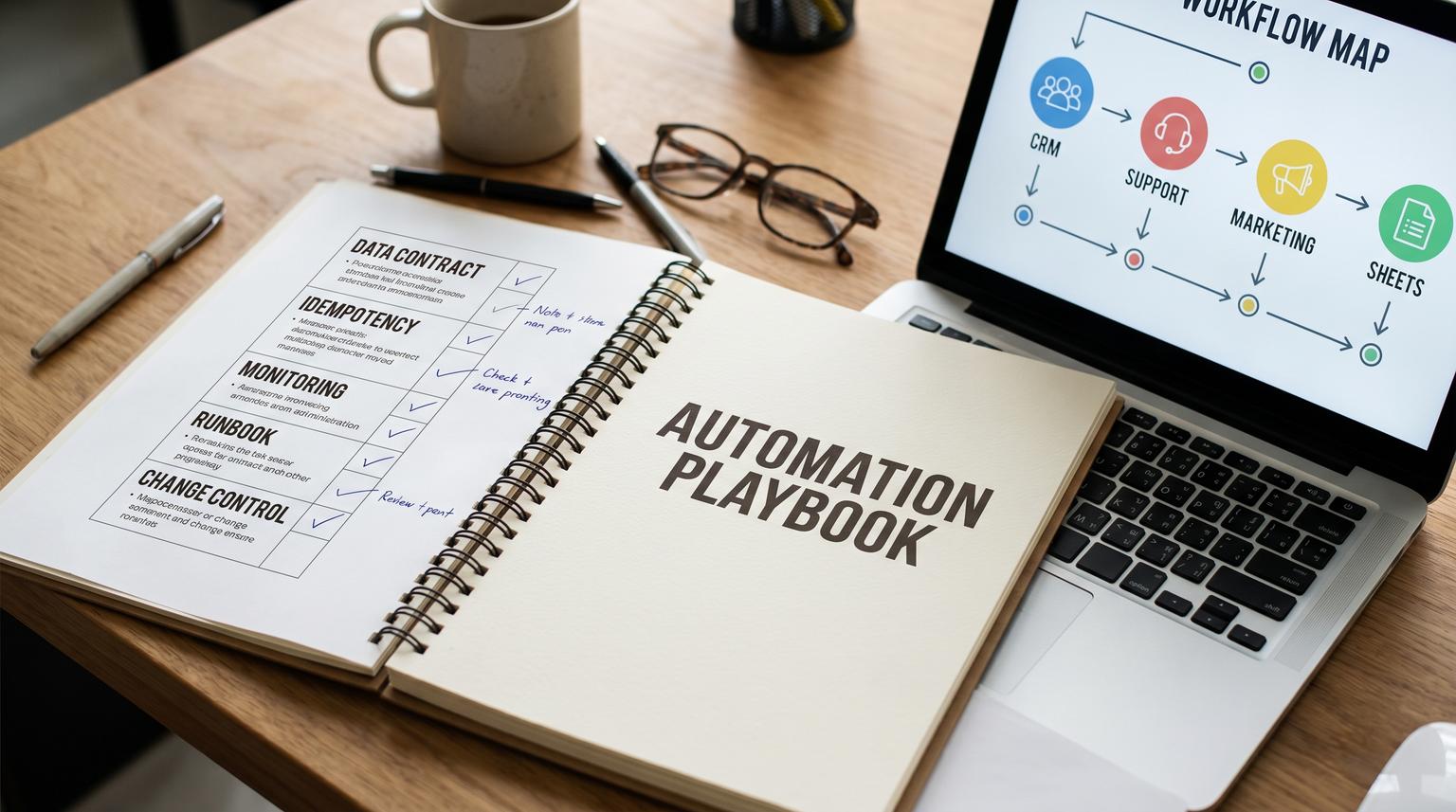
Zapier is often introduced as a quick way to connect apps, but it becomes truly valuable when you treat it like an automation layer that sits across your business. This Zapier automation playbook is a practical guide to designing repeatable workflows, governing them safely in production and scaling them across multiple teams without creating duplicates, broken handoffs, or a maze of unowned Zaps.
This pillar is for ops leaders, RevOps and marketing ops teams, support leaders, and technical founders who want a method to go from manual process -> standardized data movement -> reliable automation, while knowing when to graduate from Zaps to a more robust workflow engine, a custom API integration, or an AI-assisted layer.
At a glance:
- Use a discovery and ROI triage step to pick the right processes before building.
- Design Zaps with a standard structure: ingest -> normalize -> validate -> route -> write -> notify -> log.
- Reduce duplicates and brittle mapping with idempotency keys, find-or-create patterns, and shared normalization.
- Scale across teams with modular components (Sub-Zaps), naming conventions, folders, roles, and audits.
- Operate Zaps like production systems: monitoring, runbooks, safe rollout, rollback and change control.
Quick start
- Inventory your top 10 manual processes and score them for frequency, handling time, error rate and risk.
- Pick 1-2 workflows per function (RevOps, support, marketing ops, back office) and define success metrics and a baseline.
- Write a simple data contract: required fields, primary key, allowed status values, source of truth and write ownership.
- Build a draft Zap with early normalization (Formatter) and validation (Filters), then add routing (Paths) only when needed.
- Make downstream writes safe: upsert/find-or-create, dedupe ledger and clear retry behavior.
- Add operational controls: error handling, alerting, task monitoring, and a runbook for replay and containment.
- Standardize governance: naming convention, folder structure, ownership metadata and a quarterly audit cadence.
- Define escalation triggers for moving from Zapier to n8n/Make or a custom integration for higher-risk or higher-volume flows.
A scalable Zapier program starts with a repeatable build framework and an operating model, not one-off Zaps. Standardize how you choose triggers, normalize data and handle branching, then add reliability controls like idempotency, error handlers, task monitoring and change control. When volume, payload complexity, statefulness, or compliance risk exceeds Zapier's sweet spot, upgrade the workflow to a stronger engine or a custom API integration.
Table of contents
- Why most Zap programs break at scale
- Opportunity discovery and ROI triage for automation candidates
- A repeatable framework for turning a manual process into a Zap
- Choosing the right building blocks: Filters, Paths, webhooks, code and Sub-Zaps
- Data movement standards: normalization, keys, and source of truth
- Use-case families you can reuse across tool stacks
- Production reliability in Zapier: errors, retries, and monitoring
- Risk and guardrails for webhook-driven and high-impact Zaps
- Governance for multi-team environments: permissions, ownership, audits
- When to upgrade beyond Zapier (n8n/Make, custom API, AI layer)
- How ThinkBot Agency helps teams design and scale Zapier
Why most Zap programs break at scale
Zapier works extremely well for cross-app automation, but teams tend to scale it organically: someone builds a Zap to solve an urgent handoff, then another team copies it, then small changes accumulate. Six months later you have duplicated logic, inconsistent field mapping and no one knows which Zap is authoritative.
The failure modes are predictable:
- Fragmented process ownership: no single person owns the business outcome end-to-end.
- Inconsistent data contracts: required fields and picklist values differ by source, so downstream systems drift.
- Uncontrolled retries and duplicates: upstream systems retry webhooks, and Zaps re-create records.
- No operational baseline: task volume, error rate, and run status trends are not monitored.
- Governance gaps: Zaps live in private folders, with unclear permissions and no change control.
If you want automation to be durable, treat Zapier as part of your operating system. We cover foundational patterns in core automation and expand here into a full program design you can reuse across teams.
Opportunity discovery and ROI triage for automation candidates
Start with a top-down view of your automation opportunity, then prioritize based on measurable business impact. McKinsey highlights that automation programs often stall when they focus only on small proofs-of-concept that are not connected to a broader assessment and governance model, which leads to limited and non-durable value (McKinsey).
In practice, you want a simple triage that balances ROI and risk, so teams do not automate the wrong thing quickly.
Automation ROI triage scorecard (template)
Use this checklist when deciding whether a workflow should become a Zap, a governed Zap, or a custom integration.
- Process name and business owner
- Frequency (runs/week)
- Average handling time (minutes)
- Error or rework rate (percent)
- Business impact if delayed (low/med/high)
- Data sensitivity (none/internal/PII/regulated)
- Systems touched (count) and key decisions (count)
- Automation feasibility (native integrations, APIs, webhooks, data structure quality)
- Expected benefits (cycle time reduction, SLA improvement, fewer handoffs)
- Risk rating and required controls (approvals, logging, fallbacks)
- Recommended path: Zapier quick win / Zapier with governance / custom integration
- Success metric and baseline date

For enterprise-scale considerations, align this scorecard with your broader governance approach, as outlined in scale and ROI.
A repeatable framework for turning a manual process into a Zap
Most high-performing Zaps follow the same structure, even when they connect different apps. The key is separating ingestion, normalization and validation from the action that creates irreversible side effects.
The build framework: ingest -> normalize -> validate -> route -> write -> notify -> log
- Ingest: pick one clear trigger per Zap, and avoid having multiple sources write directly into the same destination without standardization.
- Normalize: create a canonical representation of the record (names, enums, dates, IDs).
- Validate: enforce minimum viable fields and business rules early to reduce wasted tasks.
- Route: branch only when multiple valid outcomes exist.
- Write: use find-or-create/upsert patterns to prevent duplicates.
- Notify: only alert on meaningful events (failures, high-value changes, approvals), not every run.
- Log: write decisions and key IDs to a log table for auditing and replay.
This mirrors common Zapier patterns like putting Filters early to prevent unnecessary downstream steps, which Zapier recommends as a way to keep workflows focused and reduce wasted tasks (Zapier).
Define the data contract before you build
Before you connect apps, document:
- Primary key (email, external_id, ticket_id)
- Source of truth (which system owns which fields)
- Write ownership (which automation is allowed to create vs update)
- Required fields and allowed values for picklists
If you are fighting duplicates or drift, start with a clear system-of-record decision. We go deeper on this in source of truth.
Choosing the right building blocks: Filters, Paths, webhooks, code and Sub-Zaps
Zapier gives you multiple primitives. The skill is picking the simplest one that meets the requirement, then standardizing how teams use it.
Formatter as your normalization layer
Use Formatter whenever the source field format does not match the destination requirement, and standardize outputs so every downstream step uses the normalized fields. Zapier notes that Formatter is built for transforming text and numbers and that these steps do not count toward task usage, which matters for cost and governance (Zapier).
Build a normalization convention like: normalized_email, normalized_phone, canonical_status, iso_created_at.
Filters for validation and task control
Filters are a go/no-go gate. They are best for stopping a Zap when required fields are missing or when a record does not meet your criteria. Place filters early so you do not pay for expensive downstream actions and you avoid partial writes (Zapier).
Paths for routing, not validation
Paths are for branching when multiple outcomes are valid, like routing tickets into billing vs bugs vs general, or routing leads based on region or segment. If you are using Paths to check if a field exists, you probably want a Filter instead.
Webhooks for interoperability and edge cases
Use Webhooks by Zapier when an app lacks a native integration, when you need to post JSON to an API or when you need to receive external events. Zapier's webhook docs highlight that you can catch hooks, post payloads as form or JSON and debug by inspecting payloads, but Zapier webhooks do not support custom responses and will return success even if no Zap is behind the hook, so do not use them for strict handshake requirements (Zapier).
Sub-Zaps as shared utilities across teams
When you see the same 5-10 steps repeated across multiple Zaps (for example normalize lead data -> dedupe -> create/update in CRM -> return crm_id), move that logic into a Sub-Zap and have parent Zaps call it. Zapier describes Sub-Zaps as reusable step sequences invoked from other Zaps, with a defined Input/Argument List acting as a contract (Zapier).
This is one of the cleanest ways to scale consistency across teams, but it increases blast radius. Treat Sub-Zaps like internal libraries with change control.
Code steps for focused transforms, not hidden business logic
Code steps can be useful for small transforms, hashing an idempotency key, or reshaping payloads for an API. Avoid burying business rules in code unless you also document and test them, otherwise only the original builder can maintain the Zap.
Data movement standards: normalization, keys, and source of truth
Scaling Zaps across teams is mostly a data problem. If you standardize identity keys, field mapping, and write ownership, the tools become interchangeable.
Field normalization checklist for production Zaps
Use this checklist when a Zap writes into systems like a CRM, help desk, billing tool, or marketing platform. These are common Formatter-centric transforms recommended for reliable downstream mapping (Zapier).
- Lowercase and trim emails
- Normalize phone to E.164 when possible
- Standardize country and state values to destination picklists
- Convert dates to ISO-8601 or destination-required format
- Map product or plan IDs to friendly names via a lookup table
- Create a canonical status enum (lead_status, ticket_priority)
- Collapse or structure line items to match destination requirements
- Validate required fields exist before create or update actions
When these standards are not enforced, the result is noisy pipelines and duplicate records. Our best practices guide covers additional reliability patterns you can codify.
Identity keys and idempotency
Assume webhook delivery is at-least-once, which means duplicates are normal and you must design downstream actions to be safe. A practical approach is to generate or capture a unique event_id, store a processed-event ledger keyed by that ID and short-circuit repeats. This is the core of idempotent webhook system design (Geektak).
In Zapier terms, implement these patterns:
- Find-or-create for CRM objects and tickets.
- Upsert where available, using external IDs.
- Dedupe ledger in a table or database keyed by event_id, message_id, order_id or a hash of key fields.
- Idempotency key propagation: store the external ID on the destination record so repeats become updates, not creates.
If you are seeing dropped leads or duplicates, a focused audit often finds the root cause quickly. See reliability audit for the exact checks we run.
Use-case families you can reuse across tool stacks
Below are reusable patterns you can adapt whether you use HubSpot, Salesforce, Pipedrive, Zendesk, Jira, Intercom, Slack, Google Sheets or a data warehouse. The point is the shape of the workflow, not the specific apps.
CRM and RevOps: lead routing and clean handoffs
A scalable lead routing architecture usually looks like: ingestion per channel -> normalization -> centralized CRM create/update -> notifications. A practical best practice is to align with RevOps on minimum viable lead fields before automating and to centralize CRM creation in one Zap or shared subflow to avoid duplicated mapping across sources (PlugDialog).
Common variations:
- High-intent sources first (demo requests, inbound chat) then expand to lower-intent channels.
- Routing decisions based on geography, company size, product interest or round-robin rules.
- Slack notifications only for priority tiers, not every new lead.
For practical examples that eliminate manual sales and CRM tasks, reference real workflows.
Customer support: triage, escalation and engineering handoffs
Support automation works best when it creates consistent triage and closes the loop between support, engineering and the CRM. One set of recipes includes auto-routing tickets by keywords using Filters and Paths, creating Jira issues from tickets with bidirectional linking and escalating SLA risks based on time open and priority (Supp).
A reliable pattern is:
- Trigger: new ticket created
- Normalize text and filter spam
- Paths for billing vs bug vs VIP vs general
- Create engineering issues when needed, then write the issue key back to the ticket
- Push resolution outcomes back to CRM for account visibility
Marketing ops: enrichment, segmentation and list hygiene
Marketing workflows typically need identity resolution (usually email), enrichment, then segmentation and follow-up. A common pattern is: after an event (for example webinar no-show), enrich person/company based on email, then add to lists and trigger follow-up flows. This pattern is highlighted in enrichment-focused marketing ops workflows that combine event sources, enrichment and destination actions (Clearbit).
Operational standards to adopt:
- Use normalized email as the identity key.
- Filter out records missing required fields before adding to lists.
- Log enrichment inputs and outputs to support attribution and debugging.
Operations and back office: approvals and audit trails
For higher-risk automations (discounts, provisioning, refunds, policy exceptions), embed human approvals as a control. Zapier documents how Slack's Request Approval action can be used to route a request to approvers, capture approve/decline and continue with downstream actions, and it recommends using Zap notes to document how approvals work inside shared workflows (Zapier).
We have a concrete pattern for this in discount approvals, including CRM write-back and an audit trail design.
Production reliability in Zapier: errors, retries, and monitoring
Once Zaps touch revenue, customer data, or provisioning, you need production behaviors: predictable failure handling, clear ownership and rapid recovery.
Understand run statuses and what they mean operationally
Zapier's troubleshooting guide distinguishes Errored, Safely halted, On hold, Handled error, Scheduled (autoreplay) and how repeated errors can turn a Zap off automatically (Zapier). This matters because teams often treat any non-success as an incident, when a safely halted run can be expected behavior (for example a search step found no match).
Monitoring and incident response: your minimum bar
- Define an error budget per Zap class (CRM writes vs notifications).
- Route failures to an alert channel with context (Zap name, step, record IDs).
- Document replay rules: what is safe to replay, what needs manual review.
- Use containment steps: pause a Zap if it is causing bad writes.
Also design within platform constraints such as payload size limits and runtime characteristics. Zapier documents operating constraints like webhook payload size (10 MB), input size constraints and deduplication table capacity (105,000 rows per Zap), which should influence feasibility and architecture decisions (Zapier).
Risk and guardrails for webhook-driven and high-impact Zaps
Use these guardrails when a Zap is triggered by webhooks, performs financial actions, provisions accounts, or writes authoritative CRM changes. The goal is to prevent silent failures and irreversible mistakes.
Common failure modes and mitigations
- Upstream retries cause duplicate creates -> store an idempotency key (event_id or hash) and check it before create actions (source).
- Replayed or forged webhook payload -> validate signatures at a gateway before forwarding to Zapier, especially for sensitive workflows (source).
- Out-of-order events overwrite newer state -> include event timestamps or versions, ignore older updates, and use last-write rules intentionally.
- Partial failure after side effects -> make side-effect steps idempotent (upsert/find-or-create), avoid actions like double-charging or double-provisioning.
- Missing visibility during incidents -> maintain a runbook: where to check history/logs, how to replay safely and how to disable writes (Zapier).
These patterns map directly to a robust workflow design in any automation tool. In Zapier, the practical implementation usually looks like: normalize -> dedupe ledger lookup -> conditional create/update -> write back external IDs -> log.
Governance for multi-team environments: permissions, ownership, audits
When multiple departments build automations, you need governance that is lightweight enough to move fast but strict enough to prevent security and maintenance failures.
Roles, permissions, and least privilege
Zapier provides fixed account-level roles and a permissions model where certain capabilities (like SSO, domain verification, audit logs and data retention controls) are restricted to higher-privilege roles. Zapier documents these roles and governance-relevant capabilities for Team and Enterprise accounts (Zapier).
For governance, define these responsibilities:
- Zap owner: accountable for the business outcome and data correctness.
- Zap steward: maintains build standards, naming, documentation and reviews changes.
- Security admin: manages SSO/SCIM, retention, audit logs and offboarding.
Also recognize constraints: there are no custom roles and no granular per-Zap permissions beyond folder membership. Plan your folder structure and processes accordingly (overview).

Naming conventions and documentation standards
A naming standard is not cosmetic, it is how you operate a fleet of automations. A simple convention:
- [TEAM] [PROCESS] [TRIGGER] -> [DESTINATION] (ENV)
- Examples: REVOPS Lead Routing Typeform -> HubSpot (PROD), SUPPORT Ticket Bug Path Zendesk -> Jira (PROD)
In each Zap, document:
- Owner, backup owner, and Slack channel for alerts
- Data classification (public/internal/PII/regulated)
- Primary key and dedupe approach
- Expected volume and task impact
- Rollback plan
Security, data handling, and retention
For regulated or PII-heavy workflows, decide what data can flow through Zap steps and what should be minimized or tokenized. Zapier describes its security and compliance posture, plan-dependent controls like custom data retention and guidance on data usage boundaries for AI features (Zapier).
If HIPAA or PHI is involved, treat it as a gating criterion in your discovery triage. Zapier clarifies HIPAA considerations and that HIPAA compliance is distinct from general security controls, which may require a different architecture depending on agreements and requirements (Zapier).
When to upgrade beyond Zapier (n8n/Make, custom API, AI layer)
Zapier is strong for cross-app orchestration and moderate complexity workflows. You should upgrade when requirements exceed what a task-based, mostly stateless automation layer can reliably handle.
Common escalation triggers:
- High volume or bursty events where task economics and rate limiting become painful
- Heavy transformations, large datasets, or ETL-like workflows
- Stateful orchestration (loops, long-running processes, complex retries)
- Strict correctness guarantees (exactly-once side effects, strong ordering)
- Fine-grained access controls beyond folder-based governance
A comparative overview of Zapier vs n8n emphasizes that data-heavy pipelines, advanced transformations and developer-centric control can be a better fit in more advanced workflow tools, while custom API integrations provide the highest control for strict guarantees (DataCamp).
Decision table: stay in Zapier vs upgrade
| Criterion | Stay in Zapier | Move to n8n/Make | Custom API integration |
|---|---|---|---|
| Workflow complexity | Linear, few branches | Many branches, loops, long chains | Complex orchestration with strict guarantees |
| Data volume | Low to medium | Medium to high, bulk processing | Very high or streaming |
| Transform needs | Basic formatting, lookups | Heavy transforms, code-first steps | Full control, reusable services |
| Governance needs | Team folders and conventions | More advanced control or self-hosting | Enterprise SDLC and audit trails |
| Failure tolerance | Some retries acceptable | Needs fine-grained error paths | Needs strong correctness and idempotency |
If you are already considering a move, it is still worth standardizing your process and data contracts first. Those standards transfer cleanly to other tools and reduce migration risk.
How ThinkBot Agency helps teams design and scale Zapier
ThinkBot Agency helps companies operationalize automation, not just connect apps. We design repeatable patterns, shared components, reliable data movement and governance so teams can move faster without breaking production.
If you want help designing a scalable automation operating model, mapping a multi-team folder and permissions structure, or hardening high-impact Zaps with dedupe, alerts and runbooks, book a working session here: book a consultation.
If you want to see the type of automation systems we build across CRM, support, marketing ops and back office workflows, you can also browse our project portfolio.
FAQ
What is a Zapier automation playbook?
It is a documented method for selecting automation candidates, designing Zaps with consistent patterns, standardizing data movement and operating automations with governance. A playbook turns ad-hoc Zaps into a maintainable automation program with clear ownership, reliability controls and upgrade paths.
How do we prevent duplicates when webhooks retry?
Design for at-least-once delivery. Use an idempotency key (event_id, message_id, order_id), implement find-or-create or upsert writes and keep a processed-event ledger so retries short-circuit instead of creating new records.
When should we use Sub-Zaps?
Use Sub-Zaps when multiple workflows repeat the same steps, such as normalization, enrichment, dedupe, or a centralized CRM create/update. Treat the Sub-Zap inputs and outputs as a contract, document ownership and use change control because updates can affect many parent Zaps.
How do we govern Zapier across multiple teams?
Use folder structure as the access boundary, apply least-privilege roles, enforce naming conventions, require ownership metadata and run quarterly audits. Add documentation inside the Zap and maintain runbooks for critical workflows so incident response and replay are consistent.
When should a Zap be replaced with a custom integration or a stronger workflow tool?
Upgrade when you need stateful orchestration, large payload processing, strict correctness guarantees, high-volume bulk runs, or finer-grained governance than Zapier can provide. Keep the same data contracts and operational standards to reduce migration risk.
Can ThinkBot Agency harden and standardize our existing Zaps?
Yes. We typically start with an audit of your critical workflows, then implement normalization standards, dedupe and idempotency, error handling and alerting, documentation and ownership conventions, plus a safe rollout and rollback approach for changes.
