
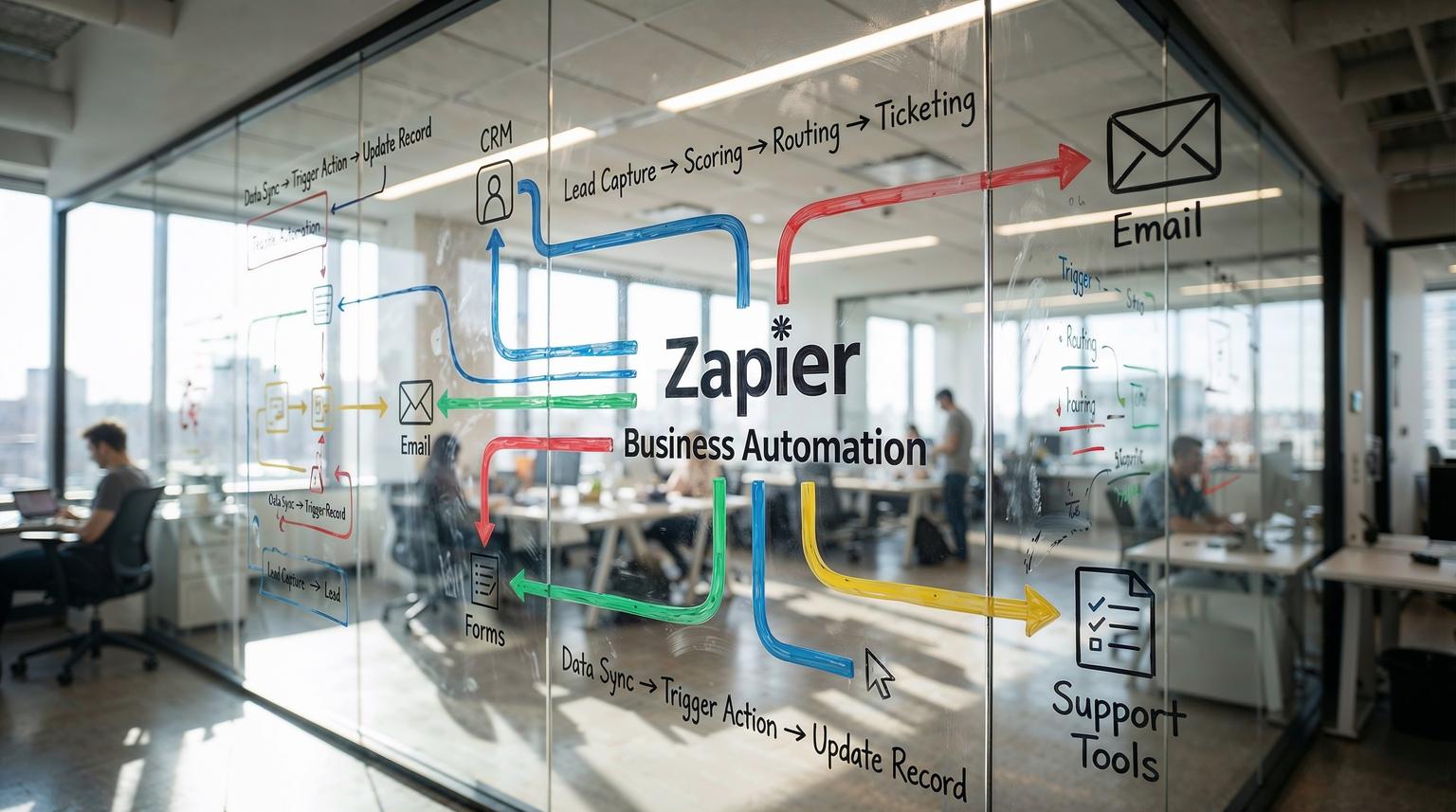
If your team is still copying data between forms, CRM records, email tools, and support systems, you are paying for the same work twice. Zapier business automation, combined with tools like n8n and Make, gives you a practical way to connect those systems so leads, deals, and tickets move automatically while your team focuses on conversations and strategy.
This guide is for founders, operations leaders, and revenue teams who want concrete, ready-to-implement workflows across sales, CRM, and customer support, plus a simple framework for rolling them out with ThinkBot Agency.
Zapier business automation connects your apps so that when something happens in one system, the right records, notifications, and follow-ups are created automatically in others. You can capture leads from forms, sync them to your CRM, route tickets by priority, and trigger personalized email sequences using multi-step workflows, conditional logic, and AI steps, all with minimal manual data entry.
From Manual Chaos To Connected Revenue Operations
Most growing businesses hit the same wall around 5 to 50 team members. Leads come in from multiple forms, chat widgets, and inboxes. Sales reps live in the CRM. Support works in a help desk. Marketing runs campaigns in an email platform. None of it is truly in sync.
The symptoms are familiar:
- Leads submitted on your website never reach the right sales owner.
- Support agents retype the same details into tickets and internal tools.
- Follow-up emails are inconsistent or forgotten entirely.
- Reports are built from messy spreadsheets that no one fully trusts.
Zapier, n8n, and similar platforms let you replace this copy-paste work with automated workflows that move data between tools reliably. As the Zapier team shows in their customer support playbook, you can take repetitive cross-app tasks like turning forms into tickets, routing requests, and updating reports, and hand them off to automation so agents can focus on higher value work. You can see how they structure these patterns in their support automation guide. For a broader view on how this fits into end-to-end automation, you can also review ThinkBot's perspective in our Zapier automation guide for business processes.
Core Framework: Audit -> Map -> Automate -> Test -> Optimize
At ThinkBot we use a simple implementation framework across Zapier, n8n, and Make projects.
1. Audit
List your recurring tasks in sales, CRM, and support. Good candidates are actions you do 10+ times per week and that follow a repeatable pattern, such as creating CRM deals from forms or updating ticket statuses.
2. Map
For each task, define the trigger, data, and outcome. Example:
- Trigger: New form submission from Typeform.
- Data: Name, email, company size, use case, budget.
- Outcome: New CRM deal, welcome email, Slack alert for high budget leads.

3. Automate
Use Zapier Zaps or n8n workflows to connect the apps. This is where you use multi-step actions, filters, and conditional logic (Paths) to make the process behave like a smart assistant, not a dumb macro. Zapier explains this branching model in detail in their Paths guide. If you are designing more enterprise-grade workflows, you may also find our article on Zapier automation for enterprises helpful for thinking about governance and ROI.
4. Test
Run sample records through the workflow. Check that every step does exactly what you expect in the CRM, email platform, and help desk. Add alerts for failures.
5. Optimize
Iterate on routing rules, AI prompts, and field mapping. Add exceptions and fallbacks so your automations behave safely in real life, not just in a demo.
Automating Sales And CRM: From Lead Capture To Deal Handoffs
Zapier business automation shines when you use it as the glue between your lead sources, your CRM, and your internal communication tools. Here are practical workflows we implement often.
Workflow 1: Auto-create CRM deals from form submissions
Goal: Every qualified form submission becomes a structured CRM record with the right owner and next step, no manual entry.
Typical stack: Typeform or Webflow forms, HubSpot or Salesforce, Slack or email.
Implementation steps:
- Trigger: New form submission in Typeform or HubSpot forms.
- Filter: Ignore test submissions or incomplete forms using Filter steps, a pattern Zapier recommends in its multi-step Zaps and filters documentation that you can find from their multi-step guide.
- Action: Create or update a Contact and Deal in HubSpot or Lead in Salesforce.
- Action: Use Paths to branch based on answers, for example company size or budget.
- Action: Notify the right sales channel in Slack for high intent leads.
This removes the lag between a form submission and first touch, and it keeps your CRM as the single source of truth rather than a place you occasionally update. For teams building more complex lead routing logic across tools, our overview of workflow automation platforms can help you choose the right mix of Zapier, n8n, and Make.
Workflow 2: HubSpot and Salesforce sync without double entry
Many teams run both HubSpot and Salesforce. Native connectors are often rigid. Zapier lets you build flexible, multi-step syncs that respect your own data rules. Zapier outlines the basics of this approach in their HubSpot and Salesforce tutorial.
Example: Create or update HubSpot contacts from new Salesforce leads.
- Trigger: New Lead in Salesforce.
- Action: Create or update Contact in HubSpot, mapping only the fields you trust.
- Optional: Add a step to normalize phone numbers or country codes.
- Optional: Post a summary to a revenue-ops Slack channel for large deals.
ThinkBot often rebuilds the same pattern in n8n for clients who need self-hosted control or more complex logic, such as advanced deduplication or cross-object updates.
Workflow 3: Lead scoring and routing with AI
AI is most useful when it makes routing decisions for you, not when it tries to close the deal. A simple pattern:
- Trigger: New lead from any channel (form, chat, inbound email via parser).
- Action: Send the full context to an AI step (OpenAI or another LLM) to classify intent, urgency, and fit, similar to the categorization and summarization patterns Zapier shares in its Zendesk automation examples.
- Action: Use Paths to branch high intent leads to a fast-track queue and lower intent leads to nurture sequences.
- Action: Stamp the AI score and category back into the CRM for reporting.
In n8n or Make, ThinkBot can extend this with enrichment APIs and more advanced scoring logic, while Zapier handles the simpler orchestration around it.
Customer Support Automation That Feels Human, Not Robotic
Customer support is where Zapier business automation often delivers the fastest ROI. The key is to automate the plumbing, not the relationship. That means automating ticket creation, routing, enrichment, and reporting so agents can spend their time on resolution.
Workflow 4: Turn every form or chat into a structured ticket
In practice, support requests arrive via web forms, generic inboxes, and chat widgets. Manually turning each of these into a ticket is slow and error-prone.
A common pattern, which Zapier highlights in its customer support playbook, looks like this:
- Trigger: New submission from a Google Form, Typeform, or custom web form.
- Action: If the app is supported, connect it directly to Zendesk, Freshdesk, or Help Scout. If not, send the data via Webhooks by Zapier to your help desk, as shown in their support automation playbook.
- Action: Map fields into ticket subject, description, requester, and tags.
- Action: Notify the right Slack or Microsoft Teams channel for new high-priority tickets.
For chatbots, you can follow a similar pattern. When a chatbot conversation hits a handoff condition, the bot sends a payload to Zapier or n8n, which then creates a ticket and attaches the transcript.
Workflow 5: AI-assisted ticket triage and summaries
Support teams are flooded with long threads and unstructured descriptions. Using AI for summarization and categorization can save minutes per ticket and improve routing. Zapier demonstrates this with examples where webhooks send data to OpenAI before creating Zendesk tickets in their Zendesk integration guide.
A robust AI triage flow looks like this:
- Trigger: New ticket in Zendesk or Freshdesk.
- Action: Send the ticket content to an AI step to generate a short summary, detect sentiment, and classify topic.
- Action: Use Paths to route critical topics (for example, billing errors, outages) to an escalation queue, while general questions go to the standard queue.
- Action: Post the summary and priority into Slack with a link to the ticket.
- Action: Log structured data (category, sentiment, time to first response) into Google Sheets for reporting.
ThinkBot typically adds guardrails here, such as confidence thresholds and fallbacks, so agents are never blocked by an incorrect AI guess.
Workflow 6: Ticket hygiene, recurring tasks, and reporting
Support operations are full of low-level maintenance work. Zapier workflows can handle this reliably:
- Scheduled tickets: Use a Schedule trigger to create recurring Zendesk or Jira tickets for compliance checks, maintenance, or internal audits, a pattern also described in Zapier's support automation guide.
- Ticket updates: When a ticket is updated, sync the change into Trello, Asana, or ClickUp so customer-facing and internal teams stay aligned.
- Reporting: Send ticket data into Google Sheets or your warehouse for custom dashboards. Zapier documents this approach in its Zendesk reporting examples.
In more advanced setups, ThinkBot uses n8n as the central orchestrator for reporting pipelines while Zapier handles edge connections to niche tools.

How To Use Conditional Logic And Paths Without Breaking Things
Once you go beyond simple one-to-one automations, you need conditional logic. Zapier Paths let you branch inside a single Zap based on data rules, for example lead source, deal size, or ticket category. The official Paths article walks through this visually, and you can review it in their conditional workflows guide.
Key patterns ThinkBot uses in production:
- Lead routing: Branch by geography, company size, or product interest to assign the right owner.
- Lifecycle messaging: Branch by customer status to send different email sequences for new, active, and churn-risk users.
- Support escalation: Branch by topic and sentiment to decide whether to page an on-call engineer or send a standard acknowledgment.
Best practices:
- Always include a fallback path so unexpected values are still processed.
- Keep branching trees shallow. If logic becomes too complex, offload it to n8n or a dedicated orchestration layer.
- Document your rules so sales, support, and ops teams know why records are routed a certain way.
When To Combine Zapier With n8n Or Make
Zapier is excellent for fast, user-friendly automation and has deep app coverage, but it does have limits on step count, error handling, and long-running workflows. Workato's comparison of Zapier against enterprise iPaaS tools points out that Zapier is best suited to lightweight task automation and SMB workflows, rather than complex, mission-critical orchestration, which they discuss in their platform comparison.
At ThinkBot we often recommend a hybrid approach:
- Use Zapier for: Simple lead capture, calendar-driven tasks, straightforward CRM updates, and integrations where Zapier has the best connector.
- Use n8n or Make for: Complex branching, loops, bulk processing, on-premise data, or workflows that need detailed logging and custom retry logic.
Zapier can act as an event collector, sending webhooks into n8n, which then runs the heavy logic and writes back to your CRM or help desk. This keeps your stack cost-effective and maintainable.
Common Automation Mistakes (And How ThinkBot Avoids Them)
We see the same pitfalls across sales, CRM, and support projects:
- Uncontrolled notification spam: Every event posts to Slack. Use filters and Digest steps to batch updates, as Zapier recommends in its digest guide linked from the Zendesk automation article.
- Automation loops: Two Zaps update each other endlessly. Mitigate this with clear trigger conditions and flags, a risk highlighted in Zapier's loop troubleshooting docs referenced from their Zendesk workflows article.
- Missing error handling: No one notices when a Zap fails and leads or tickets silently drop. Add failure alerts and periodic audits.
- Poor field mapping: CRMs fill with inconsistent data because mappings were rushed. Use a mapping matrix and test with real sample records.
ThinkBot's implementation playbooks build in these safeguards by default, whether we are working in Zapier, n8n, or Make. If you want to explore adjacent strategies like AI-powered workflows and hyperautomation, our article on AI-powered workflow automation is a useful complement to this Zapier-focused guide.
What Working With ThinkBot On Zapier Business Automation Looks Like
If you want to move quickly but avoid brittle automations, it helps to have a partner who lives in these tools daily and is active in communities like the n8n forum. ThinkBot typically runs a short engagement that includes:
- A workflow audit across sales, CRM, and support.
- Design of 3 to 10 high-impact automations, mapped in tools like Zapier Canvas or n8n diagrams.
- Implementation, testing, and documentation of each workflow.
- Coaching your internal team so they can extend the system safely.
If you want to see how this could look for your stack, you can book a consultation with ThinkBot and we will walk through concrete workflow ideas using your actual tools and data flows.
FAQ
How can Zapier business automation improve my sales process?
Zapier business automation can capture leads from every form or chat, sync them into your CRM, trigger personalized email sequences, and alert the right sales owner instantly. This removes manual data entry, shortens response times, and ensures high intent leads are routed and followed up consistently.
What is the best way to connect Zapier with my existing CRM?
The best approach is to start from your primary CRM, such as HubSpot or Salesforce, and design around reliable triggers like new contacts, deals, or leads. Use create-or-update actions to avoid duplicates, add filters to ignore test data, and document a field mapping matrix before you build. For more complex logic, ThinkBot often extends Zapier with n8n or Make.
How can AI be used safely in customer support automations?
AI works best for summarizing tickets, classifying topics and sentiment, and suggesting responses, not for fully automated replies. To use it safely, keep humans in the loop for final decisions, add confidence thresholds, and log AI outputs for review. ThinkBot also recommends clear escalation rules and fallbacks when AI is uncertain.
When should we choose n8n or Make instead of pure Zapier workflows?
You should consider n8n or Make when you need long-running workflows, complex branching and loops, on-premise data access, or very detailed logging and retry behavior. Zapier is ideal for quick, user-friendly integrations, while n8n and Make suit orchestration-heavy or self-hosted scenarios. Many clients use a hybrid model that ThinkBot designs and maintains.
How does ThinkBot typically engage on Zapier business automation projects?
ThinkBot usually starts with a short discovery to map your current tools and processes, then designs a prioritized automation roadmap. We implement and test key Zaps or n8n workflows, add monitoring and documentation, and train your team. Engagements are focused on measurable outcomes like hours saved, faster response times, and improved data quality.
