
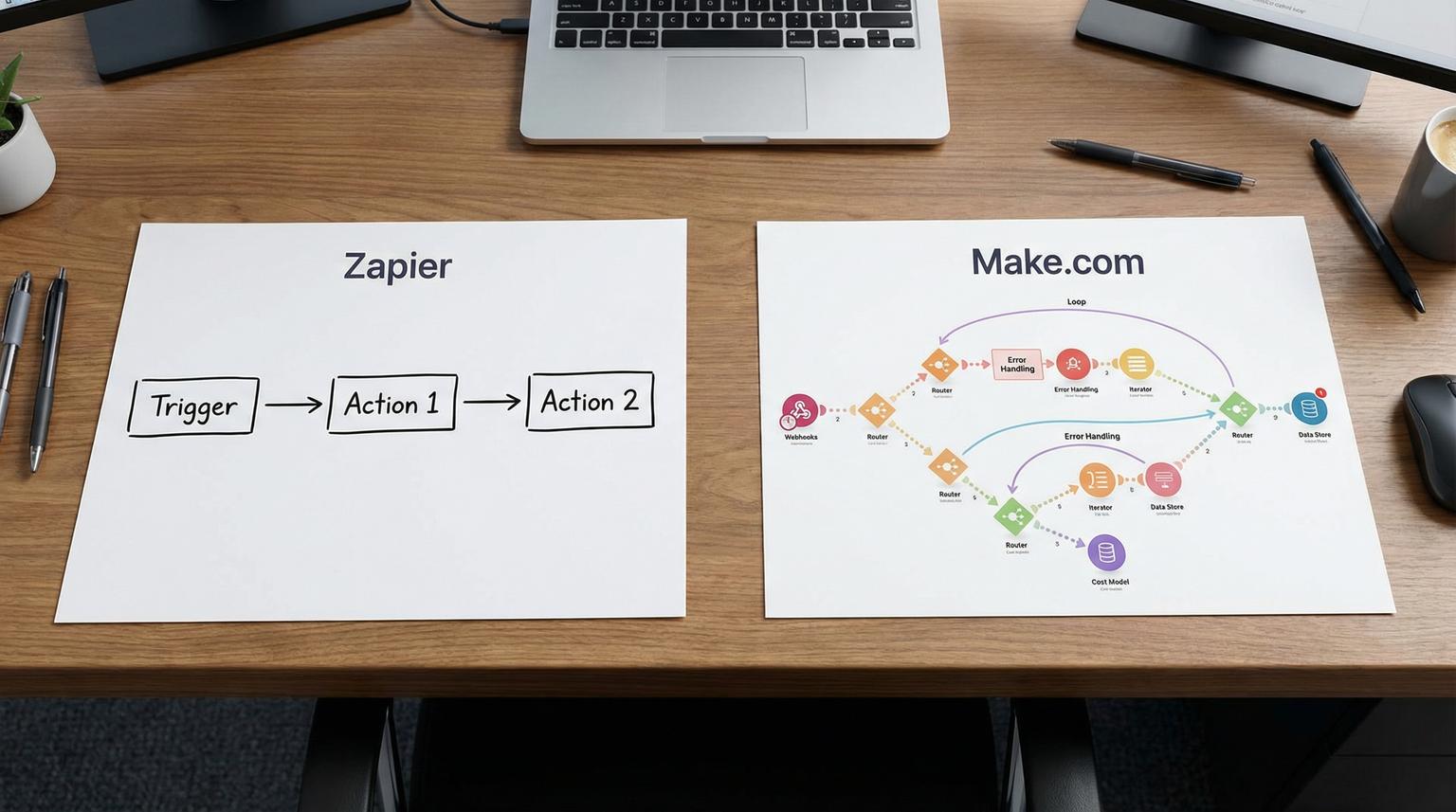
Picking an automation platform is not just about connecting apps, it is about keeping critical workflows reliable as volume grows, teams change and processes get more complex. In this guide on Zapier vs Make.com we compare the two platforms through real business scenarios like lead routing, approvals and AI-assisted data processing. This is written for business owners, ops leaders and marketing or CRM teams who want fewer manual steps without creating a fragile automation stack.
Quick summary:
- Choose Zapier when you need fast rollout across non-technical teams, broad app coverage and predictable administration.
- Choose Make when you need visual control, advanced routing and data shaping and you can model and manage step-based usage.
- For scalable workflows, reliability patterns matter more than the builder UI, use webhooks, idempotency and clear error handling.
- A hybrid approach is common, use one platform for quick wins and the other for core multi-step processes.
Quick start
- List your top 10 workflows and label each as simple (2-4 steps) or complex (branching, loops, approvals, API calls).
- Estimate monthly volume: runs per month x average steps per run, include retries and error paths.
- Check connector reality: confirm your CRM, email platform and key niche tools are supported and that required actions exist.
- Decide your operating model: who will build and maintain automations, ops, marketing ops, RevOps or engineering.
- Pilot one workflow end to end in each platform, then compare build time, debugging experience and cost predictability.
If you want the fastest path to production automations that non-technical teams can maintain and you value broad integrations and predictable administration, Zapier is usually the better fit. If you need deeper control over routing, data transformation and custom API calls and you have someone who can actively manage step-level usage and error handling, Make is often a stronger fit for complex scalable workflows.
How Zapier and Make differ in day-to-day workflow building
Both tools connect SaaS apps and APIs, but they encourage different habits when you build at scale.
Builder experience and team adoption
Zapier is typically easier for non-technical users to adopt because the setup is guided and linear. That matters when marketing and ops teams need to own automations without constant engineering support. Make uses a visual scenario canvas that exposes the full flow, which can be excellent for complex logic and for troubleshooting, but it comes with a steeper learning curve.
Integration breadth vs integration depth
Zapier is widely known for broad connector coverage, which reduces risk when your stack includes niche tools. Make often shines when you need more granular control inside a popular app connector, or when you can use its HTTP module to call an API directly. In practice, breadth helps you move fast across many departments, depth helps you build fewer workarounds inside a single mission-critical workflow.
API and webhook patterns
For scalable automation, webhook-first designs are a major advantage. Polling every few minutes can create unnecessary work and cost, especially in platforms that count every check as usage. This is also why we prefer event-driven triggers when integrating CRMs, help desks and internal APIs. Vendor comparisons often mention this tradeoff, for example webhooks versus polling behavior and how it impacts cost and reliability.
Side-by-side comparison for scalable business workflows
Use the table below when you need to explain the choice internally. It focuses on what changes when you go from a few automations to dozens that run every day.
| Decision factor | Zapier | Make | What it means for scale |
|---|---|---|---|
| Best fit team | Mixed technical levels, business-led automation | Power users, technical ops, automation specialists | Ownership and maintenance model is often the real constraint |
| Workflow complexity | Great for linear and moderately branched flows | Excellent for heavy branching, iterators, aggregators and complex mapping | Complexity increases debugging and change risk, visual topology helps |
| Cost model | Task-based, typically counts actions that run | Operation-based, counts module executions including triggers and routers | Model costs using runs x steps, then add headroom for retries |
| Connector coverage | Very broad app ecosystem | Smaller ecosystem but strong API module | Connector gaps can force custom API work or platform changes |
| Error handling and recovery | Good history and retries, patterns depend on plan and design | Strong error routes and granular control for resume and retries | Critical workflows need explicit failure paths and alerting |
| Governance at scale | Strong enterprise admin patterns, permissions and central oversight | Enterprise features exist, consistency depends on builder discipline | Automation sprawl is real, governance prevents silent breakage |

Cost and scalability: model tasks vs operations before you commit
When teams get surprised by cost, it is usually because they estimated the number of workflows, not the number of executions and steps. The right approach is to model usage like you would model cloud costs.
A simple estimation method ThinkBot uses
- Runs per month: how many times the workflow triggers.
- Steps per run: count actions, routers, iterators and any data shaping steps.
- Retries and replays: add headroom for transient API failures and reprocessing.
- Polling vs webhooks: polling can add usage even when no real work is done.
Example: lead routing with enrichment and CRM updates
Imagine a workflow that processes 500 inbound leads per month:
- Validate payload
- Enrich company data via API
- Check for duplicates in CRM
- Create or update lead and assign owner
- Send Slack alert and add to email nurture
In a task-based model you typically pay when actions run. In an operation-based model you pay for each module execution and the design details matter, routers, iterators and trigger checks can add up. This is not good or bad by itself, it just means you should estimate with real step counts and choose a trigger strategy that avoids idle polling where possible.
Workflow fit: common scenarios and which platform wins
Below are patterns we implement for clients all the time. The point is not that one platform is always better, it is that each tends to be better for different workflow shapes and team constraints. For a broader view across tools, you can also review our practical automation platform comparison for CRM, email and AI workflows which includes Zapier, Make and n8n.
Scenario 1: CRM lead routing with territory rules
If the routing rules are straightforward and the team wants to adjust logic without a specialist, Zapier can be the smoother path. If routing requires multiple branches, fallbacks, batching and complex mapping across objects, Make often provides better visibility and control.
Scenario 2: multi-step approvals and human-in-the-loop
Approvals usually involve Slack or email prompts, timeouts and escalation paths. Both platforms can do it, but the key is designing for state and re-entry. We often store an approval state in the CRM or a lightweight data store then resume processing when the approver responds. For teams that want a faster build and easier handoff to non-technical owners, Zapier is commonly preferred. For teams that need detailed error routes and conditional retries at each stage, Make is often preferred.
Scenario 3: AI-driven data processing for ops and support
A typical pattern is: new ticket or form submission -> AI extracts intent and structured fields -> route to the right queue -> update CRM -> notify a human when confidence is low. The platform choice depends on how much control you need around parsing, validation and fallbacks. If you need complex JSON transformation and multi-branch handling, Make can be a strong fit. If you want faster implementation with more turnkey building blocks and simpler governance, Zapier can be a strong fit.

Build it like a system: reliability checklist for scalable automations
Use this checklist when you are evaluating either platform for workflows that touch revenue, customer support or finance. This is also the checklist we use during ThinkBot automation audits. If you want more end-to-end patterns that combine CRM, email and AI, our guide on CRM automation with AI walks through complete workflow designs.
- Use webhook triggers where possible to avoid unnecessary polling and to reduce latency.
- Add idempotency keys so replays do not create duplicate CRM records.
- Persist state for long-running processes like approvals and onboarding.
- Validate inputs early and fail fast with actionable error messages.
- Separate business logic from integration plumbing, keep mapping steps explicit.
- Implement retry rules for transient failures and stop retries for validation errors.
- Send error alerts to a shared channel with run links and payload context.
- Log critical fields for audit, but avoid storing sensitive data unnecessarily.
- Document owners: who updates routing rules, who maintains API keys and who responds to failures.
- Version changes: test updates in a staging workflow before pushing to production.
Failure modes and mitigations for Zapier and Make deployments
Most automation failures are not caused by the platform, they are caused by missing guardrails. Here are common failure modes we see and how we mitigate them.
- Failure: Duplicate records from retries or manual replays. Mitigation: Use a unique external ID in the CRM and check before create, store idempotency keys per run.
- Failure: Silent data loss when an API rate limit is hit. Mitigation: Add throttling, queues or delay steps, monitor rate limit headers when using custom HTTP calls.
- Failure: Polling triggers consume usage with no new data. Mitigation: Prefer webhooks, increase polling intervals and disable schedules outside business hours when appropriate.
- Failure: Complex branching becomes unmaintainable. Mitigation: Break flows into reusable sub-workflows, standardize naming and add comments and runbooks.
- Failure: Credential sprawl and broken connections after staff changes. Mitigation: Centralize ownership, use shared service accounts where allowed and rotate keys on a schedule.
- Failure: AI extraction produces wrong fields and routes incorrectly. Mitigation: Add confidence thresholds, require human approval for low confidence and keep a feedback loop to improve prompts.
How ThinkBot designs scalable workflows on Zapier and Make
At ThinkBot Agency we build and maintain business automation systems across Zapier, Make and n8n depending on the workflow and the operating model. Our focus is not just connecting apps, it is designing workflows that are observable, testable and safe to change. If you are also evaluating self-hosted or low-code options alongside Zapier vs Make.com, our article on no-code vs low-code automation can help frame that decision.
Our typical delivery approach
- Discovery: map the process, define success metrics and identify failure points.
- Data contracts: define required fields, validation rules and system of record for each entity.
- Build: implement workflows with clear naming, structured error handling and minimal manual steps.
- Monitoring: set up alerts, run logs and monthly review of usage and failure patterns.
- Enablement: document how to update routing rules or email sequences without breaking the system.
If you want help choosing a platform and designing the workflow architecture, book a working session with our team here: book a consultation. You can also see how we apply similar thinking to broader operations in our overview of workflow automation solutions for customer onboarding.
Prefer to review real automation builds first? You can also browse our past work in our portfolio.
FAQ
These are the most common questions we get from teams comparing platforms for scalable automation.
Is Zapier or Make better for complex workflows?
Make is often better for complex workflows that require heavy branching, iterators, aggregators and detailed data transformation. Zapier can still handle complex processes but it is usually strongest when you want faster setup and easier ownership by non-technical teams.
How do I estimate cost when one uses tasks and the other uses operations?
Estimate runs per month and multiply by average steps per run, then add headroom for retries and edge cases. Also account for polling triggers that may consume usage even when there is no new data. A small pilot build with real traffic is the most reliable way to validate your estimate.
Can ThinkBot build the same workflow in either platform?
Yes. We design workflows based on your requirements, team skills, governance needs and expected volume. We can implement in Zapier or Make and in many cases we also recommend a hybrid approach where quick wins live in one tool and core workflows live in the other.
What are common automation requests you handle for CRM and email teams?
Common requests include lead capture and routing, deduplication and enrichment, lifecycle stage updates, multi-step approvals, automated email sequencing triggers, churn or renewal alerts and AI-assisted tagging or summarization for tickets and notes.
When should we consider n8n instead of these platforms?
Consider n8n when you need deeper technical control, self-hosting, custom code steps or complex integrations across internal systems. ThinkBot is active in the n8n community and can advise on when n8n is the right core platform versus using Zapier or Make for specific workflows.
