
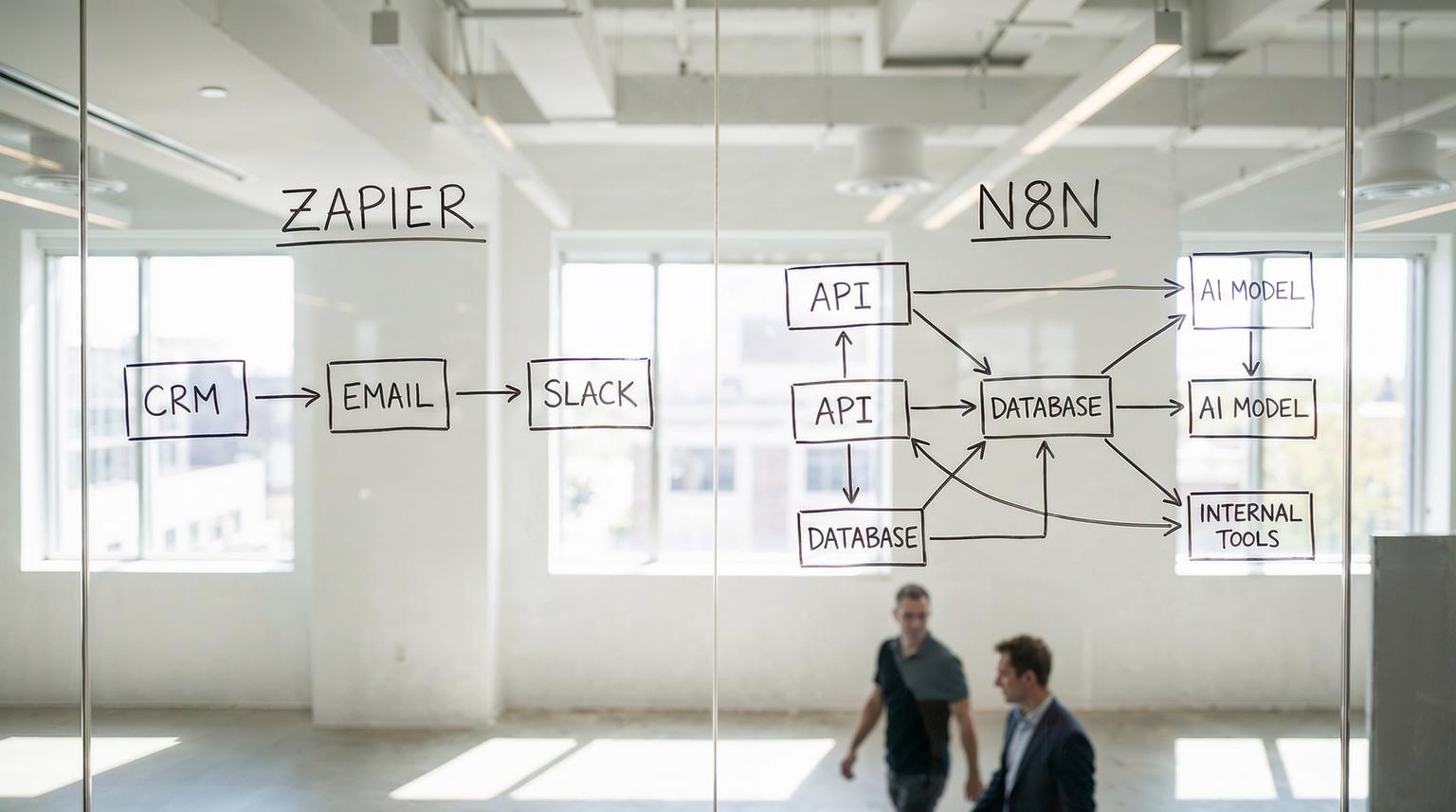
If you are leading operations, marketing, or RevOps, you are probably past the "let us just plug in a few Zaps" phase. You need automation that can handle complex CRM logic, email sequences, internal approvals, and AI-driven routing without blowing up your budget or compliance posture. That is where a serious Zapier vs. n8n comparison becomes critical.
This article walks through the tradeoffs between Zapier and n8n specifically for business automation: CRM workflows, email marketing, internal operations, and AI integrations. As an automation and AI integration team at ThinkBot Agency, we will show concrete workflow examples in both tools and give you a practical decision framework for choosing the right platform, or a hybrid stack, for your business.
Zapier is usually the better fit when you need fast, no-code automation across many SaaS tools, especially for marketing and sales teams. n8n is usually the better fit when you need complex, API-heavy workflows, self-hosting or strict data control, and cost-efficient scaling of multi-step automations. Many growing companies benefit from a hybrid approach, with Zapier for simple SaaS-to-SaaS flows and n8n for deeper, custom, or AI-heavy processes.
Zapier vs. n8n at a glance for business automation
Before diving into detailed use cases, it helps to frame how these platforms are positioned by their own vendors and by independent reviewers.
- Zapier: fully managed SaaS, cloud-only, task-based pricing, thousands of prebuilt integrations, and a strong no-code builder. Ideal for non-technical teams and quick time-to-value, as the Zapier team itself highlights.
- n8n: open source, self-host or cloud, execution-based pricing, developer-first, and highly extensible. It is built for complex, multi-step and AI-driven workflows, as the official n8n comparison page emphasizes.
- Independent reviews like this DataCamp walkthrough frame it simply: Zapier focuses on simplicity and speed, n8n prioritizes developer control and customization.
High-level feature snapshot
| Area | Zapier | n8n |
|---|---|---|
| Hosting | Cloud-only, vendor managed | Self-hosted or cloud, full control over infra |
| Pricing model | Per task (each step is billed) | Per execution (one run regardless of steps) |
| Integrations | ~8,000+ prebuilt apps (vendor claim) | ~1,000+ native nodes plus generic HTTP/Webhook connectors |
| Target users | Business and marketing teams, citizen developers | Developers, data/ops engineers, technical teams |
| Workflow complexity | Best for linear and simple branching flows | Strong for branching, loops, long-running and nested workflows |
| AI capabilities | Built-in AI actions and AI builder, good for simple use | Multi-LLM orchestration, LangChain nodes, advanced AI agents |
| Data control | Data processed in vendor cloud | Can keep data inside your own infrastructure |
How pricing and scalability differ between Zapier and n8n
For growing companies, the cost curve is often where the Zapier vs. n8n comparison becomes real. A few simple Zaps are cheap; hundreds of multi-step workflows can become a serious line item.
Zapier task-based billing: great for simple flows, risky at scale
Zapier bills per task. A task is typically a single action step in a workflow. A 5-step Zap that runs 1,000 times in a month consumes roughly 5,000 tasks. As Zapier explains in its own pricing help article, plans are defined by task limits, not by number of workflows.
This is fine for lightweight marketing automations, like sending a Slack alert when a new lead is created in HubSpot, or logging a form fill into Google Sheets. It becomes expensive when you:
- Loop over many rows or records inside a Zap.
- Use multi-branch logic with Paths where each path has several steps.
- Enrich or sync large CRM lists across tools.
In these cases, every small enrichment or routing step is a separate billed task, and costs can escalate faster than teams expect. If you are specifically exploring how AI transforms this cost curve, our guide on automating CRM with artificial intelligence walks through practical examples across Zapier, n8n, and modern CRMs.
n8n execution-based billing: built for complex, multi-step workflows
n8n charges per workflow execution. One run of a workflow counts as a single execution, even if it has many steps or branches. The n8n team showcases this "execution advantage" on its pricing blog and pricing page.
For complex workflows, this model is usually more predictable:
- A 30-step onboarding workflow with multiple branches is still one execution per new customer.
- Loops that process many records are handled inside a single execution instead of exploding into many billable tasks.
- Self-hosted n8n Community Edition is license-free; you pay for infrastructure and engineering time instead of per-step usage.
The tradeoff, which Zapier stresses in its own comparison article, is that self-hosting or advanced n8n setups require infrastructure, monitoring, and engineering capacity. That is real cost, but it is under your control and can be optimized, especially with a partner that knows how to run n8n in production.

Cloud-only vs self-hosted: data control, compliance, and risk
For many of our clients, the most important part of a Zapier vs. n8n comparison is not features; it is where data lives and who controls it.
Zapier: managed cloud, audited controls, limited data residency options
Zapier runs as a managed SaaS platform. You do not manage servers, patching, or scaling. That is a major advantage for small and mid-sized teams that do not want to own infrastructure. Zapier highlights SOC 2, GDPR, CCPA, SSO, and audit logs on its enterprise-focused guide, which is attractive if you prefer vendor-managed compliance.
The downside is that you cannot self-host Zapier. For organizations with strict data residency or industry-specific rules, sending customer or patient data through a US-hosted third-party service can be a blocker.
n8n: self-hosting and EU cloud for full control
n8n can run self-hosted on your own servers or in your own cloud account. Its hosting documentation outlines deployment on VPS, Kubernetes, and other options. There is also n8n Cloud, hosted in EU data centers, for teams that want managed hosting but still care about data residency.
Self-hosting gives you:
- Full control over where data is stored and processed.
- Ability to keep sensitive PII or financial data inside your network.
- Integration with internal APIs, databases, and legacy systems that are not internet-exposed.
The cost is operational responsibility: monitoring, backups, security, and upgrades. Zapier is right to point out that these are not trivial, especially at enterprise scale. At ThinkBot, we often design n8n deployments with proper observability and CI/CD so that operations overhead stays manageable instead of ballooning.
Integration flexibility and workflow complexity
Both platforms can connect CRM tools, email platforms, and internal systems, but they do it in very different ways.
Zapier: breadth of SaaS apps and fast wins
Zapier is unmatched in raw number of prebuilt connectors. You can connect popular CRMs, email tools, form platforms, and project management apps with a few clicks. That is why independent comparisons like the DataCamp guide recommend Zapier for business and marketing teams that want quick wins without writing code.
However, Zapier workflows are mostly linear. You can use Filters and Paths for some branching, but deeply nested logic, complex merges, or heavy data transformations quickly become hard to maintain and expensive, since each branch step is another billed task.
n8n: deep logic, APIs, and internal systems
n8n trades some out-of-the-box app count for much more flexible workflow design. According to the official n8n vs Zapier page, n8n supports over a thousand integrations plus generic HTTP, GraphQL, and Webhook nodes that can connect to almost any API, including your internal services.
Key advantages for complex operations:
- Native branching and merging nodes for multi-path logic.
- Loops and batch processing for thousands of records inside a single execution.
- Rich error handling, custom error workflows, and granular retries.
- JavaScript and Python code nodes, plus the ability to create custom nodes and treat workflows as code with Git.
This is why the HatchWorks comparison positions n8n as better for AI orchestration, internal reporting, and complex API-first automations, while Zapier shines for standard SaaS-to-SaaS use cases. If you are comparing broader tooling beyond these two platforms, our in-depth workflow automation platforms guide breaks down how n8n, Zapier, Make, and custom integrations fit together.
Real-world workflow examples: Zapier vs n8n
To make this concrete, here is how a few common business workflows look in each platform, and which one usually fits best.
1. Lead routing from forms to CRM and email marketing
Typical flow: A lead fills out a form; you enrich the record, score it, assign it to the right owner, and trigger email sequences and Slack alerts.
Zapier implementation:
- Trigger on a new form submission (Typeform, Webflow, or another form tool).
- Look up or create the contact in your CRM (HubSpot, Pipedrive, Salesforce).
- Send the lead to your email platform (Klaviyo, Mailchimp, ActiveCampaign).
- Post a notification in a sales Slack channel.
This is a perfect Zapier use case. You get a fast, no-code setup with minimal engineering involvement. For most SMBs, this is exactly what Zapier is built for.
n8n implementation:
- Trigger on form submission via webhook or API.
- Call external enrichment APIs and internal scoring services via HTTP nodes.
- Run JavaScript logic to calculate a custom lead score and assign routing rules.
- Write to CRM, email platform, and internal data warehouse in parallel.
- Log detailed events to an internal analytics system for attribution.
n8n becomes attractive when you need custom scoring logic, multiple data sources, or tight integration with internal tools that do not have Zapier apps. Execution-based pricing means all of this logic is still one execution per lead, which is usually more cost-efficient at volume. For a deeper dive into building these kinds of n8n-centric flows, see our article on business process automation with n8n.
2. Multi-step customer onboarding sequences
Typical flow: A new customer signs up; you create accounts across several systems, send a tailored onboarding email sequence, schedule internal tasks, and maybe kick off an AI-driven success plan.
Zapier-friendly version:
- Trigger from new customer in your billing or subscription tool.
- Create a contact and deal in your CRM.
- Add the contact to an onboarding segment in your email platform.
- Create a task or ticket in your project management or helpdesk tool.
As long as the logic is mostly linear and uses common SaaS tools, Zapier works extremely well here. You can even add simple AI steps for welcome email personalization.
n8n-first version:
- Trigger from billing system or internal sign-up event.
- Branch logic based on plan, industry, region, or product configuration.
- Call internal APIs to provision environments, generate API keys, or configure feature flags.
- Use AI nodes to generate a custom onboarding plan and knowledge base bundle per customer.
- Write detailed onboarding state to an internal database; expose it via dashboards.
This pattern is where n8n shines. You can build very specific onboarding flows that span internal and external systems, including AI orchestration, without worrying about per-step billing.
3. AI-enhanced customer service automation
Typical flow: Inbound support emails or tickets are classified, summarized, and either answered automatically or routed to the right team with context.
Zapier approach:
- Trigger on new ticket in a helpdesk tool.
- Call an AI action to summarize or categorize the ticket.
- Route to a Slack channel or assign to an agent based on category.
- Optionally draft a suggested reply for the agent.
Zapier's AI actions are good for lightweight summarization and classification. The DataCamp article showcases this pattern with email summaries sent to Google Sheets.
n8n approach:
- Trigger from your helpdesk or directly from an internal API.
- Call multiple LLMs or an AI agent framework via LangChain nodes for deeper analysis.
- Use retrieval-augmented generation to pull answers from your internal knowledge base.
- Implement human-in-the-loop approvals where high-risk responses require review.
- Log token usage, model performance, and outcomes to your data warehouse.
Because n8n supports multi-LLM orchestration and advanced AI tooling, it is better suited when you want AI to be a core part of your support operations, not just a helper step.
How to decide: a practical framework for Zapier vs n8n
Instead of asking "Which tool is better?" it is more useful to ask, "Which tool is better for this specific set of workflows, team skills, and constraints?" Here is a simple framework we use at ThinkBot.
1. Map your workflows by complexity and criticality
List your key automations and tag them along two axes:
- Complexity: number of systems, amount of branching, data volume, and need for custom logic or code.
- Criticality: impact on revenue, customer experience, or compliance if the workflow fails.
Low-complexity, low-criticality flows are ideal candidates for Zapier. High-complexity or high-criticality flows are usually better in n8n where you control infrastructure, error handling, and versioning.
2. Align with your team skills
If your automation champions are marketing or operations managers with minimal coding experience, Zapier will feel far more approachable. Its templates and AI-assisted builder are designed for this audience.
If you have access to developers or a technical partner, n8n unlocks much more flexibility. You can treat workflows as code, use Git, and integrate with internal APIs and data platforms. Third-party resources like the HatchWorks guide and n8n docs show how engineering-led teams get value from this model.
3. Evaluate data residency and compliance requirements
If you operate in a regulated industry or must keep data in a specific region, self-hosted n8n or EU-based n8n Cloud may be necessary. The ability to run workflows inside your own VPC and control every connection is a major advantage for GDPR and similar regulations.
If your risk team is comfortable with third-party SaaS and values vendor-managed compliance, Zapier's audited controls are a strong plus.
4. Model total cost of ownership, not just license fees
Total cost includes:
- Zapier task usage or n8n execution volume.
- Infrastructure and hosting for self-hosted n8n.
- Engineering time to build, maintain, and monitor workflows.
- Opportunity cost of outages or workflow failures.
Vendor content like the Zapier comparison and the official n8n page each emphasize their own cost advantages. In practice, we often see a hybrid outcome: Zapier remains cost-effective for simple, lower-volume workflows, while high-volume or logic-heavy automations are cheaper and more reliable on n8n. For a broader strategy view on where AI fits into this decision, our piece on AI integration in business automation outlines patterns that apply directly to Zapier and n8n stacks.

Where ThinkBot Agency fits into your automation stack
ThinkBot is deeply involved in the n8n community and experienced with Zapier, Make, and other automation tools. Our role is not to push you into one platform, but to design the right architecture for your business.
Typical ways we help:
- Audit your existing Zaps and internal scripts to identify cost and risk hotspots.
- Design hybrid architectures where Zapier handles quick SaaS automations and n8n orchestrates complex or AI-heavy workflows.
- Implement self-hosted n8n with proper monitoring, backups, and security hardening.
- Build custom CRM workflows, email sequences, and AI agents that align with your data and processes.
If you want a concrete recommendation and roadmap for your own Zapier vs. n8n comparison, you can book a consultation with the ThinkBot team and we will walk through your use cases, constraints, and growth plans.
FAQ
What is the main difference between Zapier and n8n for business automation?
Zapier is a managed, cloud-only automation platform with task-based pricing and thousands of prebuilt SaaS integrations, ideal for simple to moderately complex workflows built by non-technical teams. n8n is an open, developer-first platform with execution-based pricing, self-hosting options, and deep support for complex, API-heavy and AI-driven workflows where you need more control over logic, data, and infrastructure.
When should my company choose Zapier instead of n8n?
Choose Zapier when your priority is speed and ease of use for business teams, your workflows are mostly linear SaaS-to-SaaS automations, and you are comfortable with data being processed in a third-party cloud. It is especially strong for marketing, sales, and simple CRM and email automations where non-technical users can own and iterate on Zaps without involving developers. For larger organizations, our article on Zapier automation solutions for business efficiency explores how to scale these patterns safely.
When does n8n make more sense than Zapier?
n8n is a better fit when you need complex branching logic, heavy API integrations, self-hosting or strict data residency, or advanced AI orchestration. Execution-based pricing is usually more economical for high-volume or logic-heavy workflows, and developer features like code nodes, custom nodes, and Git integration make it ideal for engineering-led operations and data teams.
Can I use both Zapier and n8n together in a hybrid automation stack?
Yes, many companies benefit from a hybrid approach. Zapier can handle quick, standard SaaS workflows owned by business teams, while n8n runs core or sensitive automations inside your infrastructure, including internal APIs, data pipelines, and AI agents. A well-designed hybrid architecture lets you balance speed, cost, and control across your automation portfolio.
How can ThinkBot Agency help with a Zapier to n8n migration or hybrid setup?
ThinkBot can audit your existing Zaps, model cost and risk, and design a migration or hybrid architecture that matches your CRM, email, and internal operations needs. We implement self-hosted or cloud n8n, rebuild complex workflows, integrate AI for routing and summarization, and set up monitoring and governance so your automation stack scales reliably as your business grows.
