
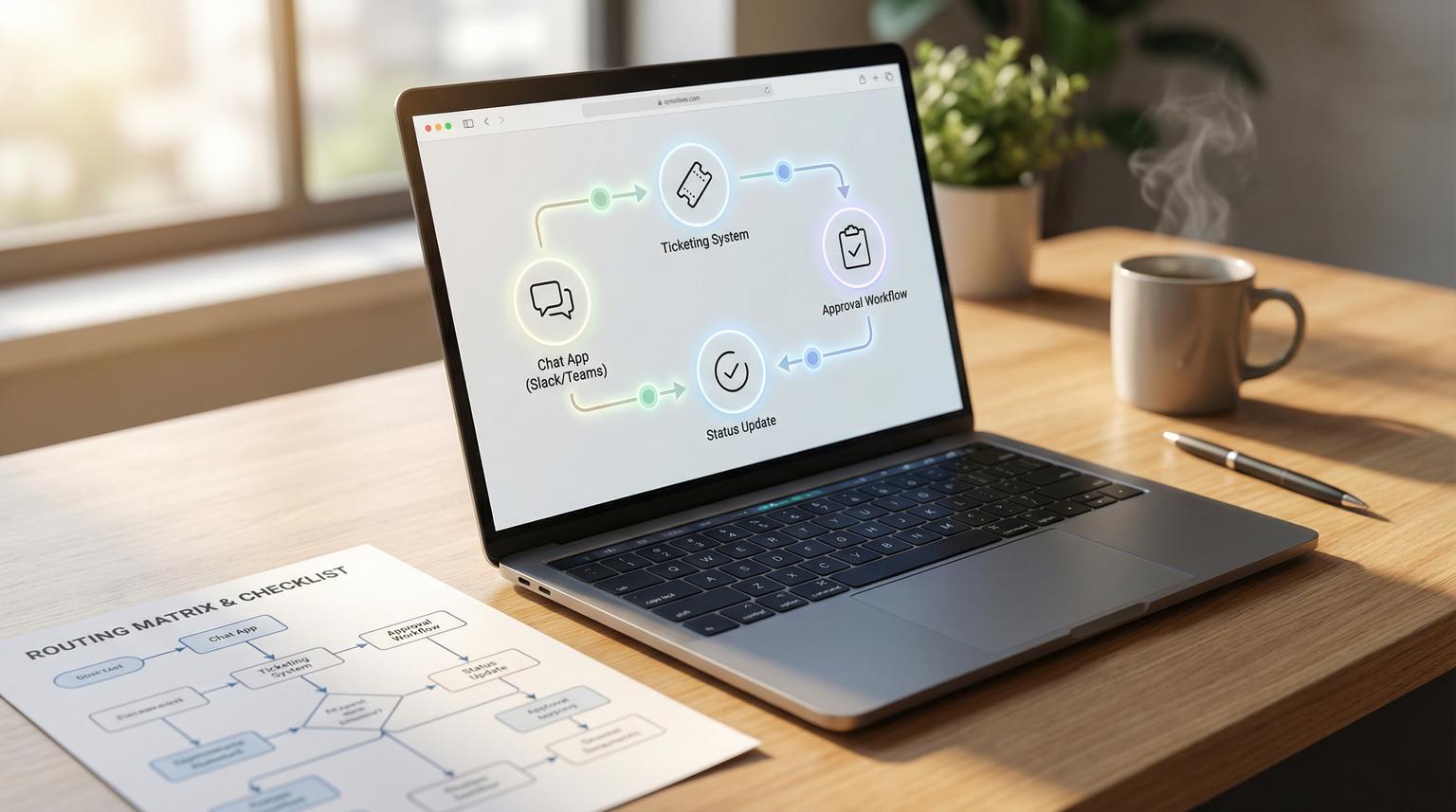
Slack and Microsoft Teams are where internal work starts. That is also where it gets lost: missing details, unclear ownership, approvals buried in threads and no system of record. This is exactly where automation for business productivity pays off because it removes triage and follow-ups while keeping the original context attached to the work item.
This article is for ops and IT teams who handle access requests, equipment, data pulls and policy questions. You will learn how to turn DMs and channel pings into a governed request-to-fulfillment workflow with structured intake, routing, approvals, SLAs and automatic status updates back to the same Slack thread or Teams message.
At a glance:
- Use chat as the front door but keep tickets or work items as the system of record.
- Enforce required fields with Slack modals or Teams adaptive cards to stop back-and-forth.
- Route by request type using a routing matrix with owners, approval rules and SLAs.
- Auto-post status updates back into the original conversation so requesters never wonder what happened.
Quick start
- Pick your system of record (service desk, ticketing or tracker) and define 5 to 8 request types that represent 80% of volume.
- Create one structured intake experience in Slack or Teams that forces the right fields based on request type.
- Implement routing using a matrix (type to owner to approvals to SLA) and create the work item with a permanent chat context link.
- Automate status updates back to the same thread or message on key events: submitted, approved, in progress, blocked and fulfilled.
- Roll out a simple operating model: ownership, escalation, weekly review and reporting on SLA hit rate and backlog aging.
To automate internal requests without losing context, treat Slack or Teams as the intake surface and your ticket or work tracker as the source of truth. Collect structured fields with a modal or adaptive card, create a work item that stores the original chat permalink and metadata then route it through approvals and fulfillment steps with clear SLAs. Finally post status changes back into the same chat thread or update the original Teams card message to keep everyone aligned.
Why internal requests break in chat
Most internal request pain is not the ask itself. The friction starts after someone posts a message like: "Can you grant access to X?" Then the team loses time to:
- Missing fields: no system, environment, user, manager or deadline.
- Unmanaged triage: the wrong person answers or nobody does.
- Approval drift: the approver says "ok" in chat but there is no audit trail.
- Context loss: once work leaves chat, requesters stop getting updates.
- Shadow work: people do the task from the chat ping and nothing is searchable later.
The fix is a boundary: chat is where the request is initiated and updated while a work item is where the request is owned, approved, executed and measured.
Target architecture that keeps context and governance
A reliable pattern looks like this:
- Intake surface: Slack modal or Teams adaptive card that enforces required fields.
- Workflow engine: n8n, Power Automate or a lightweight backend that handles routing, approvals, escalations and notifications.
- System of record: ticketing or tracking where fulfillment work is managed and reported.
- Context linkage: store channel ID, message timestamp, requester ID and a permalink to the original conversation.
- Status sync: write updates back to the same Slack thread or replace or update the Teams message.
Two production constraints matter here:
- Slack interactivity timing: Slack expects an acknowledgment in about 3 seconds for interactive components. If your automation waits for external API calls before responding, users will see timeouts. A common fix is the async pattern described in this Slack modal timeout walkthrough: respond immediately to close the modal then continue processing in the background.
- Private channel history expectations: tools that convert messages to work items typically cannot access old DM or private channel history unless the app was present at the time. That is one reason to use a designated request channel for consistent capture as noted in this Slack-to-work-item pattern.
Design a single request intake that does not overwhelm users
You want one entry point in chat but not one giant form. The trick is: a single top-level form that begins with request type then shows the right fields for that type.
Slack modal structure
Slack modals are purpose-built for structured input. Use required input blocks and pass routing and context via private_metadata. Slack documents the core modal structure in their modal reference.
{
"type": "modal",
"title": { "type": "plain_text", "text": "New internal request" },
"submit": { "type": "plain_text", "text": "Submit" },
"callback_id": "internal_request_v1",
"private_metadata": "channel=C123|ts=171234.567|source=slash_command",
"blocks": [
"... request type selector ...",
"... conditional inputs for the chosen type ..."
]
}
Implementation insight: do not pack large JSON into private_metadata. Keep it compact and store the full payload in your system of record after submission. For example store only a correlation key in metadata and look up the rest server-side.
Teams adaptive card structure
In Teams you can post an Adaptive Card and wait for a response. A key detail from Microsoft Learn is to configure message replacement after submission so the card does not reset and cause duplicate requests.
Action: Post an adaptive card to a Teams channel and wait for a response
- Configure Team and Channel
- Paste Adaptive Card JSON
- Configure Update message to replace the card with a confirmation
Required fields that actually reduce follow-ups
Required fields should be designed to eliminate the questions your team always asks anyway. A practical rule: if a missing field would create a back-and-forth or an approval delay, make it required. If it is only helpful sometimes, keep it optional and add it later if the data proves useful.
Routing matrix for ownership, required fields, approvals and SLAs
This matrix is the backbone of a scalable workflow. Start with your top request types and make routing deterministic. You can expand later but do not start with 30 categories.

| Request type | Primary owner | Required fields | Approval rules | SLA target |
|---|---|---|---|---|
| App access change | IT Helpdesk | App name, user email, role needed, environment (prod or sandbox), business justification | Manager approval required if role includes admin or finance data | Acknowledge 1 business hour, fulfill 1 business day |
| New software purchase request | Ops | Tool name, seats, cost estimate, vendor link, security needs, renewal date | Ops approval then Finance approval if cost exceeds threshold | Acknowledge 4 hours, decision 3 business days |
| Hardware request | IT Procurement | Employee name, shipping address, device type, start date, manager, budget code | Manager approval always | Acknowledge 1 day, order placed 2 business days |
| Data pull or report | Data Ops | Data source, metric definitions, date range, output format, audience, deadline | Approval required if it includes PII or external sharing | Acknowledge 1 day, deliver 3 business days |
| Policy or process question | People Ops | Topic, employee location, urgency, link to related doc if any | No approval, route to SME, publish answer if reusable | Acknowledge 4 hours, answer 2 business days |
| Security incident report | Security On-Call | What happened, systems involved, time observed, severity guess, screenshots or links | Auto-escalate to on-call if severity high, no human approval to create incident | Acknowledge 15 minutes, contain per incident policy |
Tradeoff and decision rule: approvals slow things down but missing approvals create risk. A good rule is to require approvals only when the request changes privileges, spends money or affects compliance. Everything else should default to owner execution with an audit trail.
Implementation workflow from chat to ticket to fulfillment
Below is an implementation sequence that works across Slack and Teams. It is written as an operational flow rather than tool-specific steps so you can implement it in n8n, Power Automate or custom code. If you need a broader, end-to-end framework for mapping and standardizing workflows before automating, use this business process automation playbook to build a process inventory, document exception paths, and roll out safely.
1) Trigger and structured intake
- Slack: slash command, message shortcut or reaction triggers a modal. Capture requester and origin context (channel ID and message permalink).
- Teams: post a card in a request channel or via a bot then wait for response. Include a correlation ID.
2) Fast acknowledgment then async processing
For Slack interactive events, acknowledge immediately to avoid timeouts then do the work asynchronously. When closing a modal, the immediate response can be as small as:
{
"response_action": "clear"
}
Then in the background you create the work item, validate fields, compute routing and start approvals.
3) Create the system-of-record item with permanent linkage
Your ticket or work item should include:
- Request type
- Requester identity
- All captured fields
- Chat platform and channel
- Original message link or Teams conversation reference
- A unique tracking ID that can be posted back to chat
This linkage is what prevents context loss. If someone later asks "why did we grant this access" you can follow the tracking ID to the ticket then back to the original request conversation.
4) Route and start approvals
Use the routing matrix to set owner, watchers and SLA timers. For approvals you have two common patterns:
- In-chat approval: send an approval card or message to the approver and record the decision in the ticket.
- System-of-record approval: use your ticketing approval feature and just notify in chat.
Choose one primary place to record the approval decision. Mixing both creates confusion. For a deeper look at how automation reduces cycle time across teams while keeping governance, see Unlocking Business Process Optimization with Automation.
5) Fulfillment with status transitions
As owners work the ticket, they update status in the system of record. Your automation listens for those changes and posts them back to chat. That keeps requesters out of your queue while still informed.
Status update automation back to Slack or Teams
Status updates are where most internal workflows fail. People create a ticket then never tell the requester what happened. Solve this with consistent event-driven notifications.

Recommended status model
- Submitted: intake captured and tracking ID created
- Needs info: missing details or conflicting request
- Pending approval: waiting on manager or finance
- Approved: ready for execution
- In progress: owner actively working
- Blocked: waiting on dependency
- Fulfilled: completed and communicated
- Closed: verified and archived
Slack thread update pattern
Post the first confirmation as a thread reply in the originating conversation so the work stays in-context. Then keep all subsequent updates in the same thread. A simple rule is: one status update per status change, not per internal comment.
On ticket created:
- Post thread reply: "Request submitted. ID: IT-1042. Owner: Helpdesk. Target: 1 business day."
On status change to Pending approval:
- Post thread reply tagging approver (or notifying requester): "Pending manager approval."
On Approved:
- Post thread reply: "Approved. Work starting."
On Fulfilled:
- Post thread reply: "Completed. Summary: access granted to role X."
If you implement this with a Jira-style Slack integration, synced comments can cover much of this behavior as described in the Slack work-item creation flow. If you implement it with n8n or custom workflows, the same logic applies: ticket events drive chat updates.
Teams message replacement pattern
For Teams cards, use message replacement after submission to show a confirmation and prevent resubmission. Then post separate replies in the same channel thread for key status changes or update a single tracking message if that better fits your culture.
Operating model that keeps the automation reliable as volume grows
Automation only improves productivity if it stays consistent when the request queue grows. A lightweight operating model keeps it from degrading into ad-hoc chat work again. This is aligned with the standard demand intake and performance cadence ideas in The productivity imperative in services.
Roles and ownership
- Request intake owner: owns the form, routing matrix and field definitions. Usually ops or IT operations.
- Queue owners: the functional teams that fulfill each request type.
- Approver pools: managers, finance and security. Keep them as groups not individuals where possible.
- Automation owner: monitors failures, rate limits, credentials and webhook health.
SLAs and escalation
- Define SLA targets for acknowledge time and fulfill time per request type.
- Escalate based on time-in-status, not based on who is loudest in chat.
- Send escalations to an on-call or shared channel, not to a single person who might be offline.
Reporting that actually helps
- SLA hit rate by request type
- Backlog aging (how long requests sit without movement)
- Top reasons for "Needs info" (signals missing fields)
- Approval cycle time (signals bottlenecks in managers or finance)
- Repeat request themes that should become self-serve docs or automations
A common failure pattern to avoid
Teams often launch intake automation but keep accepting requests via DMs "just this once". The result is two systems: one tracked and one invisible. If you want measurable cycle time reduction, require that fulfillment work starts only after the request is in the system of record. You can still be helpful in chat but the response should be: "Submit it via the form so we can route and track it."
Validation, rollout and when not to use this approach
Pre-launch checklist
- Every request type has an owner, SLA and escalation rule.
- The form enforces required fields that prevent the top 5 follow-up questions.
- Slack and Teams interactions acknowledge fast enough to avoid timeouts.
- Each ticket stores a chat context link and each chat confirmation includes the tracking ID.
- Status changes reliably post back to chat for at least submitted, pending approval and fulfilled.
- A fallback exists when chat APIs fail (for example email confirmation or a dashboard link).
Rollout approach that reduces resistance
- Start with one request channel and 3 to 5 high-volume request types.
- Run a two-week pilot with a small group and tighten required fields based on "Needs info" frequency.
- Publish a short internal note showing examples of what good requests look like.
- Expand request types once SLA performance is stable.
When this is not the best fit
If your work is mostly long-running project work with heavy discovery, a rigid request form can create friction without improving throughput. In that case, it may be better to automate only intake capture and context linkage, then route into a project intake meeting rather than enforce strict SLAs and approvals for every request.
If you want help implementing this with n8n or with API-first integrations across Slack, Teams and your ticketing or CRM stack, ThinkBot Agency can design the intake, routing, approvals and status sync so it stays reliable under real volume. If you are evaluating which platform is the best fit for your routing, approvals, and reliability guardrails, use this n8n vs Zapier vs Make comparison to match capability to your requirements. Book a consultation and we will map your top request types into a routing matrix and a working automation plan.
FAQ
What should be the system of record for internal requests
Use the place where your team already manages work and can report on it consistently, such as a service desk, ticketing system or work tracker. Chat should not be the system of record because it cannot reliably enforce fields, approvals, SLAs or audit history.
How do we keep the original Slack or Teams context connected to the ticket
Store a permanent reference in the ticket such as the Slack channel ID and message timestamp permalink or a Teams conversation reference plus the requester identity. Then post the ticket ID and link back into the same thread or message so both sides stay connected.
How do approvals work without turning chat into noise
Only require approvals for risk and cost cases like privilege changes, purchases or compliance-sensitive data. Route approval requests to the right approver pool and post status updates only when the ticket moves statuses rather than on every internal comment.
What is the most common reason Slack modal automations fail
The most common cause is not responding to Slack interactions fast enough. Slack expects an acknowledgment within about 3 seconds. Fix this by acknowledging immediately to close the modal and then doing ticket creation and routing asynchronously.
How do we measure whether the workflow is improving productivity
Track acknowledge time, fulfillment cycle time, SLA hit rate, backlog aging, approval cycle time and the rate of requests that move to Needs info. If Needs info is high, your required fields and request types need refinement.
