
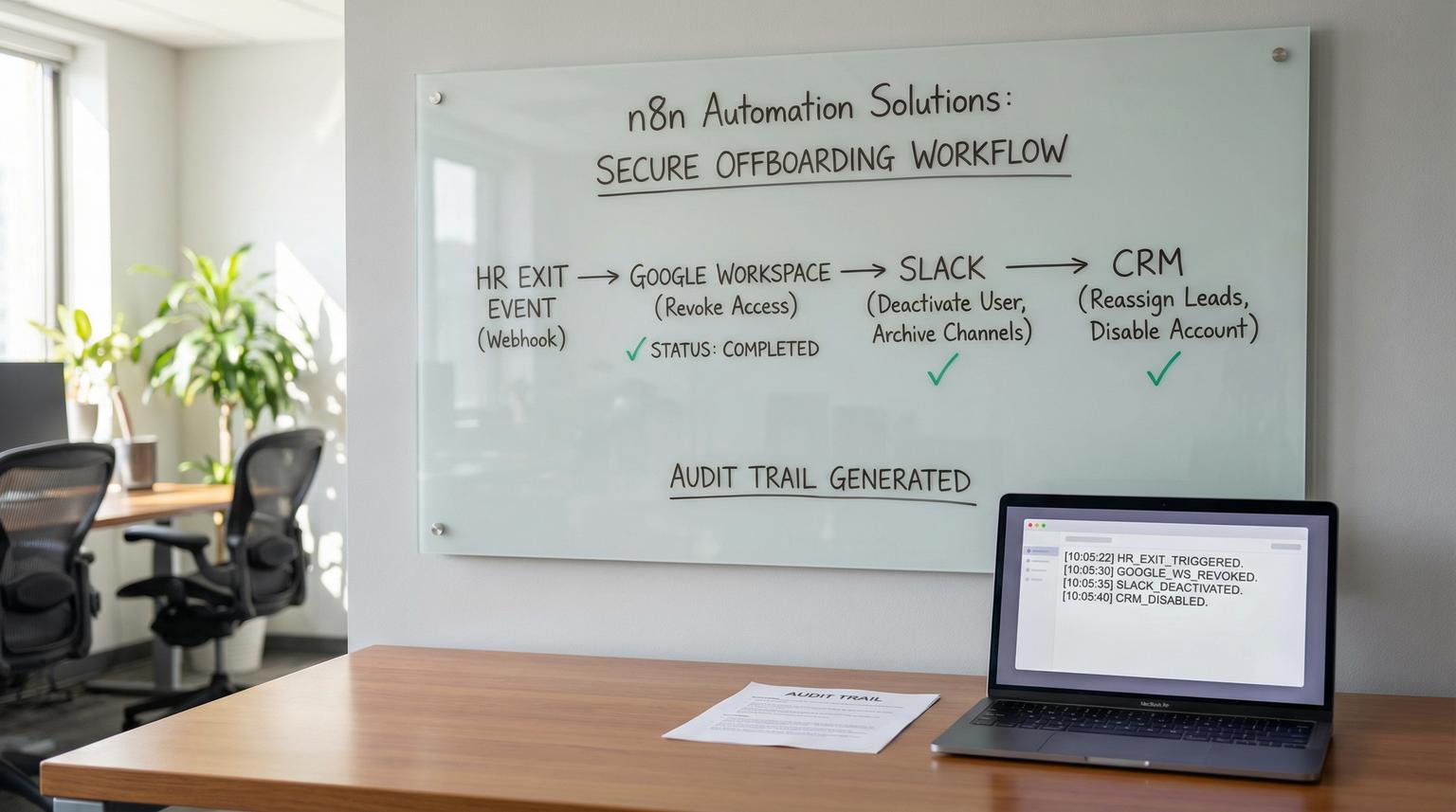
Employee offboarding is one of those processes that looks simple until it fails. One missed shared inbox delegate, one lingering OAuth token or one unrevoked session can turn a normal exit into an access gap that creates security and compliance risk. In this article, we will implement n8n automation solutions for a strict offboarding flow that starts from an HR exit event and removes access across Google Workspace, Slack and your CRM while preserving data ownership and producing an audit trail your ops team can trust.
This is written for operators and tech-savvy teams that want a repeatable offboarding run that finishes in under 30 minutes including approvals and exception handling.
At a glance:
- Cut access first (suspend + revoke sessions/tokens) then clean delegation and shared access then deactivate Slack and CRM.
- Put approvals at the right gates so irreversible steps do not happen without signoff.
- Write every step outcome to an external audit log so you are not relying on n8n execution history.
- Use an error workflow for consistent alerts, retries and a manual exception queue.
Quick start
- Define your HR exit trigger and standardize the payload (employee email, manager email, last day, systems scope).
- In n8n, build the main offboarding workflow with two approval gates: start approval and irreversible actions approval.
- Implement the step sequence: suspend Google user and revoke sessions then remove Gmail delegation and shared access then deactivate Slack via SCIM then deactivate or remove the CRM user.
- Write step-level audit records to an external store (Postgres or your preferred database) and keep only minimal execution retention in n8n. For production patterns like retries, logging, and safe scaling, see n8n best practices for enterprise workflow automation.
- Create a centralized error workflow using the Error Trigger and connect it in Workflow Settings for consistent exception handling.
To automate employee offboarding safely, structure your workflow so access is cut immediately (account suspension plus session and token revocation), then remove delegated and shared access, then deactivate downstream apps like Slack and CRM. Add approvals before destructive steps, log each action to an external audit store and route failures to an exception path with clear ownership so the process never silently stops halfway.
Why execution order matters for offboarding
Most offboarding failures are not caused by missing an API call. They happen because teams do the right actions in the wrong order or they treat offboarding like a checklist with no controls. If you remove a CRM user before reassigning ownership, you create orphaned records and reporting gaps. If you clean up Gmail delegation but forget to revoke sessions first, a previously authenticated session might still access data for a window of time depending on your policies.
A reliable sequence looks like this:
- Approval to start the run (confirms this is a real exit event and the target identity is correct).
- Immediate access cutoff (suspend and revoke sessions/tokens).
- Remove delegated and shared access (Gmail delegates, shared inbox access and group memberships as needed).
- Downstream app deprovision (Slack and CRM).
- Verify (confirm expected states).
- Closeout (final notifications, audit completion and next actions).
The tradeoff is speed vs certainty: if you put too many approvals up front you slow down access cutoff. The decision rule we use in real deployments is simple: approvals should gate irreversible steps and cross-functional handoffs but not block immediate suspension when HR has confirmed the exit.
Inputs, roles and the minimum data model
Trigger options
Your workflow needs a trusted HR exit signal. Common options include:
- Webhook from your HRIS (best if available).
- Google Sheet or Airtable row added for smaller teams.
- Form submission that is only accessible to HR.
- Manual Slack command that posts a structured payload for approvals (useful as a stopgap).
Whichever you choose, normalize the payload in n8n right away.
Suggested normalized payload
{
"eventType": "employee.exit",
"employeeEmail": "[email protected]",
"employeeFullName": "Alex Rivera",
"managerEmail": "[email protected]",
"requestedBy": "[email protected]",
"effectiveAt": "2026-04-01T16:00:00Z",
"systems": {
"googleWorkspace": true,
"slack": true,
"crm": "hubspot"
},
"reason": "voluntary",
"notes": "Return laptop scheduled"
}
Ownership model
Define who owns which decision. A practical split that works for most teams:
- HR owns the exit event validity and effective time.
- IT or Ops owns immediate access cutoff and downstream deprovision steps.
- The manager owns handoff decisions (who receives mailbox or record ownership).
A real-world operational insight: if you do not explicitly name an owner for exception resolution, offboarding failures will sit in a channel with no one acting. Build a single accountable queue (Ops or IT) and require acknowledgement.
The n8n workflow sequence with approvals, audit logging and rollback
Below is an ops-ready sequence you can build as a single main workflow plus one centralized error workflow. The main workflow should be idempotent where possible so reruns do not create duplicates or hard failures.

Workflow overview (named checkpoints)
- Checkpoint 1: Approval to start
- Checkpoint 2: Immediate access cutoff
- Checkpoint 3: Remove delegated and shared access
- Checkpoint 4: Downstream app deprovision
- Checkpoint 5: Verify
- Checkpoint 6: Closeout
Step-by-step node sequence (main workflow)
- Trigger: Webhook Trigger (from HRIS) or Google Sheets Trigger.
- Set: Normalize payload into the schema above. Generate
offboardingJobId(UUID) and attach it to every audit record. - Preflight validation (IF + Code):
- Confirm
employeeEmailis a primary corporate email format. - Confirm
effectiveAtis not in the future unless you support scheduled offboarding. - Confirm required approvals list exists (HR and manager for handoff, IT for execution).
- Confirm
- Audit log write: Insert
job_createdinto an external store (Postgres is typical). Store: jobId, employeeEmail, requestedBy, effectiveAt, status=waiting_approval, createdAt. - Approval gate 1 (Slack): Send a Slack message to an IT/Ops approvals channel with summary and two actions: Approve and Reject. Use a Slack Trigger or a Wait node pattern depending on your Slack app setup. On approval, continue. On reject, update audit status and stop.
- Checkpoint 2: Immediate access cutoff (Google Workspace):Audit writes:
google_suspend_success,google_revoke_sessions_successwith timestamps.- Suspend Google user (Admin SDK Directory API). If the user is already suspended treat it as success and log as a no-op.
- Revoke sessions and tokens (Admin SDK tokens and sessions endpoints in your environment). Do not log token values in n8n outputs.
- Checkpoint 3: Remove delegated and shared access (Gmail):Gmail delegate removal endpoint reference: Gmail delegates delete.DELETE https://gmail.googleapis.com/gmail/v1/users/{userId}/settings/delegates/{delegateEmail}
- List Gmail delegates for the mailbox (enumeration call in your environment) then For Each delegate run DELETE delegate.
- Log each delegate removal. If a delegate delete fails due to missing domain-wide delegation or because a delegate email is an alias, route to exception handling and mark the job as partial.
- Handoff planning (optional approval gate 2): If you need to transfer access or ownership, request manager confirmation. This is where teams often make a common mistake: granting new delegates before removing old ones. Always remove old delegation first then add the approved replacement if needed.
- Checkpoint 4: Downstream app deprovision:{
"schemas": ["urn:ietf:params:scim:api:messages:2.0:PatchOp"],
"Operations": [
{"op": "replace", "path": "active", "value": false}
]
}DELETE https://api.hubapi.com/settings/v3/users/{userId}
Authorization: Bearer YOUR_PRIVATE_APP_TOKEN
# Expect HTTP 204- Slack (SCIM): Resolve Slack SCIM user ID by email then PATCH active=false. Treat already inactive as success and log it. Slack SCIM reference: Slack SCIM API.
- CRM (HubSpot example): Resolve to stable user ID and confirm ownership reassignment is complete. Only then remove the user. HubSpot endpoint reference: HubSpot remove user. If you want a broader pattern for connecting CRM + email + internal tools in one reliable system, see business process automation with n8n.
- Checkpoint 5: Verify:Write a
verification_passedorverification_failedaudit record.- Re-query Google user to confirm suspended state.
- Confirm Slack SCIM user active=false.
- Confirm CRM user no longer present or marked removed depending on your CRM behavior.
- Checkpoint 6: Closeout:
- Notify HR and manager in Slack or email that access removal is complete with a summary of steps executed and any exceptions.
- Update audit job status to completed or completed_with_exceptions.

Rollback and exception path (what happens when a step fails)
Two things should be true in production: failures should be loud and failures should be actionable. Instead of adding one-off error messages after every node, use n8n error workflows so every unexpected failure triggers the same handler. n8n supports a dedicated Error Trigger workflow that runs automatically when the main flow fails. See the n8n docs on error handling.
Recommended pattern:
- Main workflow: keep it readable and focused on the happy path with deliberate IF branches for known conditions (already suspended, user not found).
- Error workflow: centralize alerts, audit logging and ticket creation. For a reusable production architecture (trigger → orchestration → mapping/enrichment → actions → feedback, plus retries/alerts/versioning), use this workflow operating model: Build a governed n8n workflow framework your teams can reuse.
Your error workflow should:
- Start with Error Trigger.
- Extract: workflow name, executionId, failedNode, error message and the employeeEmail from the run.
- Write an audit record
offboarding_step_failedwith the failure payload and set job status to needs_manual_intervention. - Send a Slack notification to the on-call channel with a short summary and a link to the n8n execution.
- Optionally create a ticket in your helpdesk.
Rollback should be limited, explicit and approval-gated. Many access cutoff actions are intentionally hard to reverse. The safe rollback you can offer within 30 minutes is typically:
- Slack reactivation by setting SCIM active=true if the deactivation was premature.
- Unsuspend Google account only with HR approval if the exit event was incorrect.
Do not attempt to automatically recreate deleted CRM users. If the CRM step is potentially irreversible in your environment, gate it with approval and treat failures as stop-the-line events.
Audit log storage and execution retention (production reality)
For offboarding, n8n execution history is helpful for debugging but it should not be your system of record. You want a minimal external audit table that stores only what you need to prove what happened without keeping sensitive data.
Minimal audit schema
Table: offboarding_audit
- job_id (text)
- employee_email (text)
- step (text)
- system (text)
- status (text) # success, fail, noop, pending
- message (text)
- actor (text) # workflow, approver email, manual operator
- execution_id (text)
- occurred_at (timestamp)
Execution data retention controls
In 2026, data governance matters more than ever. Keep enough execution data for troubleshooting but not so much that you are retaining PII and secrets in automation logs. n8n supports execution pruning. See the n8n docs on execution data.
# Enable executions pruning
export EXECUTIONS_DATA_PRUNE=true
A practical approach we implement for teams: store step outcomes in the audit database for long-term retention and keep n8n execution data for a shorter window (for example 7 to 30 days) to support debugging. Annotate only the rare executions that require extended retention, for example a legal hold.
Go-live checklist and operational rollout model
This is where most automations succeed or fail. Offboarding is not a single workflow, it is an operating model that includes approvals, monitoring and ownership.
Go-live checklist
- Confirm you have domain-wide delegation and least-privilege scopes for Google Workspace admin actions.
- Confirm Slack plan supports SCIM and your token has required admin permissions.
- Confirm CRM offboarding behavior (deactivate vs remove) and document what is reversible.
- Validate identity mapping: HR email equals Google primary email equals Slack email equals CRM email. If not, implement a lookup table.
- Add two approval gates: start approval and irreversible actions approval.
- Implement external audit logging and verify you can reconstruct a full timeline from it.
- Enable centralized error workflow and test at least three failure scenarios.
- Run a tabletop exercise with HR, IT and a manager using a test user.
Rollout model
- Phase 1 (pilot): run in parallel with manual offboarding for 2 to 4 exits. Compare results and refine the step list.
- Phase 2 (enforced): require that offboarding requests come through the trigger system and block ad-hoc requests.
- Phase 3 (continuous improvement): add systems like VPN, SSO, device management and file ownership transfer once the core flow is stable.
Failure modes you should expect and how to mitigate them
Plan for these issues upfront so they do not derail your first month in production.
- Email alias vs primary email mismatch: Gmail delegate removal requires primary email references. Mitigation: validate the email and resolve aliases before calling the API then write the resolved identity to the audit log.
- Slack SCIM user not found: the user email in Slack may differ. Mitigation: implement a mapping table or search based on known attributes, then cache the Slack SCIM user id once found.
- CRM ownership not reassigned: removing a CRM user can create downstream reporting issues. Mitigation: add a preflight check that confirms ownership reassignment is complete before allowing the CRM step approval.
- Workflow stops mid-run without a clear owner: alerts go to a channel but no one acts. Mitigation: route error workflow notifications to a specific on-call group and require acknowledgement plus an audit update.
- Secrets leak into logs: node outputs contain tokens or PII. Mitigation: avoid logging raw responses, mask sensitive fields and store only minimal step outcomes in the external audit table.
When this approach is not the best fit
If your company already has a mature identity provider with full SCIM provisioning across all apps and a standardized HRIS-driven lifecycle, you may not need an n8n-based offboarding flow for core access removal. In that case, the better use of automation is exception management, auditing and downstream notifications.
Also, if you cannot obtain the right admin scopes (Google domain-wide delegation, Slack SCIM access, CRM admin tokens) then an automated flow will fail at the worst times. A partially automated offboarding that creates a false sense of completion is worse than a manual checklist.
Implement faster with ThinkBot Agency
If you want this offboarding workflow deployed with the right approvals, audit logging and exception handling, we can help you implement it in your environment and integrate it with your HR trigger source and CRM specifics. Book a working session here: book a consultation.
If you want to review similar automation work we have delivered, you can also see our track record on Upwork.
FAQ
Common questions we hear when teams implement automated offboarding across Google Workspace, Slack and CRM.
How do I keep offboarding audit logs without storing sensitive data in n8n?
Write step outcomes to an external audit store (for example Postgres) with a minimal schema: jobId, step, system, status, timestamp and a short message. Keep n8n execution retention short for debugging and avoid logging raw API responses or tokens.
What should be approval-gated in an automated offboarding workflow?
Gate the start of the offboarding run (to confirm the identity and effective time) and gate any irreversible actions such as removing a CRM user. Immediate access cutoff like suspending the account can run right after HR validation, then everything else can be controlled through approvals.
Can I roll back an offboarding run if HR made a mistake?
Yes, but keep rollback limited and explicit. Slack SCIM deactivation is reversible by setting active=true and Google suspension can be reversed by unsuspending the user, both behind an approval gate. Avoid attempting to automatically recreate deleted CRM users because that is often not cleanly reversible.
What is the best way to handle failures so offboarding does not silently stop?
Use a centralized n8n error workflow with the Error Trigger. When any node fails, write an audit failure record, alert the on-call channel with the jobId and failed step and set the job status to needs_manual_intervention so a human can resolve the exception and rerun safely.
