
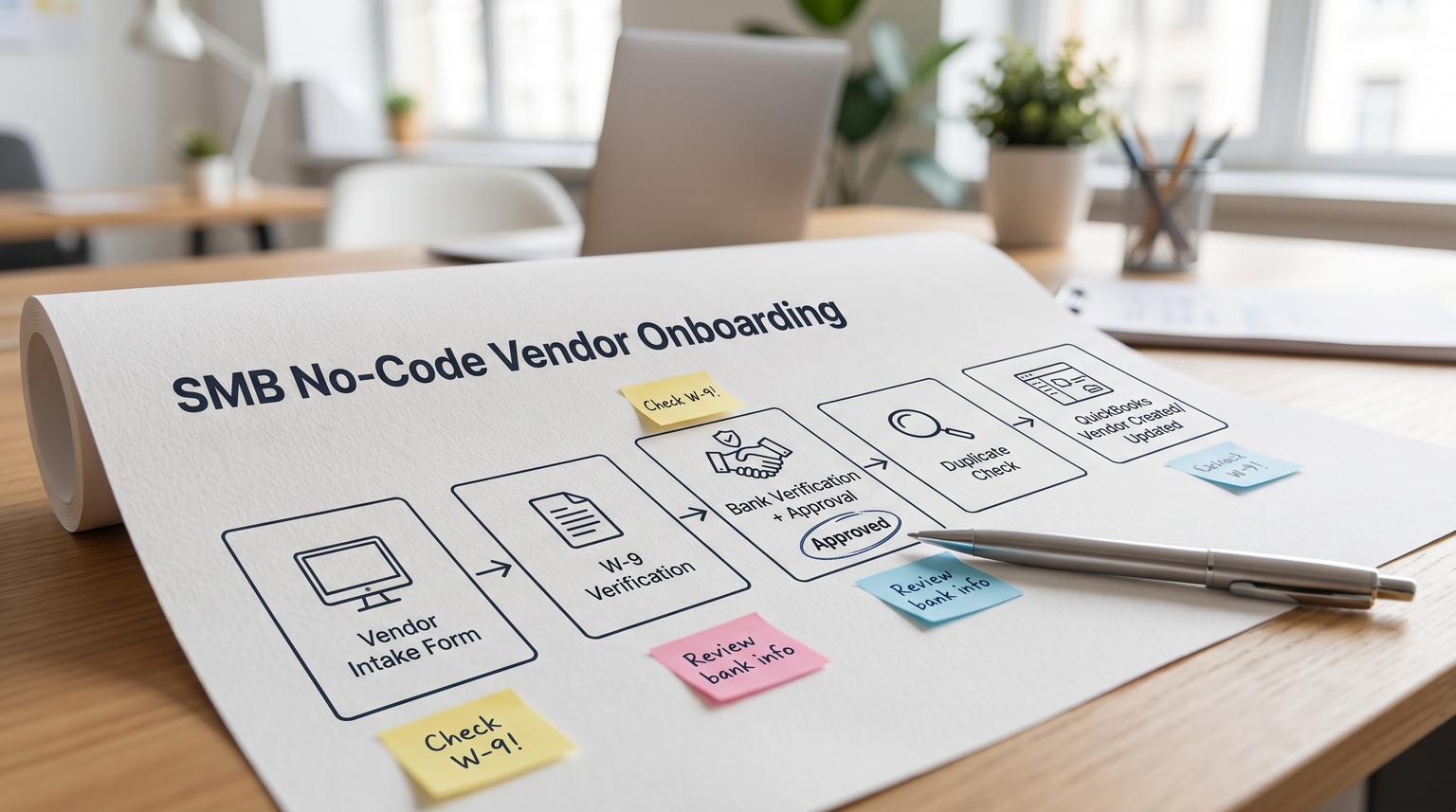
Vendor onboarding is one of those processes that looks simple until it breaks: a supplier emails a W-9, someone forwards banking details, AP keys it into QuickBooks and a week later a payment bounces or a duplicate vendor record shows up in your books. This article is for SMB ops and finance teams who want a practical workflow using no-code automation tools for SMBs to collect vendor details once, verify tax and bank information with approvals and then create or update vendors in QuickBooks only after the risk checks pass.
At a glance:
- Centralize vendor intake (contact, tax profile, payment preferences and files) into one tracked request.
- Gate activation on W-9 completeness plus TIN and name checks and on bank-detail verification with explicit approvals.
- Prevent duplicate vendors by querying QuickBooks before any create and routing matches to a controlled review queue.
- Add production-grade error handling so failures alert owners and do not create partial records.
Quick start
- Define one vendor intake form and a vendor status model (Draft, W9 pending, W9 verified, Bank pending, Approved, Synced).
- Build validation steps that hard-stop missing fields and missing W-9 signature then route exceptions to an approver.
- Before creating anything in QuickBooks run a vendor search query and choose create vs update vs review.
- Store W-9 and banking evidence in a consistent folder structure and write the file links back to the intake record.
- Add an error workflow (or scenario error handler) that logs failures and alerts AP and ops for fast retries.
A reliable vendor onboarding workflow collects supplier info once, validates W-9 and banking details, routes approvals for exceptions and only then creates or updates the vendor in QuickBooks. The critical controls are duplicate prevention before create, a payment hold until W-9 verification and strict approvals for any bank-detail change. With lightweight monitoring and retry-safe design you get faster setup, cleaner books and an auditable trail without custom code.
Why vendor onboarding breaks in real SMB operations
Most SMB vendor setup happens in inbox threads. The process fails in predictable ways:
- Document drift: the W-9 is in one email thread, bank details in another and the person setting up the vendor cannot confirm what is current.
- Missing compliance details: W-9 fields look complete but are not actually usable (missing signature date, mismatch between legal name and TIN type or no certification language when collected electronically).
- QuickBooks duplicates: a supplier is created twice due to a spelling variation, a DBA vs legal name difference or a workflow retry after an API timeout.
- Unauthorized bank changes: a vendor emails new ACH details and the change is keyed in without a second set of eyes.
- Silent failures: a step fails (storage, API, permissions) but nobody is notified so AP assumes the vendor is ready.
The operational insight we see most often: once AP is under payment pressure the team will create a vendor in QuickBooks even if the W-9 and bank verification are incomplete. That is why the workflow must enforce gates and must make the fastest path the compliant path.
The target workflow and system boundaries
For vendor onboarding, QuickBooks should be treated as the final system of record only after verification and approvals pass. Upstream you want a controlled intake record where the team can collaborate, approve and audit.
A clean system layout looks like this:
- Intake: form or portal (internal AP form or vendor-facing form) that creates one onboarding request.
- Work queue: a tracker (Airtable, Google Sheets, Notion database or a ticketing tool) that holds status and owner.
- Storage: Google Drive, SharePoint or Dropbox with a predictable folder structure for attachments.
- Automation layer: n8n, Make, Zapier or a mix that handles routing, approvals, validation and API calls. If you are still selecting tooling, see our no-code automation tools comparison (n8n vs Zapier vs Make) for workflow logic, error handling, and security tradeoffs.
- Accounting: QuickBooks Online vendor record created or updated only after gates.
Decision rule: if your vendor volume is low but the risk of wrong bank details is high, prioritize approvals and change control over fancy automation. If vendor volume is high, prioritize dedupe and idempotency first because duplicates create long-term cleanup work.
Design the intake so verification is possible later
If you do not capture the right fields at intake you cannot reliably verify W-9 or bank details. The goal is one intake record that is complete enough to run checks without back-and-forth.
Recommended intake fields
| Category | Fields to capture | Why it matters |
|---|---|---|
| Identity | Legal name, DBA name (if any), email, phone, address, website | Supports W-9 matching and reduces duplicate vendors caused by name variants |
| Tax (W-9) | Tax classification, TIN type (SSN or EIN), TIN, certification acknowledgement, signature method, signature date, W-9 file upload | Supports completeness checks and a verifiable audit trail per IRS W-9 requester guidance |
| Payments | Payment method (ACH, check, card), bank name, routing number, account number, account type, remittance email | Enables bank verification and approval for high-risk changes |
| Accounting defaults | 1099 eligible flag, default expense category (optional), terms (optional) | Reduces rework for AP and keeps books consistent |
| Controls | Requested by, business unit, approver, effective date for bank details | Supports approvals, change control and auditability |
Folder structure that stays consistent
Pick a naming convention that reduces chaos and makes audits painless:
- Root: Vendors/
- Vendor folder: Vendors/{NormalizedVendorName}__{TaxIDLast4 or IntakeID}/
- Subfolders: W9/ Bank/ Contracts/ Other/
Store the uploaded W-9 and bank evidence there and write the file URLs back to the intake record so the team never has to hunt through Drive.
Verification and approvals that actually reduce risk
This is the heart of the workflow. Two gates matter most: W-9 verification and bank-detail verification. The workflow should intentionally prevent QuickBooks creation until both gates pass or an exception is approved with a clear audit note.

W-9 verification gate
As the requester you rely on a properly completed and signed W-9 to reduce backup withholding risk and to support accurate information returns. IRS guidance highlights completeness, certifications and the value of TIN matching where used. Build these checks into automation and do not let them live in someone s head.
W-9 verification checklist (use as hard validation rules):
- W-9 file is attached and readable (no password lock unless your policy supports it).
- Legal name is present and matches the W-9 name field.
- TIN type is selected and the TIN length matches expected format (basic length check).
- Tax classification is selected (individual/sole proprietor, C corp, S corp, partnership, LLC type etc).
- Address is present.
- Certifications are acknowledged and signature plus signature date are captured (for e-sign ensure the certifications language is preserved).
- TIN and name validation decision recorded: Not checked, Checked and passed, Checked and failed.
Common failure pattern: teams treat a typed name in an email as a signature. That is fragile in audits and it makes downstream disputes harder. If you collect W-9 electronically, your intake must capture the required certification language and an auditable signature event.
Bank-detail verification and change control
Bank details are the highest-fraud surface in vendor onboarding. Treat any bank detail change as a separate request with explicit approval even if the vendor already exists.
- New vendor: verify banking evidence then request approval before syncing payment preferences.
- Existing vendor bank change: require a second channel verification (for example call-back to a known number or confirmation from a known contact) plus approver sign-off.
Do not allow the same person to both enter and approve bank changes if you can avoid it. In small teams where separation of duties is hard, at least require a second approver for bank edits above a threshold or for first-time ACH enablement.
Approval routing logic
Keep it simple and predictable:
- If W-9 is missing or incomplete: route to vendor for fix and keep vendor status as W9 pending.
- If TIN and name check fails (or cannot be performed): route to finance lead for exception decision and document whether payments should be held or backup withholding applies.
- If bank details are added or changed: route to AP manager and optionally controller based on amount thresholds.
- If any required field is missing: stop the workflow and notify the request owner rather than creating partial data.
In n8n this often looks like an IF node for each gate plus a deliberate failure path using a Stop and Error step so it is visible in logs and alerting. The pattern maps well to n8n error handling where failures trigger an error workflow.
Duplicate prevention and safe QuickBooks vendor creation
QuickBooks duplicates are costly because cleanup usually means merging vendors which moves transactions and is effectively irreversible from an ops perspective. Intuit documents the in-product process to merge duplicate vendors which is exactly why prevention should happen before creation.
Normalize before you search
Before hitting QuickBooks, normalize your input so the same vendor does not appear different across requests:
- Trim leading and trailing whitespace
- Collapse multiple spaces
- Standardize common suffixes (Inc, LLC) if your org is consistent
- Handle apostrophes and special characters safely in queries
- Use a consistent DisplayName rule (for example LegalName plus DBA in parentheses)
Query-first decision tree (idempotent by design)
Whether you use a native connector or raw API calls, the safest pattern is query-first then create or update. QuickBooks Online supports SQL-like queries for entities including Vendor. This enables dedupe checks and makes retries safe because a rerun can find the record it already created.
Example query patterns (useful even as pseudocode):
SELECT * FROM Vendor WHERE DisplayName = 'Acme Supplies'SELECT * FROM Vendor WHERE CompanyName = 'O\'Reilly Media'
QuickBooks queries are case-insensitive for reserved words and often for values in practice so do not assume case differences justify a new vendor. If you are building against the API directly see QuickBooks data queries for syntax notes and escaping.

Duplicate-prevention rules you can implement without code
- Rule 1: Exact match on DisplayName or CompanyName: do not create. Route to review or update existing vendor if your policy allows.
- Rule 2: Match on TIN last 4 plus postal code (if captured): treat as high-confidence duplicate and route to vendor-master owner.
- Rule 3: Multiple possible matches: do not create. Create a review task that lists candidate vendor IDs and names.
- Rule 4: Retry safety: on any retry re-run the search first then continue. Never blindly replay a Create Vendor step.
When to update vs when to require approval
A practical tradeoff: automatic updates reduce manual work but increase the risk of overwriting good data. A common policy that works for SMBs is:
- Auto-update low-risk fields (email, phone, remittance email) after approval of the onboarding request.
- Require explicit approval for high-risk fields (legal name, tax classification, TIN, bank routing and account numbers).
- Never auto-update bank details if the request was initiated from an untrusted channel.
Minimal QuickBooks vendor payload to keep consistent
Even if your connector hides JSON, define a consistent mapping so different requesters do not create different vendor shapes.
{
"DisplayName": "Acme Supplies (DBA Acme Industrial)",
"CompanyName": "Acme Supplies LLC",
"PrimaryEmailAddr": {"Address": "[email protected]"},
"PrimaryPhone": {"FreeFormNumber": "+1 555 010 2000"},
"BillAddr": {
"Line1": "123 Main St",
"City": "Austin",
"CountrySubDivisionCode": "TX",
"PostalCode": "78701"
},
"TaxIdentifier": "12-3456789",
"Vendor1099": true
}
Do not store raw bank account numbers in places that are not designed for sensitive data. If you must store them for workflow purposes, restrict access and consider tokenization or a secure vault. At minimum, log only last 4 in your automation logs.
Error handling, monitoring and rollback so it works in production
Most automations fail not because the idea is wrong but because the workflow has no plan for partial failure. Vendor onboarding is especially sensitive because a failure can create a vendor in QuickBooks but fail to store the W-9 attachment or fail to notify AP. For a deeper end-to-end approach to mapping, scoring, and rolling out automations safely, use our pillar business process automation playbook to build a repeatable rollout and control framework.
Recommended failure-handling modes by step
Whether you run this in n8n or Make, you want explicit behavior per step type. Make calls these error handlers. n8n typically uses an error workflow and deliberate Stop and Error actions.
| Step | Risk level | Preferred behavior on error | Why |
|---|---|---|---|
| Validate required fields and W-9 completeness | High | Stop and create an exception task | Continuing would create noncompliant or unpayable vendors |
| TIN and name check (if used) | High | Route to approval with a payment hold default | Prevents incorrect 1099 reporting and backup withholding mistakes |
| Search QuickBooks for duplicates | High | Retry on transient API errors then alert | Skipping search can create duplicates on retry |
| Create or update vendor in QuickBooks | High | Stop and alert with context then retry safely | This is the highest-risk boundary |
| Create folder and upload attachments | Medium | Stop and alert but do not undo QuickBooks changes | Vendor may already exist so create a follow-up task |
| Notify requester and AP | Low | Retry then continue | Notification is important but should not block record correctness |
Lightweight monitoring that catches issues early
At minimum implement:
- An error workflow that triggers on failures and posts to email or Slack with execution link, intake record ID and last successful step. n8n supports this with an Error Trigger pattern.
- A dead-letter log table (Airtable or Sheets) that stores failure context so you can reprocess intentionally and track recurring issues.
- A daily digest of items stuck in W9 pending, Bank pending or Review duplicate status longer than your SLA. If you want a KPI-driven way to spot bottlenecks and data-quality issues early, use n8n KPI events and telemetry to instrument each gate and exception path.
If you use Make, configure error handlers intentionally. Their handler types (Break, Commit, Rollback, Resume and Ignore) are powerful but in vendor onboarding you should avoid Resume or Ignore on compliance and QuickBooks create steps because it hides missing vendors and creates false confidence. See Make error handlers for the behavior differences.
Ownership, rollout and the duplicate remediation queue
This workflow runs best when roles are clear and when there is a defined path for the edge cases. Here is a simple ownership model that works in SMBs:
- Request owner: the person who initiates onboarding and chases the vendor for missing info.
- AP specialist: reviews intake completeness and confirms supporting documents are attached.
- Approver: approves W-9 exceptions and bank details (often AP manager or controller).
- Vendor master owner: the only person allowed to resolve duplicates and perform merges in QuickBooks.
Run a phased rollout:
- Week 1: internal pilot for 10 to 20 vendors, measure cycle time and identify missing fields.
- Week 2: enforce gates (no QuickBooks creation without W-9 and bank approval) and turn on error alerts.
- Week 3: add the duplicate queue and tighten naming rules based on what caused most matches.
When prevention still flags duplicates, do not let everyone improvise. Route to a single duplicate queue with the candidate match list and require a short note like: keep vendor ID X, merge vendor ID Y, reason: DBA duplication. This aligns with QuickBooks merge behavior where transactions move to the kept vendor.
When this approach is not the best fit
If you have very strict regulatory requirements, complex vendor hierarchies, multi-entity accounting or you need embedded supplier portals with advanced identity verification, a light no-code workflow may not be sufficient on its own. In those cases you may still use automations for intake, routing and monitoring but you should plan for a dedicated vendor management system or a more engineered integration layer.
Implement it faster with ThinkBot Agency
If you want this workflow built with strong gates, duplicate prevention and production-grade monitoring, ThinkBot Agency can implement it in tools like n8n, Make or Zapier and connect it safely to QuickBooks and your storage and CRM systems. Book a consultation to map your current vendor onboarding steps and get a build plan you can run in production.
Prefer to see examples first? Review our automation work in the ThinkBot portfolio.
FAQ
Common questions we hear when teams operationalize vendor onboarding with approvals and QuickBooks sync.
Do we have to block payments until the W-9 is verified?
For most SMBs yes. The safest policy is a payment hold until the W-9 is received, complete and signed. If you allow exceptions, require an approver decision and record how you handle backup withholding risk so it is auditable later.
How do we prevent duplicates if vendors use different names?
Use multiple matching signals before creating a new vendor: normalized legal name, DBA name, email domain and if available TIN last 4 plus address. Always query QuickBooks first. If there is one match, update only low-risk fields. If there are multiple matches, route to a vendor-master review queue instead of creating anything.
What approvals should we require for bank detail changes?
Treat bank updates as high-risk changes. Require explicit approval and a second-channel verification when possible. Also keep a record of who requested the change, who approved it and when it became effective. Never auto-sync bank changes from a single email request directly into accounting.
What should we do when the QuickBooks create step fails?
Stop the workflow, alert the owner and log the intake record ID plus the proposed vendor fields so a human can correct and retry safely. On retry, re-run the QuickBooks search first to avoid creating a duplicate vendor if the first attempt partially succeeded.
Which no-code tools work best for this workflow?
Most teams can implement the pattern in n8n, Make or Zapier. The best fit depends on how much control you need over error handling, approvals and query-first idempotency. If QuickBooks sync reliability and audit trails are priorities, choose the tool that lets you build explicit gates, exception routing and robust failure alerts.
