
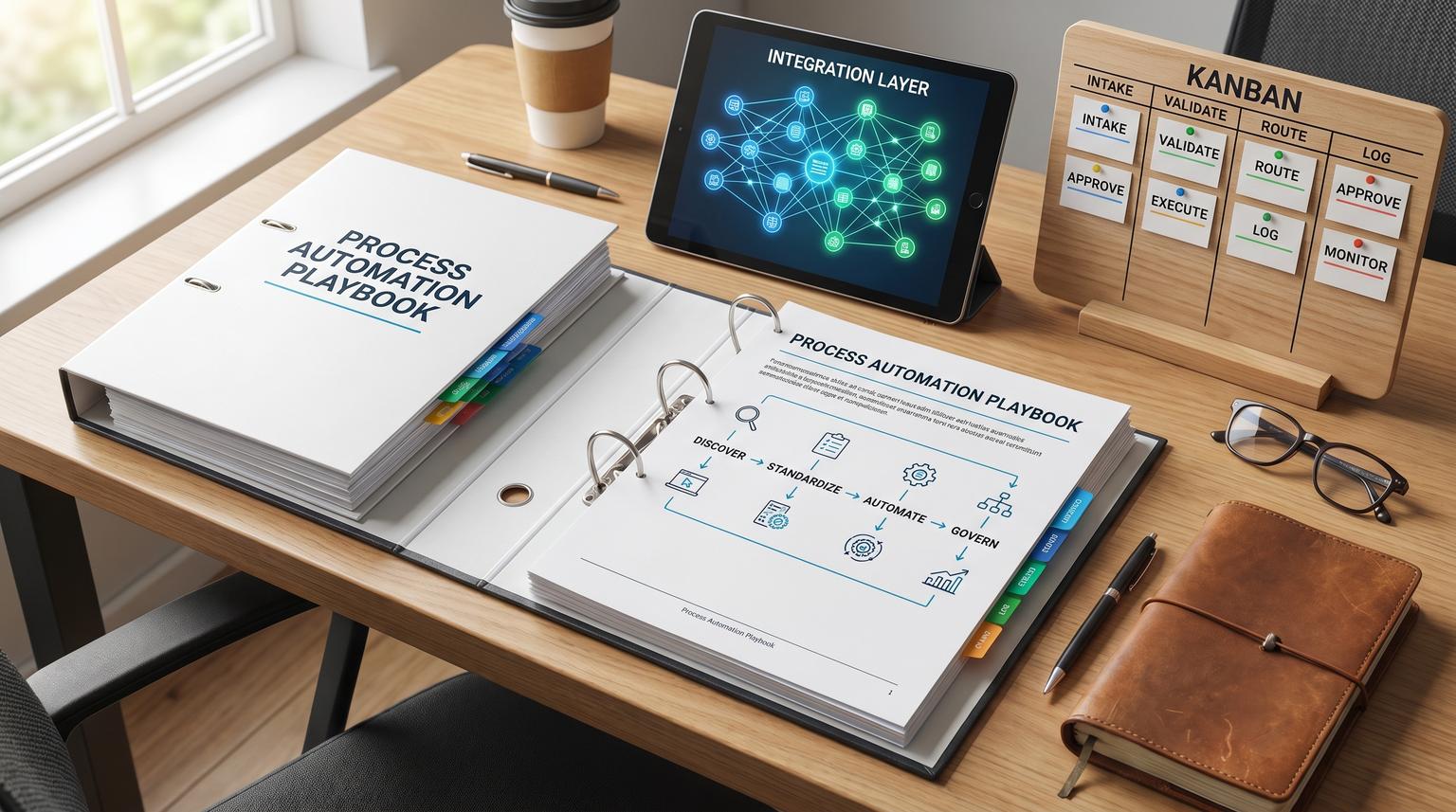
Back-office work often fails in quiet, expensive ways: approvals stuck in inboxes, incomplete handoffs between teams, duplicate data entry between systems and reporting that no one trusts. A repeatable process automation playbook solves that by making work visible first, then making it consistent, then making it executable, and finally making it governable as the business changes.
This pillar is for operators, founders and team leads who want to automate onboarding/offboarding, approvals, invoicing/procurement and reporting workflows without locking the approach to any single tool. You will learn how to map the current state fast, standardize inputs and owners, design exception-aware workflows and run governance so automations stay reliable in production.
Key takeaways:
- Map what actually happens using evidence (logs, tickets, audit trails) before designing improvements.
- Standardize triggers, minimum inputs, owners and SLAs so automation does not stall on missing context.
- Prioritize candidates with a readiness gate first, then an impact vs effort scorecard.
- Design workflows around approvals, handoffs and exceptions, not just the happy path.
- Govern automations like products: documentation, change control, monitoring and continuous improvement.
Quick start
- Pick one back-office workflow with frequent volume and visible pain (follow-ups, delays, errors).
- Extract a week or month of event evidence (tickets, CRM history, email timestamps, audit logs) and list the top variants.
- Create a one-page current-state map with swimlanes, handoffs, waits, rework loops and exception reasons.
- Define standardization basics: trigger, minimum required fields, system of record, owner, SLA and proof of completion.
- Run a readiness gate, then score impact vs effort to decide if you automate now or fix foundations first.
- Design the workflow: happy path plus approvals, exception queues, retries, notifications and a manual fallback.
- Ship in stages: instrument logging and monitoring first, then automate routing and validations, then expand coverage.
- Set governance: versioning, change approvals, runbooks, dashboards and a monthly review for drift and improvements.
A practical playbook for back-office workflow automation is: discover the real current state using evidence, standardize the inputs and ownership so work is repeatable, automate the predictable steps with clear handoffs and exception paths and then govern the automation with documentation, change control and monitoring. This sequence reduces rework, prevents brittle integrations and keeps automations maintainable as policies, teams and systems evolve.
Table of contents
- Why back-office automations fail (and how to prevent it)
- Discover and map the current state quickly (without analysis paralysis)
- Current-state discovery checklist (exception-first)
- Standardize the process so automation is reliable
- How do you decide what to automate first?
- Workflow design patterns: approvals, handoffs, exceptions, and human-in-the-loop
- Core back-office workflows and reusable patterns
- Data quality and integration touchpoints (SSOT and contracts)
- Risk and guardrails for production automation
- Governance: documentation, change control, monitoring, and continuous improvement
- Implementation rollout plan (from pilot to production)
- Work with ThinkBot Agency
Why back-office automations fail (and how to prevent it)
Most automation failures are not caused by tooling. They are caused by automating ambiguity. Common failure modes include:
- Unclear triggers: work starts when someone notices an email, not when a system event occurs.
- Missing minimum inputs: every request is different, so staff spend time clarifying instead of executing.
- No system of record: multiple spreadsheets or duplicate CRM records lead to conflicting truth.
- Exceptions not designed: the first unusual case bypasses the workflow and trust collapses.
- No owner: automations break quietly and no one is accountable for restoring service.
A better approach is to treat automation like operations engineering: define the work precisely, validate inputs, route exceptions to the right queue and instrument everything so you can detect drift. If you want broader context on how teams blend optimization and automation, see process optimization as a companion read.
Discover and map the current state quickly (without analysis paralysis)
Mapping is only useful if it is fast enough to inform design. A practical method is to anchor discovery in evidence, then use SME interviews to explain the why behind variants and exceptions. Fitgap describes an effective cadence: normalize event logs first, then run targeted "explain the trace" interviews, then publish a map with evidence links and version it so it stays trustworthy over time (source).
Use two mapping layers to stay efficient. Start with a high-level discovery map to define scope, stakeholders and boundaries. Then only produce detailed swimlanes for the processes you actually plan to standardize and automate. This keeps you from mapping for mapping's sake and uses facilitation to align stakeholders on what work is really happening (source).
What to capture that teams often miss
- Handoffs: where work changes owner or system, including re-keying fields.
- Wait states: approvals, missing info, queued work, dependency on another team.
- Rework loops: steps that repeat and the triggers that cause repeats.
- Exception reasons: the top 5-10 issues that break the happy path and where they are resolved.
For a concrete example of mapping handoffs and avoiding drop-offs in practice, our n8n blueprint shows reliability patterns such as validation gates, retries and error workflows (workflow reliability).

Current-state discovery checklist (exception-first)
Use this checklist when you need a minimum viable as-is map in days, not months. It is designed to surface the exception paths that will otherwise break your future-state workflow. It is adapted from Fitgap's evidence-first discovery approach (source).
- Identify case-id, activity and timestamp fields for each involved system (tickets, CRM, HRIS, accounting).
- Normalize activity names (synonyms, status values, team-specific labels).
- List top 5 variants by volume and top 5 by longest cycle time.
- For each variant, record where handoffs happen and what system update proves the handoff.
- Capture rework loops (repeated steps) and the trigger conditions.
- Document the 10 most common exception reasons and where they are resolved.
- Link each step to evidence (audit log, ticket fields, SOP paragraph, approval record).
- Assign an owner for each step and for each exception queue.
- Define versioning rules for the map: who approves changes, what requires review.
- Set a refresh cadence: monthly for high-change processes, quarterly otherwise.
Standardize the process so automation is reliable
Standardization is what turns "we do this differently each time" into "a workflow can run." Before you automate anything, define these components:
1) Trigger, scope, and boundaries
What starts the process, and what does not? Example triggers include "new employee created in HRIS" or "invoice received". The more explicit the trigger, the easier it is to eliminate invisible work.
2) Inputs and outputs (minimum viable)
Define minimum required fields to progress. If staff cannot supply the same minimum info each time, the workflow will stall in clarifications. This aligns with the readiness mindset that scaling depends on trusted data and clear ownership, not pilots (source).
3) System of record and sync rules
Decide where truth lives for each object: employee, vendor, invoice, request. Automations should update the system of record first, then sync outward. If you are weighing platforms and integration approaches, our tools comparison can help you understand tradeoffs like branching logic, error handling and total cost of ownership.
4) Owners, SLAs, and proof of completion
Every workflow needs one accountable owner (not "the ops team"). Define SLAs for response and resolution and define proof: what evidence confirms completion (ticket state, approval record, accounting entry, audit log line). If you run SLA-based escalations, see SLA escalation patterns for timeouts and safe alerting.
How do you decide what to automate first?
Prioritization works best as a two-step gate: confirm readiness first, then score impact vs effort. A common rule of thumb is: do not automate a process that does not work reliably by hand because automation scales errors (source).
Step 1: Readiness gate (go/no-go)
- Single clear trigger exists.
- Minimum required inputs are defined and available.
- Named owner exists for the workflow.
- Happy path is stable end-to-end manually.
- Top exceptions are named and have an owner or queue.
- Success metrics are defined (cycle time, error rate, cost, SLA).
- Systems of record are identified.
- Manual fallback exists for failures.
- Monitoring exists to detect stuck or failed runs.
- Change process exists for edits and approvals.
If you want an ROI-oriented way to rank your next set of automations, our ROI audit pairs baseline measurement with value vs effort scoring.
Step 2: Impact vs effort scoring (sequence the backlog)
The impact vs effort matrix is a simple 2x2 to organize options when everything feels urgent (source). For automation, define impact beyond cost savings (error reduction, compliance improvement, employee experience) and define effort beyond build time (integration complexity, data cleanup, change management) as Casebasix recommends (source).
| Quadrant | What it means for automation | Typical examples |
|---|---|---|
| Quick wins | High value with low integration and low exception complexity | Routing internal requests into a single queue, simple notifications, basic SLA timers |
| Major projects | High value but requires data cleanup, cross-system orchestration, approvals, audit | Onboarding/offboarding orchestration, procurement approvals with ERP posting |
| Fill-ins | Low value but easy, do only if it removes annoying friction | Auto-tagging, simple enrichment, templated confirmation messages |
| Avoid for now | Low value and high effort, or high risk with unclear ownership | Complex legacy migrations disguised as "automation" |

Workflow design patterns: approvals, handoffs, exceptions, and human-in-the-loop
After standardization, design the workflow as a state machine with explicit transitions. Fitgap's intake-to-resolution model is a strong cross-department pattern: one front door, a clear lifecycle (New -> Triage -> In progress -> Waiting on requester/Blocked -> Done) and transition rules that define who can move work forward and what data is required (source).
Design pattern 1: Separate routing from execution
Routing decides where work goes (owner, queue, priority). Execution performs the steps (create record, update status, provision access). This separation makes it easier to change org structure without rewriting the whole workflow.
Design pattern 2: Approvals need evidence, not just buttons
Approvals should be based on validated inputs and attach evidence (documents, receipts, contract terms, policy references). When evidence is missing, route to an exception queue rather than escalating immediately.
Design pattern 3: Exception taxonomy before escalation
Kissflow warns that poorly designed escalation and exception logic destroys trust and causes workflow bypass. Their guidance is to design exception handling first: categorize exceptions, route by class to the smallest appropriate decision-maker and reduce notification noise (source). In practice this means you need reason codes (what broke) and resolver ownership (who fixes it).
Design pattern 4: Human-in-the-loop checkpoints
Full automation is risky when decisions are high-impact, data is untrusted or policy interpretation is required. Add a human checkpoint when:
- The workflow touches permissions, payments or compliance sign-offs.
- The input data is incomplete or fails validation.
- An AI classification or extraction result is low confidence.
- An exception reason indicates potential fraud, termination, or legal risk.
For examples of exception-driven queues in a real commerce workflow, see order exceptions patterns that detect issues early and route to the right owner.
Core back-office workflows and reusable patterns
Below are common process areas where the same building blocks repeat: trigger -> validate -> route -> execute -> approve -> log -> report -> improve. The details vary, but the architecture stays consistent.
Onboarding and offboarding orchestration
Onboarding/offboarding works best as a cross-system orchestrated workflow with event-driven triggers, sequential dependencies and approval gates before sensitive actions. Serval emphasizes the difference between a checklist (human must notice and act) and automation (system executes, logs, and proves what happened) plus the need for a full audit trail (source).
If this is a priority area, compare your current approach with ThinkBot's production-ready onboarding patterns in onboarding best practices and use that as your standard for gates, rollbacks and evidence collection.
Approvals and compliance sign-offs
Approval workflows show their weaknesses in exceptions: missing information, ambiguous policy, or over-escalation. Use an exception taxonomy, require evidence fields and add delegation rules so approvals do not stall when someone is out. If you are evaluating build approaches, our breakdown of purchase approvals highlights audit trail and ERP reliability considerations.
Invoicing, procurement, and AP controls
The three-way match is a reusable control pattern: validate evidence -> approve -> post. In accounts payable, the control compares purchase order, goods receipt and supplier invoice prior to payment approval, and common failures include missing receipts, price/quantity variances and document mismatches (source). You can apply the same idea to any workflow where an approval must be grounded in objective evidence, such as vendor onboarding, contract compliance, or expense policy enforcement.
Internal service requests (ops, revops, finance ops, IT, marketing ops)
Internal requests get lost when intake is fragmented across email, chat and walk-ups. Standardize the front door and lifecycle first, then automate routing, timers and updates. For a practical example of turning Slack/Teams pings into tracked work, see internal requests patterns that create tickets, enforce SLAs and sync status back to chat.
Operational reporting that drives action
Reporting becomes operational when it is a workflow: exceptions -> owners -> actions -> closure. Datacult describes a weekly decision cadence where KPI owners review exceptions, assign actions with deadlines and track closure with a governed KPI layer (source). Automate the mechanics (refresh checks, threshold alerts, action log creation) and keep the decisions human.
Data quality and integration touchpoints (SSOT and contracts)
Back-office automation is integration-heavy: HRIS to identity, CRM to billing, ticketing to notifications, accounting to reporting. Reliability depends on stable system boundaries.
Single source of truth (SSOT) is a governance decision
SSOT is not just centralizing data, it requires governance so data is validated, securely accessed and auditable. Egnyte highlights data quality controls, access controls, audit trails and metadata/classification as core components of sustainable SSOT (source). For automation, this translates into: do not let every tool become a system of record, and do not allow silent overwrites without traceability.
Use data contracts at integration boundaries
A data contract is an explicit agreement between systems about schema, semantics and availability expectations, and it reduces breakages when upstream fields change. Bitloops provides a practical, implementation-oriented view including schema validation and producer/consumer responsibilities (source).
Data contract mini-spec (copy/paste)
Use this template when a workflow crosses systems and you want fewer production surprises. Keep it lightweight, version it, and validate payloads at ingestion.
contract:
name: employee.identity.v1
producer: HRIS
consumers: [IdP, ITSM, Payroll]
freshness_sla: "< 15m"
schema:
employee_id: {type: string, format: uuid, required: true}
email: {type: string, format: email, required: true}
dept: {type: string, required: true}
manager_id: {type: string, required: false}
quality_rules:
- email must be unique
- dept must be in allowed list
change_rules:
- breaking changes require major version bump
- backward compatible additions allowed in minor versions
audit:
- log all contract violations with payload sample + source timestamp
This is one of the easiest ways to reduce integration drift when you operate across CRM, ERP/accounting, HR systems, ticketing, email platforms and data warehouses.
Risk and guardrails for production automation
Production automation needs explicit guardrails because failures are rarely obvious. The point is not to prevent every failure, it is to make failures detectable, reversible and contained. Exception handling should be explicit and measured, not hidden in ad hoc DMs. Kissflow emphasizes that escalation is a last resort and exception design must keep the workflow credible so users do not bypass it (source).
Common failure modes and mitigations
- Duplicate records (double-create): add idempotency keys, dedup rules, and upsert semantics; log the canonical record id.
- Silent failures: implement run status dashboards, error queues, and alerts on stuck steps; audit daily for high-risk workflows.
- Bad input data: validate at intake, enforce required fields, and route to a "needs info" queue instead of guessing.
- Approval bottlenecks: add delegation, timeouts, and secondary approvers; avoid noisy escalations that train people to ignore alerts.
- Integration drift (field rename/type change): use contracts and schema validation; version payloads; test before deployment.
- Over-automation of judgment calls: add human checkpoints for high-risk decisions, low-confidence AI outputs, or policy interpretation.
- Security and access sprawl: least-privilege service accounts, credential rotation, audit logging, and separation of duties for approvals.
When you automate revenue-adjacent workflows, these guardrails are especially important. For example, our lead-to-invoice blueprint demonstrates patterns like validation gates, retries, audit logs and error workflows that keep revenue from being lost to silent failures (lead-to-invoice).
Governance: documentation, change control, monitoring, and continuous improvement
Governance is what prevents "we automated it" from becoming "we are afraid to touch it." Treat workflows as operational products with a lifecycle: design -> build -> release -> operate -> improve.
Documentation that is actually maintainable
Keep documentation short but structured: purpose, trigger, systems, owner, SLA, exceptions, and manual fallback. A simple "one paragraph" description per automation is a practical standard for maintainability and ownership (source).
Change control and versioning
Workflow edits are production changes. A useful model is to borrow from automated governance concepts: embed controls as executable rules, automate evidence collection and use risk-based review depth for changes. Research on DevOps governance highlights policy-as-code, automated evidence collection and real-time feedback loops as a way to scale governance without slowing delivery (source).
In back-office terms: store workflow definitions in versioned form, require approvals for changes that affect finance, access, or compliance and capture run logs and decision logs automatically.
Monitoring and operational metrics
At minimum, monitor:
- Run success rate and error rate by workflow version
- Time in state (to detect bottlenecks)
- Exception volume by reason code (to drive upstream fixes)
- SLA attainment (first response and resolution)
- Data quality violations (contract failures, missing fields, duplicates)
Then establish a review cadence. The weekly decision cadence model is a good pattern: review exceptions, assign owners and deadlines, track closure and prevent "reporting theater" by keeping the meeting focused on actions (source).
Implementation rollout plan (from pilot to production)
To reduce risk, ship in controlled stages with explicit checkpoints. This is especially important when workflows touch permissions, payment releases, customer communications, compliance evidence, or regulated data.
Stage 0: Baseline and scope
- Pick one workflow, one team, one clear success metric (cycle time, error rate, SLA).
- Collect a baseline sample and map the current state.
- Define owners and escalation paths.
Stage 1: Standardize intake and visibility
- Create a single intake mechanism or normalize multiple channels into one queue.
- Implement status visibility for requesters and stakeholders.
- Enforce minimum required fields and reason codes for exceptions.
Stage 2: Automate routing and validations
- Auto-assign owners based on type, attributes, and capacity rules.
- Validate data at boundaries and fail fast into exception queues.
- Add timers, reminders, and escalation thresholds tuned to real urgency.
Stage 3: Automate execution steps and integrations
- Orchestrate cross-system actions in a clear sequence.
- Add idempotency, retries with backoff, and a dead-letter queue for failures.
- Generate audit evidence automatically (who approved, what changed, when it ran).
Stage 4: Production hardening
- Monitoring dashboards and alerts on failures and SLA breaches.
- Runbooks: how to replay, roll back, or switch to manual mode.
- Change control: versioning and approvals for risky edits.
If you are scaling beyond a single team and evaluating enablement approaches, our overview of low-code scaling can help you think about standardization, talent constraints and governance.
Work with ThinkBot Agency
If you want this playbook applied to your environment, ThinkBot Agency can help you map current-state workflows, define standards and ship production-grade automations across CRM, email platforms, ticketing, HR and accounting systems with clear monitoring and governance. We are active in the n8n community and build tool-agnostic architectures when flexibility matters. To discuss your first 1-3 workflows and what a safe rollout looks like, book a consultation.
Prefer a procurement-friendly engagement path? You can also review our delivery track record on Upwork.
FAQ
What is a process automation playbook?
A process automation playbook is a repeatable method for discovering how work currently happens, standardizing inputs and ownership, designing exception-aware workflows, implementing integrations safely, and governing changes so automations stay reliable over time.
Should I map processes before automating?
Yes, but map only to the level needed to automate safely. Start with a fast, evidence-based current-state view, then expand into detailed swimlanes for the workflows you will standardize and automate.
What should we automate first in back-office operations?
Start with workflows that are frequent, measurable, stable on the happy path and have clear owners. Use a readiness gate first (inputs, owners, exceptions, monitoring) then rank the remaining candidates using an impact vs effort score.
Where should we keep humans in the loop?
Keep human approvals or reviews where decisions are high-risk, data is untrusted, policy interpretation is required, or AI outputs are low confidence. Add clear evidence requirements and exception routing so humans make decisions with context.
How do we prevent automations from breaking when systems change?
Define systems of record, use data contracts at integration boundaries, validate payloads, version workflow changes, and monitor for failures and drift. Treat workflow edits like production changes with approvals for high-risk updates.
Can ThinkBot Agency implement this without locking us into one tool?
Yes. ThinkBot focuses on process design, integration boundaries, governance, and reliability patterns that work across platforms. Tool choice comes after requirements, risk, and maintainability constraints are clear.
